ToolMage
Sign in

Best 1 Virtual Assistant for Ai

Popular Virtual Assistant in Ai include OpenPhone, helping you work more efficiently.

OpenPhone
Freemium

OpenPhone

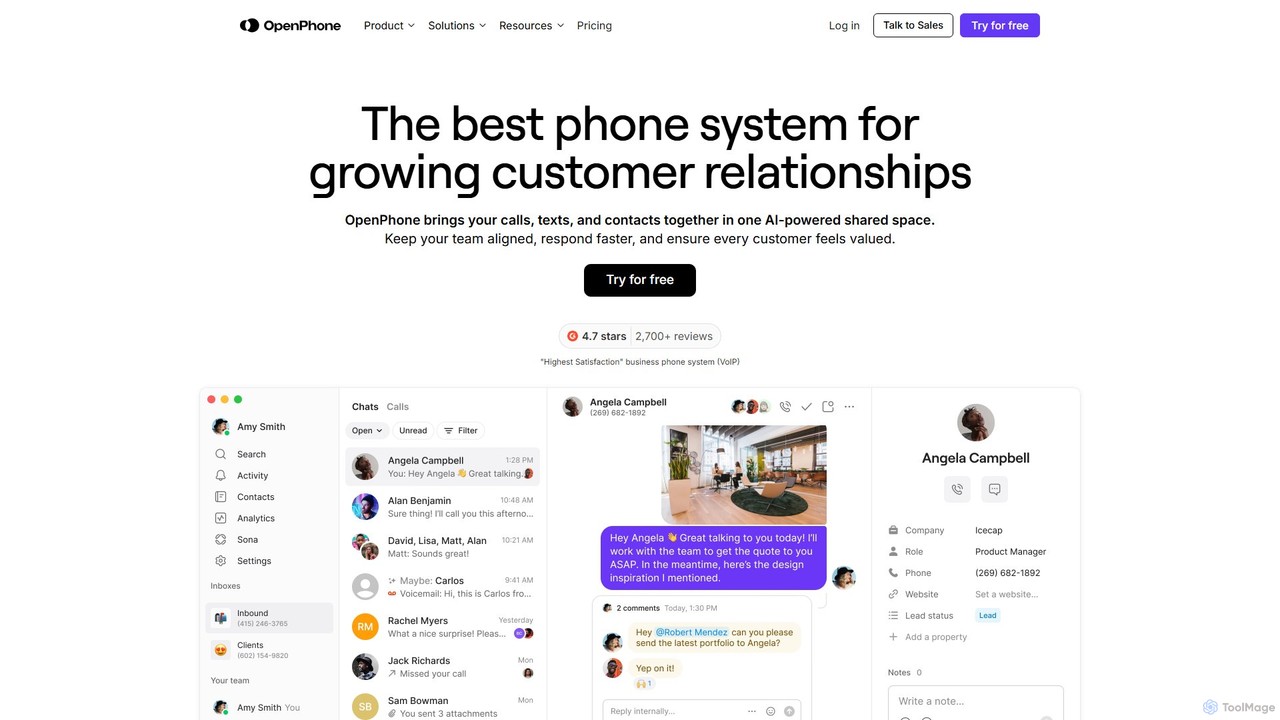
OpenPhone is an AI-powered business phone system for startups and small businesses. It combines calls, texts, and contacts into a collaborative shared inbox, enabling teams to improve customer communication, streamline workflows, and build stronger relationships. Features include shared numbers, AI call summaries, an AI answering agent, and powerful integrations.

Virtual Assistant
Visits 278.4KFavorites 105Likes 121

About Virtual Assistant

Virtual Assistants are AI-powered tools designed to automate and streamline various tasks, acting as intelligent digital companions. Leveraging advanced natural language processing (NLP) and machine learning, they can understand commands, process information, and execute actions across multiple platforms. These tools significantly enhance productivity and efficiency for individuals and businesses by handling routine operations, allowing users to focus on more strategic work. They represent a specialized segment within the broader field of artificial intelligence, focusing on interactive, task-oriented support.

Core Features

  • Task Automation: Automatically handles repetitive administrative duties like data entry, report generation, and workflow triggers.
  • Scheduling & Reminders: Manages calendars, sets appointments, sends meeting invitations, and provides timely reminders for tasks and events.
  • Information Retrieval: Quickly searches, aggregates, and presents relevant data from various sources based on user queries.
  • Communication Management: Drafts emails, responds to routine inquiries, filters messages, and manages notifications across communication channels.
  • Personalized Interaction: Learns user preferences and habits over time to offer more tailored suggestions and proactive support.

Applicable Scenarios

Virtual Assistants are invaluable in diverse settings, from individual professionals seeking to optimize their daily routines to large enterprises aiming to scale their operational efficiency. They are widely adopted in administrative support, customer service automation, and project management, where they can handle repetitive tasks, manage schedules, and provide quick access to information, freeing up human resources for more complex problem-solving and creative endeavors.

How to Choose

Selecting the right Virtual Assistant requires evaluating its natural language understanding (NLU) capabilities for accurate command interpretation, its integration potential with existing software ecosystems (CRM, project management tools, email clients), and the level of customization offered for specific workflows. Additionally, consider data security protocols, scalability to meet future demands, and the clarity of its pricing model to ensure it aligns with your operational needs and budget.

Featured tool rankings

Virtual Assistant use cases

1

Automate Email Triage and Response

For professionals overwhelmed by email, a virtual assistant can automatically categorize incoming messages, flag urgent ones, draft standard replies to common inquiries, and archive newsletters. This frees up significant time, ensuring critical communications are addressed promptly while reducing inbox clutter and mental load.

2

Streamline Meeting Scheduling Across Time Zones

Project managers or team leads often spend hours coordinating meeting times. A virtual assistant can access team calendars, propose optimal slots considering different time zones, send out invitations, and follow up with attendees. This eliminates back-and-forth emails, ensuring efficient scheduling and higher meeting attendance rates.

3

Provide First-Line Customer Support

Businesses can deploy virtual assistants to handle initial customer inquiries on websites or messaging platforms. The assistant can answer frequently asked questions, guide users to relevant resources, troubleshoot common issues, and escalate complex cases to human agents, significantly improving response times and customer satisfaction.

4

Aggregate Market Research Data

Marketing analysts or business strategists need to gather vast amounts of information. A virtual assistant can monitor news sources, social media, and industry reports, extracting key trends, competitor activities, and consumer sentiment. This provides timely, consolidated insights, accelerating market analysis and strategic decision-making.

5

Enhance Personal Productivity and Task Management

Individuals can leverage virtual assistants to manage daily to-do lists, set reminders for personal and professional tasks, organize digital files, and even book appointments. By offloading routine organizational burdens, users can maintain focus on high-priority activities, reducing stress and improving overall personal efficiency.

6

Assist with HR Onboarding and Employee FAQs

HR departments can utilize virtual assistants to guide new hires through the onboarding process, providing information on company policies, benefits, and IT setup. The assistant can also serve as an instant resource for existing employees, answering common HR-related questions, thus reducing the workload on HR staff and ensuring consistent information delivery.

Virtual Assistant FAQ

What are Virtual Assistants?

Virtual Assistants are AI-powered software tools designed to perform tasks and services for users based on commands or predefined rules. They leverage natural language processing (NLP) to understand human input and machine learning to adapt and improve over time. Their primary goal is to automate routine administrative, organizational, and communication tasks, enhancing both personal and business productivity.

How do Virtual Assistants differ from traditional chatbots?

While both interact with users, Virtual Assistants are generally more sophisticated and proactive than traditional chatbots. Chatbots often follow predefined scripts to answer specific questions, whereas Virtual Assistants can understand context, manage complex workflows, integrate with multiple applications, and even learn from interactions to offer personalized support. They are designed for broader task execution beyond simple Q&A.

What types of tasks can Virtual Assistants automate?

Virtual Assistants can automate a wide range of tasks, including scheduling meetings, managing email inboxes, setting reminders, conducting web research, generating reports, handling customer service inquiries, and managing project workflows. They excel at repetitive, rule-based, or information-gathering tasks, freeing up human users for more strategic and creative work.

What are the key benefits of implementing a Virtual Assistant?

Implementing a Virtual Assistant offers several key benefits: significantly increased efficiency by automating routine tasks, reduced operational costs, improved accuracy in data handling, and enhanced productivity for individuals and teams. They also provide 24/7 availability for certain functions, ensuring continuous support and faster response times, ultimately allowing human talent to focus on higher-value activities.

What should I consider when selecting a Virtual Assistant tool?

When selecting a Virtual Assistant, consider its natural language understanding (NLU) capabilities for accurate interpretation of commands, its integration ecosystem with your existing software (e.g., CRM, calendar, email), and the level of customization it offers for your specific workflows. Also, evaluate its scalability, data security measures, and the clarity of its pricing model to ensure it meets your long-term needs and budget.