
dbpilot
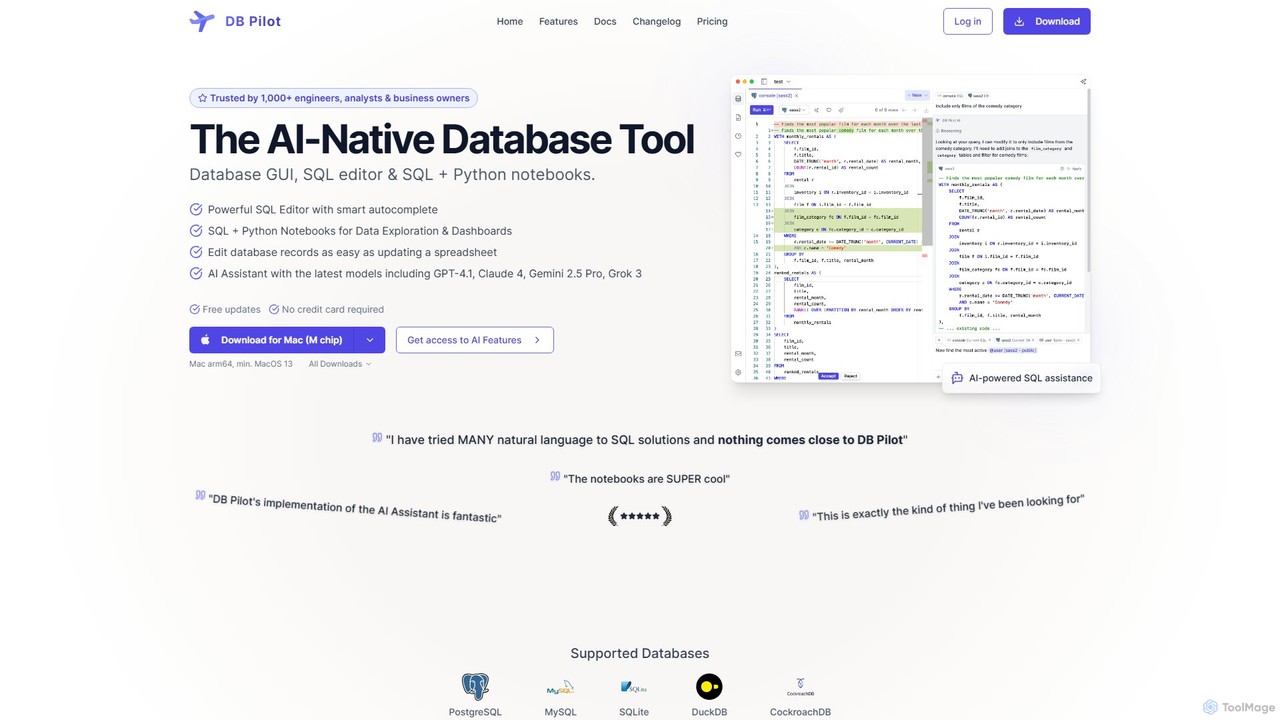
dbpilot is an AI-native database tool for engineers and analysts, featuring a powerful GUI, an intelligent SQL editor, …
dbpilot is an AI-native database tool for engineers and analysts, featuring a powerful GUI, an intelligent SQL editor, and integrated SQL + Python notebooks. It leverages top AI models like GPT-4 and Claude to generate, debug, and explain queries, streamlining data exploration and dashboard creation in a secure, local-first environment.
About Sql
AI SQL tools are a class of intelligent assistants designed to generate, optimize, and explain SQL queries using natural language. They leverage large language models (LLMs) to translate human instructions into executable database commands. This empowers developers, analysts, and even non-technical users to interact with complex databases more efficiently, accelerating data retrieval and analysis. These tools can also debug complex queries and translate them between different SQL dialects, such as from PostgreSQL to SQL Server.
Core Features
- Natural Language to SQL: Converts plain text questions (e.g., "show me last month's sales") into precise SQL code.
- SQL Optimization: Analyzes existing queries and suggests improvements to enhance performance and reduce execution time.
- Query Explanation: Breaks down complex SQL statements into simple, step-by-step descriptions for better understanding.
- Error Detection & Debugging: Automatically identifies syntax errors or logical flaws in queries and provides corrected versions.
- SQL Dialect Translation: Translates SQL code accurately between different database systems like MySQL, PostgreSQL, and BigQuery.
Use Cases
These tools are widely used by data analysts for rapid query generation, software developers for integrating database logic, and business intelligence professionals for building reports. They are particularly valuable in environments with complex database schemas, as they help users discover data and formulate queries without needing to memorize every table and column name. They also serve as excellent learning aids for those new to SQL.
How to Choose
When selecting an AI SQL tool, consider its compatibility with your specific database systems. Evaluate the accuracy and complexity of the SQL it can generate. For enterprise use, prioritize tools with robust security features and data privacy policies. Also, check for integrations with your existing development environments (IDEs) or data platforms to ensure a seamless workflow.
SqlUse Cases
Accelerating Data Analysis with Natural Language
A data analyst needs to quickly pull sales data for a specific region. Instead of manually writing a complex SQL query with multiple joins, they type: "Show me the total sales for products in the 'Electronics' category in California for Q3 2023, grouped by month." The AI tool instantly generates the correct SQL query, saving significant time and reducing the chance of syntax errors. This allows the analyst to focus on interpreting data rather than writing code.
Optimizing Slow Database Reports
A business intelligence team notices a critical daily report is running very slowly. A database administrator pastes the long, convoluted SQL query into an AI SQL tool. The tool analyzes the query, identifies inefficient joins and redundant subqueries, and suggests an optimized version that runs up to 50% faster. This improves system performance and ensures timely delivery of business insights without weeks of manual tuning.
Debugging Complex SQL Errors
A junior developer is struggling with a SQL query that returns a cryptic error message. They input the faulty query into an AI SQL tool. The tool not only pinpoints the exact location of the syntax error (e.g., a missing comma) but also explains *why* it's an error in plain language. It provides a corrected version, turning a frustrating debugging session into a valuable learning opportunity.
Onboarding New Team Members to a Database
A new hire needs to understand a legacy database with hundreds of tables. Using an AI SQL tool, they can ask questions like "How do I join the `users` table with the `orders` table to get customer purchase history?" The tool generates the correct join syntax and explains the relationship between the tables, dramatically speeding up their learning curve and time to productivity without constantly interrupting senior staff.
Empowering Business Users with Self-Service Analytics
A marketing manager, with no SQL knowledge, wants to understand customer churn. They use an AI SQL tool integrated into their BI platform and ask, "Which customers who signed up last year have not made a purchase in the last 90 days?" The tool translates this into a SQL query, runs it, and presents the results. This enables data-driven decisions without creating a bottleneck by relying on the data team for every request.
Migrating Databases Between Different Systems
A company is migrating its data warehouse from Microsoft SQL Server to Google BigQuery. A data engineer uses an AI SQL tool to automatically translate hundreds of existing SQL scripts. The tool handles the subtle but critical syntax differences between T-SQL and BigQuery Standard SQL, such as date functions and query structure, saving weeks of manual conversion and testing effort.