ToolMage
Sign in

Best 2 Meeting Management AI tools for Collaboration

Popular Meeting Management AI tools in Collaboration include Groupflows and BrainstormGPT, helping you work more efficiently.

BrainstormGPT
Freemium

BrainstormGPT

BrainstormGPT is an AI-powered collaborative platform designed for business teams. It facilitates structured brainstorming sessions, generates creative ideas, analyzes inputs in real-time, and produces actionable reports. Ideal for strategic planning, problem-solving, and innovation, it helps teams transform raw ideas into data-driven decisions efficiently.

Strategic Planning
Visits 6.1KFavorites 110Likes 125
Groupflows
Freemium

Groupflows

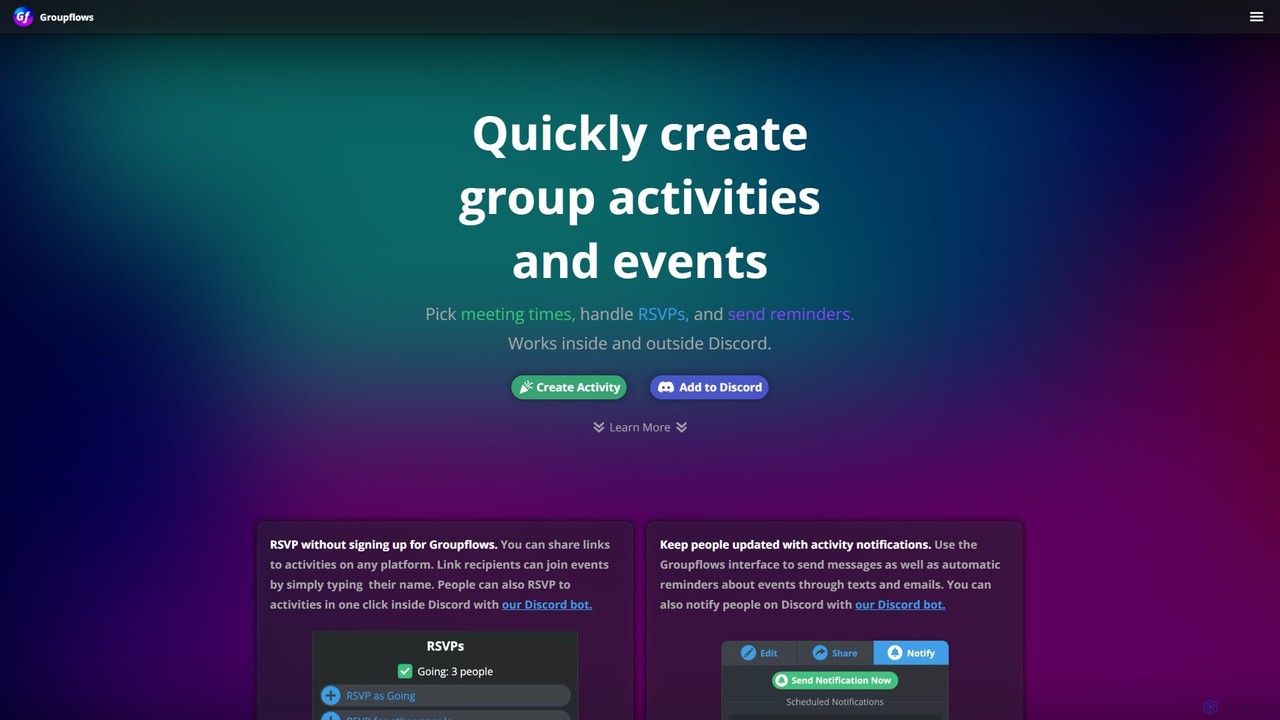
Groupflows is an intelligent event scheduling and RSVP management tool designed to simplify group coordination. It helps users find the best meeting times, handle RSVPs effortlessly, and send automated reminders. With deep integration for Discord, it's perfect for communities, teams, and social groups.

Meeting Management
Visits 7.2KFavorites 131Likes 131

About Meeting Management

AI Meeting Management tools are applications designed to automate and enhance the entire lifecycle of a meeting. They use technologies like natural language processing (NLP) to automatically transcribe conversations, generate concise summaries, and identify key action items. These tools transform unstructured meeting data into structured, searchable knowledge, significantly improving team productivity and accountability. They go beyond simple recording by providing actionable insights and integrating seamlessly with existing workflows.

Core Features

  • Automated Transcription: Provides real-time, speaker-identified transcripts of meetings.
  • AI-Generated Summaries: Automatically creates summaries highlighting key decisions and discussion points.
  • Action Item Detection: Identifies and helps assign tasks mentioned during the conversation.
  • Meeting Analytics: Offers insights into participation, talk-to-listen ratios, and topics discussed.
  • Workflow Integration: Connects with CRMs, project management software, and communication platforms.

Use Cases

These tools are widely used by sales teams for call coaching, product teams for documenting technical decisions, and project managers for tracking stakeholder commitments. They are also valuable for user researchers analyzing interviews and executive assistants creating official meeting records.

How to Choose

When selecting a tool, consider the accuracy of its transcription and summary generation. Evaluate its integration capabilities with your existing software stack (e.g., Slack, Salesforce, Jira). Also, assess the platform's security protocols for handling sensitive conversation data and compare pricing models based on your team's size and usage frequency.

Meeting Management use cases

1

Analyze Sales Calls for Coaching and Forecasting

Sales managers often lack the time to listen to every call their team makes. An AI Meeting Management tool automatically transcribes and summarizes sales calls with clients. Managers can quickly review key moments, customer objections, and competitor mentions without listening to hours of recordings. The tool can identify action items like 'send proposal' and sync them to the CRM. This process allows for targeted coaching on specific parts of the sales pitch and provides data-driven insights for more accurate sales forecasting.

2

Document Product Development Stand-ups

In agile development, daily stand-ups and sprint retrospectives are crucial but often poorly documented. An AI meeting tool can join these virtual meetings, transcribe the discussion, and automatically identify blockers, decisions, and action items. For example, when an engineer says, 'I'll investigate the API latency issue by tomorrow,' the tool flags this as a task. This creates a searchable record of all technical discussions, ensures accountability, and frees up the scrum master or product manager from manual note-taking to focus on facilitating the meeting.

3

Streamline Client Project Updates and Approvals

Project managers and account executives regularly meet with clients to provide updates and get approvals. Misunderstandings can lead to project delays. An AI meeting tool provides an objective record of the conversation. After a call, a summary and list of action items can be automatically generated and shared with the client for confirmation. This ensures both parties are aligned on next steps, deadlines, and deliverables, reducing back-and-forth emails and creating a clear audit trail of all client agreements.

4

Accelerate User Research and Interview Analysis

UX researchers and product managers conduct numerous user interviews to gather insights. Manually transcribing and analyzing these interviews is time-consuming. An AI meeting tool can automatically transcribe each session. Researchers can then search across all interviews for specific keywords or themes, such as 'frustration with checkout process.' They can also create highlight reels of key user quotes to share with stakeholders, making it easier to communicate user needs and validate design decisions with qualitative data.

5

Create Official Records for Board and Executive Meetings

For high-stakes meetings like board meetings or executive committees, accurate documentation is critical for compliance and governance. An executive assistant can use an AI meeting tool to generate a highly accurate first draft of the meeting minutes. The AI summary captures key decisions, motions, and voting outcomes. This draft can then be quickly reviewed and finalized, saving hours of work and reducing the risk of human error in capturing critical information. The searchable transcript also serves as a reliable archive for future reference.

6

Improve Cross-Functional Team Alignment

When teams from different departments (e.g., marketing, product, sales) collaborate, ensuring everyone is on the same page is a challenge. An AI meeting tool centralizes outcomes from all cross-functional meetings. A team member who couldn't attend can quickly catch up by reading the AI summary instead of a long transcript or relying on hearsay. Action items are clearly captured and can be synced to a shared project management tool like Asana or Trello, ensuring visibility and accountability across departments and keeping complex projects on track.

Meeting Management FAQ

What are AI Meeting Management tools?

AI Meeting Management tools are software applications that use artificial intelligence to automate tasks before, during, and after meetings. Their primary function is to capture conversations through transcription and then transform that raw data into structured assets like summaries, action items, and key topics. Unlike simple recording or transcription services, these tools focus on making meeting outcomes actionable and searchable, effectively creating a knowledge base from conversations.

How do I choose the right AI Meeting Management tool?

To choose the right tool, consider these factors:

  • Accuracy: Evaluate the quality of the transcription and AI-generated summaries. Many tools offer free trials to test this.
  • Integrations: Ensure it connects seamlessly with your core software, such as your calendar, video conferencing platform (Zoom, Teams), CRM (Salesforce), and project management tools (Jira, Asana).
  • Security & Compliance: Verify its security protocols, especially if you discuss sensitive information. Look for certifications like SOC 2.
  • Language Support: Check if it supports the primary languages spoken in your meetings.
  • Pricing: Compare plans based on the number of users, meeting hours, and advanced features you require.

What's the difference between AI Meeting Management and simple transcription services?

The key difference lies in intelligence and workflow integration. A simple transcription service converts audio to text, providing a raw transcript. An AI Meeting Management tool does that and much more. It analyzes the content to:

  • Generate concise, human-readable summaries.
  • Automatically detect action items, decisions, and questions.
  • Provide analytics on who spoke and for how long.
  • Integrate this structured data into other business systems like CRMs or project management tools.
In short, transcription is a feature, while meeting management is a complete solution for making meetings productive.

Can these tools join meetings automatically?

Yes, most AI Meeting Management tools can function as a bot or assistant that automatically joins your scheduled meetings. You typically connect the tool to your calendar (e.g., Google Calendar, Outlook). When a meeting with a video conference link is about to start, the tool's bot will automatically join the call to record and transcribe the conversation. This 'set it and forget it' functionality ensures that no meeting is missed, even if you forget to manually activate the recording.

Who benefits most from AI Meeting Management tools?

While many roles can benefit, certain groups find these tools particularly valuable:

  • Sales Teams: For analyzing calls, coaching reps, and syncing customer insights to CRMs.
  • Product & Engineering Teams: To document technical decisions, track action items from stand-ups, and create a knowledge base of product discussions.
  • Project & Account Managers: To ensure alignment with clients, document approvals, and track deliverables.
  • UX Researchers: To quickly analyze user interviews and identify key themes without manual transcription.
  • Executives & Their Assistants: For creating accurate records of high-level meetings and ensuring follow-through on strategic decisions.