ToolMage
Sign in

Best 1 Chat With Your Data AI tools for Data

Popular Chat With Your Data AI tools in Data include Generellem, helping you work more efficiently.

Generellem
Paid

Generellem

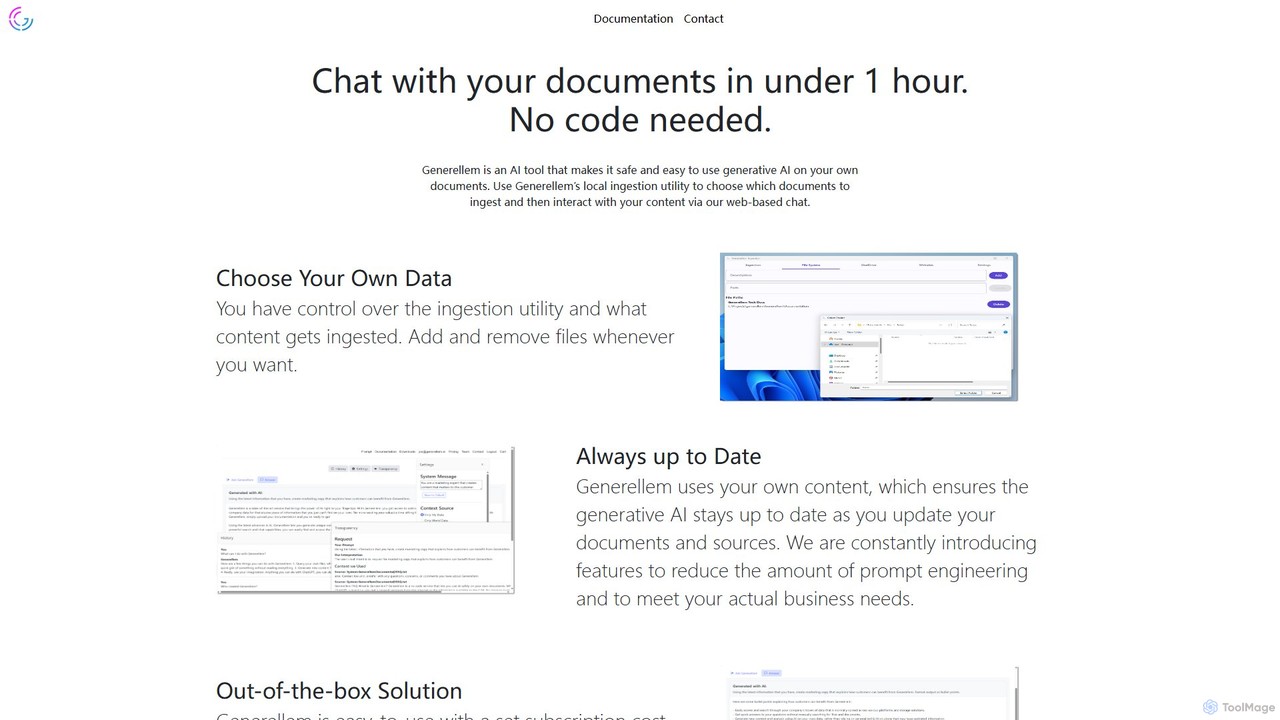
Generellem is a secure, no-code AI tool that allows you to chat with your own documents. It uses a local ingestion utility to create a private knowledge base, enabling you to get instant, accurate answers from your data via a web-based chat interface.

Knowledge Management
Visits 4KFavorites 90Likes 104

About Chat With Your Data

Chat With Your Data tools are a class of AI applications that allow you to interact with your documents, spreadsheets, and databases using natural language. These tools leverage Large Language Models (LLMs) and Retrieval-Augmented Generation (RAG) to understand your questions, find relevant information within your private data sources, and generate human-like answers. The primary value is democratizing data analysis, enabling non-technical users to extract specific insights without writing code or navigating complex dashboards. They transform static files into interactive, conversational knowledge bases.

Core Features

  • Natural Language Querying: Ask complex questions in plain English to get precise answers from your data.
  • Multi-Source Connectivity: Securely connect to various file types (PDF, DOCX, CSV) and databases without moving your data.
  • Source-Cited Responses: Answers are accompanied by direct references to the source documents or data entries, ensuring verifiability and trust.
  • Contextual Conversation: The AI remembers previous questions and answers, allowing for follow-up inquiries and deeper exploration.
  • Automated Summarization: Instantly generate summaries of large documents or data sets based on your queries.

Use Cases

These tools are widely used by business analysts for quick report generation, researchers for literature review, and legal teams for contract analysis. For example, a marketing manager can upload a sales report and ask, "Which product had the highest growth last quarter?" without needing a data scientist. Similarly, customer support teams can query internal knowledge bases to find solutions instantly.

How to Choose

When selecting a tool, first consider the supported data sources and formats to ensure compatibility. Evaluate the security and privacy protocols, especially for sensitive information—look for on-premise or VPC deployment options. Assess the accuracy of the AI and its ability to provide clear source citations. Finally, consider the user interface's intuitiveness and its integration capabilities with your existing workflow tools like Slack or Microsoft Teams.

Featured tool rankings

Chat With Your Data use cases

1

Analyze Sales Data for Business Insights

A marketing manager needs to quickly understand quarterly sales performance without waiting for the data analytics team. They upload a CSV file containing sales data into a 'Chat With Your Data' tool. By asking questions like "What were the top 5 selling products in Europe last quarter?" or "Compare the sales trend of Product A vs. Product B over the last six months," they receive immediate, easy-to-understand answers and even simple charts. This empowers them to make faster, data-driven decisions for upcoming campaigns, reducing dependency on technical teams and shortening the insight-to-action cycle.

2

Accelerate Academic Research and Literature Reviews

A university researcher is conducting a literature review on a complex topic and has gathered over 100 academic papers in PDF format. Instead of manually reading each one, they upload the entire collection to a 'Chat With Your Data' platform. They can then ask specific questions like, "Summarize the methodologies used to study topic X across these papers," or "Which authors are most frequently cited regarding theory Y?" The tool extracts and synthesizes information from all documents, providing a comprehensive overview with source citations in minutes. This dramatically speeds up the research process, helping to identify key themes and gaps in existing literature more efficiently.

3

Streamline Legal Contract Review and Analysis

A paralegal at a law firm is tasked with reviewing a 200-page contract to identify all clauses related to intellectual property rights and liability limits. This traditionally takes hours of careful reading. By uploading the document to a secure 'Chat With Your Data' tool, they can ask, "List all clauses that mention 'intellectual property'" and "What is the specified limit of liability?" The AI instantly scans the document and presents the exact clauses and figures, complete with page numbers for reference. This not only saves significant time but also reduces the risk of human error in overlooking critical details, allowing the legal team to focus on higher-value analysis.

4

Enhance Customer Support with an Internal Knowledge Base

A customer support team relies on a vast internal knowledge base of help articles, technical manuals, and troubleshooting guides. When a customer calls with a complex issue, agents often spend valuable time searching for the right document. By implementing a 'Chat With Your Data' tool connected to this knowledge base, an agent can simply type the customer's problem, like "How to configure SSO with Okta for the enterprise plan?" The tool instantly provides a step-by-step guide synthesized from the relevant documents. This leads to faster resolution times, improved first-contact resolution rates, and higher customer satisfaction, while also reducing agent training time.

5

Query Financial Reports for Quick Analysis

A financial analyst needs to compare performance metrics across several quarterly earnings reports (PDFs). Instead of manually sifting through each document to find specific figures, they upload all reports into a 'Chat With Your Data' application. They can then ask direct questions like, "What was the revenue growth percentage in Q2 compared to Q1?" or "List the operating expenses for each quarter." The AI extracts the precise data points from the tables and text within the reports, presenting a consolidated answer. This allows the analyst to perform rapid comparative analysis and identify trends without the tedious work of manual data extraction.

6

Onboard New Employees with Interactive HR Documents

An HR department wants to improve the onboarding experience for new hires. They consolidate all onboarding materials—employee handbooks, policy documents, and benefits guides—into a single 'Chat With Your Data' portal. New employees can then ask questions in their own words, such as "What are the options for the health insurance plan?" or "How do I request paid time off?" The AI provides direct, easy-to-understand answers with links to the relevant sections in the source documents. This creates an interactive and self-service onboarding process, reducing the administrative load on the HR team and empowering new employees to find information independently.

Chat With Your Data FAQ

What are 'Chat With Your Data' tools?

'Chat With Your Data' tools are AI-powered applications that let you ask questions in natural language to get answers from your own documents and databases. Instead of using complex query languages or dashboards, you can simply have a conversation with your data. These tools typically use a technology called Retrieval-Augmented Generation (RAG), which finds relevant information in your provided sources (like PDFs, CSVs, or databases) and then uses a Large Language Model (LLM) to generate a clear, human-like answer based only on that information. This makes data analysis accessible to everyone, not just data experts.

How do 'Chat With Your Data' tools differ from traditional BI tools?

The main difference lies in the user interface and the required skill level. Traditional Business Intelligence (BI) tools like Tableau or Power BI are powerful for creating complex visualizations and dashboards, but they often require technical skills to set up data sources, build queries, and design reports. 'Chat With Your Data' tools offer a conversational interface.

  • User Interaction: BI tools use drag-and-drop interfaces and dashboards, while 'Chat' tools use a natural language chat box.
  • Target User: BI tools are primarily for data analysts and business analysts. 'Chat' tools are designed for any business user, regardless of technical ability.
  • Use Case: BI is for structured, ongoing reporting and deep analysis. 'Chat' tools are for quick, ad-hoc questions and extracting specific information from both structured and unstructured data.
In essence, 'Chat With Your Data' tools complement BI tools by making data accessible for quick, specific inquiries by a broader audience.

How do these tools ensure the privacy and security of my data?

Data privacy and security are critical considerations for these tools. Reputable providers address this in several ways:

  • Data Processing Location: Many tools offer options to process data within your own environment, either through on-premise deployment or within your private cloud (VPC), ensuring sensitive data never leaves your control.
  • Data-in-Transit and At-Rest Encryption: Standard security protocols like SSL/TLS for data transfer and AES-256 for stored data are used to protect your information.
  • No Model Training on User Data: Leading tools have strict policies against using your private data to train their public AI models. Your data is used solely to answer your specific queries.
  • Access Controls: Enterprise-grade tools provide robust user management and access controls, allowing you to define who can access which data sources.
Always review a tool's security documentation and privacy policy before uploading sensitive information.

What types of data sources can I connect to?

The range of supported data sources varies by tool, but most platforms are designed to be flexible. Common supported sources include:

  • Unstructured Files: This is a primary use case. Most tools support PDF, Microsoft Word (.docx), PowerPoint (.pptx), and plain text (.txt) files.
  • Structured Files: Many tools can connect to spreadsheets like Microsoft Excel (.xlsx) and Comma-Separated Values (.csv) files, allowing you to query tabular data.
  • Databases: More advanced platforms offer direct connectors to SQL databases (like PostgreSQL, MySQL) and NoSQL databases, enabling you to chat with live, structured data.
  • Cloud Storage & Apps: Some tools integrate with services like Google Drive, Notion, Slack, or Confluence, allowing you to create a centralized chatbot for all your knowledge.
When choosing a tool, it's essential to verify that it supports the specific formats and systems where your data resides.

How accurate are the answers from these AI tools?

The accuracy of 'Chat With Your Data' tools depends heavily on the underlying technology and the quality of your source data. High-quality tools use a technique called Retrieval-Augmented Generation (RAG), which grounds the AI's answers strictly in the information retrieved from your documents. This significantly reduces the risk of 'hallucinations' or fabricated answers. Key factors influencing accuracy include:

  • Quality of Source Data: Clear, well-structured, and accurate source documents lead to better answers.
  • Retrieval System: The AI's ability to find the most relevant passages of text to answer a question is crucial.
  • Source Citation: The best tools provide direct links or references to the source material for every answer, allowing you to verify the information yourself.
While accuracy is generally high for well-defined questions based on the provided data, it's always good practice to verify critical information using the source citations.