ToolMage
Sign in

Best 1 Reporting AI tools for Data

Popular Reporting AI tools in Data include GoX, helping you work more efficiently.

GoX
Freemium

GoX

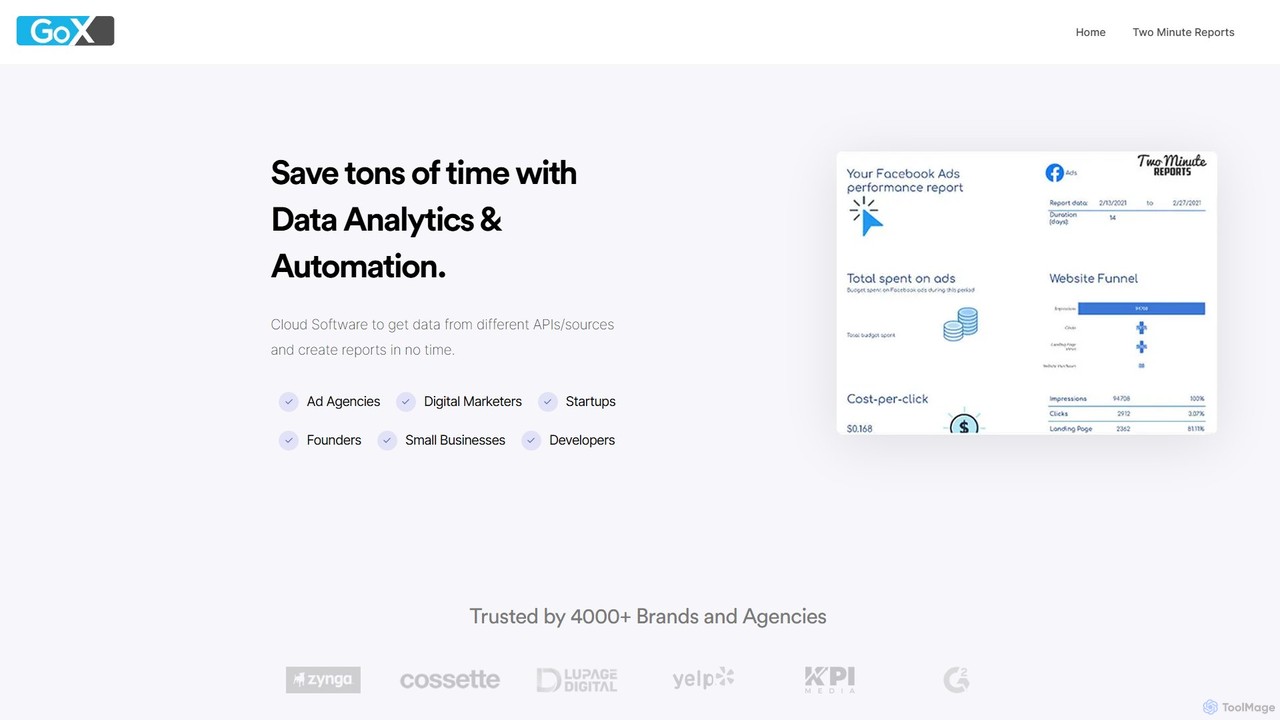
GoX is a data automation and analytics platform, delivered through its flagship product 'Two Minute Reports'. It helps marketers and agencies save time by connecting to various data sources (like Google Ads, Facebook Ads, SEO tools), consolidating data, and automating report generation directly within Google Sheets and Looker Studio. It's a no-code solution for creating beautiful, insightful reports in minutes.

Business Intelligence
Visits 10.9KFavorites 119Likes 122

About Reporting

AI Reporting tools are a category of AI-powered solutions designed to automate the collection, analysis, and visualization of data to generate insightful reports. These tools leverage advanced machine learning algorithms to process vast datasets, identify complex patterns, and present findings in an easily digestible format, moving beyond static data presentation. They empower businesses to gain actionable intelligence, monitor performance metrics, and make data-driven decisions with unprecedented efficiency and accuracy, transforming raw data into strategic assets and fostering a culture of continuous improvement.

Core Features

  • Automated Data Integration: Seamlessly connect and gather data from diverse sources like databases, APIs, cloud platforms, and spreadsheets, ensuring comprehensive data coverage.
  • Intelligent Data Analysis: Utilize AI and machine learning to uncover hidden trends, detect anomalies, and identify complex correlations within vast and disparate datasets.
  • Customizable Dashboards & Visualizations: Generate interactive reports, dynamic dashboards, and a variety of charts and graphs tailored to specific business needs, user roles, and presentation preferences.
  • Predictive Analytics: Forecast future outcomes, anticipate market shifts, and identify potential risks or opportunities based on historical data patterns and advanced statistical models.
  • Natural Language Generation (NLG): Automatically convert complex data insights and statistical findings into clear, concise, and human-readable narratives and summaries, simplifying comprehension for all stakeholders.

Applicable Scenarios

AI Reporting tools are indispensable for roles across various industries seeking to transform raw data into actionable insights. Marketing teams use them to analyze campaign performance, optimize ad spend, and understand customer journeys. Finance departments rely on them for real-time financial health monitoring, budget variance analysis, and compliance reporting. Operations managers employ these tools to track efficiency, identify supply chain bottlenecks, and optimize resource allocation. They provide critical insights for strategic planning, operational improvements, and competitive advantage.

How to Choose

When selecting an AI Reporting tool, consider its compatibility with your existing data infrastructure and the breadth of its data integration capabilities, ensuring it can connect to all your critical sources. Evaluate the flexibility of its visualization options and the depth of its AI-driven analytics, such as predictive modeling, anomaly detection, or natural language generation, to match your specific analytical needs. Also, assess its scalability to handle growing data volumes and increasing user demands, alongside robust security features and compliance certifications to protect sensitive information and meet regulatory requirements.

Reporting use cases

1

Automated Sales Performance Reporting

Sales managers use AI reporting tools to automatically aggregate sales data from CRM systems, identify top performers, analyze regional trends, and generate weekly performance summaries. This saves hours of manual data compilation, allowing for quicker strategic adjustments, more effective coaching, and proactive identification of sales opportunities or challenges.

2

Marketing Campaign ROI Analysis

Marketing teams leverage AI reporting tools to track campaign metrics across multiple channels, automatically calculate return on investment (ROI), pinpoint underperforming ads, and generate comprehensive reports. These insights inform future budget allocation, optimize campaign strategies, and ensure maximum effectiveness of marketing spend.

3

Financial Health Dashboard Creation

Finance departments utilize AI reporting to consolidate financial data from ERP systems, accounting software, and other sources. They create real-time dashboards for cash flow, profit & loss, and balance sheets, enabling proactive financial monitoring, budget variance analysis, and streamlined compliance reporting, crucial for sound fiscal management.

4

Customer Service Trend Identification

Customer support leads employ AI reporting to analyze ticket volumes, resolution times, common issue categories, and sentiment from customer interactions. This generates reports that highlight service bottlenecks, identify areas for agent training or product improvement, and ultimately enhance overall customer satisfaction by addressing root causes efficiently.

5

Operational Efficiency Monitoring

Operations managers use AI reporting to track production metrics, supply chain performance, and resource utilization across various departments. The tools automatically flag inefficiencies or potential delays, providing real-time insights for process optimization, predictive maintenance scheduling, and strategic resource allocation to maintain smooth and cost-effective operations.

6

Personalized Executive Summaries

C-suite executives receive AI-generated personalized daily or weekly reports that distill key performance indicators, market trends, and strategic insights from vast amounts of enterprise data. This enables rapid decision-making without sifting through raw data, providing a concise, high-level overview tailored to their specific strategic focus and information needs.

Reporting FAQ

What are AI Reporting tools?

AI Reporting tools are software solutions that use artificial intelligence and machine learning to automate the process of collecting, analyzing, and visualizing data to create insightful reports. They go beyond traditional reporting by identifying complex patterns, predicting future trends, and often generating natural language summaries, helping businesses make data-driven decisions more efficiently and uncover deeper insights.

How do AI Reporting tools differ from traditional business intelligence (BI) tools?

While both provide data insights, AI Reporting tools leverage advanced AI/ML algorithms for automated pattern detection, predictive analytics, and natural language generation, reducing manual effort and uncovering deeper, often hidden, insights. Traditional BI tools typically require more manual setup for data models and rely on human analysts for interpretation, focusing more on descriptive analytics of past data.

What are the key benefits of using AI for reporting?

Key benefits include significant time savings through automation of data collection and analysis, improved accuracy by reducing human error, deeper insights from advanced pattern recognition and predictive capabilities, and enhanced decision-making with real-time, actionable intelligence. They also allow for more personalized and dynamic reports tailored to specific user needs and foster a culture of continuous data-driven improvement.

What types of data can AI Reporting tools analyze?

AI Reporting tools are designed to analyze a wide variety of data types, including structured data from databases (SQL, NoSQL), spreadsheets (Excel, CSV), and CRM/ERP systems. They can also process semi-structured and unstructured data like text from customer reviews, social media feeds, emails, and sensor data. Their AI capabilities enable them to process and derive insights from diverse and complex data sources efficiently.

How can I ensure data security and privacy when using AI Reporting tools?

To ensure data security and privacy, prioritize tools with robust encryption (in transit and at rest), strict access controls, and compliance certifications (e.g., GDPR, HIPAA, ISO 27001). Look for features like data anonymization, role-based permissions, and audit trails. Always review the vendor's data handling policies and ensure they align with your organization's compliance requirements and industry best practices for sensitive information.