ToolMage
Sign in

Best 3 Ai Assistant for Developer Tools

Popular Ai Assistant in Developer Tools include Claude-Mem, AuraText, and PromptlyClear, helping you work more efficiently.

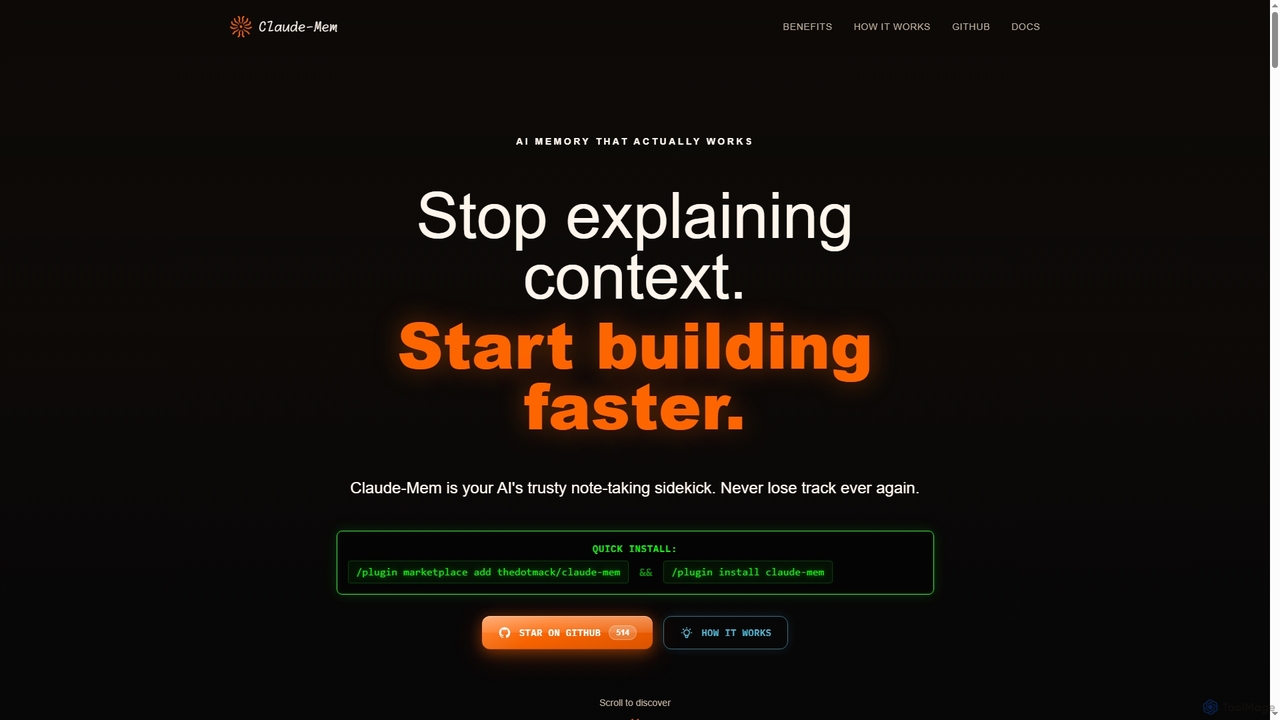
Claude-Mem

Claude-Mem is an AI memory archive designed for coding assistants. It acts as a note-taking sidekick, automatically observing and recording development context like decisions, bug fixes, and architectural choices in real-time. This provides your AI with a persistent memory across sessions, enhancing productivity and eliminating repetitive explanations.

Ai Assistant
Visits 310.5KFavorites 113Likes 110
Freemium

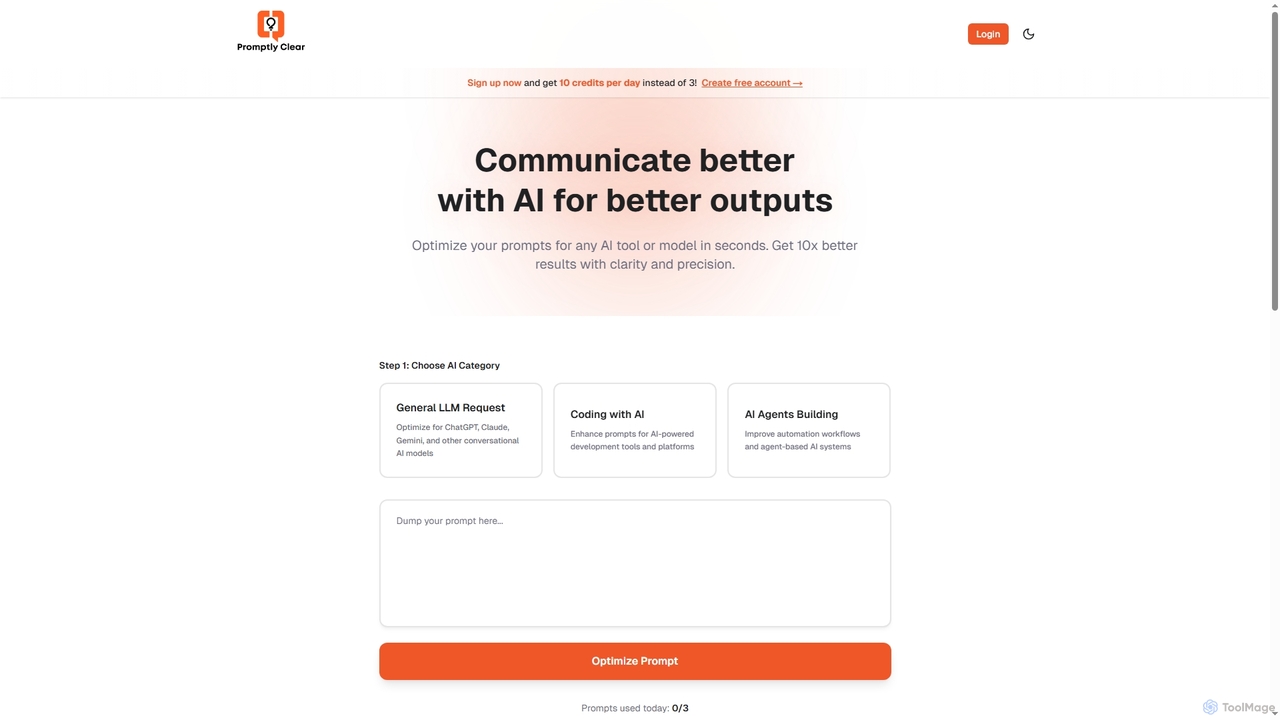
PromptlyClear

PromptlyClear is an AI prompt optimizer designed to refine user inputs for large language models like ChatGPT, Claude, and Gemini. It enhances clarity and precision, enabling users to achieve significantly better and more detailed AI outputs across various applications, from business research to coding.

Research Assistant
Visits 3.6KFavorites 139Likes 150
Free

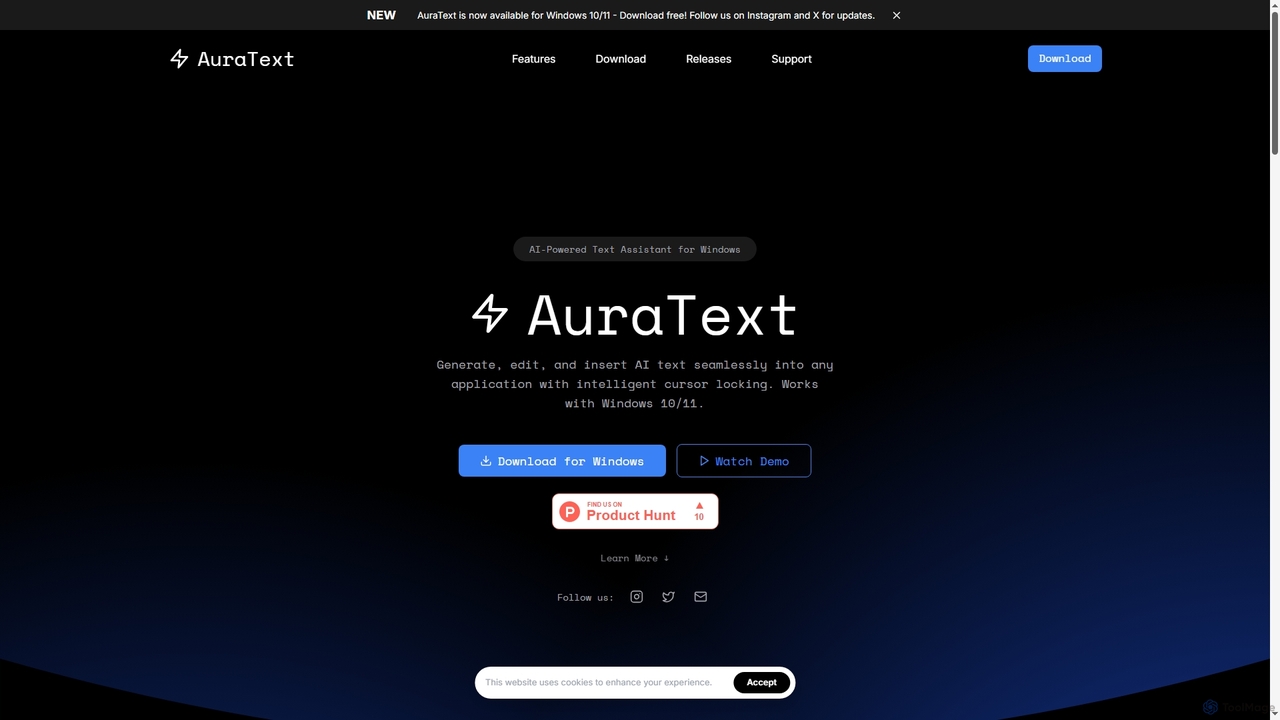
AuraText

AuraText is an AI-powered text assistant for Windows and browsers, enabling seamless generation, editing, and insertion of AI-generated text into any application. It features intelligent cursor locking, multi-AI provider support (Gemini, Perplexity, OpenAI), real-time text analysis, and a secure, private environment for enhanced productivity.

Text Editing
Visits 5.1KFavorites 118Likes 112

About Ai Assistant

AI Assistants are intelligent software tools designed to augment and streamline the software development process. Leveraging advanced artificial intelligence and machine learning, these assistants provide real-time support to developers, from writing and debugging code to generating documentation and automating repetitive tasks. They integrate seamlessly into integrated development environments (IDEs) and other developer workflows, significantly enhancing productivity and code quality.

Core Features

  • Code Completion & Generation: Intelligently suggests and generates code snippets, functions, or entire blocks based on context and programming patterns.
  • Debugging & Error Detection: Identifies potential bugs, suggests fixes, and helps trace issues within the codebase.
  • Code Refactoring & Optimization: Recommends improvements for code structure, readability, and performance without altering external behavior.
  • Automated Documentation: Generates comments, docstrings, and API documentation from existing code, saving manual effort.
  • Test Case Generation: Automatically creates unit tests and integration tests to ensure code reliability and coverage.

Applicable Scenarios

Software developers, data scientists, and DevOps engineers frequently utilize AI Assistants to accelerate their daily tasks. They are particularly valuable in large codebases, complex projects, or when working with unfamiliar APIs, providing instant access to relevant information and automated solutions. From individual contributors seeking to boost personal output to engineering teams aiming for consistent code quality, AI Assistants offer versatile support across the development lifecycle.

How to Choose

When selecting an AI Assistant, consider its compatibility with your preferred programming languages and IDEs, as seamless integration is crucial. Evaluate the breadth and depth of its features, such as code generation accuracy, debugging capabilities, and documentation quality. Look into its performance, security protocols for handling sensitive code, and the level of customization it offers. Finally, assess the pricing model and the quality of community support or enterprise service.

Featured tool rankings

Ai Assistant use cases

1

Accelerating Feature Development with AI Code Generation

A software engineer needs to implement a new feature quickly. Instead of writing boilerplate code from scratch, they use an AI Assistant integrated into their IDE. By providing a natural language description of the desired functionality, the AI generates initial code structures, function definitions, and even basic logic, allowing the engineer to focus on refining the core business logic rather than repetitive coding, significantly reducing development time.

2

Streamlining Bug Identification and Resolution

During the testing phase, a developer encounters an unexpected error in a complex application. An AI Assistant analyzes the error logs and the surrounding code, pinpointing the likely source of the bug and suggesting potential fixes. This capability drastically cuts down the time spent on manual debugging, especially in large and intricate codebases, enabling faster iteration and higher software reliability.

3

Automating Documentation for New APIs

A team has just completed a new internal API, and comprehensive documentation is required for other developers to use it effectively. The AI Assistant automatically scans the API's codebase, identifies endpoints, parameters, and return types, and generates detailed docstrings and example usage. This automation ensures consistent, up-to-date documentation without requiring extensive manual effort from the development team.

4

Enhancing Code Quality through AI-Powered Refactoring

A senior developer is reviewing a junior colleague's code and wants to improve its readability and maintainability. The AI Assistant suggests refactoring opportunities, such as extracting methods, simplifying conditional statements, or renaming variables for clarity. It provides explanations for each suggestion, helping the junior developer learn best practices and ensuring the codebase adheres to team standards.

5

Generating Comprehensive Unit Tests for Critical Modules

Before deploying a critical module update, a developer needs to ensure robust test coverage. The AI Assistant automatically generates a suite of unit tests for the module's functions, covering various edge cases and input scenarios. This not only saves significant time in writing tests manually but also helps catch potential regressions early, improving the overall stability of the application.

6

Learning New Frameworks and APIs Faster

A developer is tasked with integrating a new, unfamiliar third-party library into an existing project. The AI Assistant can provide context-aware explanations of library functions, suggest correct usage patterns, and even generate example code snippets for common tasks. This accelerates the learning curve, allowing the developer to become productive with new technologies much more quickly than by solely relying on documentation or trial and error.

Ai Assistant FAQ

What are AI Assistants in the context of developer tools?

AI Assistants for developers are intelligent software tools that leverage artificial intelligence to assist with various programming tasks. They are designed to enhance productivity, improve code quality, and automate repetitive processes. These tools typically integrate directly into IDEs, offering features like code generation, debugging support, refactoring suggestions, and automated documentation.

How do AI Assistants differ from traditional IDE features?

Traditional IDE features (like basic code completion or syntax highlighting) are rule-based and static. AI Assistants, however, use machine learning models trained on vast codebases to understand context, predict developer intent, and generate more complex, contextually relevant suggestions and code. They can learn from patterns, adapt to specific coding styles, and offer more proactive and intelligent assistance beyond simple keyword matching or predefined templates.

What are the main benefits of using an AI Assistant for coding?

The primary benefits include increased development speed through automated code generation and completion, improved code quality via intelligent refactoring and bug detection, and reduced manual effort for tasks like documentation and test writing. AI Assistants also serve as valuable learning tools, helping developers explore new APIs and adopt best practices, ultimately leading to more efficient and reliable software development.

What programming languages do AI Assistants typically support?

Most AI Assistants offer broad support for popular programming languages such as Python, JavaScript, Java, C, Go, and TypeScript, as these languages have extensive public codebases for training AI models. Many also support frameworks built on these languages. However, the level of support and accuracy can vary depending on the specific AI Assistant and the language's popularity and complexity.

How can AI Assistants help with code security and best practices?

AI Assistants can contribute to code security by identifying common vulnerabilities and suggesting secure coding practices during development. They can flag potential security flaws, recommend safer alternatives for insecure functions, and help enforce coding standards that reduce the risk of bugs and exploits. By integrating security checks early in the development cycle, they help build more robust and secure applications.