ToolMage
Sign in

Best 2 Issue Tracking AI tools for Developer Tools

Popular Issue Tracking AI tools in Developer Tools include PO Assistant and JiraGPT, helping you work more efficiently.

PO Assistant
Freemium

PO Assistant

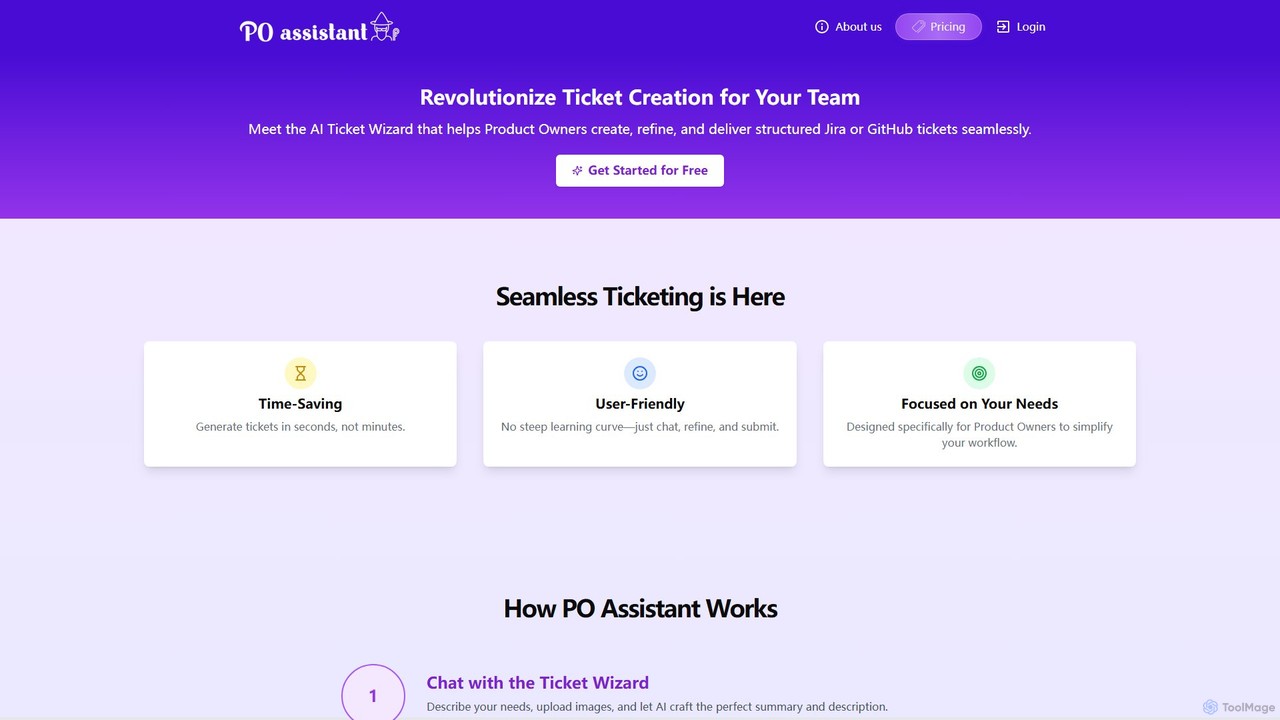
PO Assistant is an AI-powered ticket wizard designed for Product Owners to streamline the creation of structured tickets for Jira and GitHub. It transforms complex ideas into well-defined tasks through a simple chat interface, analyzes uploaded images for context, and integrates seamlessly with project management platforms, saving significant time and enhancing team productivity.

Issue Tracking
Visits 3.4KFavorites 133Likes 123
JiraGPT
Freemium

JiraGPT

JiraGPT is an AI-powered assistant that integrates with Slack, allowing teams to manage Jira issues using natural language. Search, create, and update tickets directly from your Slack channels without writing any JQL, streamlining project management and boosting productivity.

Chatbots
Visits 3.4KFavorites 98Likes 100

About Issue Tracking

AI-powered Issue Tracking tools are a specialized category of developer tools that use artificial intelligence to automate the management, prioritization, and resolution of software bugs and tasks. These systems leverage machine learning and natural language processing (NLP) to analyze bug reports, user feedback, and code commits, automatically identifying duplicates, suggesting assignees, and predicting issue severity. This intelligent automation helps development teams reduce manual triage time, focus on critical issues first, and accelerate the entire development lifecycle. They transform a reactive bug list into a proactive, data-driven workflow.

Core Features

  • Automated Triage & Prioritization: Uses AI to analyze new issues and automatically assign priority, labels, and the most relevant developer.
  • Duplicate Issue Detection: Scans new and existing reports to identify and merge duplicate issues, cleaning up the backlog.
  • Root Cause Analysis Suggestion: Analyzes code changes and error logs related to an issue to suggest potential root causes.
  • Sentiment Analysis: Processes user feedback from various channels to gauge issue impact and user frustration levels.
  • Predictive Analytics: Forecasts potential future bugs based on code complexity and change history, enabling proactive quality assurance.

Use Cases

These tools are primarily used by software development teams, QA engineers, and product managers within agile environments. They are particularly effective in large-scale projects with high volumes of incoming issues from users, automated testing, or internal teams. IT support and operations teams also use them to manage technical incidents and service requests more efficiently.

How to Choose

When selecting an AI Issue Tracking tool, consider its integration capabilities with your existing toolchain (e.g., GitHub, GitLab, Slack, Jira). Evaluate the accuracy and customizability of its AI models for tasks like prioritization and duplicate detection. Also, assess the user interface for clarity and ease of use, and consider the pricing model based on your team size and issue volume.

Featured tool rankings

Issue Tracking use cases

1

Automating Bug Triage for Large Software Projects

A development team lead for a popular open-source project is overwhelmed by the hundreds of new issues submitted weekly. Using an AI Issue Tracking tool, the system automatically analyzes each new bug report. It uses NLP to understand the description, categorizes it (e.g., UI, backend, documentation), assigns a priority level based on keywords like 'crash' or 'critical', and detects potential duplicates of existing reports. This reduces the manual triage time for the lead and maintainers by over 80%, allowing them to focus directly on validation and development.

2

Converting Customer Support Tickets into Actionable Bug Reports

A customer support team for a SaaS product uses a helpdesk system like Zendesk. Often, user complaints are vague or mixed with emotional language. An AI Issue Tracking tool integrates with the helpdesk, scans new tickets, and uses sentiment analysis to gauge user frustration. It then extracts technical details (like browser version, OS) and a clear problem description, automatically creating a structured, developer-ready bug report in the team's issue tracker. This bridges the gap between support and engineering, ensuring important user-found bugs are never lost in translation.

3

Identifying High-Impact Issues from User Feedback

A product manager wants to understand which bugs are most frustrating for users. Instead of manually reading through thousands of app store reviews, forum posts, and social media mentions, they use an AI Issue Tracking tool. The tool aggregates all this unstructured feedback, performs sentiment analysis, and clusters recurring complaints into themes. It can then generate a report showing that 'slow loading times on the dashboard' is the most frequently mentioned negative topic, allowing the product manager to create a high-priority issue backed by quantitative user data.

4

Proactively Suggesting a Root Cause for Critical Errors

A critical server error is detected and an issue is automatically created. A QA engineer is assigned to investigate. The AI Issue Tracking tool, integrated with the code repository and logging system, immediately starts working. It analyzes the error stack trace, correlates it with recent code commits, and identifies a specific merge from 2 hours ago that modified a related file. It presents this information within the issue ticket as a 'Potential Root Cause', saving the engineer hours of manual investigation and allowing them to pinpoint the problematic code change much faster.

5

Predicting High-Risk Code Changes Before Deployment

A DevOps engineer is preparing for a weekly release. Before deploying, they use the predictive analytics feature of their AI Issue Tracking tool. The tool analyzes the upcoming changes, considering factors like code complexity (cyclomatic complexity), the history of bugs in the modified files, and the experience level of the developers who wrote the code. It flags a particular module as 'high-risk for introducing new bugs'. The QA team can then allocate extra testing resources to this specific module, catching potential issues before they reach production and reducing deployment risks.

6

Streamlining IT Helpdesk Ticket Routing

An enterprise IT helpdesk receives hundreds of employee requests daily, ranging from password resets to network issues. An IT manager implements an AI Issue Tracking system. When an employee submits a ticket via email or a portal, the AI reads the request, understands the intent, and automatically routes it to the correct team (e.g., 'Network Team', 'Hardware Support', 'Software Access'). It also identifies urgent requests based on keywords and user roles (e.g., a C-level executive's request is prioritized). This eliminates the need for a manual dispatcher and significantly speeds up response and resolution times for employees.

Issue Tracking FAQ

What is AI-powered Issue Tracking?

AI-powered Issue Tracking is an advanced approach to managing software bugs, tasks, and incidents using artificial intelligence. Unlike traditional issue trackers that act as simple databases, AI-powered systems actively analyze issue content to automate key processes. They use technologies like Natural Language Processing (NLP) to understand text and Machine Learning (ML) to identify patterns. This enables features such as automatic prioritization, duplicate detection, and suggesting potential root causes, significantly reducing manual effort for development and support teams.

How does AI improve upon traditional issue tracking systems?

AI enhances traditional issue tracking systems by moving them from passive data storage to active workflow automation. Key improvements include:

  • Intelligence over Manual Input: Instead of relying on developers to manually set priorities and labels, AI analyzes the issue's text and context to do this automatically and consistently.
  • Proactive Detection: AI can detect duplicate issues as they are created, preventing backlog clutter. Traditional systems require manual searching to find duplicates.
  • Data-Driven Insights: AI can analyze trends across thousands of issues to identify recurring problems or predict future risks, something that is nearly impossible to do manually in a large project.
  • Contextual Assistance: AI can provide context, like suggesting related code files or potential assignees, directly within the issue, speeding up the resolution process.
How do I choose the right AI Issue Tracking tool?

Choosing the right tool depends on your team's specific needs. Consider the following factors:

  • Integrations: Does it connect seamlessly with your existing tools like GitHub, GitLab, Slack, Jira, or Zendesk? Strong integrations are crucial for a smooth workflow.
  • AI Feature Set: Evaluate which AI features are most important to you. Do you need advanced duplicate detection, root cause analysis, or predictive analytics? Not all tools offer the same capabilities.
  • Customization and Accuracy: Can the AI models be trained on your specific project data to improve accuracy? Check if you can customize the rules for prioritization and routing.
  • User Experience (UX): The tool should be intuitive and easy for your entire team to adopt. A complex interface can negate the time saved by automation.
  • Scalability and Pricing: Ensure the tool can handle your current and future volume of issues and that its pricing model aligns with your budget and team size.
What are the key features to look for in an AI Issue Tracking tool?

While features vary, several core capabilities define a strong AI Issue Tracking tool:

  • Automated Triage: The ability to automatically categorize, label, and assign priorities to new issues based on their content.
  • Duplicate Detection: A mechanism to identify and suggest merging of issues that report the same underlying problem.
  • Intelligent Search: Using natural language to search for issues, rather than relying on exact keyword matching.
  • Integration with Code Repositories: The capacity to link issues to specific code commits, branches, and pull requests to provide development context.
  • Reporting and Analytics: Dashboards that provide insights into issue trends, team performance, and potential risk areas in the codebase.
Who benefits most from using AI Issue Tracking tools?

While many roles can benefit, the primary beneficiaries are:

  • Development Teams: They spend less time on administrative tasks like triaging and more time coding. AI-driven insights can also help them resolve bugs faster by providing better context.
  • Project and Product Managers: They gain a clearer, data-driven overview of project health, can identify trends in user feedback, and make more informed decisions about what to prioritize.
  • QA and Test Engineers: They can use predictive features to focus testing efforts on high-risk areas of the application, improving efficiency and catching more critical bugs before release.
  • IT and Support Teams: They can automate ticket routing and prioritization, leading to faster response times and improved employee or customer satisfaction.