ToolMage
Sign in

Best 3 Document Management AI tools for Finance

Popular Document Management AI tools in Finance include Stable, Tennr, and WhatLetter, helping you work more efficiently.

Tennr
Paid

Tennr

Tennr is an AI-powered platform that automates complex back-office workflows. It uses AI agents to read, understand, and process unstructured documents like PDFs, faxes, and emails, eliminating manual data entry and streamlining operations in sectors like healthcare and logistics.

Data Extraction
Visits 41.7KFavorites 111Likes 86
Stable
Paid

Stable

Stable provides an AI-powered virtual address and mailbox for businesses. It digitizes physical mail, automates workflows, and enables remote management of all correspondence. This service offers a permanent, professional business address for registration, compliance, and vendor relations, simplifying operations for companies of all sizes, from startups to IPO-stage enterprises.

Virtual Office
Visits 139.7KFavorites 99Likes 94
WhatLetter
Freemium

WhatLetter

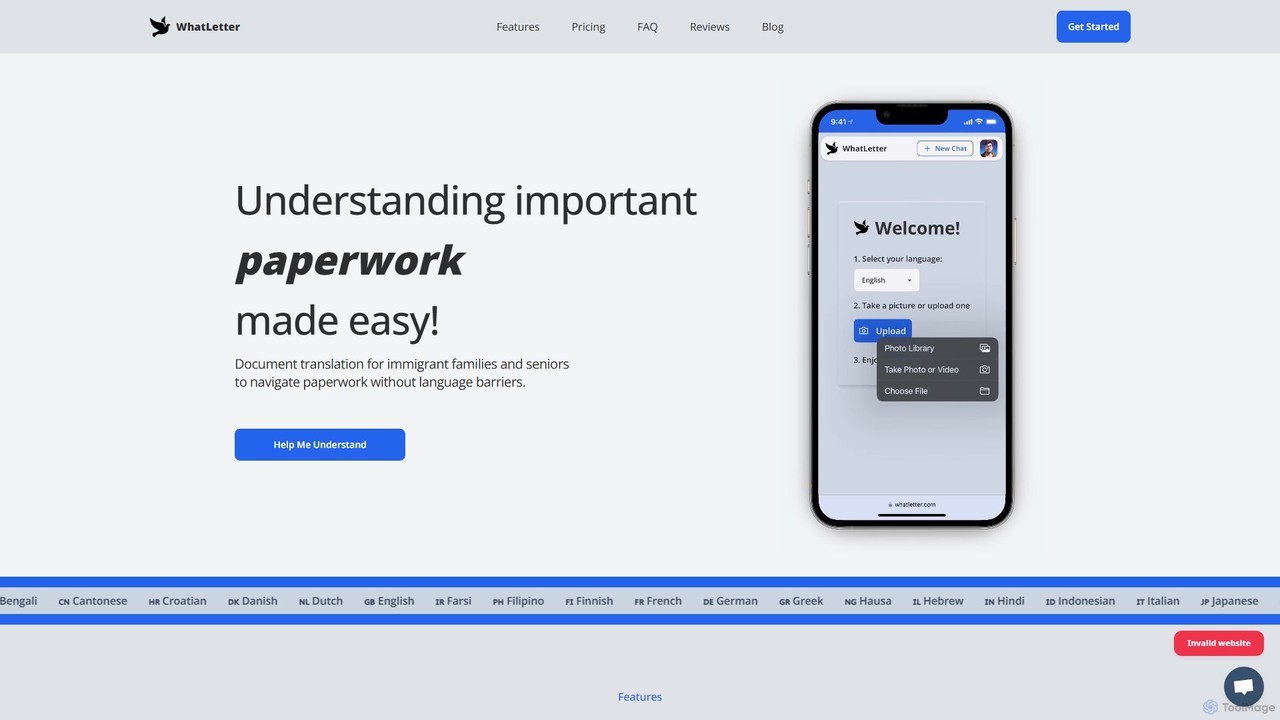
WhatLetter is an AI-powered document translator designed to eliminate language barriers. Simply snap a photo of any document, and the tool provides an instant translation and summary. It features an interactive AI chatbot to clarify jargon and answer questions, supporting over 30 languages. It's ideal for immigrants, seniors, travelers, and professionals dealing with complex paperwork like legal forms, medical records, or business contracts.

Language Learning
Visits 3.9KFavorites 121Likes 122

About Document Management

AI Document Management tools are specialized platforms that use artificial intelligence to automate the processing, analysis, and organization of financial documents. Leveraging technologies like Optical Character Recognition (OCR) and Natural Language Processing (NLP), these tools intelligently extract, classify, and validate data from invoices, receipts, contracts, and financial statements. Their primary value lies in transforming unstructured document data into structured, actionable insights, significantly improving efficiency, accuracy, and compliance within financial workflows. This focus on financial data makes them distinct from general-purpose cloud storage.

Core Features

  • Intelligent Data Extraction: Automatically captures key information such as invoice numbers, amounts, dates, and line items from various document formats.
  • Automated Classification: Sorts and categorizes documents (e.g., invoices, purchase orders, bank statements) based on their content and context.
  • Compliance & Audit Trail: Maintains a secure, version-controlled log of all document activities to meet regulatory requirements like SOX or GDPR.
  • Semantic Search: Enables users to search for concepts and specific data points within documents, not just keywords.
  • Workflow Integration: Connects with accounting, ERP, and other financial systems to automate processes like invoice approvals and payment reconciliation.

Use Cases

These tools are essential for roles in finance and accounting departments, including accounts payable/receivable clerks, controllers, financial analysts, and compliance officers. Common applications include automating invoice processing from receipt to payment, streamlining expense report management, analyzing contracts for financial obligations, and preparing for audits by providing a clear, searchable document trail.

How to Choose

When selecting an AI Document Management tool for finance, prioritize the accuracy of its data extraction models for your specific document types. Evaluate its integration capabilities with your existing accounting or ERP software (e.g., QuickBooks, SAP, NetSuite). Also, consider its security certifications (like SOC 2) and compliance features, as well as a pricing model that aligns with your document volume and processing needs.

Featured tool rankings

Document Management use cases

1

Automated Invoice Processing for Accounts Payable

An Accounts Payable (AP) team receives hundreds of invoices daily in various formats like PDF, JPG, and email attachments. Using an AI Document Management tool, they create an automated workflow. Invoices are automatically ingested from a dedicated email inbox. The AI then uses OCR to read the document, identifies it as an invoice, and extracts key data fields: vendor name, invoice number, due date, total amount, and line-item details. This structured data is then validated against purchase orders in the ERP system and routed to the appropriate manager for approval, significantly reducing manual data entry and processing time from days to minutes.

2

Streamlining Expense Report Audits

A financial controller needs to ensure compliance with company travel and expense policies. Instead of manually reviewing every receipt, they use an AI document tool. Employees upload photos of their receipts via a mobile app. The AI extracts the merchant, date, and amount, and automatically categorizes the expense (e.g., 'Meals', 'Transportation'). It then cross-references this data with company policies, flagging potential violations like expenses exceeding daily limits or missing itemized receipts for hotel stays. This allows the finance team to focus their attention only on flagged exceptions, auditing 100% of reports in a fraction of the time.

3

Financial Contract Analysis for Risk Management

A corporate legal team needs to analyze 500 vendor contracts to identify non-standard payment terms and liability clauses. Manually, this would take weeks. They upload all contracts to an AI Document Management platform. Using its NLP capabilities, the tool scans each document, identifies clauses related to 'Payment Terms', 'Liability', and 'Termination', and extracts the specific text. It presents the findings in a dashboard, allowing the team to quickly see which contracts deviate from the company's standard template and quantify potential financial risks across the entire portfolio of agreements.

4

Preparing for a Financial Audit

An auditor requests all invoices over $10,000 from a specific vendor for the last fiscal year. In a traditional system, this would require manually searching through folders and files. With an AI Document Management system, the finance manager uses the semantic search function. They simply type: 'invoices from Vendor X > $10,000 between Jan 1 and Dec 31'. The system instantly retrieves all relevant documents, along with their complete audit trails showing who accessed or approved them. This allows the company to respond to audit requests in minutes, demonstrating strong internal controls and compliance.

5

Automating Bank Statement Reconciliation

An accountant for a small business spends hours each month manually matching transactions from bank statements to entries in their accounting software. By connecting their bank feed to an AI document platform, the process becomes automated. The tool ingests digital bank statements, extracts each transaction (date, description, amount), and uses AI to match it with corresponding invoices or expense records in the accounting system. It automatically reconciles matched items and flags discrepancies, such as duplicate charges or unrecorded payments, for the accountant's review. This reduces reconciliation time by over 80% and minimizes human error.

6

Centralizing Client Financial Documents for Wealth Managers

A wealth management firm struggles to manage a wide array of client documents, including KYC forms, investment statements, and tax returns, stored across different systems. They implement an AI Document Management platform as a central repository. When a new client statement arrives, it's automatically classified and linked to the client's profile. The AI extracts key data points like portfolio value and asset allocation, updating the client's summary view. This provides advisors with a single, up-to-date source of truth for all client documentation, improving service quality and ensuring regulatory compliance for record-keeping.

Document Management FAQ

What is AI Document Management for Finance?

AI Document Management for Finance refers to specialized software that uses artificial intelligence (AI) to automate the handling of financial documents. Unlike general cloud storage, these tools use technologies like OCR and NLP to understand, extract, and structure data from documents such as invoices, contracts, and bank statements. The primary goal is to reduce manual data entry, improve accuracy, accelerate financial processes like approvals and reconciliation, and ensure regulatory compliance.

How to choose the right financial document management tool?

When selecting a tool, consider these key factors:

  • Data Extraction Accuracy: Test the tool's ability to accurately extract data from your specific document types (e.g., invoices, receipts).
  • Integration Capabilities: Ensure it seamlessly integrates with your existing accounting, ERP, or other financial software to avoid data silos.
  • Security and Compliance: Verify that the provider has robust security measures and certifications (e.g., SOC 2, ISO 27001) relevant to your industry's financial regulations.
  • Scalability: Choose a solution that can handle your current document volume and scale with your business growth.
What's the difference between AI Document Management and traditional OCR?

Traditional OCR (Optical Character Recognition) simply converts an image of text into machine-readable text. It doesn't understand the context. AI Document Management goes a step further by using Natural Language Processing (NLP) and machine learning to not only read the text but also understand its meaning and context. For example, it can identify that a number is an 'invoice total' and another is a 'due date', and then extract this information into structured fields for use in other systems. Traditional OCR just provides a block of un-contextualized text.

What are the key benefits of using AI for financial document management?

The primary benefits include:

  • Increased Efficiency: Automates repetitive tasks like data entry and document sorting, freeing up finance teams for more strategic work.
  • Improved Accuracy: Reduces human errors common in manual data entry, leading to more reliable financial data.
  • Enhanced Compliance: Provides clear audit trails and helps enforce financial policies, making it easier to meet regulatory requirements.
  • Faster Processing Cycles: Accelerates workflows like invoice approvals and expense reimbursements, improving cash flow management.
  • Better Data Accessibility: Turns unstructured documents into a searchable, structured database, enabling faster access to information and better financial analysis.
Who typically uses these financial document management tools?

These tools are primarily used by professionals within finance and accounting departments of all sizes. Key user roles include:

  • Accounts Payable/Receivable Clerks: For automating invoice processing and payment reconciliation.
  • Financial Controllers & Managers: For overseeing financial workflows, ensuring policy compliance, and managing approvals.
  • Accountants & Bookkeepers: For streamlining reconciliation, expense management, and month-end closing processes.
  • Compliance Officers & Auditors: For accessing audit trails, retrieving specific documents, and verifying internal controls.
  • CFOs & Finance Leaders: For gaining real-time visibility into financial data and analytics derived from documents.