It Best in category 1 results Helpdesk Automation AI Tool

Popular AI tools in the Helpdesk Automation field of It include Risotto, etc., helping you quickly improve efficiency.

Risotto

Risotto

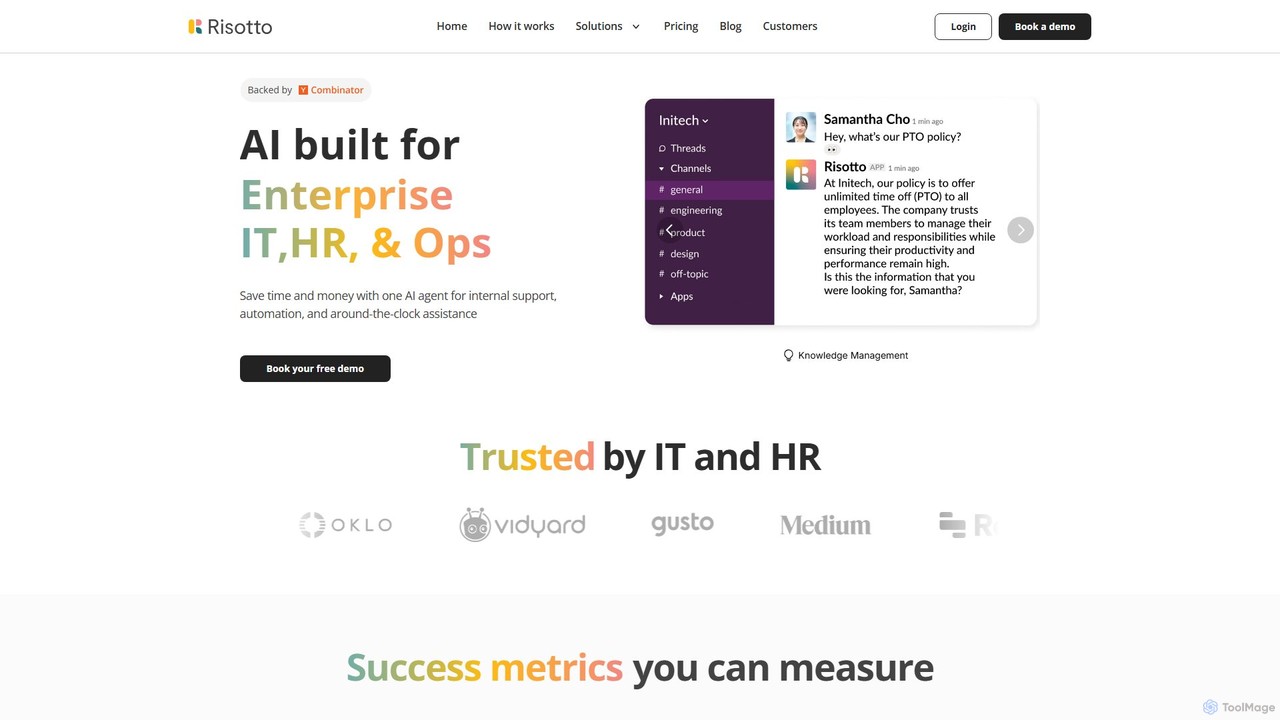
Risotto is an AI-powered IT help desk automation platform built for Slack. It unifies support operations, automates Tier …

9.0K

About Helpdesk Automation

Helpdesk Automation tools are a specialized category of IT software that uses artificial intelligence to streamline and automate customer support and internal service workflows. These platforms leverage technologies like Natural Language Processing (NLP) and machine learning to understand, categorize, route, and even resolve support tickets with minimal human intervention. The primary value lies in increasing efficiency, reducing response times, and freeing up support agents to focus on more complex, high-value issues. They transform traditional, reactive helpdesks into proactive, intelligent service centers.

Core Features

  • AI Ticket Triaging: Automatically analyzes and routes incoming tickets to the correct agent or department based on content.
  • Automated Responses: Generates context-aware replies for common questions, such as password resets or order status inquiries.
  • Intelligent Knowledge Base Suggestions: Proactively recommends relevant help articles to both users and agents during the ticket process.
  • Workflow Automation: Executes multi-step processes like user onboarding or incident escalation without manual input.
  • Sentiment Analysis: Gauges the emotional tone of user messages to prioritize urgent or dissatisfied customers.

Use Cases

These tools are widely used in sectors with high support volumes, such as e-commerce, SaaS, and telecommunications. IT departments in large organizations use them to manage internal employee requests, while customer service teams deploy them to provide 24/7 first-level support and improve overall customer satisfaction.

How to Choose

When selecting a tool, evaluate its integration capabilities with your existing CRM or ticketing system. Assess the sophistication of its AI models, the ease of building and customizing automation workflows, and its scalability to handle your ticket volume. Also, consider the analytics and reporting features to measure performance and identify improvement areas.

Helpdesk AutomationUse Cases

1

Automate L1 E-commerce Customer Support

An e-commerce support team manager uses a Helpdesk Automation tool to handle high volumes of repetitive inquiries. The AI chatbot, integrated into the website, instantly answers common questions like 'Where is my order?' by pulling data from the shipping system. For return requests, it automatically generates a return label and sends instructions, creating a ticket only if the issue is complex. This reduces the L1 support team's workload by over 60%, allowing them to focus on complex customer issues and improving the average response time for all queries.

2

Streamline Internal IT Access Requests

An IT helpdesk specialist in a large corporation implements an automation workflow for software access requests. When an employee submits a ticket via the internal portal requesting access to a specific application, the tool first verifies their department and role against the company directory. If the request is standard for their role, it automatically provisions access and notifies the employee. If it requires manager approval, the system automatically forwards the ticket to the correct manager. This eliminates manual verification and reduces the turnaround time for access requests from days to minutes.

3

Proactive SaaS Customer Onboarding

A Customer Success Manager for a SaaS company sets up automated onboarding workflows. When a new user signs up, the helpdesk system automatically sends a series of welcome emails with links to key tutorials. The integrated AI chatbot on the platform proactively asks users if they need help with initial setup. If a user asks a question like 'How do I integrate with Slack?', the bot provides a direct link to the relevant knowledge base article. This proactive support reduces initial setup friction and decreases the number of basic setup tickets by 40% in the first week of a user's lifecycle.

4

Prioritize Critical Incidents with Sentiment Analysis

A support team lead for a financial services app uses Helpdesk Automation to manage risk. The system analyzes all incoming tickets and chat messages for sentiment and keywords. If a message contains phrases like 'cannot access my account' or 'money is missing' combined with a negative sentiment score, the ticket is automatically flagged as 'Urgent' and escalated to a senior support queue, bypassing the standard L1 review. This ensures that critical, time-sensitive issues are addressed in minutes, not hours, significantly reducing customer frustration and potential financial impact.

5

Enhance Self-Service with an AI Knowledge Bot

A knowledge manager for a software company integrates their helpdesk automation tool with their extensive knowledge base. They deploy an AI bot on their support portal. When users type a question into the search bar, instead of just showing a list of articles, the bot uses NLP to understand the intent and provides a direct, concise answer extracted from the best article. It then asks, 'Did this solve your problem?'. If the user says 'No', it immediately offers to create a support ticket with the user's question pre-filled. This approach increases self-service resolution rates by 35% and improves the quality of tickets that are created.

6

Automate Post-Resolution Feedback Collection

A customer experience analyst sets up a workflow to automatically gather and analyze feedback. Twenty-four hours after a support ticket is marked as 'Resolved', the system automatically sends a short satisfaction survey (CSAT) to the customer. The tool's AI capabilities then analyze the text responses from these surveys. It categorizes feedback into topics like 'Product Bug', 'Billing Issue', or 'Agent Performance' and performs sentiment analysis. This provides the analyst with a real-time dashboard of customer satisfaction trends, highlighting areas for improvement without requiring manual survey analysis.

Helpdesk AutomationFrequently Asked Questions