ToolMage
Sign in

Best 3 Cloud Services AI tools for It

Popular Cloud Services AI tools in It include Speridian, atqor, and Backup Space, helping you work more efficiently.

Freemium

Backup Space

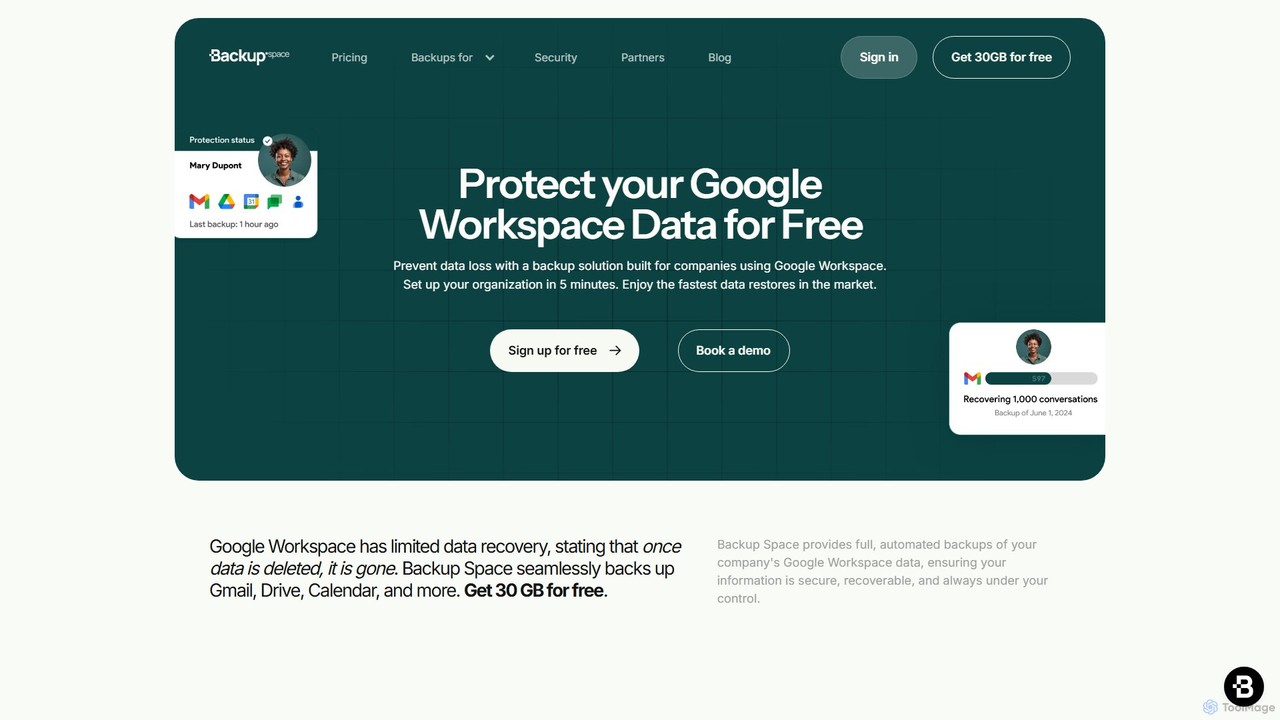
Backup Space is a dedicated cloud backup and recovery solution for Google Workspace. It provides automated, secure backups for Gmail, Drive, Calendar, and more, protecting your business data from ransomware, human error, and system failures. With point-in-time recovery and Swiss-grade privacy, it offers a robust alternative to Google Vault for true data protection and business continuity.

Cloud Services
Visits 3.4KFavorites 111Likes 98
Paid

Speridian

Speridian is a global IT solutions and business consulting company that leverages AI, RPA, and cloud technologies to drive digital transformation. They provide tailored services for customer experience, application modernization, and business process automation across various industries.

Consulting
Visits 37.3KFavorites 104Likes 105
Paid

atqor

atQor is a premier Data & AI consulting firm and Microsoft Azure Expert MSP. They specialize in guiding enterprises through digital transformation with a focus on Azure-first solutions, Microsoft Fabric, and Copilot integration to enhance productivity and drive business growth.

Consulting
Visits 9KFavorites 102Likes 96

About Cloud Services

Cloud Services are a category of on-demand IT resources delivered over the internet, offering computing power, storage, and applications without direct infrastructure management. These services leverage a global network of data centers, enabling users to access scalable and flexible IT environments. They provide a cost-effective alternative to traditional on-premise infrastructure, allowing businesses to innovate faster and operate more efficiently. This approach transforms how organizations deploy and manage their digital assets within the broader "It" landscape.

Core Features

  • Scalability & Elasticity: Resources can be dynamically scaled up or down based on demand, ensuring optimal performance and cost.
  • Pay-as-You-Go Model: Users only pay for the resources they consume, eliminating large upfront capital expenditures.
  • Global Accessibility: Services are accessible from anywhere with an internet connection, facilitating remote work and global operations.
  • Managed Infrastructure: Cloud providers handle the underlying hardware, networking, and maintenance, reducing operational burden.
  • Diverse Service Offerings: Includes Infrastructure as a Service (IaaS), Platform as a Service (PaaS), and Software as a Service (SaaS) components.

Applicable Scenarios

Businesses of all sizes utilize Cloud Services for various operational needs. Startups can quickly deploy applications without significant hardware investment, while enterprises can migrate existing workloads to the cloud for enhanced resilience and global reach. Developers leverage cloud platforms for rapid prototyping and deployment of new applications, benefiting from managed databases and serverless computing.

How to Choose

Selecting the right Cloud Services involves evaluating several factors. Consider the specific workload requirements (compute, storage, database), desired level of control (IaaS vs. PaaS), integration needs with existing systems, and the provider's security and compliance certifications. Pricing models, regional availability, and vendor lock-in concerns are also crucial for long-term strategy.

Featured tool rankings

Cloud Services use cases

1

Hosting Web Applications and APIs

Developers and businesses use Cloud Services to host scalable web applications, mobile backends, and APIs. By leveraging services like virtual machines, container orchestration (e.g., Kubernetes), and serverless functions, they can deploy applications quickly, handle fluctuating traffic, and ensure high availability without managing physical servers. This enables rapid iteration and global reach for digital products.

2

Data Storage and Backup Solutions

Organizations utilize cloud storage services for secure, durable, and cost-effective data storage, including archival, backup, and disaster recovery. Cloud object storage (e.g., S3) provides virtually unlimited capacity and high availability for unstructured data, while managed database services support structured data needs. This ensures data protection and business continuity with reduced on-premise infrastructure.

3

Big Data Analytics and Machine Learning

Data scientists and analysts leverage Cloud Services for processing and analyzing large datasets, and for training and deploying machine learning models. Cloud platforms offer managed services for data warehousing, real-time stream processing, and GPU-accelerated computing, enabling complex analytics and AI initiatives without the need for specialized on-premise hardware.

4

DevOps and Continuous Integration/Delivery (CI/CD)

Development teams use Cloud Services to streamline their software development lifecycle through DevOps practices. Cloud-based CI/CD pipelines automate code building, testing, and deployment, integrating with version control systems. This accelerates release cycles, improves code quality, and fosters collaboration across development and operations teams.

5

Virtual Desktops and Remote Work Infrastructure

Enterprises deploy virtual desktop infrastructure (VDI) and desktop-as-a-service (DaaS) solutions on Cloud Services to provide secure, flexible remote work environments. Employees can access their personalized desktops and applications from any device, anywhere, enhancing productivity and ensuring data security, especially for distributed teams or temporary staff.

6

Internet of Things (IoT) Data Ingestion and Processing

Businesses developing IoT solutions use Cloud Services to ingest, process, and analyze vast amounts of data from connected devices. Cloud IoT platforms provide managed services for device connectivity, message routing, data storage, and real-time analytics, enabling insights from sensor data and facilitating the management of large-scale IoT deployments.

Cloud Services FAQ

What are Cloud Services?

Cloud Services are on-demand computing resources—including servers, storage, databases, networking, software, analytics, and intelligence—delivered over the internet ("the cloud") with pay-as-you-go pricing. Instead of owning and maintaining your own computing infrastructure, you can access these services from a cloud provider, offering flexibility, scalability, and cost-efficiency for various IT needs.

How do Cloud Services differ from traditional on-premise IT?

Cloud Services differ from traditional on-premise IT primarily in ownership and management. With cloud services, a third-party provider owns and maintains the infrastructure, and users pay for what they consume. On-premise IT requires organizations to purchase, install, and manage all hardware and software themselves. Cloud offers greater scalability, flexibility, and reduced upfront costs, while on-premise provides full control and data sovereignty.

What are the main types of Cloud Services?

The main types of Cloud Services are Infrastructure as a Service (IaaS), Platform as a Service (PaaS), and Software as a Service (SaaS). IaaS provides fundamental computing resources like virtual machines and storage. PaaS offers a complete development and deployment environment. SaaS delivers ready-to-use applications over the internet. Each model offers different levels of management and flexibility.

What are the key benefits of using Cloud Services?

Key benefits of using Cloud Services include cost savings by eliminating capital expenditures on hardware, enhanced scalability and elasticity to meet fluctuating demands, improved reliability and disaster recovery capabilities, and increased agility for faster innovation. They also reduce the operational burden of managing IT infrastructure, allowing businesses to focus on core competencies.

What security considerations should I have when using Cloud Services?

When using Cloud Services, security considerations are paramount. It's crucial to understand the shared responsibility model, where the cloud provider secures the cloud infrastructure, and the user is responsible for security *in* the cloud (e.g., data, applications, network configuration). Implement strong access controls, encryption, regular security audits, and ensure compliance with relevant regulations to protect your data and applications.