ToolMage
Sign in

Best 1 Low Code No Code AI tools for It

Popular Low Code No Code AI tools in It include FSH Technologies, helping you work more efficiently.

FSH Technologies
Paid

FSH Technologies

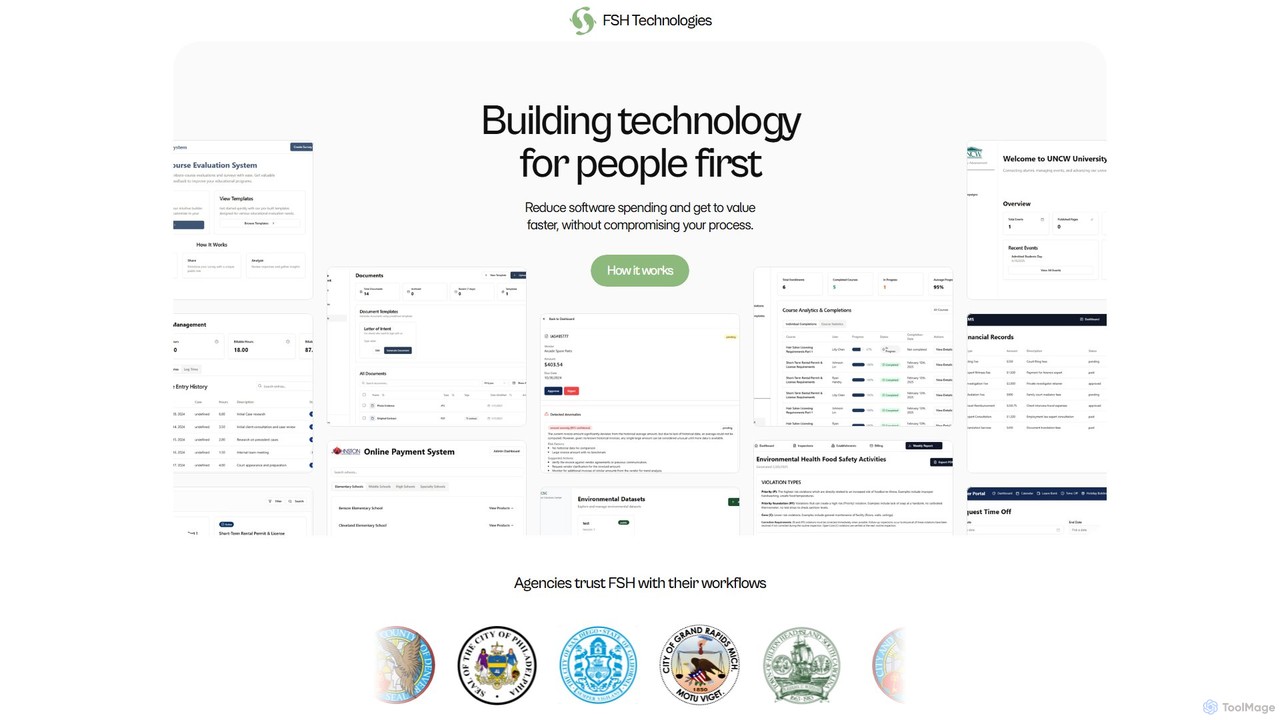
FSH Technologies provides custom software and workflow automation solutions for municipalities and public sector organizations. It focuses on rapid development, transparent pricing with no hidden fees, and creating tailored applications to streamline complex processes, reduce spending, and increase efficiency.

Custom Software Development
Visits 6.9KFavorites 143Likes 135

About Low Code No Code

Low Code No Code tools are a category of AI-powered platforms that enable rapid application development with minimal or no traditional coding. These platforms utilize visual development environments, drag-and-drop interfaces, and pre-built components to abstract complex programming. They empower a wider range of users, including business professionals and citizen developers, to create custom applications, automate workflows, and accelerate digital transformation initiatives, significantly reducing development time and costs.

Core Features

  • Visual Development Interface: Intuitive drag-and-drop editors for designing application layouts, logic, and data models without writing code.
  • Pre-built Components & Templates: A library of reusable modules, widgets, and ready-to-use templates for common functionalities and industry-specific solutions.
  • Workflow Automation: Tools to design, automate, and manage complex business processes and data flows visually.
  • Integration Capabilities: Connectors to various databases, APIs, cloud services, and third-party applications for seamless data exchange.
  • Deployment & Management: Simplified options for deploying, hosting, and managing applications across different environments, including web and mobile.

Use Cases

Low Code No Code platforms are widely adopted across various sectors for accelerating software delivery. They are ideal for business analysts creating internal tools, marketing teams building landing pages, or IT departments developing custom enterprise applications. These tools bridge the gap between business needs and technical implementation, making IT solutions more accessible within the broader Information Technology landscape.

How to Choose

When selecting a Low Code No Code platform, consider the specific application complexity and scalability requirements. Evaluate the platform's ease of use, the breadth of pre-built components, and its integration capabilities with your existing IT ecosystem. Assess the pricing model, the level of customization allowed, and the vendor's support and long-term roadmap to ensure it aligns with your organizational goals and technical expertise.

Low Code No Code use cases

1

Develop Custom Internal Business Applications

Business analysts or department heads can use Low Code No Code platforms to quickly build tailored internal tools like CRM systems, project management dashboards, or inventory trackers. By leveraging drag-and-drop interfaces and pre-built components, they can create applications that precisely meet specific operational needs, automate data entry, and streamline reporting, significantly reducing reliance on IT development queues and accelerating process improvements.

2

Automate Complex Business Workflows

Operations managers can leverage Low Code No Code tools to design and automate multi-step business processes, such as employee onboarding, expense approval, or customer support ticket routing. These platforms allow visual mapping of workflows, integration with various systems, and setting up conditional logic, leading to reduced manual effort, fewer errors, and faster execution of critical business operations across departments.

3

Build Customer-Facing Portals and Applications

Marketing and customer service teams can rapidly deploy customer-facing web or mobile applications, such as self-service portals, feedback collection forms, or event registration sites. Low Code No Code platforms provide templates and visual builders that allow non-technical users to create engaging interfaces, integrate with backend data, and launch new digital touchpoints quickly, enhancing customer experience and engagement without extensive development cycles.

4

Rapid Prototyping and MVP Development

Product managers and innovators can utilize Low Code No Code platforms to quickly develop minimum viable products (MVPs) and prototypes for new ideas or market validation. This allows for rapid iteration, gathering early user feedback, and testing concepts without significant upfront investment in traditional coding. The ability to visualize and deploy functional applications in days or weeks accelerates the innovation cycle and reduces time-to-market for new solutions.

5

Integrate Disparate Systems and Data Sources

IT professionals and system integrators can use Low Code No Code platforms to connect various legacy systems, modern cloud services, and external APIs without extensive custom coding. These tools offer pre-built connectors and visual data mapping capabilities, enabling seamless data exchange and synchronization across different applications. This helps to break down data silos, streamline operations, and ensure data consistency throughout the enterprise, enhancing overall IT infrastructure efficiency.

6

Create Data Collection and Reporting Tools

Researchers, HR professionals, or sales teams can quickly build custom forms, surveys, and dashboards for efficient data collection, analysis, and visualization. Low Code No Code platforms enable users to design intuitive interfaces for data input, connect to databases, and generate real-time reports without needing advanced programming skills. This empowers departments to gather insights and make data-driven decisions faster, improving operational transparency and responsiveness.

Low Code No Code FAQ

What are Low Code No Code platforms?

Low Code No Code platforms are development environments that allow users to create applications with minimal (low-code) or no (no-code) manual coding. They typically feature visual interfaces, drag-and-drop functionality, and pre-built components. These tools democratize software development, enabling business users and citizen developers to build custom solutions, automate processes, and accelerate digital transformation without extensive programming knowledge.

What is the difference between Low Code and No Code?

The primary difference lies in the level of coding required. No Code platforms are designed for non-technical users, offering purely visual interfaces and pre-built templates to create applications without writing any code. Low Code platforms, while also visual, provide more flexibility and allow developers to add custom code when needed, making them suitable for more complex applications or integrations. No Code focuses on simplicity and speed for citizen developers, while Low Code caters to a broader audience, including professional developers, for more sophisticated solutions.

Who can benefit from using Low Code No Code tools?

A wide range of individuals and organizations can benefit. Business users and citizen developers can create custom applications and automate workflows without IT intervention. Small and medium-sized businesses (SMBs) can build affordable, tailored solutions. Enterprises can accelerate digital transformation, reduce IT backlogs, and empower various departments. Even professional developers can use low-code platforms to speed up routine tasks and focus on more complex, custom coding challenges, enhancing overall productivity.

What are the main advantages of Low Code No Code development?

The main advantages include significantly faster development cycles, allowing applications to be built and deployed in days or weeks instead of months. It leads to reduced development costs by minimizing the need for extensive coding expertise. These platforms also foster greater agility and innovation, enabling businesses to quickly respond to market changes. Furthermore, they democratize software creation, empowering more employees to contribute to digital solutions, and reduce IT backlog by offloading simpler development tasks.

How do Low Code No Code tools integrate with existing IT systems?

Low Code No Code platforms typically offer a variety of integration options to connect with existing IT systems. These include pre-built connectors for popular databases, cloud services (like Salesforce, SAP, Microsoft 365), and third-party APIs. Many platforms also support RESTful APIs, allowing custom integrations with virtually any system. This robust integration capability ensures that new applications built with Low Code No Code can seamlessly exchange data and interact with an organization's current infrastructure, avoiding data silos and enhancing overall system interoperability.