Hummingbird
Hummingbird is a privacy-first iOS app designed for instant thought capture and AI-powered organization. It allows users to …
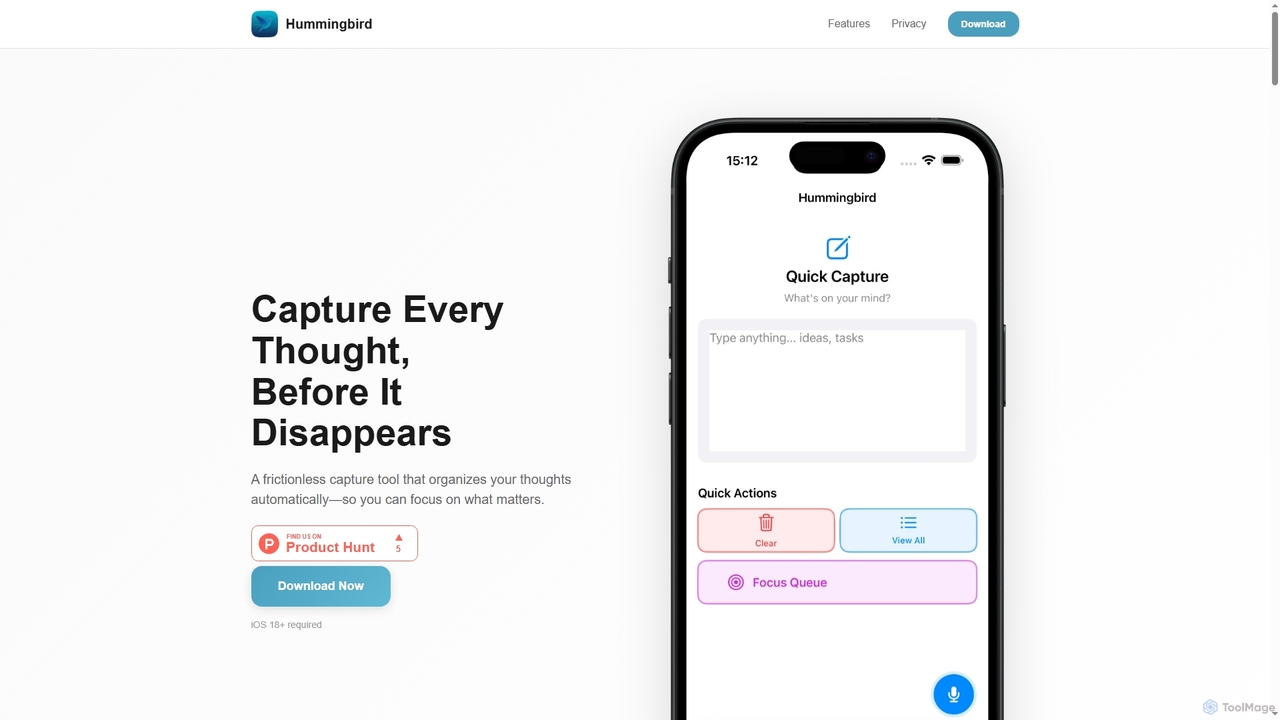
Hummingbird is a privacy-first iOS app designed for instant thought capture and AI-powered organization. It allows users to quickly record ideas, to-dos, and reminders via text or voice, automatically categorizing them on-device without cloud sync or data tracking. Focus on your thoughts, not on organizing them.
About Ios Utility
AI iOS Utility tools are specialized applications designed to optimize, manage, and secure Apple's iOS ecosystem using artificial intelligence. They employ machine learning algorithms to analyze system performance, automate routine tasks, and provide intelligent insights that go beyond standard iOS capabilities. These tools help users maintain device health, improve productivity, and personalize their mobile experience. Their primary advantage lies in proactive and predictive maintenance, transforming device management from a reactive process into an intelligent, automated one.
Core Features
- AI-Powered System Cleanup: Intelligently identifies and removes junk files, duplicate photos, and obsolete data based on usage patterns.
- Smart Automation & Shortcuts: Creates context-aware automations and personalized workflows using predictive AI.
- Intelligent Battery Management: Analyzes usage patterns to provide optimized charging recommendations and extend battery life.
- AI Security & Privacy Guard: Proactively scans for phishing links, malicious Wi-Fi networks, and privacy vulnerabilities.
- Smart Data Organization: Automatically categorizes photos, organizes contacts, and manages files based on content and context.
Use Cases
These tools are valuable for power users seeking maximum performance, everyday users wanting to simplify device maintenance, and professionals who rely on their iPhone or iPad for work. For instance, a content creator can use an AI utility to quickly find and delete large, redundant video files, while a business user can automate daily report compilations directly on their device.
How to Choose
When selecting an AI iOS Utility tool, consider its specific function set—whether you need cleaning, security, or automation. Evaluate its privacy policy and data handling practices carefully. Check for compatibility with your iOS version and other apps. Finally, assess the user interface for ease of use and consider the subscription model versus a one-time purchase.

Ios UtilityUse Cases
Automated Photo Library Cleanup
A photographer with over 50,000 photos on their iPhone uses an AI iOS utility to reclaim storage. The tool's AI scans the entire library, identifying blurry shots, duplicates, and similar-looking images. It groups them for one-tap deletion, saving hours of manual sorting. The AI also recognizes screenshots from apps and suggests archiving or deleting them, freeing up gigabytes of space without losing precious memories.
Proactive Device Security Monitoring
A small business owner who frequently connects to public Wi-Fi uses an AI utility for security. The tool runs in the background, using machine learning to detect unsecured networks and potential man-in-the-middle attacks. It also scans incoming text messages and emails for phishing links in real-time, providing an alert before a malicious link is clicked, protecting sensitive business and financial data on the device.
Intelligent Contact List Consolidation
A sales professional with thousands of contacts faces a messy address book with many duplicates. An AI iOS utility tool analyzes the entire contact list, intelligently identifying duplicate entries even with slight name variations. It suggests merges, automatically fills in missing information from linked profiles, and removes outdated contacts, creating a clean and efficient address book for better client management.
Smart Battery Life Extension
A student who relies on their iPad for a full day of classes uses an AI utility to manage battery consumption. The tool learns their usage patterns, such as which apps are used most during lecture hours. It then provides personalized recommendations, like disabling specific background processes during class or suggesting optimal charging times. This proactive management helps extend the battery life to last through the entire school day.
Automating Repetitive Daily Tasks
A project manager uses an AI-powered utility to streamline their daily workflow. They configure a smart shortcut that, upon arriving at the office (detected via GPS), automatically turns on 'Do Not Disturb,' opens their project management app, and drafts a daily check-in message. The AI learns this routine and can even suggest adjustments, such as adding a weather report to the morning briefing on rainy days.
Optimizing App Performance and Cache
A mobile gamer notices their iPhone slowing down. An AI utility tool analyzes app usage and cache data. It identifies which apps are consuming excessive temporary files and offers a one-click solution to clear the cache without deleting user data. The tool also monitors background app activity, intelligently hibernating apps that are draining resources unnecessarily, resulting in smoother gameplay and faster app loading times.