ToolMage
Sign in

Best 2 Photo & Video AI tools for Mobile

Popular Photo & Video AI tools in Mobile include PanoSlice Pro and Mems, helping you work more efficiently.

Mems
Freemium

Mems

Mems is an AI-powered mobile photo enhancer that makes professional-grade editing easy. With one-tap tools, you can improve image quality, retouch portraits by removing blemishes and braces, brighten smiles, and eliminate glare. It delivers natural-looking, watermark-free results, perfect for both personal memories and professional use.

Image Editing
Visits 5.7KFavorites 124Likes 122
PanoSlice Pro
Freemium

PanoSlice Pro

PanoSlice Pro is an AI-powered tool designed for photographers and social media users to effortlessly transform panoramic photos into stunning, swipeable carousel posts. It uses AI to intelligently analyze and slice wide images, ensuring seamless transitions and optimal composition for platforms like Instagram. Preserve the full glory of your panoramas without awkward crops or quality loss.

Image Editing
Visits 5.7KFavorites 145Likes 153

About Photo & Video

Mobile Photo & Video AI tools are a category of artificial intelligence applications designed to enhance, edit, and generate visual content directly on smartphones and tablets. Leveraging advanced AI algorithms, these tools can automate complex tasks like object removal, background changes, color correction, and even create new images or video clips from simple prompts. They empower users to produce high-quality, professional-looking media on the go, making sophisticated visual content creation accessible to everyone, from casual users to professional creators.

Core Features

  • AI-Powered Editing: Automatically enhances image quality, removes unwanted elements, corrects colors, and applies intelligent filters.
  • Smart Video Production: Generates short video clips, adds dynamic transitions, stabilizes shaky footage, and auto-generates captions.
  • Creative Generation & Stylization: Transforms photos into artistic styles, generates images from text descriptions, or creates unique visual effects.
  • Intelligent Organization: Automatically tags and categorizes photos and videos, making content easier to search and manage.
  • Real-time Processing: Applies effects and edits instantly, often with augmented reality (AR) capabilities for live interactions.

Use Cases

These tools are indispensable for social media content creators needing quick edits, everyday users wanting to perfect personal memories, and small businesses producing marketing visuals. They streamline workflows for on-the-spot content creation, allowing for immediate sharing and professional-grade results without needing a desktop setup.

How to Choose

When selecting a mobile photo and video AI tool, consider its specific feature set (e.g., editing vs. generation), ease of use on a touch interface, performance on your device, and privacy policies regarding your media. Evaluate the range of AI models available and whether it integrates well with your existing mobile workflow and other apps.

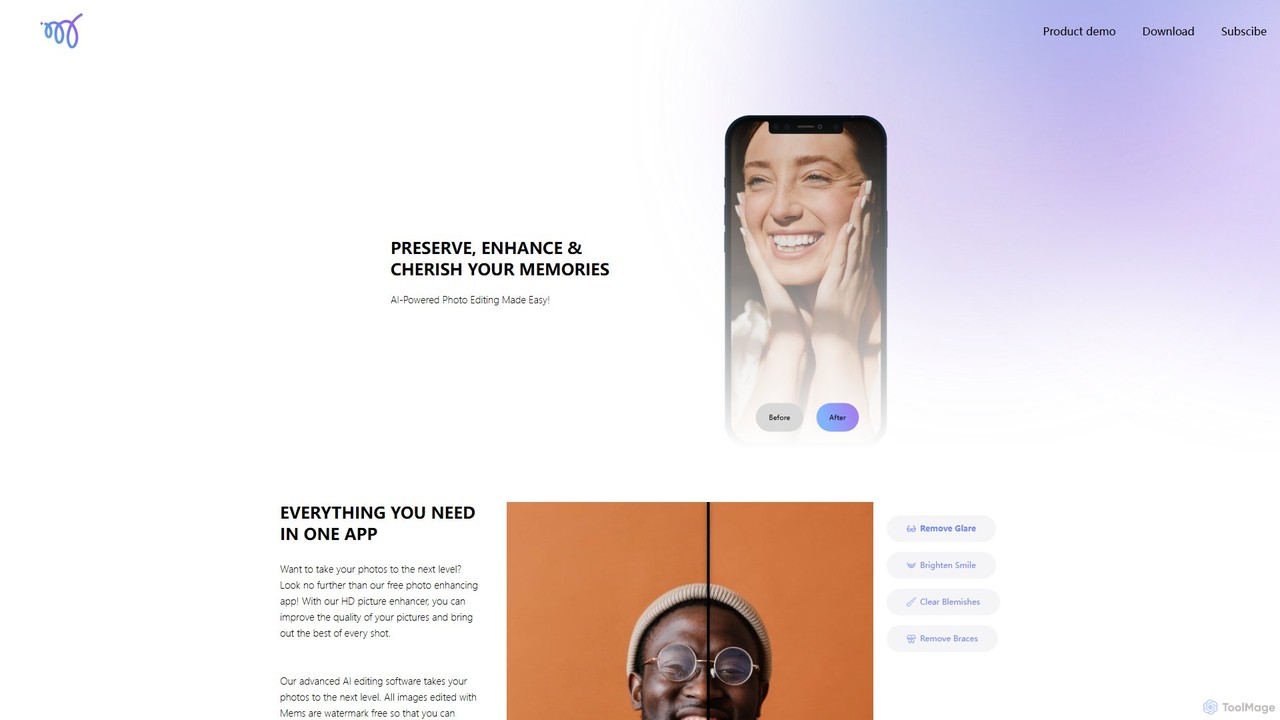
Photo & Video use cases

1

Social Media Content Creation on the Go

Influencers and marketers use mobile AI tools to quickly edit photos and videos, add trending effects, and generate engaging captions directly on their devices for immediate posting across platforms. This streamlines their workflow, allowing them to maintain a consistent online presence with high-quality, timely content.

2

Personal Photo & Video Enhancement

Everyday users leverage AI to automatically improve vacation photos, remove distracting objects, or stabilize shaky home videos, ensuring their personal memories look their best with minimal effort. AI handles complex adjustments, making professional-grade enhancements accessible to anyone with a smartphone.

3

Quick Product Demos & Reviews

Small business owners and e-commerce sellers utilize mobile AI tools to capture and rapidly edit short product videos or high-quality photos, adding professional touches for online listings and promotions. This enables them to create compelling visual content quickly, directly from their phone, without needing extensive equipment or software.

4

AI-Powered Art & Stylization

Hobbyists and digital artists transform ordinary photos into unique artistic masterpieces or generate entirely new images from text prompts, exploring creative boundaries directly from their smartphone. These tools offer a portable studio for experimenting with various artistic styles and generative AI capabilities.

5

Real-time Video Effects for Live Streaming/Calls

Live streamers and remote workers apply virtual backgrounds, beauty filters, or augmented reality (AR) effects during mobile live broadcasts or video calls, enhancing engagement and professionalism. These AI-powered features allow for dynamic, interactive visual experiences without the need for complex green screens or post-production.

6

Automated Video Story Creation

Travelers and parents select a collection of photos and video clips from an event or trip, and AI automatically compiles them into a dynamic highlight reel complete with music, transitions, and effects. This feature simplifies the process of creating engaging video stories, turning raw footage into polished narratives effortlessly on a mobile device.

Photo & Video FAQ

What are Mobile Photo & Video AI tools?

Mobile Photo & Video AI tools are applications that use artificial intelligence to process, enhance, edit, and generate visual content directly on mobile devices. They automate complex tasks like image correction, object removal, and video stabilization, making professional-grade media creation accessible on the go. These tools often feature intelligent filters, creative generation capabilities, and smart organization.

How do Mobile Photo & Video AI tools differ from desktop versions?

Mobile AI tools prioritize portability, touch-friendly interfaces, and real-time processing, often optimized for quick edits and on-the-go content creation. While desktop versions may offer more granular control and extensive features, mobile tools excel in accessibility, immediate sharing, and leveraging device-specific capabilities like advanced camera sensors and AR. They are designed for efficiency and convenience.

What are the main benefits of using AI for mobile photo and video editing?

The primary benefits include significant time savings through automation of tedious tasks, access to advanced editing capabilities without professional skills, and the ability to create high-quality content instantly from anywhere. AI tools can perform complex enhancements, generate creative effects, and organize media intelligently, empowering users to achieve professional results with ease and speed.

Can these tools generate new images or videos from text prompts on mobile?

Yes, many advanced Mobile Photo & Video AI tools now offer generative AI capabilities. Users can input text descriptions (prompts) to create entirely new images, transform existing photos into different artistic styles, or even generate short video clips. This functionality opens up vast creative possibilities, allowing users to visualize and produce unique content directly from their mobile device.

What should I consider when choosing a Mobile Photo & Video AI app?

When selecting an app, evaluate its core features against your needs (e.g., photo editing, video effects, generative AI). Consider its user interface for ease of use on a mobile screen, its performance and speed on your specific device, and its pricing model (free, subscription, one-time purchase). Also, check privacy policies regarding data handling and whether it integrates with other apps you use.