ToolMage
Sign in

Best 1 Secure Storage AI tools for Privacy

Popular Secure Storage AI tools in Privacy include Persys, helping you work more efficiently.

Persys
Paid

Persys

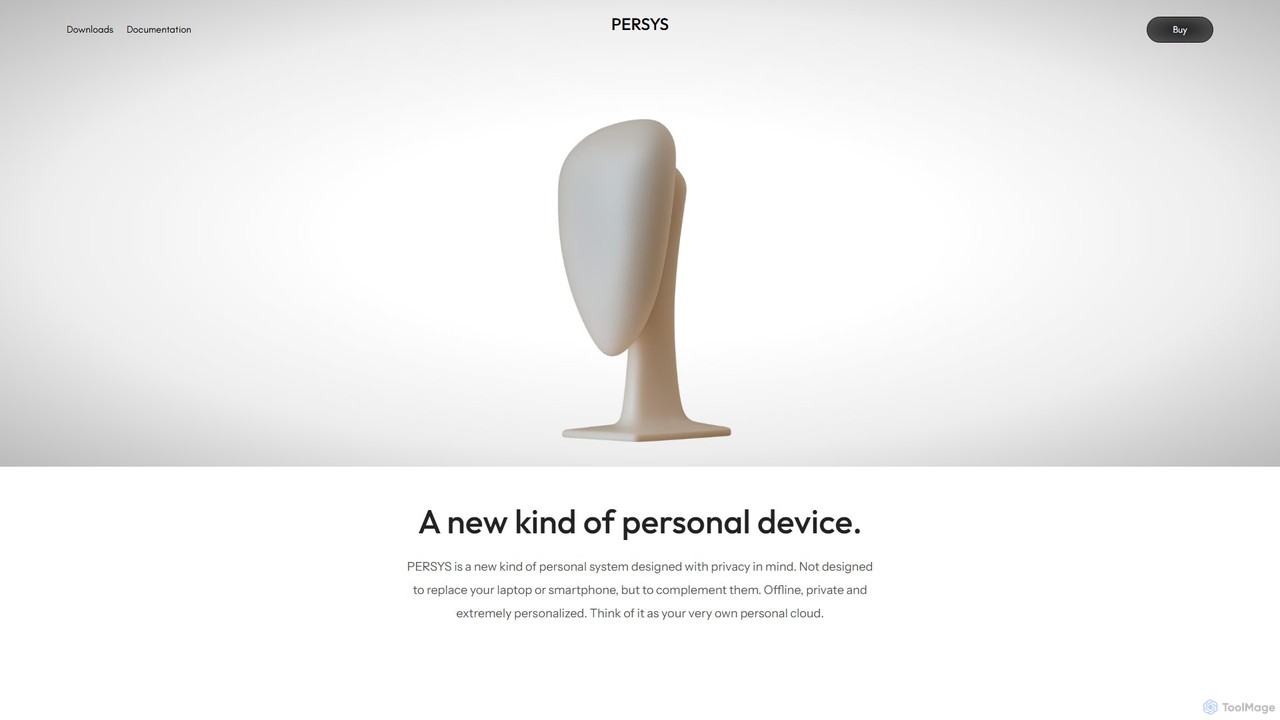
Persys is a private, offline AI console designed as your personal cloud. This hardware device performs all AI inference on-device, ensuring your data and interactions remain completely private. With up to 2TB of storage and a suite of AI-native applications like private chat and deep search, it complements your existing devices by providing a secure, personalized, and offline-accessible intelligent computing environment.

Personal Server
Visits 4.2KFavorites 121Likes 119

About Secure Storage

Secure Storage tools are specialized cloud services that use advanced encryption to protect your most sensitive data. Unlike standard cloud storage, these platforms often employ zero-knowledge or end-to-end encryption, ensuring that only you, the user, can access your files. Many modern solutions integrate AI to proactively detect threats, classify data sensitivity, and manage access policies intelligently. This provides a robust defense for confidential documents, intellectual property, and personal information against unauthorized access.

Core Features

  • Zero-Knowledge Encryption: The service provider has no access to your decryption keys, meaning they cannot view your stored files.
  • End-to-End Encryption (E2EE): Data is encrypted on your device before being uploaded and only decrypted on the recipient's device.
  • AI-Powered Threat Detection: Utilizes machine learning to identify and block unusual login attempts or suspicious file activities in real-time.
  • Granular Access Controls: Allows setting specific permissions for file sharing, including password protection, download limits, and link expiration.
  • Compliance & Audit Trails: Generates detailed logs of all file activities to help meet regulatory standards like GDPR and HIPAA.

Use Cases

Secure Storage is critical for professionals and businesses handling confidential information. Law firms use it to protect client-attorney privileged documents, tech companies safeguard source code and trade secrets, and healthcare providers store patient records in a HIPAA-compliant manner. It is also valuable for journalists protecting sources and individuals storing personal digital assets.

How to Choose

When selecting a Secure Storage tool, first verify its encryption model—zero-knowledge is the gold standard for privacy. Next, check for relevant compliance certifications if you operate in a regulated industry. Evaluate the balance between security features and user-friendliness, as overly complex systems can hinder adoption. Finally, consider its integration capabilities with your existing workflow and the transparency of its privacy policy.

Featured tool rankings

Secure Storage use cases

1

Protecting Intellectual Property for Tech Startups

A software development startup needs to store its proprietary source code, algorithm designs, and business plans. They use a secure storage platform with zero-knowledge encryption. This ensures that even the storage provider's employees cannot access their critical intellectual property. Developers can collaborate on code within the secure environment, and access is strictly controlled through role-based permissions, protecting their most valuable assets from internal and external threats during the crucial early stages of growth.

2

Secure Collaboration for Legal and Financial Teams

A law firm needs to share sensitive case files, contracts, and discovery documents with clients and external counsel. Using a secure storage tool, they create encrypted data rooms for each case. They can share files via secure links that require a password and have an expiration date. The platform's audit trail logs every view, download, and modification, providing a clear chain of custody that is crucial for legal compliance and client confidentiality. This replaces risky email attachments with a controlled, auditable environment.

3

Managing HIPAA-Compliant Patient Records

A healthcare clinic uses an AI-enhanced secure storage solution to manage electronic health records (EHR). The platform is HIPAA-compliant and uses E2EE for all data in transit and at rest. The AI component actively monitors access logs for anomalies, such as a user accessing an unusual number of records at an odd hour, and flags it for review. This proactive security helps the clinic maintain compliance, protect sensitive patient data from breaches, and build trust with their patients.

4

Safeguarding Research Data and Findings

A university research team is working on a groundbreaking project with sensitive data and unpublished findings. They use a secure storage service to create a central, encrypted repository for all research materials. This prevents data leaks and ensures the integrity of their work before publication. The service's version control feature allows them to track changes securely, and granular permissions ensure that only authorized team members can access specific data sets, protecting the project's confidentiality throughout its lifecycle.

5

Creating a Personal Digital Vault

A privacy-conscious individual wants to create a secure digital vault for their most important personal documents, such as copies of passports, birth certificates, wills, and cryptocurrency wallet recovery seeds. They choose a secure storage provider known for its strong encryption and user-friendly mobile app. This allows them to access their critical information securely from anywhere, while ensuring it is protected from hackers, device loss, and unauthorized access. They also use the secure sharing feature to grant emergency access to a trusted family member.

6

Securely Transferring Large Client Files

A video production agency frequently needs to send large, high-resolution video files to clients for review and approval. Email attachments are not feasible due to size limits and lack of security. They use a secure storage platform to upload the files and generate a secure, branded download link. This provides a professional experience for the client and ensures the valuable video assets are transferred using end-to-end encryption, preventing interception or unauthorized access during transit.

Secure Storage FAQ

What is AI-powered Secure Storage?

AI-powered Secure Storage is a type of cloud storage service that prioritizes data security through advanced encryption, primarily zero-knowledge or end-to-end encryption. This core feature ensures that only the user can access their data. The 'AI-powered' aspect adds an intelligent security layer, using machine learning algorithms to perform tasks like:

  • Proactively detecting and blocking suspicious access patterns.
  • Automatically classifying data to apply appropriate security policies.
  • Enhancing search capabilities within encrypted files without compromising privacy.
In essence, it combines the strongest encryption methods with intelligent automation to offer a superior level of data protection compared to standard cloud storage.

How does Secure Storage differ from standard cloud storage like Google Drive or Dropbox?

The primary difference lies in the encryption model and who holds the keys. Standard services like Google Drive often encrypt your data, but they hold the encryption keys. This means they can technically access, scan, or be compelled to hand over your data. Secure Storage platforms use a zero-knowledge model, where your password creates a unique encryption key that only you possess. The provider cannot access this key, making it impossible for them to decrypt and view your files. This provides a much higher level of privacy and security, making it suitable for truly confidential information.

How do I choose the right Secure Storage tool?

Choosing the right tool depends on your specific needs. Consider these factors:

  • Encryption Model: Prioritize services with audited, open-source, zero-knowledge encryption for maximum privacy.
  • Compliance Needs: If you handle medical, financial, or legal data, ensure the provider has certifications like HIPAA or GDPR compliance.
  • Usability: The most secure tool is useless if it's too complex to use. Look for a balance between strong security features and a user-friendly interface.
  • Collaboration Features: If you need to share files, evaluate the tool's secure sharing options, access controls, and audit trails.
  • Jurisdiction: Consider where the company is based and where your data will be stored, as this can have legal and privacy implications.

Who should use Secure Storage tools?

While anyone concerned about digital privacy can benefit, Secure Storage tools are particularly crucial for certain groups. This includes:

  • Businesses and Startups: To protect intellectual property, trade secrets, and sensitive financial data.
  • Legal Professionals: To maintain attorney-client privilege and secure confidential case files.
  • Healthcare Providers: To store and share patient records in compliance with regulations like HIPAA.
  • Journalists and Activists: To protect sensitive sources and research from surveillance.
  • Privacy-Conscious Individuals: To safeguard personal documents, financial records, and digital assets from data breaches and unauthorized access.

Is my data 100% safe with Secure Storage?

No system can guarantee 100% absolute security. However, secure storage platforms using zero-knowledge encryption provide the highest level of protection commercially available. The security of your data largely shifts to your own responsibility: protecting your master password. Since the provider cannot reset your password or recover your data if you lose it, it is crucial to use a strong, unique password and store it safely. While the architecture is designed to be impenetrable by the provider and external attackers, user-side security practices remain a critical component of the overall safety of your data.