ToolMage
Sign in

Best 1 Temporary Email AI tools for Privacy

Popular Temporary Email AI tools in Privacy include TempMail4U, helping you work more efficiently.

TempMail4U
Free

TempMail4U

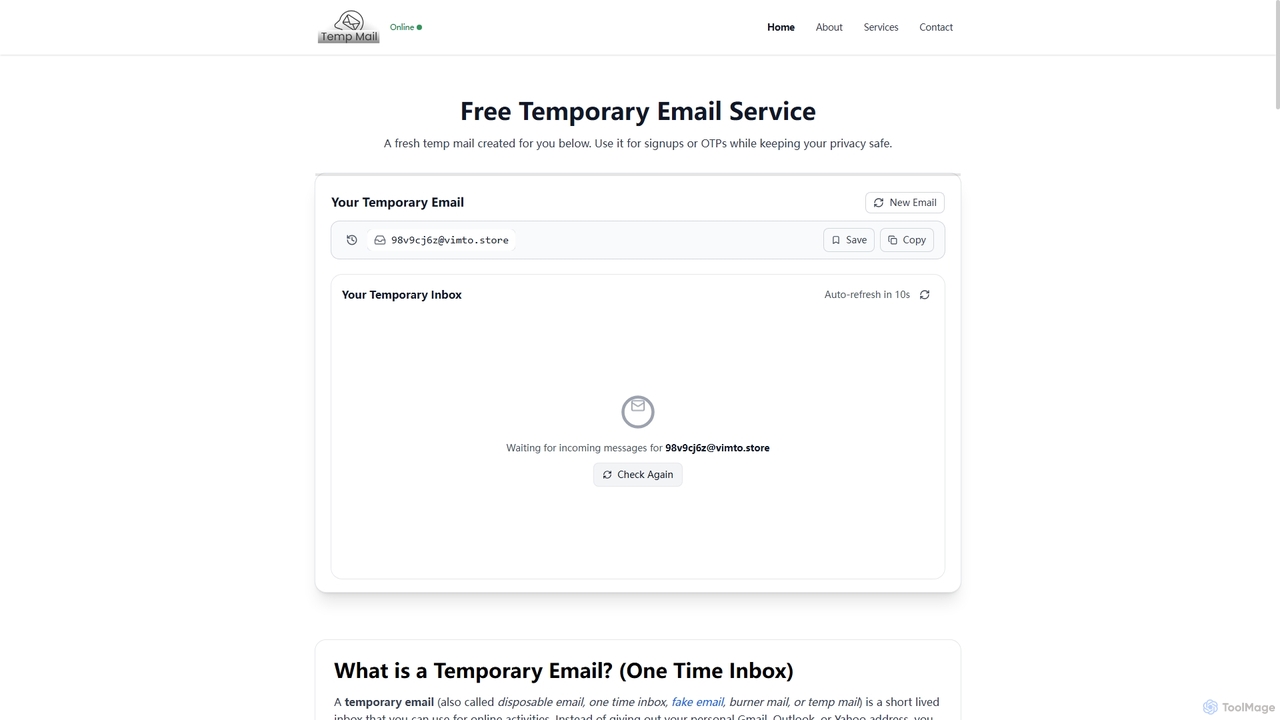
TempMail4U is a free, privacy-focused temporary email service that provides instant, disposable email addresses. It allows users to receive verification codes and messages without exposing their personal inbox to spam, ads, or potential data leaks, offering various durations from 10 minutes to 7 days.

Testing Tools
Visits 13.9KFavorites 157Likes 141

About Temporary Email

Temporary Email tools provide short-term, anonymous email addresses designed to protect user privacy and prevent real email exposure or spam when signing up for online services. Users can quickly generate a disposable email for one-time registrations, testing, or receiving verification codes, then discard it after use. As a crucial component of privacy protection tools, temporary email acts as a vital security barrier in the digital world, helping users maintain anonymity and control over their personal data.

Core Features

  • Instant Generation: Quickly create temporary email addresses without registration.
  • Automatic Destruction: Email addresses automatically expire or are manually deleted after a preset time.
  • Anonymous Reception: Receive emails without revealing your true identity or personal information.
  • Spam Prevention: Avoid your real inbox being flooded with unwanted spam and marketing emails.
  • Multiple Domain Options: Offers various domain choices to enhance anonymity.

Use Cases

Temporary email services are invaluable for users who need to sign up for new services or trials without committing their primary email, test website functionalities, or receive one-time verification codes. They are also widely used for anonymous commenting on forums or blogs, ensuring personal identity remains protected while engaging online.

How to Choose

When selecting a temporary email service, consider its validity period and destruction mechanism, checking if it supports custom durations and automatic deletion. Evaluate the feature set, such as support for attachments or email forwarding. Crucially, review the provider's privacy policy regarding data handling. Finally, assess the user interface for ease of generation and management of temporary email addresses.

Temporary Email use cases

1

Register for New Services or Trials Securely

When users want to try a new website, subscribe to an unfamiliar newsletter, or register for a short-term trial service, they often need to provide an email. Using a temporary email prevents their real inbox from being collected, thus avoiding subsequent spam or data breach risks. Users simply generate a temporary address, complete registration and verification, and enjoy the service without privacy concerns.

2

Avoid Spam and Marketing Overload

Many online platforms send a large volume of marketing emails or newsletters after registration. By using a temporary email, users can effectively filter out these unnecessary messages, keeping their real inbox clean. Once there's no longer a need to receive emails from that platform, the temporary email can be discarded, completely cutting off the information source and significantly improving the email experience.

3

Receive One-Time Verification Codes or Download Links

In certain scenarios, such as downloading specific files, participating in online giveaways, or obtaining coupons, websites require an email to send verification codes or download links. Temporary email perfectly addresses these needs, allowing users to quickly receive the required information without exposing their personal primary email. This ensures immediate access to information while maintaining personal privacy.

4

Post Anonymous Comments or Forum Posts

On some forums, blogs, or comment sections, users may wish to express opinions or ask questions anonymously without revealing their true identity. Registering on these platforms with a temporary email effectively conceals personal information, ensuring the anonymity of comments or posts. This is particularly important for discussing sensitive topics or avoiding unwanted attention, providing users with a safe space for expression.

5

Test Website or Application Functionality

Developers or testers frequently using real emails to test registration, login, or email notification features of new websites or applications can generate a large volume of test data and spam. Temporary email offers a convenient solution, allowing quick generation of multiple test accounts to receive test emails, which can then be discarded. This greatly simplifies the testing process and keeps the testing environment clean.

6

Mitigate Data Breach Risks

Data breaches are frequent on the internet, and if a real email is compromised, it can lead to severe consequences like password resets or identity theft. By using a temporary email on untrusted websites, even if that website experiences a data breach, the user's real email address remains unaffected. This adds a crucial layer of defense for personal information security, effectively reducing potential risks.

Temporary Email FAQ

What are Temporary Emails?

Temporary Email services provide short-term, anonymous email addresses. They allow users to receive emails without revealing their real email address, typically used for one-time registrations, verifications, or to avoid spam. These email addresses automatically expire or are destroyed after a preset time, thereby protecting user privacy and security.

How to choose a good Temporary Email service?

When choosing a temporary email service, consider the following:

  • Validity and Destruction: Check if it supports custom validity periods and automatic email destruction.
  • Privacy Policy: Understand how the provider handles user data and email content, and if they promise not to log IPs or emails.
  • Functionality: Assess if it offers advanced features like attachments, email forwarding, or multiple email management.
  • Ease of Use: Look for a clean interface and convenient generation and management of temporary emails.
  • Domain Diversity: Services offering multiple domain choices can enhance anonymity and prevent detection by websites.

What are the main features of Temporary Email?

The main features of Temporary Email include:

  • Instant Generation: Quickly create temporary email addresses without needing to register.
  • Email Reception: Receive emails from any sender, typically displayed on a web interface.
  • Automatic Destruction: Email addresses and all associated messages automatically expire or are deleted after a set period.
  • Anonymity: Protects the user's true identity, preventing personal information leakage.
  • Spam Prevention: Filters out unnecessary marketing emails and junk mail, keeping the real inbox clean.

What is the difference between Temporary Email and regular email?

Temporary email and regular email differ significantly in their design purpose and functionality:

  • Purpose: Temporary email is primarily for privacy protection and one-time use, while regular email is for long-term communication and identity.
  • Validity: Temporary emails typically have a short validity period and are automatically destroyed; regular emails are long-term.
  • Registration: Temporary emails require no registration or personal information; regular emails do.
  • Functionality: Temporary email functions are simpler, mainly for receiving; regular emails offer rich features like sending, storage, calendar, etc.
  • Privacy: Temporary email provides high anonymity; regular email is closely linked to personal identity.

Who should use Temporary Email?

Temporary email is suitable for all users who prioritize privacy protection and wish to avoid spam. Specifically, this includes:

  • General Users: For registering on untrusted websites, subscribing to newsletters, or participating in giveaways.
  • Content Creators/Marketers: For testing new platforms, acquiring resources, or anonymous commenting.
  • Developers/Testers: For testing registration processes and email notification features.
  • Anyone who wants to protect personal information and prevent their real email from being misused.