Team Collaboration Best in category 1 results Wiki AI Tool

Popular AI tools in the Wiki field of Team Collaboration include Pilot, etc., helping you quickly improve efficiency.

Pilot

Pilot

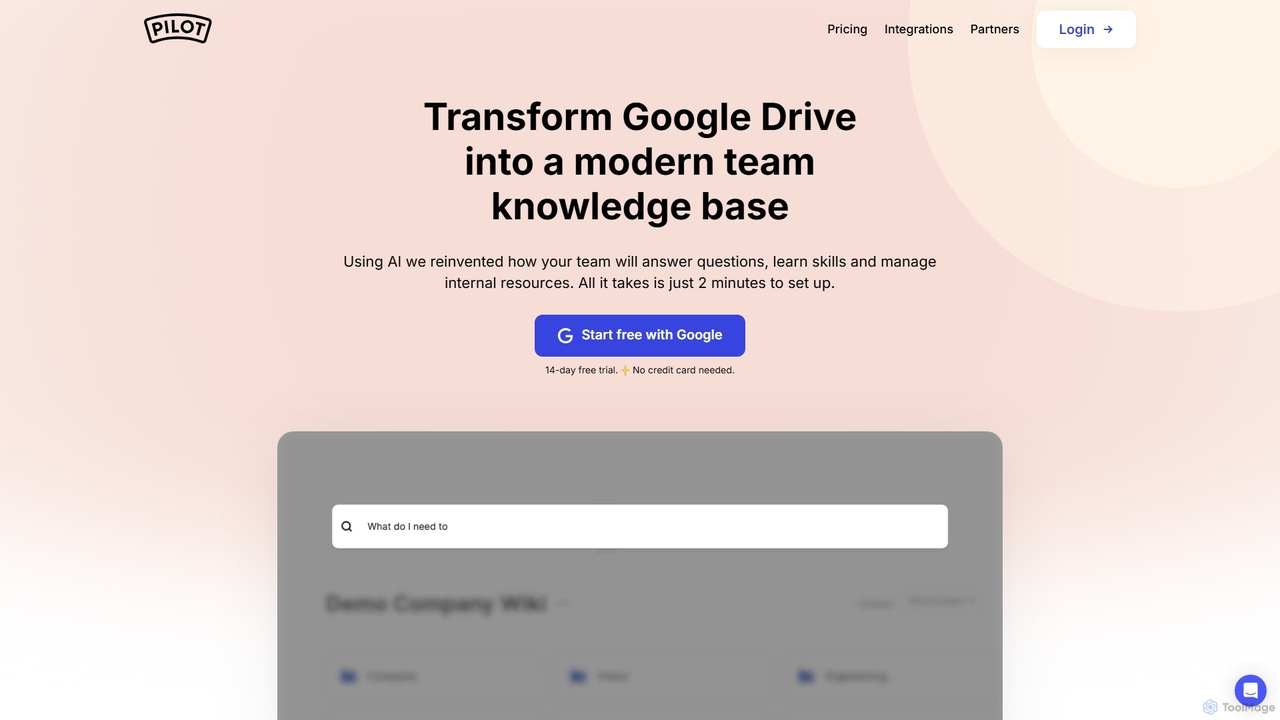
Pilot is an AI-powered knowledge base and wiki designed for teams using Google Workspace. It transforms your Google …

4.8K

About Wiki

AI Wiki tools are collaborative platforms designed for creating, organizing, and sharing a centralized knowledge base within a team or organization. They leverage AI to enhance traditional wiki functionalities, enabling more intelligent content discovery and management. These tools are essential for building a single source of truth, documenting processes, and preserving institutional knowledge. AI features like semantic search and automated content tagging make finding information faster and more intuitive than ever.

Core Features

  • Collaborative Editing: Allows multiple users to create and edit content simultaneously or asynchronously with clear version history.
  • AI-Powered Search: Utilizes natural language processing to understand user queries and find the most relevant information, even without exact keywords.
  • Content Structuring: Provides features like internal linking, hierarchies, and automated tagging to build an interconnected web of knowledge.
  • Knowledge Discovery: AI proactively suggests relevant articles, identifies knowledge gaps, and surfaces expert contributors within the organization.
  • Permission Controls: Offers granular control over who can view, edit, and manage specific pages or sections of the wiki.

Use Cases

AI Wikis are widely used by engineering teams for technical documentation, HR departments for employee handbooks and onboarding materials, and customer support teams for creating internal knowledge bases. They are also valuable for project management, where teams can centralize project plans, meeting notes, and requirements in a living document.

How to Choose

When selecting an AI Wiki tool, consider the quality of its editor and ease of use for non-technical users. Evaluate the power and accuracy of its AI search capabilities. Check for essential integrations with your existing workflow tools like Slack, Jira, or Microsoft Teams. Finally, assess the platform's security features and permission management to ensure your company's knowledge is protected.

WikiUse Cases

1

Building a Central Company Knowledge Base

An operations or HR team is tasked with creating a single source of truth for all company policies, procedures, and internal guides. Using an AI Wiki, they can structure information hierarchically, from company-wide policies down to team-specific workflows. New documents can be drafted quickly with AI assistance. Most importantly, employees can use natural language search like 'What is our remote work policy?' and get direct answers, saving HR time from answering repetitive questions and ensuring consistent information for everyone.

2

Creating Engineering Team Documentation

An engineering team needs to document its complex codebase, APIs, and deployment processes to ensure knowledge is shared and not siloed with individual developers. They use an AI Wiki to create technical documentation. The tool's ability to handle code blocks, diagrams, and link between related concepts is crucial. When a developer encounters an issue, they can search the wiki for error messages or architectural concepts. The AI can also help identify outdated documentation by analyzing commit histories, prompting a review to keep the knowledge base current.

3

Streamlining New Employee Onboarding

A manager needs to onboard a new team member efficiently. Instead of sending dozens of separate documents and links, they create a dedicated onboarding page in the team's AI Wiki. This page acts as a checklist and central hub, linking to essential reading like the company handbook, team processes, project overviews, and key contacts. The new hire can work through the material at their own pace and use the AI search to ask questions like 'Who do I contact for IT support?'. This structured approach reduces the manager's workload and empowers the new employee from day one.

4

Managing Dynamic Project Specifications

A project manager for a software development project uses an AI Wiki to create a living project specification document. This central page links to detailed user stories, design mockups, and technical requirements. As the project evolves, any team member can update the relevant section, and the version history tracks all changes. The AI can summarize recent changes for a daily stand-up meeting or help find dependencies between different features by analyzing the links between pages. This keeps the entire team aligned and working from the most current information, reducing misunderstandings.

5

Building an Internal Customer Support Knowledge Base

A customer support team needs a reliable internal resource to answer customer queries quickly and accurately. They use an AI Wiki to build a comprehensive knowledge base of product features, troubleshooting steps, and billing policies. When a new issue arises, they document the solution in the wiki. Support agents can then use the AI search to instantly find answers while on a call with a customer. The AI can also analyze support tickets and suggest new articles for common, undocumented problems, continuously improving the knowledge base's coverage.

6

Centralizing Market Research and Competitive Insights

A marketing or product team constantly gathers information about competitors, market trends, and user feedback. This data often ends up scattered in various reports and presentations. By using an AI Wiki, the team creates a central intelligence hub. They can create pages for each competitor, link to relevant research reports, and embed user interview summaries. The AI's ability to connect related concepts helps team members discover non-obvious connections between a competitor's new feature and recent user feedback, fostering more strategic decision-making.

WikiFrequently Asked Questions