La Terminal
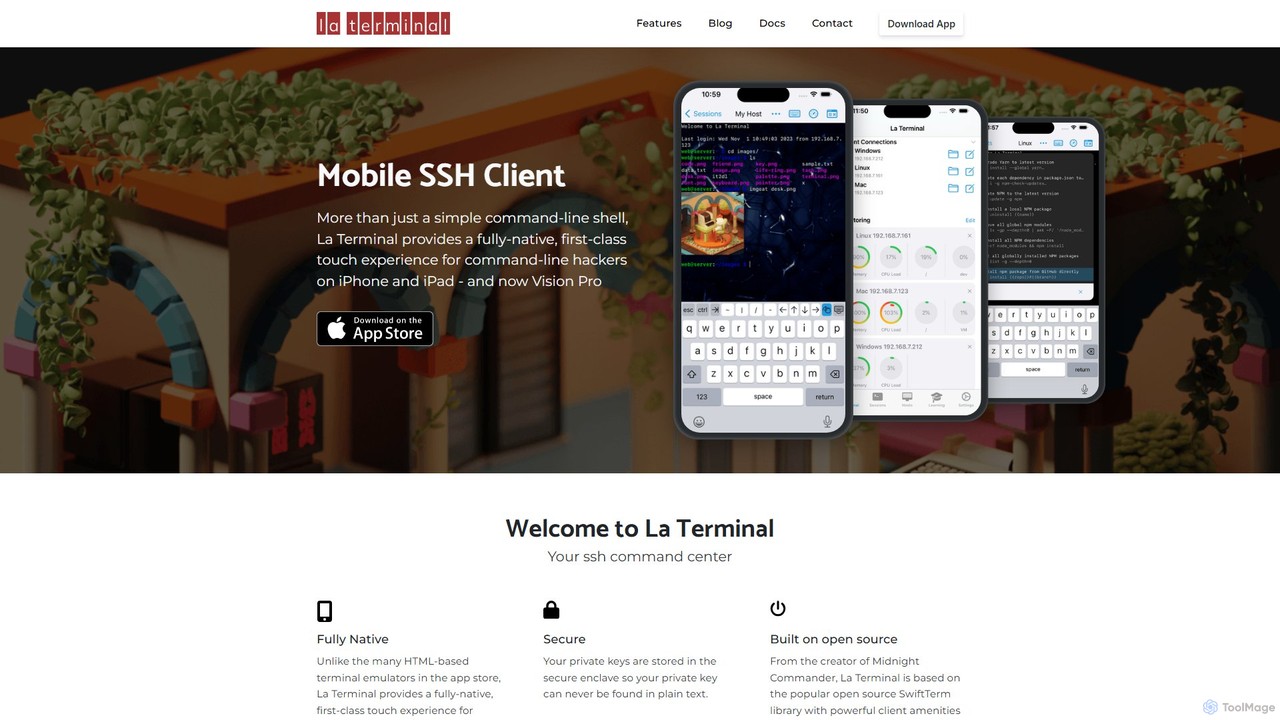
La Terminal is a professional, fully native SSH client for iPhone, iPad, and Vision Pro. It offers a …
La Terminal is a professional, fully native SSH client for iPhone, iPad, and Vision Pro. It offers a first-class touch experience, seamless iCloud sync for keys and settings, and intelligent host platform awareness for developers and system administrators on the move.
About Network
AI Network tools are a class of specialized utilities that use artificial intelligence to monitor, manage, and secure computer networks. These tools leverage machine learning algorithms for predictive analysis and anomaly detection, moving beyond traditional reactive monitoring. They provide deep insights into network traffic, predict potential failures, and automate complex troubleshooting tasks. This proactive approach significantly enhances network performance, reliability, and security for organizations of any scale.
Core Features
- Predictive Analytics: Forecasts potential network issues like congestion or hardware failure before they impact users.
- Anomaly Detection: Identifies unusual traffic patterns or behaviors that may indicate a security breach or performance degradation.
- Automated Root Cause Analysis: Rapidly pinpoints the source of network problems, reducing downtime and manual investigation efforts.
- Intelligent Traffic Optimization: Dynamically manages data flow and prioritizes bandwidth to ensure critical applications perform optimally.
- AI-Powered Threat Detection: Utilizes machine learning to identify and neutralize sophisticated cyber threats, including zero-day attacks.
Use Cases
AI Network tools are primarily used by IT departments, Managed Service Providers (MSPs), and cybersecurity firms. They are essential for managing complex corporate networks, cloud infrastructures, and data centers, where maintaining high availability and robust security is critical. For example, an e-commerce platform can use these tools to ensure smooth performance during peak shopping seasons, while a financial institution can deploy them to detect fraudulent activities in real-time.
How to Choose
When selecting an AI Network tool, consider the scale and complexity of your network. Evaluate its integration capabilities with your existing infrastructure, such as firewalls and routers. Assess the tool's specific strengths—whether in security, performance optimization, or predictive maintenance—to align with your primary needs. Also, consider the level of automation provided and whether it matches your team's technical expertise and operational workflow.

NetworkUse Cases
Proactive Network Maintenance for Enterprises
An IT administrator for a large corporation is responsible for maintaining network uptime across multiple offices. Instead of waiting for hardware to fail, they use an AI Network tool to analyze performance data from thousands of devices. The tool's predictive analytics model identifies a set of network switches showing early signs of degradation that are not yet affecting performance. The system automatically generates a maintenance ticket, allowing the team to replace the hardware proactively during a scheduled maintenance window, preventing a potential widespread outage and saving hours of reactive troubleshooting.
Automated Security Threat Detection
A cybersecurity analyst at a financial institution uses an AI Network tool to monitor for threats. The tool establishes a baseline of normal network behavior by analyzing traffic patterns over time. One day, it detects a subtle, anomalous data exfiltration pattern from a server that doesn't match any known malware signatures. Traditional rule-based systems would miss this. The AI tool immediately flags the activity, quarantines the affected server, and alerts the analyst with a detailed report on the anomalous behavior, enabling a swift response to a potential zero-day attack and preventing a major data breach.
Cloud Infrastructure Performance Optimization
A DevOps engineer manages a large-scale application hosted on a multi-cloud environment. To ensure optimal user experience, they deploy an AI Network tool that continuously analyzes latency and packet loss between services. During a sudden traffic spike, the tool intelligently reroutes traffic away from a congested network path in one cloud provider to a more performant path in another, all without manual intervention. This dynamic traffic shaping ensures application response times remain low, improves resource utilization, and helps control cloud spending by avoiding over-provisioning.
Automated Root Cause Analysis for MSPs
A Managed Service Provider (MSP) oversees the networks of dozens of small businesses. When a client reports slow application performance, the MSP's technician uses an AI Network tool. Instead of manually checking logs on routers, switches, and servers, the tool automatically correlates data from all network points. Within minutes, it identifies the root cause: a misconfigured Quality of Service (QoS) setting on a single router that is throttling the client's critical application traffic. The tool provides a clear diagnosis and a recommended fix, reducing the mean time to resolution (MTTR) from hours to minutes and improving client satisfaction.
ISP Bandwidth Management and Planning
An Internet Service Provider (ISP) needs to manage its network capacity efficiently to ensure a quality experience for all customers. They use an AI Network tool to analyze historical and real-time traffic data across their entire infrastructure. The AI model identifies trends, such as peak usage times in specific neighborhoods and growing demand for streaming services. This allows the ISP to intelligently shape traffic during peak hours to prevent congestion. Furthermore, the tool's predictive capabilities help in capacity planning, forecasting when and where network upgrades will be needed months in advance, optimizing capital expenditure.
Remote Workforce Network Troubleshooting
A company with a large remote workforce faces challenges in diagnosing employees' home network issues. The IT helpdesk uses an AI Network tool with lightweight agents installed on employee laptops. When an employee reports poor video call quality, the agent collects data on their local Wi-Fi signal strength, ISP performance, and VPN connection latency. The AI platform analyzes this data, correlates it with other users in the same geographic area, and quickly diagnoses the problem as localized ISP throttling. The helpdesk can then provide a specific recommendation to the employee, resolving the issue efficiently without needing deep technical access to their home network.