ToolMage
Sign in

Best 3 Personal Assistant for Utilities

Popular Personal Assistant in Utilities include Mantle, Hummingbird, and ExitCall, helping you work more efficiently.

Mantle
Freemium

Mantle

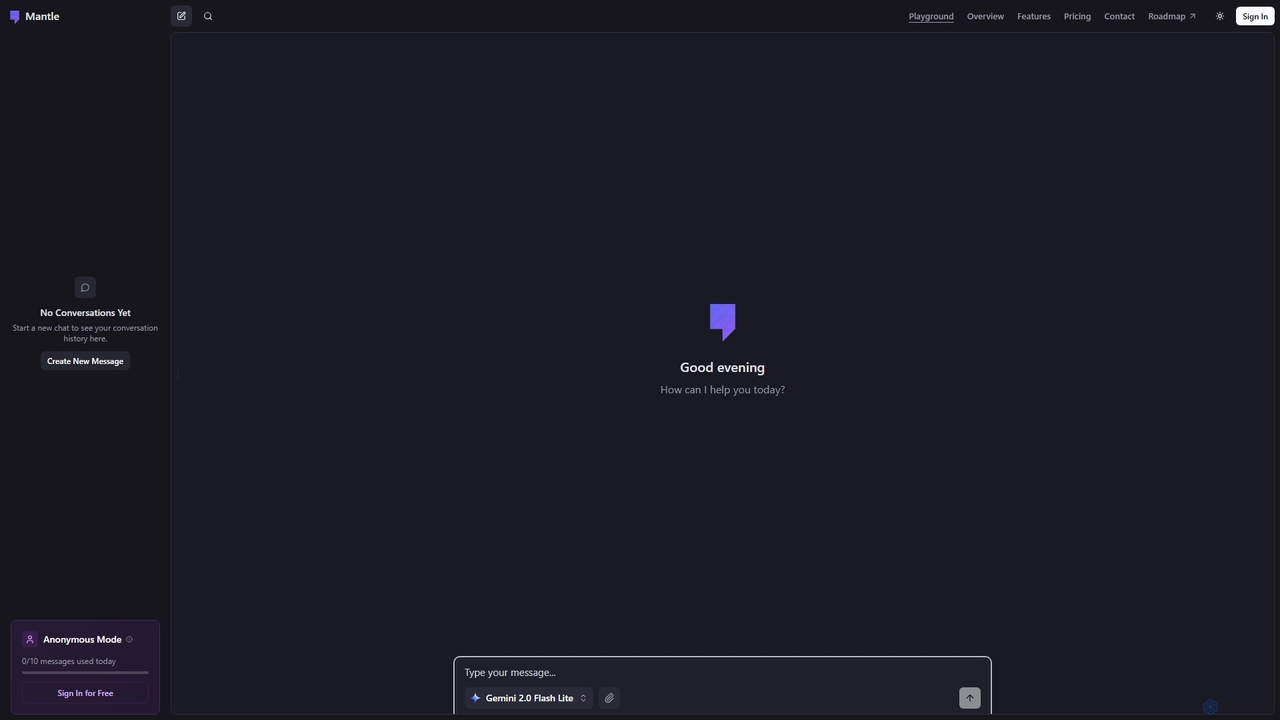
Mantle is an intuitive AI chat tool designed for quick conversations and idea generation. It offers an anonymous mode for privacy-conscious users, allowing up to 10 messages daily without requiring a sign-in. Users can sign in for free to access conversation history and potentially more features.

Learning Assistant
Visits 8.2KFavorites 126Likes 137
Hummingbird

Hummingbird

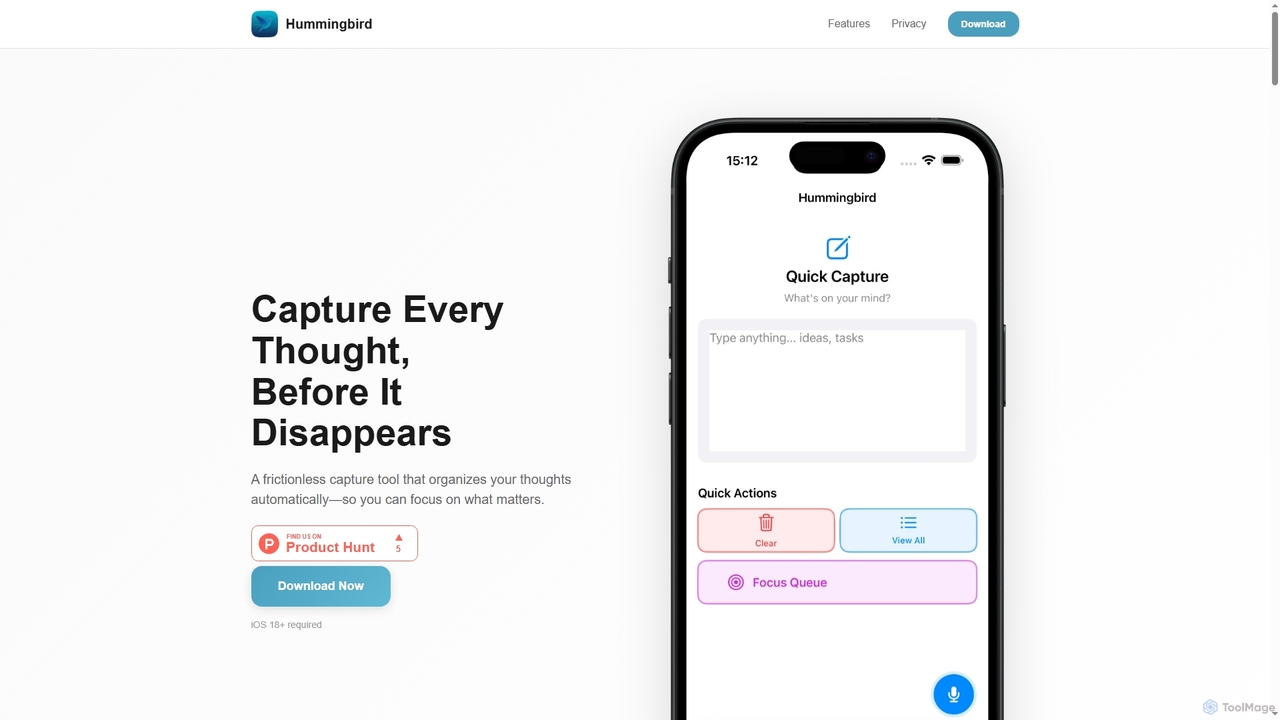
Hummingbird is a privacy-first iOS app designed for instant thought capture and AI-powered organization. It allows users to quickly record ideas, to-dos, and reminders via text or voice, automatically categorizing them on-device without cloud sync or data tracking. Focus on your thoughts, not on organizing them.

Ios Utility
Visits 5.7KFavorites 118Likes 86
ExitCall
Freemium

ExitCall

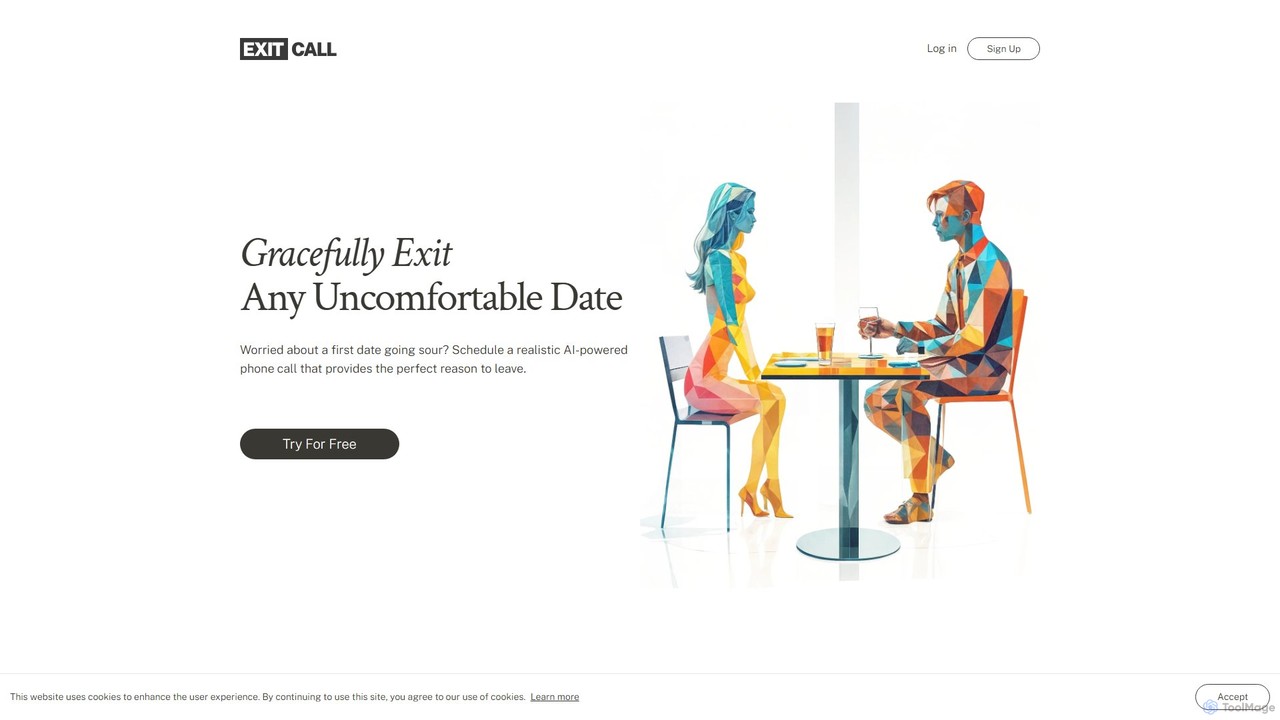
ExitCall is an AI-powered service that provides a realistic, scheduled "emergency" phone call to help you gracefully exit awkward social situations. By setting a scenario and a time, you receive a call from an AI voice assistant, creating a believable reason to leave a bad date or uncomfortable meeting without causing a scene.

Social
Visits 5.3KFavorites 142Likes 146

About Personal Assistant

Personal Assistant AI tools are intelligent software applications designed to automate, organize, and streamline an individual's daily tasks, information management, and communication. Leveraging advanced natural language processing (NLP) and machine learning, these tools proactively assist users with smart scheduling, context-aware reminders, efficient content summarization, and personalized recommendations. They aim to significantly enhance personal productivity, reduce cognitive load, and free up valuable time by handling routine administrative burdens and providing timely, relevant support across various digital platforms.

Core Features

  • Smart Calendar Management: Automatically analyzes availability, suggests optimal meeting times, schedules appointments, and sends invitations, often integrating with multiple calendar systems.
  • Context-Aware Reminders & Alerts: Delivers intelligent, location-based, or time-sensitive reminders for tasks, appointments, and follow-ups, often integrating with communication apps and project management tools.
  • Information Processing & Summarization: Efficiently processes large volumes of text from emails, documents, web pages, or meeting transcripts to extract key points, generate concise summaries, and highlight actionable insights.
  • Routine Task Automation: Automates repetitive digital tasks such as email sorting and filtering, file organization, data entry into spreadsheets, or managing contact lists.
  • Personalized Insights & Recommendations: Learns user habits, preferences, and work patterns to proactively suggest relevant content, optimize workflows, or recommend tools and actions that align with individual needs.

Applicable Scenarios

AI personal assistants are invaluable for professionals across diverse fields, including busy executives, project managers, content creators, and students, who face demanding schedules and information overload. They are particularly beneficial for individuals needing to coordinate complex team meetings, manage multiple concurrent projects, stay updated on vast amounts of digital communication, or simply optimize their daily routines without manual intervention. These tools transform how individuals interact with their digital workspace, making productivity more intuitive and less effortful.

How to Choose

When selecting an AI personal assistant, prioritize its integration capabilities with your existing ecosystem (e.g., Google Workspace, Microsoft 365, Slack, CRM systems) to ensure seamless workflow. Evaluate the breadth and depth of its automation features, its ability to learn and adapt to your specific preferences, and the robustness of its data privacy and security protocols. Consider the user interface's intuitiveness, cross-device synchronization for consistent assistance, and the flexibility of its pricing model to match your usage needs.

Personal Assistant use cases

1

Automating Meeting Scheduling & Coordination

For busy professionals, an AI personal assistant can take over the tedious process of finding a suitable meeting time. The user specifies attendees and topics, and the AI checks everyone's calendars, proposes optimal slots, sends invitations, and even handles rescheduling, significantly reducing email back-and-forth and administrative overhead.

2

Efficient Email Management & Prioritization

Individuals overwhelmed by their inbox can leverage AI personal assistants to automatically sort, filter, and prioritize emails. The AI identifies important messages, flags urgent tasks, drafts quick replies, and archives newsletters, ensuring critical communications are addressed promptly while reducing digital clutter.

3

Proactive Task & Project Reminders

Project managers or freelancers managing multiple deadlines benefit from AI assistants that provide intelligent reminders. Based on project timelines, location, or even current activities, the AI can prompt users about upcoming deadlines, necessary follow-ups, or materials to prepare for meetings, ensuring nothing is missed.

4

Summarizing Long Documents & Articles

Researchers, students, or business analysts often need to quickly grasp the essence of lengthy reports, academic papers, or web articles. An AI personal assistant can process these texts and generate concise summaries, extracting key arguments, data points, and conclusions, saving hours of reading time.

5

Personalized Daily Briefings & Insights

Executives or entrepreneurs can receive tailored daily briefings from their AI assistant. The AI aggregates news from preferred sources, summarizes key industry updates, highlights important calendar events, and even suggests relevant tasks based on recent activities, providing a comprehensive overview to start the day.

6

Streamlining Digital File Organization

For anyone struggling with digital clutter, an AI personal assistant can automate file management. It can categorize documents, rename files based on content, move them to appropriate folders, and even suggest archiving old versions, maintaining an organized digital workspace without manual intervention.

Personal Assistant FAQ

What are AI Personal Assistants?

AI Personal Assistants are software tools that use artificial intelligence, primarily natural language processing and machine learning, to help individuals manage and automate their daily tasks, information, and communications. Unlike basic digital assistants, they can learn user preferences, understand context, and proactively offer intelligent support for scheduling, reminders, content summarization, and routine automation, significantly boosting personal productivity.

How do AI Personal Assistants differ from traditional digital assistants (e.g., Siri, Google Assistant)?

While traditional digital assistants like Siri or Google Assistant primarily respond to direct voice commands for basic tasks (e.g., setting alarms, making calls), AI Personal Assistants offer deeper, more proactive, and context-aware automation. They integrate more extensively with professional tools, learn from user behavior to anticipate needs, and can handle complex workflows like intelligent email sorting, document summarization, or advanced meeting coordination, going beyond simple command execution.

What are the key benefits of using an AI Personal Assistant?

The primary benefits include significant time savings by automating repetitive tasks, enhanced productivity through intelligent task management and reminders, and reduced cognitive load by organizing information and prioritizing communications. Users experience better organization, improved focus on high-value work, and a more streamlined digital workflow, leading to overall greater efficiency and reduced stress.

How can I choose the best AI Personal Assistant for my needs?

To choose the best AI Personal Assistant, consider your primary needs: do you need help with scheduling, email management, information summarization, or task automation? Evaluate its compatibility with your existing software ecosystem (e.g., calendar, email client, project management tools), its data privacy and security features, and its ability to learn and adapt to your specific routines. Also, assess the user interface's intuitiveness and the flexibility of its pricing model.

Can AI Personal Assistants integrate with my existing work tools?

Yes, most advanced AI Personal Assistants are designed with robust integration capabilities. They typically connect with popular platforms such as Google Workspace (Gmail, Calendar, Drive), Microsoft 365 (Outlook, Teams, OneDrive), Slack, Zoom, and various CRM or project management systems. This allows them to access and manage information across your entire digital workspace, providing seamless and centralized assistance.