ToolMage
Sign in

Best 1 Workflow Enhancement AI tools for Utilities

Popular Workflow Enhancement AI tools in Utilities include ChatMod, helping you work more efficiently.

ChatMod
Free

ChatMod

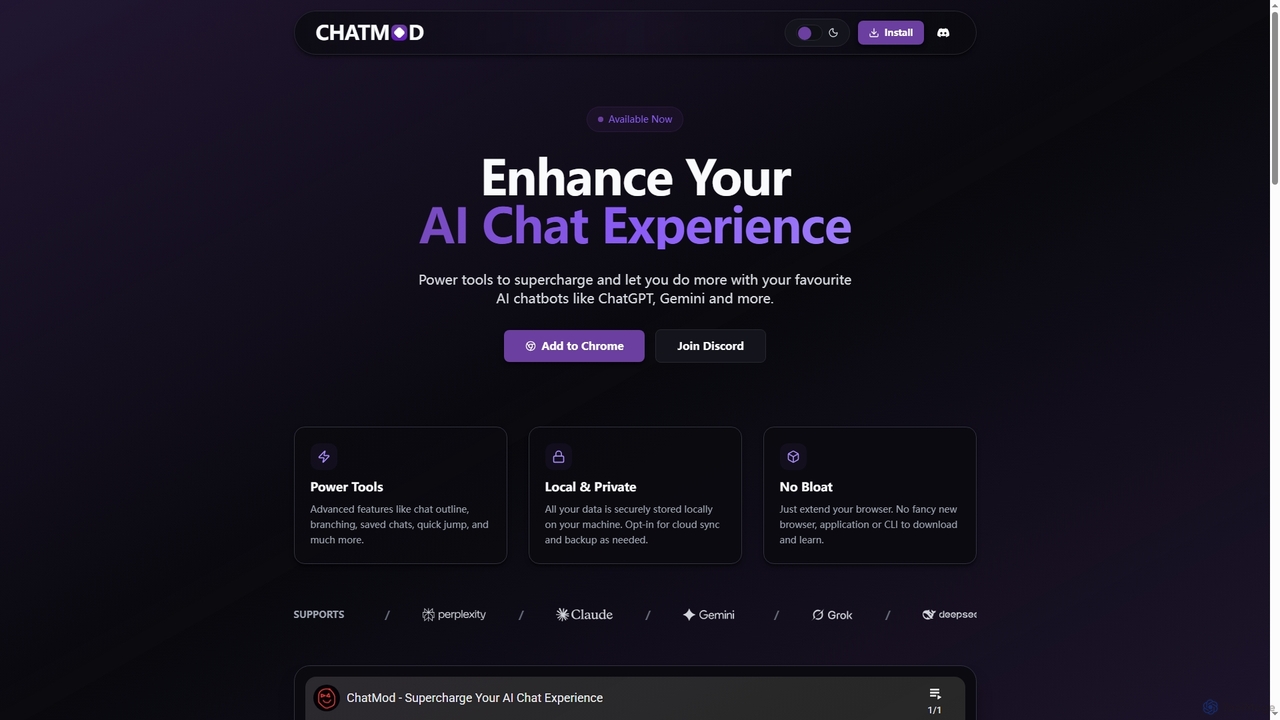
ChatMod is a powerful browser extension designed to supercharge your AI chat experience across platforms like ChatGPT, Gemini, Perplexity, and more. It offers advanced features for chat organization, navigation, and productivity, all while keeping your data local and private.

Chat Management
Visits 5.5KFavorites 130Likes 123

About Workflow Enhancement

Workflow Enhancement tools are AI-powered solutions designed to automate, streamline, and optimize repetitive tasks and complex processes within various work environments. These tools leverage artificial intelligence to analyze workflows, identify bottlenecks, and provide intelligent assistance, significantly boosting efficiency and reducing manual effort. As a specialized category within general utilities, they focus specifically on improving the sequence and execution of operational steps, ensuring smoother and more productive work cycles.

Core Features

  • Task Automation: Automatically handles routine, rule-based tasks such as data entry, report generation, or email sorting.
  • Process Optimization: Analyzes existing workflows to suggest improvements, reorder steps, or eliminate redundancies for greater efficiency.
  • Intelligent Integration: Connects disparate applications and systems, enabling seamless data flow and coordinated actions across platforms.
  • Predictive Assistance: Uses AI to anticipate next steps, suggest relevant actions, or flag potential issues before they arise.
  • Custom Workflow Creation: Allows users to design and implement bespoke automated sequences tailored to specific business needs.

Use Cases

These tools are invaluable for businesses and individuals seeking to maximize operational efficiency. They are widely adopted in administrative tasks, marketing campaigns, customer service operations, and project management. For instance, a marketing team can automate social media scheduling and content distribution, while a finance department can streamline invoice processing and expense reporting.

How to Choose

Selecting the right Workflow Enhancement tool involves evaluating several factors: the scope of automation needed (simple tasks vs. complex processes), integration capabilities with existing software ecosystems, the level of customization offered for unique workflows, and the scalability to grow with your organization. Consider user-friendliness and the availability of pre-built templates to accelerate adoption.

Workflow Enhancement use cases

1

Automate Data Entry and Report Generation

Finance professionals often spend hours manually entering data into spreadsheets and compiling reports. Workflow Enhancement tools can automate this by integrating with various data sources, extracting relevant information, and populating templates. This significantly reduces human error, accelerates the reporting cycle, and frees up staff to focus on analysis rather than data manipulation, saving up to 70% of time on routine tasks.

2

Automate Data Entry and Processing

A finance department employee can use AI workflow enhancement tools to automatically extract data from invoices, receipts, and financial statements. The tool then categorizes and inputs this data into accounting software, eliminating manual data entry errors and saving hours of repetitive work daily. This ensures higher accuracy and allows staff to focus on financial analysis rather than tedious input tasks.

3

Automating Customer Onboarding Sequences

For SaaS companies or service providers, AI workflow tools can automate the entire customer onboarding journey. This includes sending welcome emails, scheduling initial setup calls, assigning support tickets, and triggering follow-up sequences based on user engagement, ensuring a consistent and personalized experience while freeing up sales and support teams.

4

Automating Routine Administrative Tasks

Administrative assistants can leverage Workflow Enhancement tools to automate repetitive tasks such as email sorting, meeting scheduling, and report generation. By setting up AI-driven rules, the tool automatically categorizes incoming emails, suggests optimal meeting times based on calendars, and compiles data into weekly reports, saving hours of manual effort daily and ensuring timely communication.

5

Streamlining Content Creation and Publishing

Content creators and marketing teams can use these tools to automate various stages of content production. From generating initial drafts or outlines based on keywords to scheduling social media posts and analyzing performance, AI-powered workflow tools ensure a consistent content pipeline, reduce manual scheduling errors, and free up creators to focus on ideation and quality.

6

Streamlining Content Approval Processes

Content teams in marketing agencies or media companies often face complex approval workflows. AI tools can automate routing content drafts to relevant stakeholders (editors, legal, brand managers), track feedback, manage revisions, and ensure all necessary approvals are obtained before publication, significantly reducing delays and manual oversight.

7

Streamline Customer Onboarding Processes

Customer success teams can leverage workflow enhancement tools to automate the onboarding journey for new clients. From sending welcome emails and scheduling initial setup calls to providing access to resources and tracking progress, AI-driven workflows ensure a consistent, personalized, and efficient experience. This reduces the time-to-value for customers and significantly lowers the administrative burden on staff, improving customer satisfaction and retention rates.

8

Streamline Content Approval Workflows

A marketing manager overseeing content creation can implement AI workflow tools to automate the routing of articles, graphics, and videos through various approval stages. The AI can identify key stakeholders, send automated reminders, and even flag content that doesn't meet brand guidelines, significantly reducing approval times from days to hours and ensuring consistent brand messaging across all platforms.

9

Optimizing E-commerce Order Fulfillment

E-commerce businesses can use workflow enhancement tools to automate order processing from checkout to delivery. This involves automatically updating inventory, generating shipping labels, sending order confirmations and tracking updates to customers, and notifying warehouse staff, leading to faster fulfillment times and improved customer satisfaction.

10

Intelligent Scheduling and Resource Allocation

A project manager in a consulting firm can use AI workflow tools to optimize team schedules and allocate resources for multiple projects simultaneously. The AI considers team member skills, availability, project deadlines, and dependencies to suggest the most efficient task assignments and meeting times. This minimizes conflicts, prevents burnout, and ensures optimal utilization of human capital, leading to improved project delivery rates.

11

Enhancing Project Management and Task Allocation

Project managers benefit from intelligent workflow tools that automate task assignment, track progress, and identify potential delays. These tools can analyze team member availability and skill sets to suggest optimal task distribution, send automated reminders for deadlines, and generate real-time progress reports, leading to more efficient project execution and timely completion.

12

Optimize Content Publishing Schedules

Marketing teams often juggle multiple content pieces across various platforms. Workflow Enhancement tools can centralize content planning, automate scheduling posts on social media, blogs, and email campaigns, and even suggest optimal publishing times based on audience engagement data. This ensures consistent brand messaging, maximizes reach, and frees up content creators to focus on quality and creativity, potentially increasing content output by 40%.

13

Automated Customer Support Ticket Routing

A customer service department can deploy AI workflow tools to automatically categorize incoming support tickets based on urgency, topic, and customer history. The AI then intelligently routes tickets to the most appropriate agent or department, reducing response times and improving resolution rates. This ensures customers receive faster, more accurate support, enhancing overall satisfaction and operational efficiency.

14

Optimizing Customer Support Ticket Routing

Customer service departments can deploy Workflow Enhancement tools to intelligently route incoming support tickets to the most appropriate agent or department. Using natural language processing, the AI analyzes ticket content, prioritizes urgent requests, and assigns them based on agent expertise and availability, significantly reducing response times and improving customer satisfaction.

15

Intelligent Email Management and Prioritization

Busy professionals receive hundreds of emails daily, making it challenging to prioritize and respond effectively. Workflow Enhancement tools can use AI to categorize incoming emails, flag urgent messages, suggest quick replies, and even automate responses to common queries. This reduces inbox clutter, ensures timely communication, and allows users to focus on high-priority tasks, significantly boosting personal productivity and response times.

16

Automating HR Recruitment & Onboarding

HR departments can leverage these tools to automate various stages of recruitment and new employee onboarding. This includes screening resumes for keywords, scheduling interviews, sending offer letters, initiating background checks, and setting up IT access, reducing administrative burden and accelerating the hiring process.

17

Automated Report Generation and Analysis

A business analyst can leverage AI workflow tools to automate the collection of data from various sources, generate comprehensive reports, and even highlight key trends or anomalies. Instead of spending days manually compiling data and creating charts, the analyst receives ready-to-use reports with AI-driven insights. This accelerates decision-making, improves data accuracy, and allows for more frequent and detailed performance reviews.

18

Automated Meeting Summarization and Action Item Extraction

Teams often struggle to keep track of meeting discussions and assigned tasks. AI-powered workflow enhancement tools can record and transcribe meetings, then automatically generate concise summaries, identify key decisions, and extract actionable items with assigned owners and deadlines. This ensures clarity, accountability, and reduces the need for extensive manual note-taking, saving hours of post-meeting work and improving project execution efficiency.

19

Automating Data Entry and Cross-Platform Synchronization

Businesses dealing with large volumes of data across multiple systems (e.g., CRM, ERP, spreadsheets) can use these tools to automate data entry and ensure real-time synchronization. The AI extracts relevant information from various sources, validates it, and updates all connected platforms, eliminating manual data input errors and maintaining data consistency across the organization.

20

Enhancing Financial Report Generation

Finance professionals in any organization can automate the collection of data from various sources (ERPs, spreadsheets, databases), consolidate it, and generate recurring financial reports (e.g., monthly budget reports, quarterly performance summaries). This ensures accuracy, saves significant time, and allows for more frequent reporting.

21

Simplifying IT Incident Management

IT support teams can use workflow automation to manage incident tickets more efficiently. Tools can automatically categorize incoming tickets, assign them to the appropriate technician based on expertise or workload, trigger diagnostic scripts, and send automated updates to affected users, leading to quicker resolution times and improved service levels.

22

Personalized Task Prioritization and Reminders

An individual professional or team leader can use AI workflow tools to receive intelligent suggestions for task prioritization based on deadlines, dependencies, and personal work habits. The AI learns from past performance to provide personalized reminders and re-prioritize tasks dynamically as new information emerges. This helps users manage their workload more effectively, reduce stress, and ensure critical tasks are completed on time, boosting individual and team productivity.

23

Personal Productivity and Meeting Management

Individual professionals can utilize Workflow Enhancement tools to boost personal productivity. Features like AI-powered meeting summarization, smart reminders for follow-ups, and automated note-taking during calls help individuals stay organized, capture key information efficiently, and manage their daily schedules more effectively, reducing cognitive load and improving focus.

24

Enhance Project Task Assignment and Tracking

Project managers can utilize workflow enhancement tools to intelligently assign tasks, monitor progress, and identify potential delays. These tools can analyze team member availability, skill sets, and current workload to suggest optimal task distribution. They also provide real-time dashboards and alerts for critical milestones, ensuring projects stay on track and resources are utilized efficiently, leading to a 25% improvement in project completion rates.

Workflow Enhancement FAQ

What are Workflow Enhancement tools?

Workflow Enhancement tools are AI-driven applications designed to automate, optimize, and streamline business processes and daily tasks. They leverage artificial intelligence to analyze operational sequences, eliminate manual steps, and integrate various systems, ultimately improving efficiency, reducing errors, and freeing up human resources for more strategic work.

What are AI Workflow Enhancement tools?

AI Workflow Enhancement tools are software solutions that use artificial intelligence to automate, optimize, and manage various tasks and processes within an organization. They leverage machine learning to understand patterns, predict outcomes, and make intelligent decisions, going beyond simple rule-based automation. These tools are designed to improve efficiency, reduce manual effort, and enhance overall productivity across different departments and industries.

What are Workflow Enhancement tools?

Workflow Enhancement tools are AI-driven applications designed to automate, optimize, and streamline business and personal processes. They leverage technologies like machine learning and natural language processing to handle repetitive tasks, integrate systems, and provide intelligent insights, ultimately boosting efficiency and productivity by reducing manual intervention.

What are Workflow Enhancement tools?

Workflow Enhancement tools are AI-powered software solutions designed to automate, optimize, and streamline repetitive or complex tasks within business processes. They leverage technologies like machine learning and natural language processing to go beyond simple automation, intelligently adapting to data and user interactions. These tools aim to boost productivity, reduce manual errors, and free up human resources for more strategic work.

How do AI Workflow Enhancement tools differ from traditional automation software?

Traditional automation software, often Robotic Process Automation (RPA), typically follows predefined rules and scripts to automate repetitive, rule-based tasks. AI Workflow Enhancement tools, however, incorporate machine learning and natural language processing, allowing them to handle more complex, unstructured data and adapt to changing conditions. They can learn from data, make intelligent decisions, and even predict future outcomes, offering a more dynamic and intelligent approach to process optimization than traditional, rigid automation.

How do Workflow Enhancement tools differ from general automation software?

While both aim to automate, Workflow Enhancement tools specifically focus on optimizing entire workflows and processes, often incorporating AI for intelligent decision-making, pattern recognition, and adaptive learning. General automation software might focus on simpler, rule-based task execution, whereas workflow enhancement tools offer more sophisticated, end-to-end process intelligence and integration capabilities.

How do Workflow Enhancement tools differ from general automation tools?

While general automation tools often rely on predefined rules and scripts to execute tasks, Workflow Enhancement tools incorporate AI and machine learning to offer more intelligent and adaptive automation. They can learn from data, make predictions, handle exceptions, and optimize processes dynamically. This allows them to tackle more complex, nuanced tasks that traditional automation might struggle with, providing deeper insights and continuous improvement.

How do Workflow Enhancement tools differ from general "Utilities"?

While general "Utilities" offer broad assistance for various tasks (like file conversion or basic data manipulation), Workflow Enhancement tools specifically focus on the sequence and interconnection of tasks to optimize entire processes. They go beyond individual task help to create intelligent, automated flows that transform how work is executed across multiple steps and systems.

What are the key benefits of using AI for Workflow Enhancement?

AI brings several key benefits, including intelligent automation of complex decisions, predictive insights to prevent bottlenecks, adaptive learning from process data to continuously improve workflows, and enhanced integration capabilities. This results in higher accuracy, significant time savings, cost reduction, and improved overall operational agility.

What are the key benefits of using AI for workflow optimization?

Implementing AI for workflow optimization offers several key benefits. It significantly increases operational efficiency by automating mundane tasks, reducing human error, and accelerating process completion. Businesses can achieve substantial cost savings through reduced labor and improved resource allocation. Furthermore, AI provides deeper insights into processes, enabling continuous improvement and better decision-making. It also enhances employee satisfaction by freeing up staff from repetitive work, allowing them to focus on more creative and strategic initiatives.

What are the key benefits of using AI for workflow enhancement?

Utilizing AI for workflow enhancement offers several significant benefits. It dramatically increases efficiency by automating repetitive tasks, leading to substantial time and cost savings. AI also improves accuracy by minimizing human error in data processing and decision-making. Furthermore, it provides valuable insights through data analysis, enabling continuous process optimization. This ultimately frees up employees to focus on creative and strategic initiatives, fostering innovation and job satisfaction.

What are the key benefits of using AI for workflow enhancement?

AI-powered workflow enhancement offers several key benefits: increased efficiency through automation of repetitive tasks, improved accuracy by minimizing human error, faster task completion, better resource allocation through intelligent insights, and enhanced decision-making with data-driven recommendations. This allows teams to focus on strategic initiatives rather than mundane operations.

What should I consider when integrating Workflow Enhancement tools into my existing systems?

When integrating, prioritize tools with robust API capabilities and pre-built connectors for your current software stack (CRM, ERP, project management tools). Evaluate data security protocols, ensure compatibility with your IT infrastructure, and plan for a phased implementation to minimize disruption and allow for thorough testing and user adoption.

How do I choose the right Workflow Enhancement tool for my business?

To choose the right tool, consider your specific workflow needs, the complexity of tasks you want to automate, and your existing software ecosystem for integration compatibility. Evaluate factors like scalability, customization options, ease of use, security protocols, and the vendor's support. A clear understanding of your pain points will guide you to a solution that offers the most impactful improvements.

How to choose the best AI Workflow Enhancement tool for my business?

Choosing the best AI Workflow Enhancement tool involves several considerations. First, identify your specific pain points and the processes you want to optimize. Look for tools that offer strong integration capabilities with your existing software stack (CRM, ERP, etc.). Evaluate the tool's scalability, security features, and compliance with industry regulations. Consider the user interface's intuitiveness and the level of customization available. Finally, compare pricing models, vendor support, and read user reviews to ensure it aligns with your budget and operational needs.

What should I consider when selecting a Workflow Enhancement tool?

When choosing a Workflow Enhancement tool, prioritize its compatibility with your existing systems to ensure smooth integration. Evaluate the tool's flexibility and customization options to match your specific business needs and evolving processes. Consider its scalability to support future growth and the ease of use for your team's quick adoption. Additionally, assess the vendor's support, security features, and pricing model to ensure it aligns with your budget and compliance requirements.

Can Workflow Enhancement tools be used across different departments?

Absolutely. Workflow Enhancement tools are highly versatile and can be deployed across virtually all departments within an organization. For instance, HR can use them for onboarding and payroll, finance for expense management and reporting, marketing for campaign automation, IT for incident management, and sales for lead nurturing and CRM updates. Their adaptability allows for tailored solutions that address specific departmental challenges while contributing to overall organizational efficiency.

Can Workflow Enhancement tools be customized for specific industry needs?

Yes, most advanced Workflow Enhancement tools offer extensive customization options. Users can design bespoke workflows, define specific rules and triggers, integrate industry-specific applications, and tailor automation logic to meet the unique operational requirements and compliance standards of various sectors, from healthcare to finance and manufacturing.

Can AI Workflow Enhancement tools integrate with existing systems?

Yes, most modern AI Workflow Enhancement tools are designed with robust integration capabilities. They typically offer APIs (Application Programming Interfaces) or pre-built connectors to link with popular business applications such as CRM (Customer Relationship Management), ERP (Enterprise Resource Planning), project management software, and communication platforms. This seamless integration ensures that data flows smoothly across different systems, preventing data silos and maximizing the value of your existing technology investments. Always verify a tool's integration options before adoption.

Can Workflow Enhancement tools integrate with existing business software?

Yes, most modern Workflow Enhancement tools are designed with robust integration capabilities. They often provide APIs, connectors, or pre-built integrations with popular business applications like CRM systems (e.g., Salesforce), project management tools (e.g., Asana, Trello), communication platforms (e.g., Slack, Microsoft Teams), and various cloud services, ensuring seamless data flow and process orchestration.

How do Workflow Enhancement tools ensure data security and compliance?

Workflow Enhancement tools prioritize data security and compliance through robust measures. They typically employ encryption for data in transit and at rest, access controls based on roles and permissions, and regular security audits. Many tools also adhere to international data protection regulations like GDPR and CCPA, offering features such as data anonymization, audit trails, and compliance reporting. Users should verify the specific security certifications and compliance frameworks supported by their chosen tool.