Ai Agent Best in category 1 results Custom Agent Builder AI Tool

Popular AI tools in the Custom Agent Builder field of Ai Agent include Potpie, etc., helping you quickly improve efficiency.

Potpie

Potpie

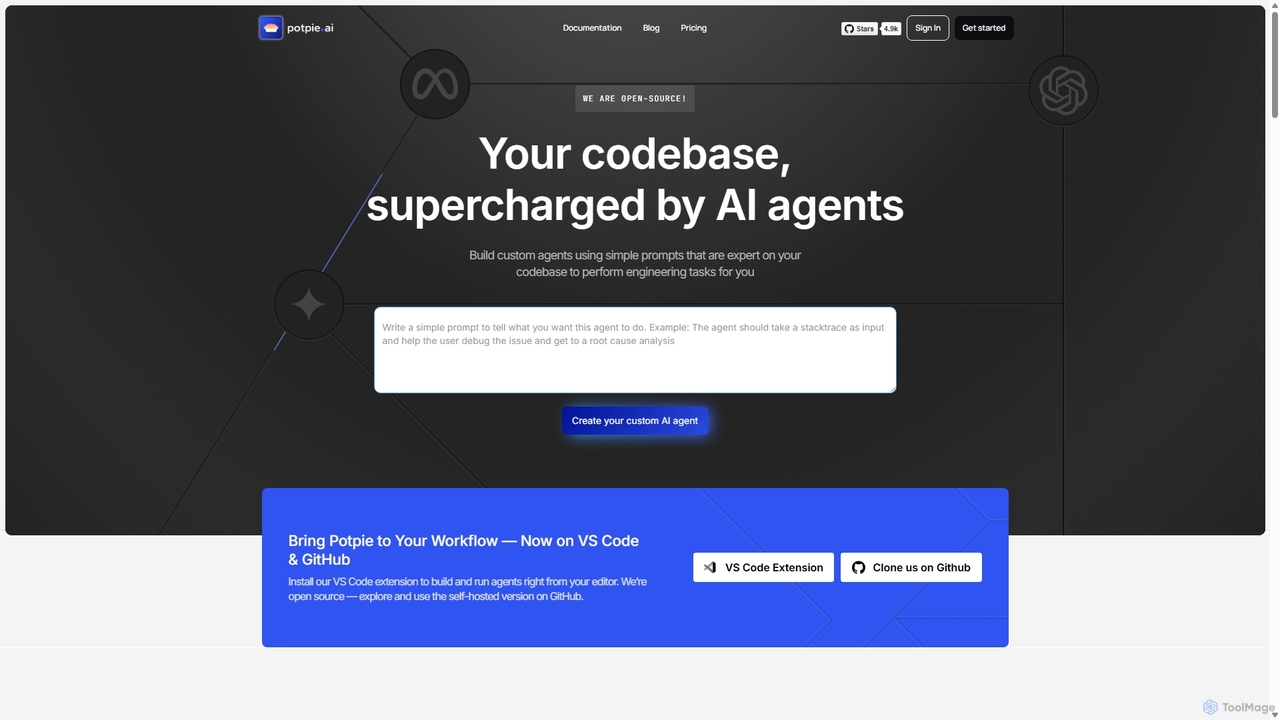
Potpie is an open-source platform that empowers developers to build custom AI agents expert on their codebase. These …

21.1K

About Custom Agent Builder

Custom Agent Builders are platforms that enable users to design, build, and deploy personalized AI agents without extensive programming knowledge. These tools typically provide a visual, no-code or low-code interface to define an agent's goals, connect it to data sources, and integrate it with other applications via APIs. The primary value lies in creating highly specialized agents that can automate complex, multi-step workflows tailored to specific business needs. This empowers teams to build their own solutions for tasks like data analysis, customer interaction, and process automation.

Core Features

  • Visual Workflow Editor: Design agent logic and decision-making processes using a drag-and-drop interface.
  • Knowledge Base Integration: Connect agents to internal documents, websites, or databases to provide them with contextual information.
  • Tool & API Connectivity: Equip agents with the ability to interact with external software like CRMs, calendars, and messaging apps.
  • Goal and Trigger Definition: Set specific objectives for the agent to achieve and define the conditions that activate it.
  • Deployment and Monitoring: Easily deploy agents into various environments and track their performance and decision history.

Use Cases

Custom Agent Builders are primarily used by business analysts, operations managers, and developers to create bespoke automation solutions. For example, a marketing team can build an agent to conduct competitor analysis by scraping websites and summarizing findings. Similarly, an HR department can create an agent to screen resumes and schedule initial interviews, automating a significant part of the recruitment process.

How to Choose

When selecting a Custom Agent Builder, consider the platform's ease of use and whether it matches your team's technical skills (no-code vs. low-code). Evaluate the breadth and reliability of its integration library to ensure it connects with your existing tools. Also, examine the data security policies, the scalability of the platform for handling complex tasks, and the pricing model to ensure it aligns with your expected usage.

Custom Agent BuilderUse Cases

1

Automate Internal IT Helpdesk Support

An IT manager at a mid-sized company uses a Custom Agent Builder to create an internal helpdesk agent. The agent is integrated with Slack and the company's knowledge base (Confluence). When an employee asks a common question like 'How do I set up the VPN?', the agent instantly provides a step-by-step guide from the knowledge base. If the issue is more complex, the agent collects necessary details (device type, error message) and automatically creates a prioritized ticket in Jira. This reduces the IT team's workload on repetitive queries by over 60%, allowing them to focus on critical infrastructure issues.

2

Create a Personalized Sales Outreach Agent

A sales team lead builds a custom agent to streamline lead qualification and outreach. The agent connects to the company's CRM (Salesforce) and a lead enrichment tool (Clearbit). For each new lead, the agent automatically enriches the data, checks if it meets the Ideal Customer Profile (ICP) criteria, and if so, drafts a personalized outreach email based on the lead's industry and job title. The draft is sent to the sales representative for review and sending. This process ensures every high-quality lead receives a tailored message within minutes, increasing response rates and saving hours of manual research daily.

3

Automate Market Research and Reporting

A market analyst for a tech firm designs an agent to monitor industry trends. The agent is configured to scan a list of tech news sites, industry blogs, and social media keywords daily. It identifies articles and posts related to specific topics (e.g., 'AI in healthcare', 'quantum computing breakthroughs'), summarizes the key points, and compiles them into a daily digest. The digest, complete with source links, is automatically emailed to the strategy team every morning. This automates the time-consuming task of manual information gathering and allows the team to stay informed of market shifts with minimal effort.

4

Streamline HR Onboarding Processes

An HR specialist builds a custom agent to manage new employee onboarding. Once a new hire is added to the HR system (like Workday), the agent triggers a workflow. It automatically sends a welcome email, creates accounts in necessary tools (Slack, Google Workspace), assigns introductory training modules, and schedules a week-one check-in meeting with their manager. The agent also answers common new hire questions via a dedicated chat channel by pulling information from the employee handbook. This ensures a consistent and efficient onboarding experience for every new employee and frees up HR staff from administrative tasks.

5

Build a Financial Data Analysis Agent

A financial analyst uses a low-code agent builder to create a tool for quarterly earnings analysis. The agent is connected to financial data APIs and the company's internal database. When a new earnings report is released, the agent automatically pulls the data, compares it against historical performance and analyst predictions, identifies key anomalies or trends, and generates a preliminary summary report with charts. This allows the analyst to immediately focus on interpreting the results and providing strategic insights, rather than spending hours on data collection and basic calculations.

6

Manage Social Media Content Scheduling

A social media manager for a retail brand creates an agent to automate content scheduling. The agent is connected to the brand's product database, a content repository, and social media scheduling tools (like Buffer). The manager provides high-level instructions, such as 'promote summer collection this week'. The agent then selects relevant product images and marketing copy from the repositories, generates multiple post variations for different platforms (Instagram, Facebook, Twitter), and schedules them throughout the week at optimal times. This transforms the manager's role from manual post creation to strategic oversight, ensuring a consistent and timely content pipeline.

Custom Agent BuilderFrequently Asked Questions