Reflex
Reflex is an open-source framework for building and deploying high-performance web apps entirely in Python. It features an …
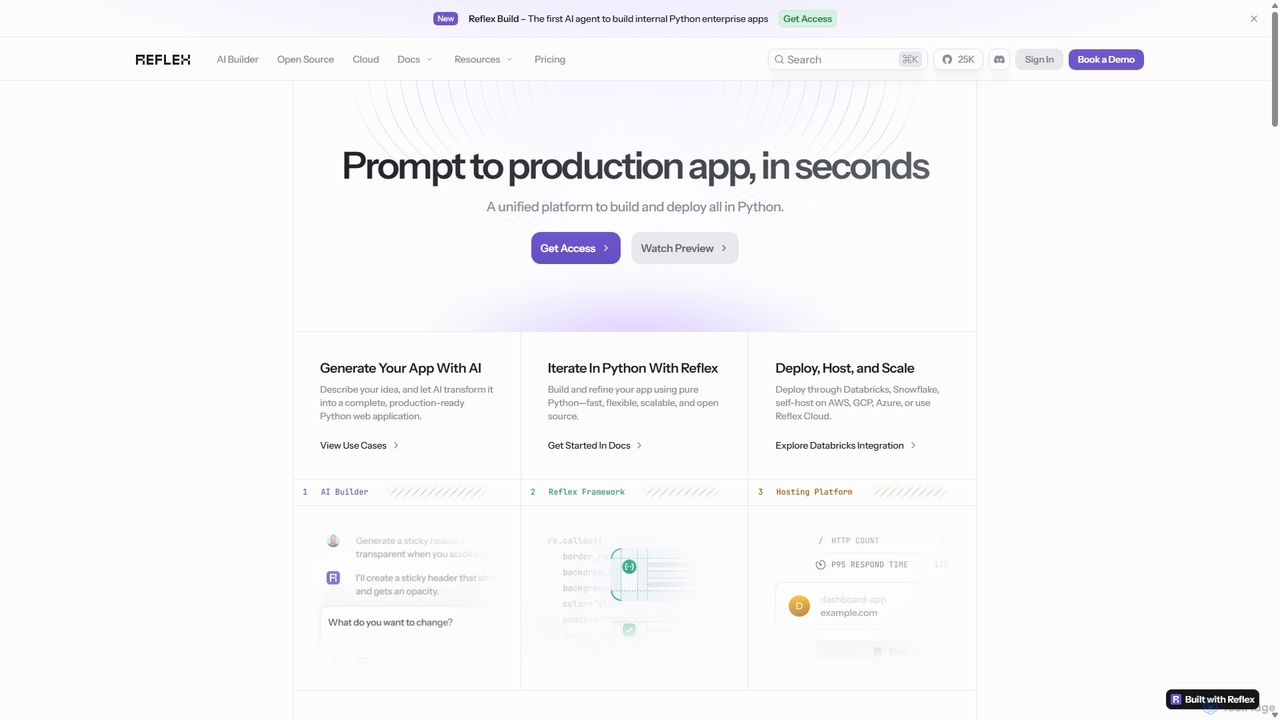
Reflex is an open-source framework for building and deploying high-performance web apps entirely in Python. It features an AI agent, Reflex Build, that generates full-stack applications from simple text prompts, accelerating development from idea to production.
About Developer Tools
AI Developer Tools are a specialized class of AI agents designed to automate, accelerate, and enhance the software development lifecycle. These tools leverage large language models (LLMs) and advanced code analysis to understand context, generate code, identify bugs, and create documentation from natural language prompts. Their primary value lies in boosting developer productivity, improving code quality, and reducing time spent on repetitive tasks. By acting as intelligent coding partners, they allow developers to focus on complex problem-solving and architectural design.
Core Features
- Intelligent Code Generation: Generates entire functions, classes, or code blocks based on natural language descriptions or existing code context.
- Automated Debugging & Error Analysis: Analyzes error messages and stack traces to suggest potential fixes and identify the root cause of bugs.
- Test Case Automation: Automatically creates unit tests, integration tests, and other test cases to ensure code coverage and reliability.
- Code Refactoring & Optimization: Suggests improvements for code readability, performance, and maintainability, and can automate the refactoring process.
- Natural Language to Query/Code: Translates plain language requests into executable code, SQL queries, or command-line instructions.
Use Cases
These tools are used across the entire software development lifecycle. Individual developers use them to speed up daily coding tasks, while DevOps teams leverage them for automating scripts and infrastructure management. Engineering organizations integrate them to standardize code quality, accelerate onboarding for new developers, and streamline maintenance of legacy systems.
How to Choose
When selecting an AI Developer Tool, consider its integration with your existing IDE (e.g., VS Code, JetBrains). Evaluate its support for your specific programming languages and frameworks. Assess the scope of its features—whether you need simple code completion or advanced capabilities like automated testing and security analysis. Finally, carefully review its data privacy and security policies, especially when working with proprietary codebases.

Developer ToolsUse Cases
Accelerate Feature Development with AI Code Generation
A backend developer is tasked with creating a new REST API endpoint for user profile management. Instead of writing all the boilerplate code manually, they provide a natural language prompt to the AI Developer Tool, such as 'Create a FastAPI endpoint to fetch a user by ID from a PostgreSQL database'. The tool instantly generates the necessary Python code, including the API route, database query logic, data validation models, and basic error handling. This allows the developer to focus on refining the business logic rather than on repetitive setup, reducing development time for the feature by up to 50%.
Automate Unit Test Creation for High Code Coverage
A software engineer has just completed a complex module for calculating shipping costs. To ensure its reliability, they need to write comprehensive unit tests. Using an AI Developer Tool, they select the function and request it to 'generate unit tests for this function, covering edge cases like zero, negative values, and large numbers'. The tool analyzes the code's logic and branches, then produces a suite of tests using a familiar testing framework like PyTest or Jest. This automates a tedious process, ensures high code coverage, and helps catch potential bugs before the code is merged, improving overall software quality.
Debug Complex Production Issues Faster
A DevOps engineer receives an alert for a critical error in the production environment. The stack trace is long and obscure. Instead of spending hours manually tracing the code, they paste the entire error log into an AI Developer Tool. The tool, having context of the codebase, analyzes the trace, identifies the exact line of code causing the issue, explains the likely reason (e.g., 'a null pointer exception occurs when a user has no profile picture'), and suggests a specific code modification to fix it. This transforms a multi-hour debugging session into a matter of minutes, significantly reducing Mean Time to Resolution (MTTR).
Refactor Legacy Code for Modernization
A team is tasked with modernizing a legacy Java application. A specific module is poorly written, lacks documentation, and is difficult to maintain. A senior developer uses an AI tool to analyze this module. The tool identifies 'code smells' like long methods and duplicated code blocks. It then suggests specific refactoring actions, such as 'extract this block into a new method named calculate_tax' or 'convert this for-loop to a more readable stream API call'. The developer can review and apply these suggestions with a single click, systematically improving code quality and maintainability without introducing new bugs, accelerating the modernization project.
Generate Database Queries from Natural Language
A product manager needs to analyze user engagement data but is not proficient in SQL. Instead of waiting for an engineer, they use an AI Developer Tool with a natural language interface. They type a request like, 'Show me the number of active users per country for the last 30 days, sorted from highest to lowest'. The tool understands the intent, identifies the relevant tables ('users', 'activity_logs'), and generates the correct, optimized SQL query. This empowers non-technical team members to perform data analysis independently, freeing up engineering resources for development tasks.
Automate API Documentation Writing
After developing a new set of microservices, a developer needs to create comprehensive API documentation. This is typically a time-consuming and error-prone task. By using an AI Developer Tool, they can automate the process. The tool scans the source code, analyzing function signatures, annotations (like in OpenAPI/Swagger), and code comments. It then generates well-structured, human-readable documentation for each endpoint, including descriptions, parameters, request bodies, and example responses. This ensures the documentation is always in sync with the code and frees the developer to start working on the next feature.