ToolMage
Sign in

Best 1 Software Development AI tools for Ai Agent

Popular Software Development AI tools in Ai Agent include Baloon.dev, helping you work more efficiently.

Baloon.dev
Freemium

Baloon.dev

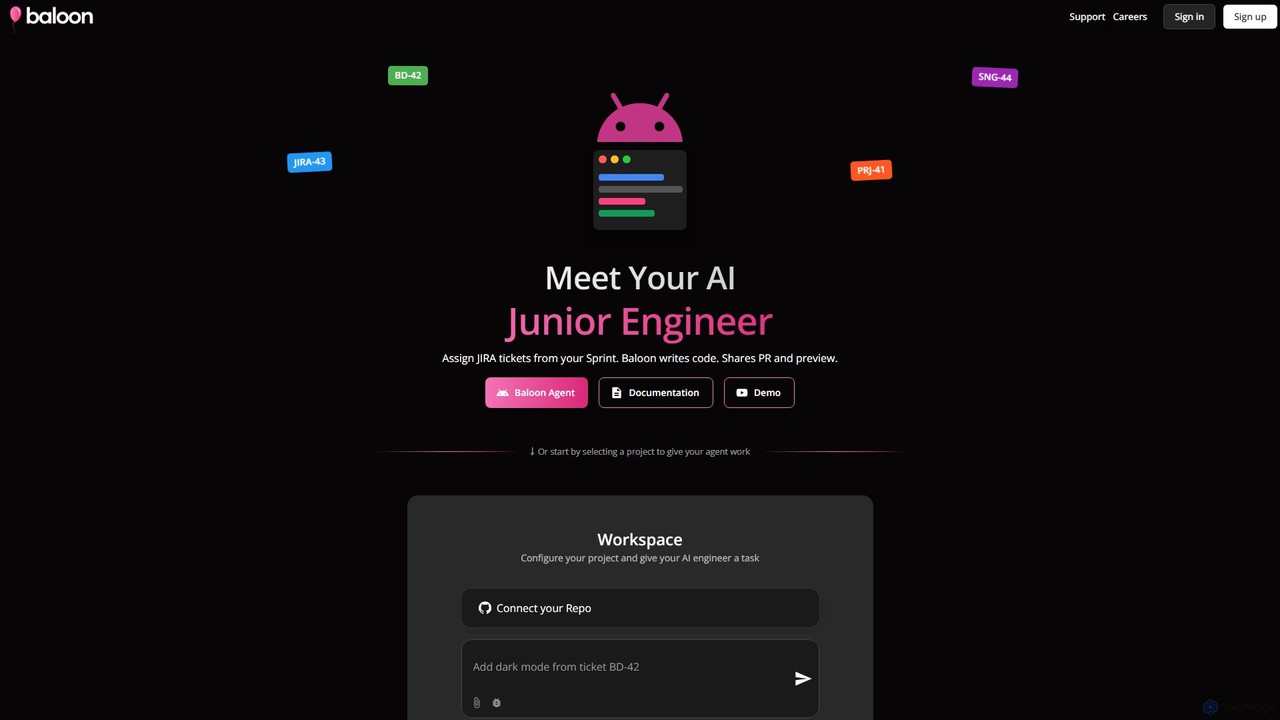
Baloon.dev is an AI-powered junior engineer that automates software development by converting JIRA tickets directly into code. It integrates seamlessly with your JIRA board, analyzes tasks, writes production-ready frontend code, and submits pull requests with live previews, accelerating your development cycle.

Software Development
Visits 4.9KFavorites 150Likes 139

About Software Development

AI-powered Software Development tools are specialized AI agents designed to enhance and automate various stages of the software development lifecycle. These tools leverage advanced machine learning models to assist developers with tasks ranging from code generation and debugging to testing and deployment. By integrating intelligent automation, they significantly improve efficiency, reduce errors, and accelerate project delivery, allowing developers to focus on complex problem-solving and innovation.

Core Features

  • Code Generation & Completion: Automatically generate code snippets, functions, or even entire modules based on natural language descriptions or existing code context.
  • Automated Debugging & Refactoring: Identify potential bugs, suggest fixes, and recommend code improvements for better performance and maintainability.
  • Intelligent Testing & QA: Generate test cases, execute automated tests, and analyze results to ensure code quality and identify vulnerabilities.
  • Deployment & Operations Assistance: Aid in setting up CI/CD pipelines, monitoring application performance, and automating routine operational tasks.

Applicable Scenarios

Software Development AI tools are invaluable for individual developers, agile teams, and large enterprises. They are used in rapid prototyping to quickly build initial versions of applications, in maintaining legacy systems by understanding and refactoring old code, and in modern DevOps environments to streamline continuous integration and delivery processes.

How to Choose

When selecting Software Development AI tools, consider the specific development phase you want to augment (e.g., coding, testing, deployment). Evaluate their integration capabilities with your existing IDEs and version control systems, the accuracy and reliability of their AI models, and the level of customization offered. Also, assess the learning curve and community support for effective adoption.

Featured tool rankings

Software Development use cases

1

Automating Boilerplate Code Generation

A backend developer frequently needs to create standard CRUD (Create, Read, Update, Delete) API endpoints for new data models. Using an AI-powered Software Development tool, they can define the data model schema in natural language or a simple configuration, and the AI automatically generates the necessary controller, service, and repository code, significantly reducing repetitive coding time and ensuring consistency.

2

Accelerating Bug Detection and Fixes

A QA engineer encounters a complex bug in a large codebase. An AI Software Development assistant can analyze the error logs and code changes, pinpoint the most probable lines of code causing the issue, and even suggest potential solutions or refactoring options. This drastically cuts down the time spent on debugging and allows for quicker resolution of critical issues.

3

Generating Comprehensive Test Suites

A test engineer needs to ensure robust coverage for a new feature. An AI-driven testing tool can analyze the feature's requirements and existing code, then automatically generate a diverse set of unit, integration, and end-to-end test cases. This ensures higher test coverage, catches edge cases that might be missed manually, and accelerates the overall testing phase.

4

Refactoring Legacy Code for Modernization

An enterprise is modernizing an old application written in an outdated language or framework. A Software Development AI tool can analyze the legacy codebase, understand its logic, and suggest refactoring strategies or even automatically translate sections of code into a more modern language or pattern, making the migration process faster and less error-prone.

5

Streamlining CI/CD Pipeline Configuration

A DevOps engineer is setting up a new continuous integration/continuous deployment pipeline. An AI assistant can help by suggesting optimal pipeline configurations based on the project's language, framework, and deployment target. It can automate the creation of YAML files for tools like Jenkins or GitHub Actions, reducing manual configuration errors and setup time.

6

Personalized Code Review Suggestions

A team lead is reviewing pull requests from junior developers. An AI Software Development tool can perform an initial pass, identifying potential style violations, performance bottlenecks, or security vulnerabilities based on best practices and the team's coding standards. It provides actionable suggestions directly within the code review interface, making the review process more efficient and educational.

Software Development FAQ

What are AI-powered Software Development tools?

AI-powered Software Development tools are intelligent agents that leverage artificial intelligence to automate and assist various tasks within the software development lifecycle. They utilize machine learning, natural language processing, and code analysis to generate code, detect bugs, write tests, and optimize development workflows, acting as a co-pilot for developers.

How do AI tools improve the software development process?

AI tools significantly improve software development by accelerating repetitive tasks like boilerplate code generation, automating bug detection and suggesting fixes, and enhancing test coverage through intelligent test case generation. They reduce human error, free up developers to focus on complex logic, and ultimately lead to faster delivery of higher-quality software.

What's the difference between AI Software Development tools and traditional IDEs?

Traditional Integrated Development Environments (IDEs) provide a comprehensive environment for coding, debugging, and building, relying on explicit rules and user input. AI Software Development tools, while often integrated into IDEs, go beyond by using machine learning to understand code context, predict developer intent, and generate intelligent suggestions or code autonomously, offering a more proactive and intelligent assistance layer.

Can AI tools completely replace human developers?

No, AI tools are designed to augment, not replace, human developers. They excel at automating repetitive, predictable, or data-intensive tasks, allowing developers to focus on higher-level design, creative problem-solving, strategic thinking, and complex architectural decisions. Human oversight, creativity, and critical thinking remain indispensable in software development.

What should I consider when integrating AI into my development workflow?

When integrating AI into your development workflow, consider the specific pain points you want to address, such as slow code reviews or repetitive testing. Evaluate the tool's compatibility with your existing tech stack, its security implications, and the learning curve for your team. Start with small, well-defined use cases to demonstrate value before broader adoption.