
ToolMage
Sign in

Best 2 Task Automation AI tools for Ai Agent

Popular Task Automation AI tools in Ai Agent include Den and Peakflo, helping you work more efficiently.

Peakflo
Paid

Peakflo

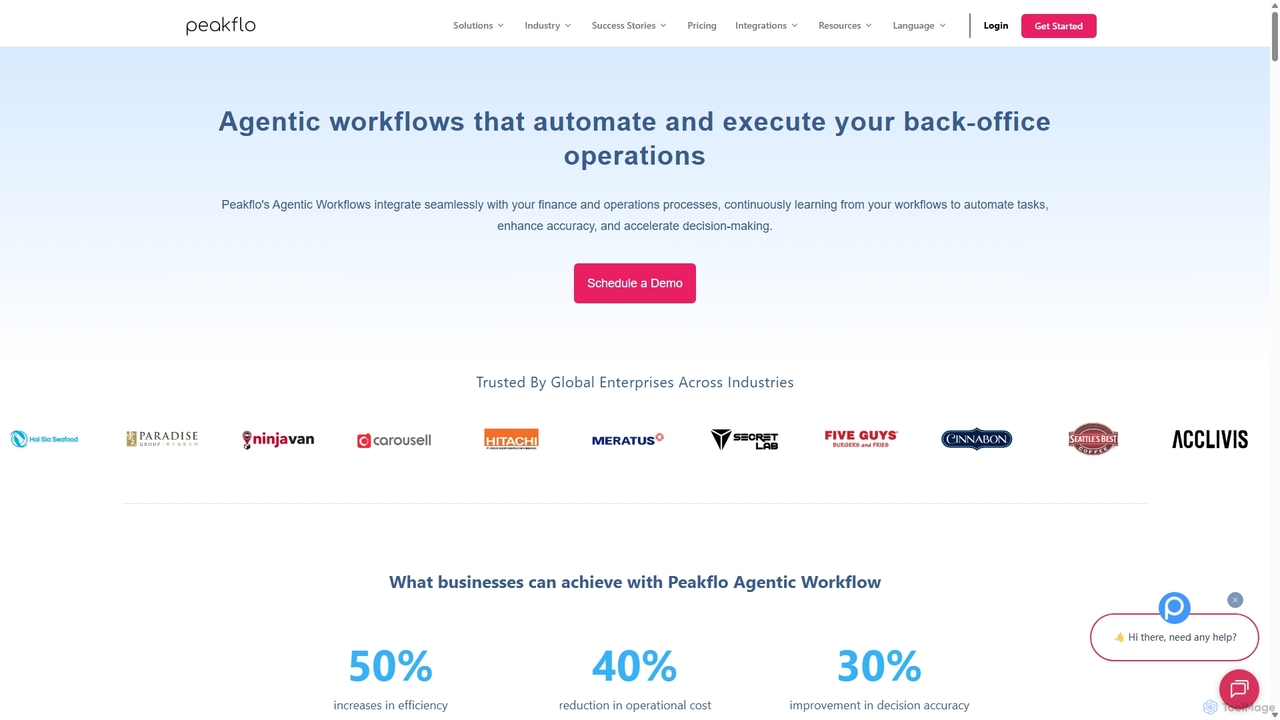
Peakflo is an AI-powered platform that automates back-office operations using agentic workflows. It specializes in streamlining finance processes like accounts payable (AP) and accounts receivable (AR), procurement, and expense management. By integrating with existing ERP and CRM systems, Peakflo's AI agents learn and execute complex tasks, from invoice processing to automated collection calls, significantly boosting efficiency and reducing operational costs for businesses.

Task Automation
Visits 26.4KFavorites 128Likes 126
Den
Freemium

Den

Den is an AI-powered workspace for macOS that unifies your chats, documents, and AI agents into a single platform. Backed by Y Combinator, it connects to your business tools, understands your company's knowledge, and automates tasks to boost productivity and streamline workflows.

Task Automation
Visits 32.8KFavorites 147Likes 159

About Task Automation

Task Automation tools are AI-powered solutions designed to streamline and execute repetitive digital workflows. As a specialized form of AI Agent, they leverage machine learning and predefined rules to perform sequences of actions, significantly reducing manual effort and improving operational efficiency. These tools excel at handling high-volume, rule-based, or semi-structured tasks across various business functions, freeing up human resources for more strategic work.

Core Features

  • Workflow Orchestration: Design, manage, and execute complex multi-step processes automatically.
  • Intelligent Data Extraction: Automatically identify, extract, and process relevant information from documents, emails, or web pages.
  • Conditional Logic Execution: Perform actions based on specific triggers, conditions, or data inputs.
  • Integration Capabilities: Seamlessly connect with existing software, APIs, and enterprise systems to extend automation across platforms.
  • Error Handling & Monitoring: Implement mechanisms to detect and manage errors, with real-time monitoring of automated tasks.

Applicable Scenarios

Task Automation tools are invaluable for businesses seeking to optimize routine operations. They are widely adopted by administrative staff for data entry, marketing teams for content scheduling, and finance departments for invoice processing, enabling faster execution and reduced human error across the board.

How to Choose

When selecting a Task Automation tool, consider its integration capabilities with your existing tech stack, the complexity of workflows it can handle, its scalability to meet future demands, and the ease of use for non-technical staff. Evaluate the level of AI intelligence for handling exceptions and unstructured data, and compare pricing models based on task volume or user count.

Featured tool rankings

Task Automation use cases

1

Automating Customer Support Ticket Triage

Customer service teams can use Task Automation tools to automatically categorize incoming support tickets based on keywords, sentiment, and urgency. The tool can then route tickets to the appropriate department or agent, assign priority levels, and even trigger automated responses for common queries, significantly reducing initial response times and improving agent efficiency by ensuring they focus on complex issues.

2

Streamlining Data Entry and Database Updates

Administrative staff or data analysts often spend hours manually entering data from various sources into databases or spreadsheets. Task Automation tools can be configured to extract data from invoices, forms, or emails, validate it, and then automatically input it into CRM, ERP, or custom database systems. This eliminates human error, ensures data consistency, and saves significant time, allowing staff to focus on analysis rather than tedious input.

3

Automating Marketing Campaign Execution

Marketing professionals can leverage Task Automation to schedule and publish social media posts, send personalized email newsletters, and update website content based on predefined triggers or schedules. For example, an automation tool can detect a new blog post, generate social media snippets, and schedule their publication across multiple platforms, ensuring consistent brand presence and timely content delivery without constant manual oversight.

4

Automating Financial Report Generation

Finance departments can significantly reduce the time spent on routine report generation. Task Automation tools can connect to various financial systems, extract relevant data (e.g., sales figures, expenses, budget allocations), perform calculations, and then compile this information into standardized reports or dashboards. This ensures accuracy, compliance, and provides stakeholders with timely insights without manual data manipulation.

5

Onboarding New Employees with Automated Workflows

HR departments can use Task Automation to create seamless onboarding experiences. When a new employee is hired, the system can automatically trigger a series of actions: sending welcome emails, setting up accounts in various internal systems (email, HRIS, project management tools), assigning initial training modules, and notifying relevant team members. This ensures consistency, reduces administrative burden, and helps new hires integrate faster.

6

Automating Inventory Management Alerts

Retailers and logistics companies can use Task Automation to maintain optimal stock levels. An automation tool can monitor inventory data in real-time, and when stock for a particular product falls below a predefined threshold, it can automatically trigger an alert to the purchasing department, generate a reorder request, or even update the e-commerce platform to reflect low stock. This prevents stockouts, optimizes supply chains, and improves customer satisfaction.

Task Automation FAQ

What are Task Automation tools?

Task Automation tools are AI-powered software solutions that automatically execute repetitive, rule-based, or semi-structured digital tasks. They are designed to streamline workflows by performing actions like data entry, email processing, report generation, and system integrations without human intervention. These tools enhance efficiency, reduce errors, and free up human staff for more complex, strategic activities.

How does Task Automation differ from general AI Agents?

While Task Automation is a subset of AI Agents, its primary focus is on executing specific, often repetitive, and well-defined tasks within a workflow. General AI Agents, on the other hand, are typically designed for broader, more complex problem-solving, autonomous decision-making, and can adapt to dynamic environments with less explicit programming. Task Automation emphasizes efficiency in execution of known tasks, whereas a general AI Agent might involve more cognitive functions and strategic planning.

What are the key benefits of using Task Automation tools?

The primary benefits of Task Automation tools include significant improvements in operational efficiency by reducing manual labor and processing times. They also enhance accuracy by minimizing human error, ensure consistency in task execution, and free up employees to focus on higher-value, creative, and strategic initiatives. Furthermore, these tools can provide scalability, allowing businesses to handle increased workloads without proportional increases in staffing costs.

What types of tasks are best suited for automation?

Tasks best suited for automation are typically repetitive, rule-based, high-volume, and prone to human error. Examples include data entry, invoice processing, report generation, customer support ticket routing, email management, and system-to-system data transfers. Tasks that require complex human judgment, creativity, or nuanced interaction are generally less suitable for full automation, though AI can assist in parts of these processes.

What are the common challenges when implementing Task Automation?

Implementing Task Automation can present several challenges. These often include initial setup complexity, especially when integrating with legacy systems or disparate data sources. Ensuring data quality and consistency is crucial, as automation relies on accurate inputs. Resistance from employees due to fear of job displacement, and the need for ongoing maintenance and monitoring to adapt to changing business rules or system updates, are also common hurdles. Careful planning and change management are key to successful adoption.