
ToolMage
Sign in

Best 1 Development AI tools for Ai Infrastructure

Popular Development AI tools in Ai Infrastructure include D2, helping you work more efficiently.

D2
Freemium

D2

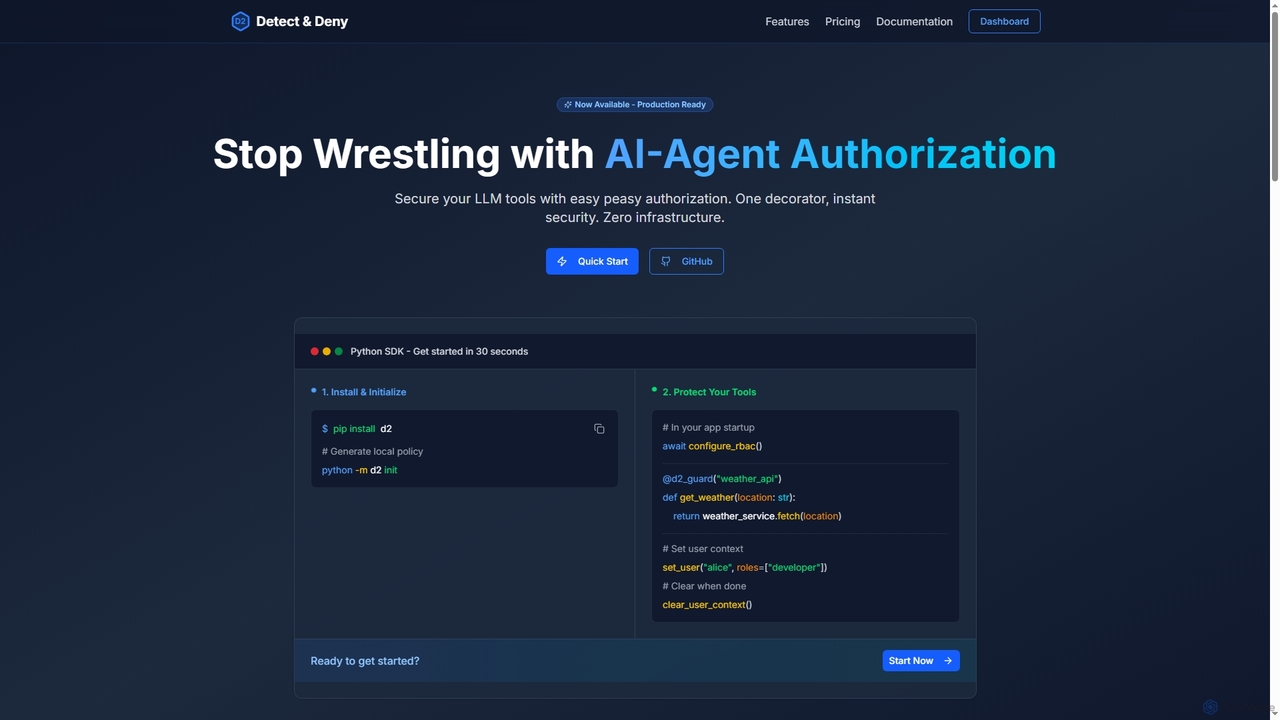
D2 is a Python SDK designed to simplify authorization for AI agents and LLM tools. It provides robust, code-level security by adding a single decorator to your functions, replacing complex authorization logic with an easy-to-manage, policy-based system.

Development
Visits 4.4KFavorites 131Likes 124

About Development

AI Development tools are a specialized suite of software for building, training, and debugging machine learning models. These platforms provide integrated environments, frameworks, and libraries that streamline the entire model creation lifecycle. They empower developers and data scientists to experiment with algorithms, manage complex datasets, and accelerate the journey from a conceptual idea to a functional AI application. This focus on the core creation process distinguishes them within the broader AI infrastructure landscape.

Core Features

  • Integrated Development Environments (IDEs): Offer code editors, debuggers, and project management tools tailored for ML, such as Jupyter Notebook support.
  • Framework & Library Support: Provide pre-configured access to popular libraries like TensorFlow, PyTorch, and scikit-learn.
  • Experiment Tracking: Allow logging of parameters, metrics, and artifacts for different training runs to ensure reproducibility.
  • Compute Resource Management: Simplify the allocation and management of CPU/GPU resources for model training.
  • Version Control Integration: Seamlessly connect with systems like Git for collaborative code and model versioning.

Use Cases

These tools are essential for technology companies, research institutions, and any organization building custom AI solutions. Data scientists use them for rapid prototyping of predictive models, while machine learning engineers rely on them to train large-scale neural networks for computer vision or natural language processing. They are also foundational for academic researchers exploring new AI architectures.

How to Choose

When selecting an AI Development tool, consider the specific frameworks you use (e.g., PyTorch vs. TensorFlow). Evaluate its integration capabilities with your existing data storage and MLOps pipeline. Assess the scalability for handling large datasets and complex models. Finally, consider the user interface and collaboration features to match your team's workflow and technical expertise, from code-first environments to low-code platforms.

Featured tool rankings

Development use cases

1

Accelerating ML Model Prototyping

A data scientist at a fintech startup needs to quickly build and test a new credit risk model. Using an AI development platform, they can leverage a pre-configured Jupyter Notebook environment with scikit-learn and XGBoost already installed. They can rapidly load data, experiment with different feature engineering techniques, and train multiple model versions in parallel. The platform's experiment tracking feature automatically logs the performance metrics of each run, allowing them to easily compare results and identify the most promising model architecture in hours instead of days.

2

Training Large-Scale Deep Learning Models

A research team is developing a complex computer vision model for medical image analysis. The model requires training on a massive dataset using powerful GPUs. An AI development tool simplifies this process by managing distributed training across multiple GPU instances. The ML engineer can define the training job, specify the required compute resources, and monitor progress through a centralized dashboard. The platform handles the complexities of data parallelism and resource allocation, allowing the team to focus on improving the model's architecture and accuracy rather than on infrastructure management.

3

Collaborative AI Research and Development

A university research lab with members in different locations is collaborating on a new natural language processing (NLP) model. They use a cloud-based AI development platform that provides a shared workspace. Each researcher can access the same datasets, code repositories, and computing environments. The platform's integration with Git allows for seamless code versioning and merging. They can share interactive notebooks to review each other's work and reproduce experiments, fostering efficient collaboration and accelerating the pace of their research despite being geographically distributed.

4

Fine-Tuning Foundation Models for Specific Tasks

A marketing team wants to use a large language model (LLM) for generating product descriptions but needs it to adopt the company's specific brand voice. A developer uses an AI development platform to fine-tune a pre-trained foundation model like GPT or Llama. The platform provides tools to easily upload a custom dataset of existing marketing copy. The developer then runs a fine-tuning job on a managed GPU instance, adjusting hyperparameters through a simple UI. The result is a specialized model that generates on-brand content, a task that would be computationally prohibitive without such a development environment.

5

Integrating Custom AI into Existing Applications

A software developer is tasked with adding a recommendation feature to an e-commerce mobile app. They use an AI development platform to build and train a collaborative filtering model. After achieving satisfactory performance, they use the platform's features to package the model and expose it as a REST API endpoint. This managed endpoint can then be easily called from the mobile app's backend. The development platform handles model hosting, scaling, and monitoring, allowing the developer to focus on the application logic rather than the complexities of deploying and maintaining an ML model in production.

6

Automating Model Building with AutoML

A business analyst with limited coding experience needs to create a sales forecasting model. They use an AI development platform that includes an AutoML (Automated Machine Learning) feature. The analyst simply uploads a CSV file with historical sales data and specifies the target variable ('sales'). The AutoML tool automatically performs data preprocessing, feature engineering, model selection, and hyperparameter tuning. It presents a leaderboard of the best-performing models, allowing the analyst to choose and deploy the most accurate one without writing a single line of code, democratizing access to machine learning capabilities.

Development FAQ

What are AI Development tools?

AI Development tools are integrated software platforms designed to streamline the process of building, training, and deploying machine learning models. They provide a comprehensive environment that includes code editors, access to popular frameworks like TensorFlow and PyTorch, experiment tracking, and compute resource management. Essentially, they serve as the primary workbench for data scientists and ML engineers to create custom AI solutions from scratch or by fine-tuning existing models.

How do I choose the right AI Development tool?

Choosing the right tool depends on several factors. Consider the following:

  • Framework Support: Ensure the platform supports your preferred libraries (e.g., PyTorch, TensorFlow, JAX).
  • Scalability: Evaluate if it can handle the size of your datasets and the computational demands of your models, including distributed training capabilities.
  • Collaboration: Look for features like shared workspaces, version control integration (Git), and experiment sharing if you work in a team.
  • Ease of Use: Assess whether you need a code-first environment for maximum flexibility or a low-code/AutoML platform for faster development with less coding.
  • Integration: Check its ability to connect with your existing data sources, MLOps pipelines, and deployment targets.
What is the difference between an AI Development Platform and an MLOps Platform?

There is significant overlap, but a key distinction lies in their primary focus. AI Development Platforms are centered on the creation and experimentation phase. They provide the core tools for data scientists to explore data, build, and train models. MLOps Platforms, on the other hand, are focused on the operationalization and management of models in production. They handle tasks like automated deployment, monitoring model performance, detecting drift, and managing the entire model lifecycle after development. Many modern platforms combine both sets of features, but the distinction helps clarify their core purpose.

Do I need strong coding skills to use AI Development tools?

Not necessarily. The required skill level varies greatly between tools. Traditional platforms like Jupyter notebooks on cloud VMs require strong programming skills in languages like Python. However, many modern platforms offer low-code or no-code interfaces. These tools, often featuring AutoML capabilities, allow users with less technical backgrounds (like business analysts) to build effective machine learning models using graphical user interfaces and automated workflows. The choice depends on your role and the level of customization you require.

Can these tools be used for fine-tuning large language models (LLMs)?

Yes, absolutely. Many modern AI Development platforms are specifically designed for fine-tuning large foundation models, including LLMs. They provide the necessary infrastructure, such as access to high-performance GPUs (e.g., A100s or H100s), and streamlined workflows for this task. Users can typically upload their custom datasets, select a pre-trained base model, and configure the fine-tuning process through a user interface or a configuration file, making this complex process much more accessible.