ToolMage
Sign in

Best 1 Gpu Cloud AI tools for Ai Infrastructure

Popular Gpu Cloud AI tools in Ai Infrastructure include Nebius, helping you work more efficiently.

Paid

Nebius

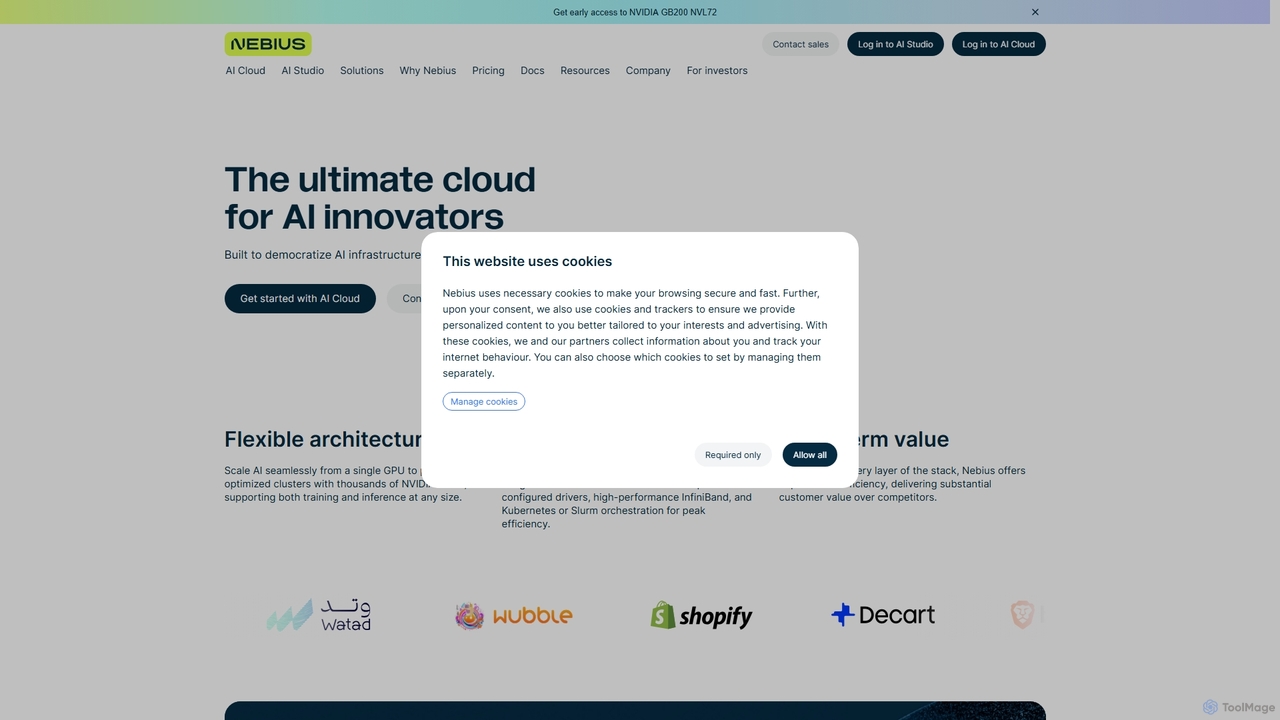
Nebius is a high-performance cloud platform specifically engineered for demanding AI and Machine Learning workloads. It provides scalable access to the latest NVIDIA GPUs, from single instances to massive clusters, complemented by a suite of managed services and an integrated AI Studio to streamline the entire ML lifecycle from training to inference.

Gpu Cloud
Visits 5.7KFavorites 105Likes 112

About Gpu Cloud

GPU Cloud refers to a specialized cloud computing service that provides on-demand access to powerful Graphics Processing Units (GPUs). As a critical component of AI infrastructure, these platforms leverage high-performance GPUs to accelerate computationally intensive tasks. They enable users to run complex AI model training, data processing, and scientific simulations with significantly reduced execution times. GPU Cloud offers scalable, flexible, and cost-effective resources, allowing businesses and researchers to access cutting-edge hardware without substantial upfront investment.

Core Features

  • On-Demand GPU Access: Instantly provision and scale GPU resources as needed, paying only for what you use.
  • Diverse GPU Types: Access a wide range of NVIDIA, AMD, or other specialized GPUs optimized for various workloads, from deep learning to graphics rendering.
  • Scalable Infrastructure: Easily scale up or down GPU clusters to match fluctuating computational demands, ensuring optimal resource utilization.
  • Pre-configured Environments: Many providers offer pre-built images with popular AI frameworks (TensorFlow, PyTorch) and drivers, simplifying setup.
  • Global Availability: Deploy GPU instances in various geographical regions to minimize latency and comply with data residency requirements.

Applicable Scenarios

GPU Cloud is indispensable for fields requiring massive parallel processing capabilities. It serves AI researchers and data scientists for deep learning model training, enabling rapid experimentation and iteration. Game developers and animation studios utilize it for high-fidelity 3D rendering and complex visual effects. Additionally, it supports scientific computing for simulations in physics, chemistry, and bioinformatics, where large datasets and intricate calculations are common.

How to Choose

Selecting a GPU Cloud provider involves evaluating several factors. Consider the specific GPU types offered and their suitability for your workload (e.g., V100 for training, A100 for large models). Assess the pricing model, including on-demand rates, reserved instances, and spot instances, to optimize costs. Evaluate the ease of integration with your existing workflows and preferred AI frameworks. Finally, check for geographical availability to ensure low latency and data compliance, alongside the quality of technical support.

Featured tool rankings

Gpu Cloud use cases

1

Accelerating Deep Learning Model Training

AI researchers and data scientists leverage GPU Cloud to train large, complex deep learning models (e.g., LLMs, computer vision models) in a fraction of the time compared to CPU-only systems. By provisioning multiple high-end GPUs, they can run parallel computations, rapidly iterate on model architectures, and achieve faster convergence, significantly shortening development cycles and enabling more ambitious research projects.

2

High-Performance Scientific Simulations

Researchers in fields like physics, chemistry, and biology use GPU Cloud for computationally intensive simulations, such as molecular dynamics, climate modeling, or fluid dynamics. The parallel processing power of GPUs allows them to simulate complex systems with higher fidelity and speed, generating vast amounts of data for analysis and accelerating scientific discovery without the need for expensive on-premise supercomputers.

3

Scalable 3D Rendering and Visual Effects

Animation studios, game developers, and architectural visualization firms utilize GPU Cloud for rendering high-resolution 3D scenes and complex visual effects. Instead of relying on limited local workstations, they can burst render jobs to hundreds or thousands of cloud GPUs, drastically reducing rendering times from days to hours, meeting tight deadlines, and producing stunning visual content efficiently.

4

Real-time AI Inference and Deployment

Businesses deploying AI models for real-time applications, such as recommendation engines, fraud detection, or natural language processing, use GPU Cloud for scalable inference. By hosting trained models on cloud GPUs, they can handle high volumes of concurrent requests with low latency, ensuring responsive user experiences and efficient operation of AI-powered services as user demand fluctuates.

5

Big Data Analytics and Machine Learning

Data engineers and analysts process massive datasets and perform complex machine learning tasks using GPU Cloud. GPUs accelerate data preprocessing, feature engineering, and model training on large datasets that would be impractical or too slow on traditional CPU clusters. This enables faster insights, more robust predictive models, and efficient handling of growing data volumes.

6

Cloud Gaming and Virtual Workstations

Gaming companies and remote workforces benefit from GPU Cloud by delivering high-fidelity cloud gaming experiences or powerful virtual workstations. Users can stream graphically intensive games or run demanding professional software (CAD, video editing) from any device, with the heavy lifting performed by powerful GPUs in the cloud, offering flexibility and accessibility without local hardware constraints.

Gpu Cloud FAQ

What is GPU Cloud and why is it important for AI?

GPU Cloud is a service offering on-demand access to Graphics Processing Units (GPUs) via the internet. It's crucial for AI because GPUs are highly efficient at parallel processing, which is fundamental for the massive matrix multiplications and tensor operations required in deep learning model training and inference. This significantly accelerates AI workloads, enabling faster development, larger models, and more complex computations than traditional CPUs alone.

How do I choose the right GPU Cloud provider for my project?

When selecting a GPU Cloud provider, consider several factors. First, evaluate the available GPU types (e.g., NVIDIA A100, V100, T4) and ensure they match your workload's specific requirements. Second, compare pricing models, including on-demand, reserved, and spot instances, to optimize costs. Third, check for regional availability to minimize latency and comply with data regulations. Finally, assess the ecosystem, including support for popular AI frameworks, ease of integration, and customer support quality.

What are the main benefits of using GPU Cloud over on-premise GPU servers?

GPU Cloud offers significant advantages over maintaining on-premise GPU servers, primarily flexibility, scalability, and cost efficiency. Cloud GPUs allow you to provision resources instantly and scale up or down based on demand, avoiding large upfront capital expenditures. You pay only for the resources consumed, eliminating maintenance costs and hardware obsolescence. This elasticity is ideal for fluctuating workloads, rapid prototyping, and projects with uncertain resource needs, providing access to the latest hardware without long-term commitments.

Can GPU Cloud be used for tasks other than AI model training?

Absolutely. While AI model training is a primary use case, GPU Cloud is highly versatile. It's extensively used for high-performance computing (HPC) tasks like scientific simulations (e.g., molecular dynamics, weather forecasting), data analytics requiring parallel processing, and professional graphics workloads such as 3D rendering, video editing, and visual effects. Its parallel processing capabilities make it suitable for any application that benefits from simultaneous execution of many small computations.

What are the typical costs associated with GPU Cloud services?

Costs for GPU Cloud services typically depend on several factors: the specific GPU type and quantity, the duration of use, the amount of associated storage, and data transfer fees. Providers usually offer hourly billing for on-demand instances, with discounts for reserved instances (committing to a specific period) or spot instances (using spare capacity at a lower, variable price). It's crucial to monitor usage and choose the most cost-effective instance type for your workload to manage expenses effectively.