Ai Infrastructure Best in category 1 results Gpu Virtualization AI Tool

Popular AI tools in the Gpu Virtualization field of Ai Infrastructure include Juice, etc., helping you quickly improve efficiency.

Juice

Juice

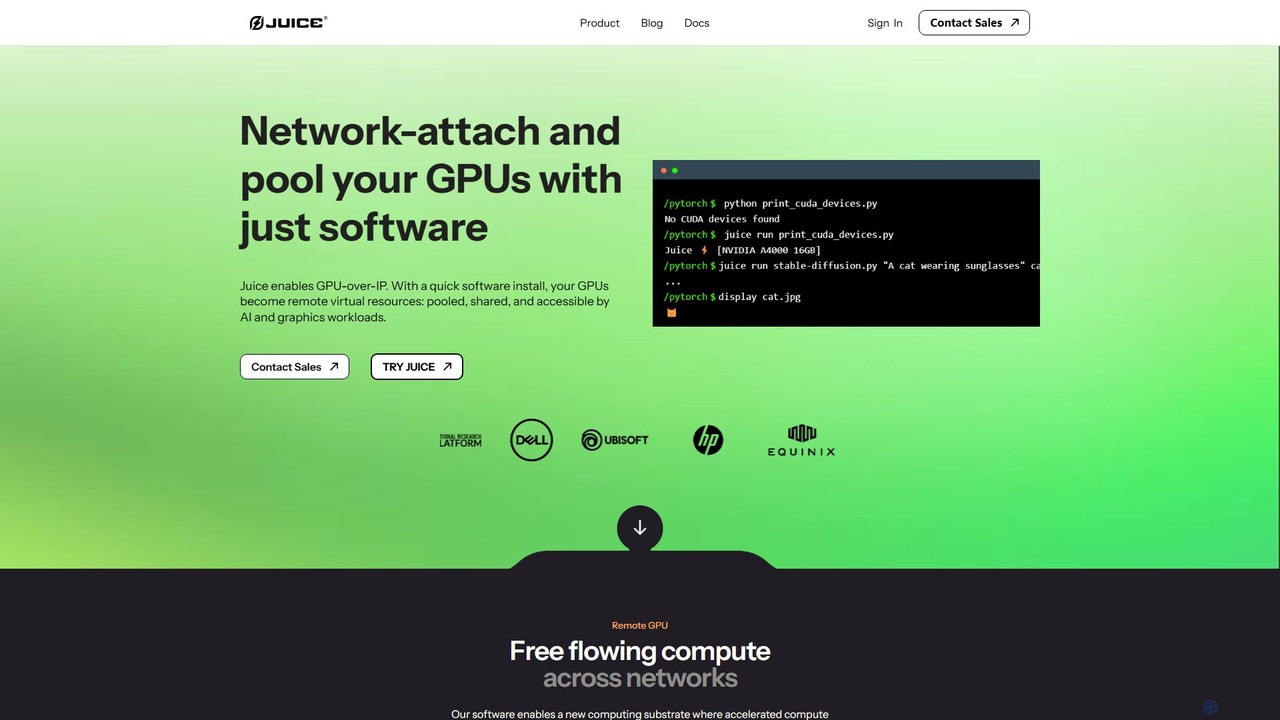
Juice is a software-only platform that enables GPU-over-IP, allowing you to access, share, and pool GPU resources across …

5.5K

About Gpu Virtualization

GPU Virtualization is a technology that allows a single physical Graphics Processing Unit (GPU) to be shared among multiple virtual machines (VMs) or users. It works by creating virtual GPUs (vGPUs) that can be assigned to different workloads, abstracting the hardware from the software. This enables efficient resource utilization, centralized management, and on-demand access to GPU acceleration for tasks like AI model training and high-performance computing. By partitioning GPU resources, organizations can maximize their hardware investment and provide flexible, scalable graphics power.

Core Features

  • GPU Partitioning (vGPU): Divides a physical GPU into multiple isolated virtual GPUs for concurrent use by different VMs.
  • Resource Consolidation: Allows multiple users and applications to share a smaller, centralized pool of powerful GPUs.
  • Centralized Management: Provides a single interface to allocate, monitor, and manage GPU resources across the entire infrastructure.
  • API Remoting: Intercepts graphics API calls (like DirectX or OpenGL) from VMs and directs them to the physical GPU for processing.
  • Hardware Abstraction: Decouples the virtual environment from the specific physical GPU hardware, allowing for easier upgrades and management.

Use Cases

This technology is crucial for environments with high demand for shared GPU power. This includes data centers supporting AI/ML development teams, enterprises deploying virtual desktop infrastructure (VDI) for designers and engineers, and cloud service providers offering GPU-accelerated computing instances. It is also used in university research labs for scientific computing and in studios for remote rendering.

How to Choose

When selecting a GPU Virtualization solution, consider its compatibility with your hypervisor (e.g., VMware, KVM, Citrix). Evaluate the performance overhead it introduces, the granularity of resource control it offers (e.g., fixed-size vs. time-sliced vGPUs), and its licensing model. Also, check for robust management tools for monitoring usage and performance.

Gpu VirtualizationUse Cases

1

Accelerating AI Model Training for Teams

Data science teams often require GPU access for training machine learning models, but dedicated GPUs for each member are costly. GPU Virtualization allows an IT administrator to partition a high-end server GPU into multiple vGPUs. Each data scientist is assigned a vGPU instance, enabling them to run training jobs in their isolated virtual environments concurrently. This eliminates resource contention, maximizes hardware utilization, and significantly reduces the cost per user for accessing powerful AI computing resources.

2

Powering High-Performance Virtual Desktops (VDI)

Engineers, architects, and designers rely on graphics-intensive applications like CAD and 3D modeling software. GPU Virtualization enhances VDI deployments by providing each virtual desktop with dedicated graphics acceleration. This ensures a smooth, native-like user experience, even with demanding applications. Companies can centralize their data and workstations in the data center, improving security and simplifying IT management while empowering remote workforces with high-performance computing capabilities.

3

Enabling Cloud Gaming and Application Streaming

Cloud gaming providers need to deliver low-latency, high-fidelity gaming experiences to thousands of concurrent users. GPU Virtualization is the core technology that makes this possible by allowing a single server GPU to power multiple game instances simultaneously. By efficiently slicing and allocating GPU resources on demand, providers can scale their services cost-effectively, ensuring each player receives the necessary graphics performance for a seamless and responsive gameplay session streamed directly to their device.

4

Supporting Scientific and HPC Workloads

Researchers in fields like computational fluid dynamics and molecular modeling run complex simulations accelerated by GPUs. In a High-Performance Computing (HPC) cluster, GPU Virtualization enables flexible scheduling and allocation of GPU resources to different research projects. It allows administrators to create tailored virtual environments with specific GPU profiles, ensuring that diverse computational workloads can run efficiently and securely on a shared hardware infrastructure, maximizing scientific output.

5

Centralizing 3D Rendering and Visualization

Animation studios and architectural firms often use render farms for creating photorealistic images. GPU Virtualization allows them to create a centralized pool of rendering power accessible to all artists. An animator can submit a rendering job from their workstation to a virtual machine equipped with a powerful vGPU. This offloads the intensive computation from the local machine, freeing it up for other tasks, and optimizes the use of expensive rendering hardware by dynamically allocating resources to jobs in the queue.

6

Optimizing GPU Costs in Multi-Tenant Clouds

Cloud service providers and large enterprises running private clouds need to maximize the return on their expensive GPU investments. GPU Virtualization enables them to offer fractional GPU instances to different tenants or departments. This multi-tenancy support ensures that GPU resources are not idle. By overselling and dynamically allocating GPU time-slices, they can serve more users with less hardware, leading to lower operational costs, competitive pricing for customers, and a more efficient cloud infrastructure.

Gpu VirtualizationFrequently Asked Questions