ToolMage
Sign in

Best 1 Generative Audio AI tools for Ai Tools

Popular Generative Audio AI tools in Ai Tools include Vocal Remover, helping you work more efficiently.

Vocal Remover
Freemium

Vocal Remover

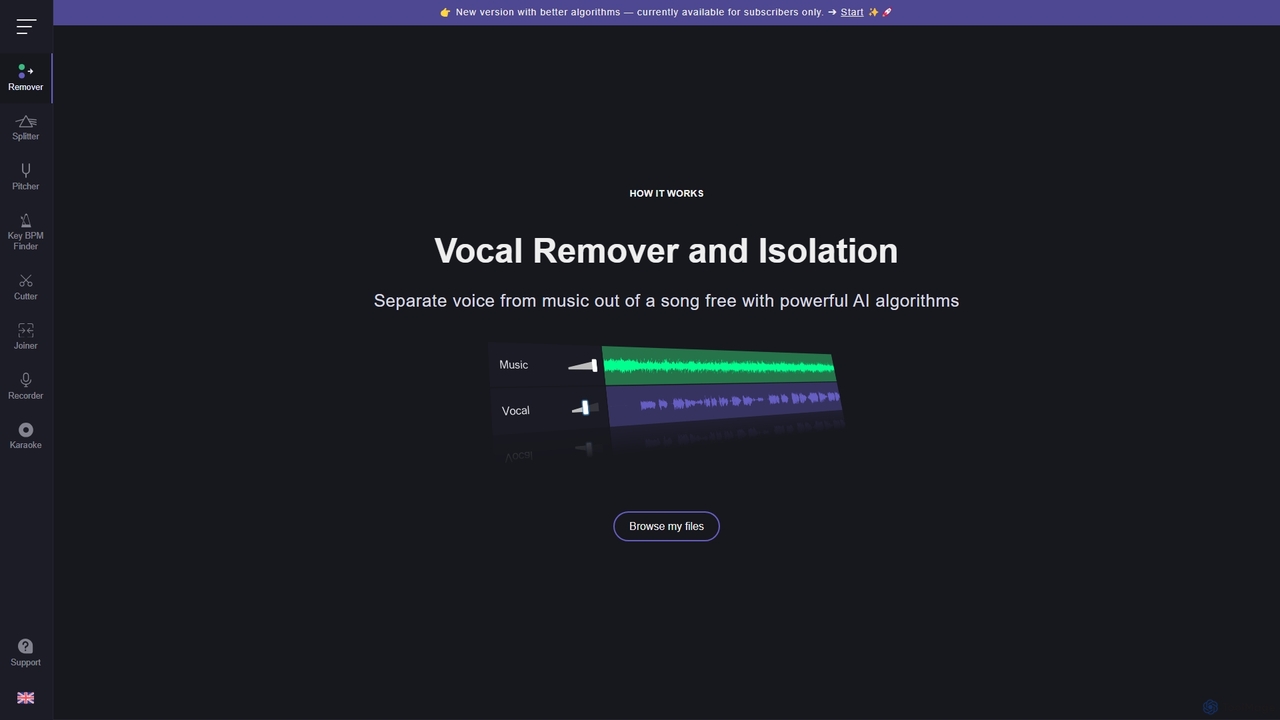
An AI-powered suite of audio tools that allows users to separate vocals from music, isolate instruments, change pitch and tempo, and analyze song keys and BPM. Ideal for musicians, DJs, producers, and karaoke enthusiasts to create karaoke tracks, acapellas, and remixes.

Generative Audio
Visits 10.1MFavorites 146Likes 145

About Generative Audio

Generative Audio tools are a class of AI applications that create original sound content from text prompts, melodies, or other inputs. Leveraging deep learning models, these tools can synthesize realistic human speech, compose unique musical pieces, or produce custom sound effects from descriptions. They provide a powerful solution for creators and developers to generate high-quality, royalty-free audio assets on demand, significantly reducing production time and costs. This technology opens up new possibilities for personalized audio experiences and creative exploration in various digital media.

Core Features

  • Text-to-Music Generation: Creates original musical compositions in various genres and moods based on text descriptions.
  • AI Voice Cloning & Synthesis: Replicates a specific voice or generates entirely new, realistic human-like voices for narration or dialogue.
  • Sound Effect Creation: Produces specific sound effects (e.g., 'footsteps on gravel', 'futuristic laser blast') from textual prompts.
  • Style Transfer: Applies the stylistic characteristics of one audio clip to another, such as making a voice sound like it's in a large hall.
  • Instrument Generation: Creates novel virtual instruments or generates audio samples for existing instrument types.

Use Cases

Generative Audio tools are invaluable for video creators and podcasters seeking unique, royalty-free background music and sound effects. Game developers use them to create dynamic, adaptive in-game audio and character voices. Musicians and producers leverage these tools for creative inspiration, generating new melodies or instrumental loops to build upon.

How to Choose

When selecting a Generative Audio tool, evaluate the quality and realism of the output audio. Consider the range of customization options available, such as control over tempo, instruments, and emotional tone. Check the licensing and usage rights for the generated content to ensure it aligns with your project's needs. Finally, assess the user interface's ease of use and whether an API is available for integration into your workflows.

Featured tool rankings

Generative Audio use cases

1

Creating Custom Background Music for Videos

A video creator needs a unique, royalty-free soundtrack for their YouTube channel. Instead of spending hours searching stock music libraries, they use a Generative Audio tool. By inputting a text prompt like 'upbeat, lo-fi hip hop track for studying, 90 BPM,' the AI generates several original music options. The creator can then select the best fit, adjust the length, and export it, ensuring their content has a distinct audio identity without copyright concerns, saving significant time and resources.

2

Generating Unique Sound Effects for Game Development

A game developer is creating a fantasy world and needs a specific sound for a magical spell, like 'a crackling energy shield forming'. Searching for this exact sound in libraries is difficult. Using a Generative Audio tool, the developer inputs the description as a prompt. The AI produces several variations of the sound effect. This allows for rapid iteration and the creation of a truly unique audio landscape for the game, which enhances player immersion and avoids the use of generic, overused sound assets.

3

Prototyping Voiceovers with AI Voices

An e-learning company is developing a new course and needs voiceovers for dozens of modules. Hiring voice actors for the initial draft is costly and time-consuming. Instead, they use an AI voice synthesis tool to generate high-quality narration from their scripts. This allows them to quickly create fully voiced prototypes for internal review and user testing. Once the script is finalized, they can either use the polished AI voice for the final product or provide the timed prototype to a human voice actor, streamlining the recording process significantly.

4

Composing Musical Ideas for Songwriters

A musician is experiencing writer's block and needs inspiration for a new song. They use a text-to-music generator, inputting prompts like 'a melancholic piano melody in C minor with a slow tempo' or 'an energetic synthwave bassline'. The AI generates multiple musical loops and chord progressions based on these ideas. The musician can then use these generated clips as a starting point, developing them further with their own creativity. This process acts as a collaborative partner, helping to overcome creative hurdles and explore new musical directions.

5

Creating Personalized Audio Advertisements at Scale

A marketing agency wants to run a digital audio ad campaign targeting different cities. Instead of recording dozens of ad variations, they use a voice cloning and synthesis tool. They record a base script and then use the AI to generate versions that mention specific city names, like '...special offer for our listeners in Boston!' or '...available now in Chicago!'. This allows them to create hundreds of personalized ads from a single recording, increasing ad relevance and engagement without a proportional increase in production costs or time.

6

Automating Podcast Intro and Outro Production

A podcaster who produces daily content needs a consistent but fresh intro for each episode. Manually recording and mixing an intro with music every day is repetitive. They use a Generative Audio tool to combine two functions: first, they generate a unique, short musical jingle based on their podcast's theme. Second, they use an AI voice to read the episode's title and number. The tool can then automatically mix these two elements, producing a ready-to-use intro file in minutes. This automates a tedious part of the production workflow, allowing the creator to focus on the core content.

Generative Audio FAQ

What is Generative Audio?

Generative Audio refers to AI systems that can create new, original audio content from scratch. Unlike tools that simply edit or analyze existing audio, these systems generate sound based on user inputs like text descriptions, melodies, or style examples. This includes creating music, synthesizing realistic human voices, and producing custom sound effects. The core technology relies on deep learning models trained on vast datasets of audio to learn patterns and structures of sound.

How to choose the right Generative Audio tool?

Choosing the right tool depends on your specific needs. Consider the following factors:

  • Primary Use Case: Do you need music, voice synthesis, or sound effects? Some tools specialize in one area.
  • Audio Quality: Listen to samples. Evaluate the realism, clarity, and artistic quality of the generated audio. Look for high-fidelity output options (e.g., WAV, high bitrate MP3).
  • Customization Control: How much control do you have over the output? Look for options to adjust parameters like tempo, mood, instruments, or vocal emotion.
  • Usage Rights: Check the licensing terms. Ensure you can use the generated audio for your intended purpose (e.g., commercial use) without legal issues.
  • Ease of Use: Assess the user interface. Is it intuitive for your skill level? Is an API available if you need to integrate it into an application?
What's the difference between Generative Audio and Text-to-Speech (TTS)?

Text-to-Speech (TTS) is a specific subset of Generative Audio. The primary difference lies in scope and creativity. TTS tools are specialized in converting written text into spoken words, focusing on clarity and natural pronunciation. Generative Audio is a broader category that includes TTS but also encompasses creating original music from prompts, generating complex sound effects, and cloning voices with specific emotional nuances. In short, while all TTS is a form of generative audio, not all generative audio is TTS.

Can I use AI-generated audio for commercial projects?

The ability to use AI-generated audio for commercial projects depends entirely on the terms of service of the specific tool you use. Many platforms offer commercial licenses, often as part of a paid subscription, that grant you the rights to use the audio in your products, advertisements, or other commercial content. However, some free or trial versions may restrict usage to non-commercial or personal projects only. It is crucial to always read and understand the licensing agreement of your chosen tool before publishing any content to avoid copyright infringement.

Who are the primary users of Generative Audio tools?

Generative Audio tools serve a diverse range of users. Key groups include:

  • Content Creators: YouTubers, podcasters, and social media managers use them for royalty-free background music, intros, and sound effects.
  • Musicians & Producers: They use these tools for inspiration, generating new melodies, chord progressions, or unique instrument sounds.
  • Game Developers: They create adaptive in-game music, unique sound effects, and character voices efficiently.
  • Marketers & Advertisers: They produce voiceovers for ads and can scale personalized audio campaigns.
  • E-learning & Corporate Trainers: They generate narration for training modules and educational content quickly.