ToolMage
Sign in

Best 1 Presentation Generator for Ai Tools

Popular Presentation Generator in Ai Tools include WPS Office, helping you work more efficiently.

WPS Office
Freemium

WPS Office

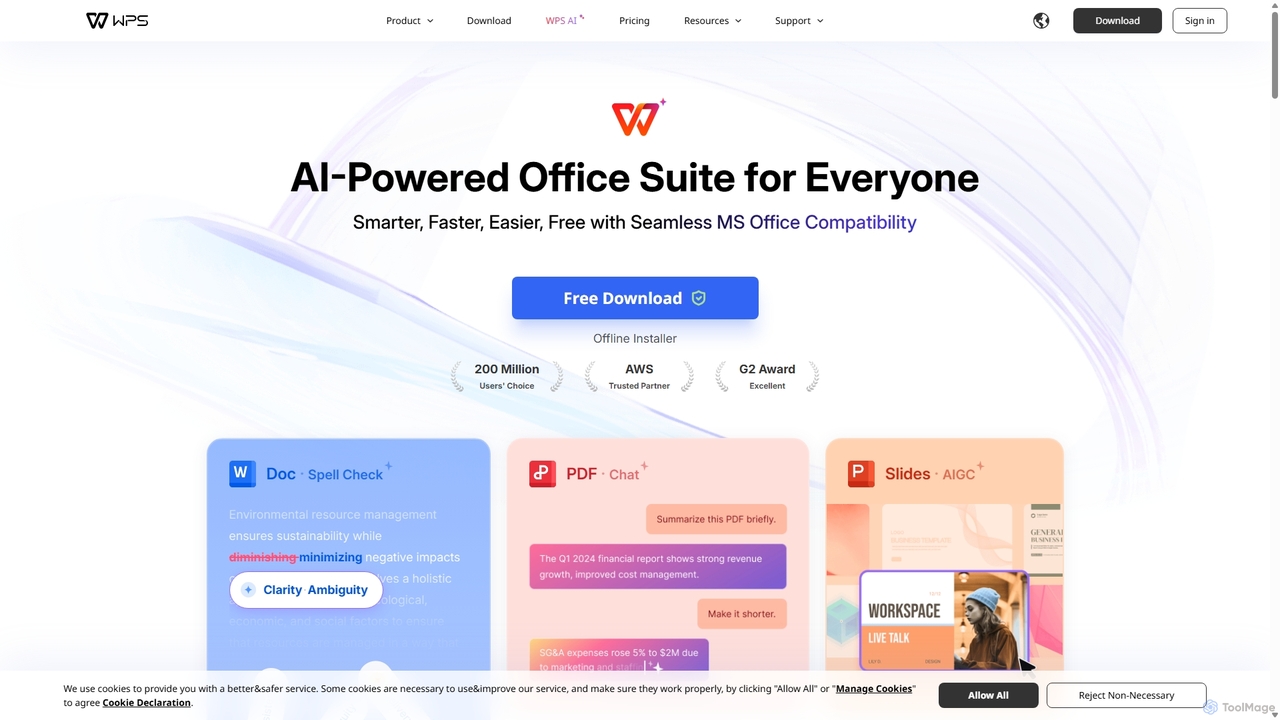
WPS Office is an AI-powered, all-in-one office suite offering a free and lightweight alternative to Microsoft Office. It integrates Writer, Spreadsheet, Presentation, and PDF tools with advanced AI features like content generation, spell checking, PDF summarization, and one-click presentation creation. With seamless MS Office compatibility and cross-platform support, it boosts productivity for individuals and teams.

Presentation Generator
Visits 44MFavorites 115Likes 108

About Presentation Generator

Presentation Generators are AI-powered tools that automatically create complete, well-structured slide decks from a simple text prompt or document. They leverage large language models (LLMs) to generate outlines, write slide content, and even draft speaker notes. These tools streamline the entire creation process, from initial brainstorming to final design, enabling users to produce professional presentations in a fraction of the time. Many also integrate AI image generation or stock photo libraries to automatically source relevant visuals for each slide.

Core Features

  • Automated Content Generation: Creates a full presentation outline, slide text, and headlines from a single topic or prompt.
  • AI-Powered Design: Automatically selects professional templates, color palettes, fonts, and layouts that match the content's tone.
  • Visual Asset Sourcing: Intelligently finds and inserts relevant images, icons, or charts to enhance visual storytelling.
  • Content Summarization & Adaptation: Can transform long documents, articles, or videos into concise presentation slides.
  • Brand Consistency: Allows users to apply custom brand kits (logos, colors, fonts) to ensure all generated presentations align with brand identity.

Use Cases

These tools are widely used by business professionals for creating sales pitches, marketing reports, and internal training materials. Educators and students utilize them to quickly prepare lectures and academic presentations. Content creators and marketers also leverage them to draft webinars and conference talks, significantly accelerating their content production workflow.

How to Choose

When selecting a Presentation Generator, consider the input flexibility—does it accept simple prompts, long documents, or URLs? Evaluate the level of design customization and whether you can apply a brand kit. Check the available export options (e.g., PPTX, PDF, Google Slides) and integration capabilities. Finally, assess the quality of the generated text and the relevance of the visuals to ensure they meet your standards.

Featured tool rankings

Presentation Generator use cases

1

Rapid Sales Pitch Creation

A sales manager needs to create a customized pitch for a new client in under an hour. They input the client's industry, key pain points, and their product's value proposition into the presentation generator. The AI instantly structures a compelling narrative across 10-12 slides, generates persuasive copy for each point, and sources professional images relevant to the client's sector. This allows the manager to focus on refining the core message and data points, rather than spending hours on design and content writing, ultimately producing a tailored, high-impact presentation on a tight deadline.

2

Academic Lecture Preparation

A university professor needs to prepare a lecture on a complex scientific topic. Instead of starting from a blank canvas, they upload their research paper or a detailed outline to an AI presentation generator. The tool intelligently breaks down the dense information into a logical sequence of slides, suggests titles for each section, and summarizes key findings into bullet points. It can also propose diagrams or charts to visualize data, saving the professor significant time in structuring the lecture and allowing them to focus more on creating engaging delivery and explanations.

3

Drafting Marketing Campaign Reports

A marketing team needs to present quarterly results to stakeholders. They input key metrics, campaign summaries, and target audience insights into the generator. The AI tool creates a professional report with a clear structure, including an executive summary, performance analysis by channel, and key takeaways. It automatically generates charts and graphs from the provided data and suggests visuals that align with the company's branding. This automates the tedious process of data visualization and slide design, enabling the team to deliver data-rich, visually appealing reports faster.

4

Developing Internal Training Materials

An HR department is tasked with creating training modules for new employees on topics like company policy or software usage. They provide the generator with a topic or a source document. The AI then structures the content into an easy-to-follow presentation, using clear headings, concise bullet points, and illustrative icons. It can even suggest interactive elements like simple quizzes to test comprehension. This process transforms dry policy documents into engaging learning materials, ensuring consistency and quality across all training sessions while saving the HR team considerable development time.

5

Prototyping an Investor Pitch Deck

An entrepreneur is in the early stages of creating a pitch deck for potential investors. They use an AI presentation generator to quickly prototype the structure and narrative. By inputting their business idea, target market, and problem-solution fit, the tool generates a standard 10-slide investor deck, including slides for 'The Problem', 'Our Solution', 'Market Size', and 'Team'. This provides a solid first draft that the founder can then refine with specific data, custom branding, and a more polished design. It accelerates the initial, often daunting, phase of deck creation, allowing for faster iteration and feedback.

6

Brainstorming Conference Talk Ideas

A professional is preparing for a conference and wants to explore different angles for their talk. They use a presentation generator as a brainstorming partner. By inputting a core theme and a few key messages, they can generate multiple draft presentations in minutes, each with a slightly different narrative flow or emphasis. Reviewing these AI-generated outlines helps the speaker visualize various structures, identify the most compelling story, and solidify their main arguments before committing significant time to detailed content creation and slide design. This approach streamlines the ideation phase of public speaking preparation.

Presentation Generator FAQ

What is an AI Presentation Generator?

An AI Presentation Generator is a software tool that uses artificial intelligence to automatically create a complete slide deck from a user's prompt. Unlike traditional presentation software, which requires manual content input and design, these generators handle the entire initial creation process. They generate text, structure the content logically across slides, select appropriate layouts and designs, and often find relevant images, saving users significant time and effort.

How to choose the right AI Presentation Generator?

To choose the right tool, consider these factors:

  • Input Flexibility: Can it generate presentations from a simple text prompt, a long document (like a PDF or Word file), or a website URL?
  • Design Customization: How much control do you have over the final look? Look for features like template selection, color palette editing, and the ability to apply a custom brand kit.
  • Output Formats: Ensure the tool can export to the formats you need, such as PPTX for further editing in PowerPoint, PDF for sharing, or integration with Google Slides.
  • Content Quality: Evaluate the relevance and coherence of the generated text and the quality of the sourced images. Some tools may be better for specific industries or topics.
What's the difference between an AI Presentation Generator and PowerPoint?

The key difference lies in content creation versus content formatting. An AI Presentation Generator creates the content (text, structure, and visuals) for you from a prompt. Its primary function is to automate the initial, time-consuming phase of building a presentation from scratch. PowerPoint, on the other hand, is a powerful manual tool for designing and formatting slides once you already have your content. You start with a blank canvas and add text, images, and animations yourself. Essentially, AI generators build the first draft, while PowerPoint is for refining and presenting it.

Can AI generators create presentations on any topic?

Generally, yes. AI presentation generators are trained on vast amounts of text and image data from the internet, allowing them to generate content on a very wide range of subjects, from business and technology to arts and science. However, the quality and accuracy can vary. For highly specialized, niche, or very recent topics, the AI might produce more generic or less accurate information. It's always recommended to review and fact-check the generated content, treating it as a first draft that you will refine and verify.

Who can benefit from using an AI Presentation Generator?

A wide range of users can benefit from these tools. Business professionals can quickly create sales pitches, reports, and internal updates. Marketers can accelerate the creation of webinar slides and campaign proposals. Educators and students can save time preparing lectures and academic presentations. Entrepreneurs can rapidly prototype investor pitch decks. Essentially, anyone who needs to create presentations regularly and wants to reduce the time spent on initial content creation and design can find significant value in using an AI presentation generator.