Podurama
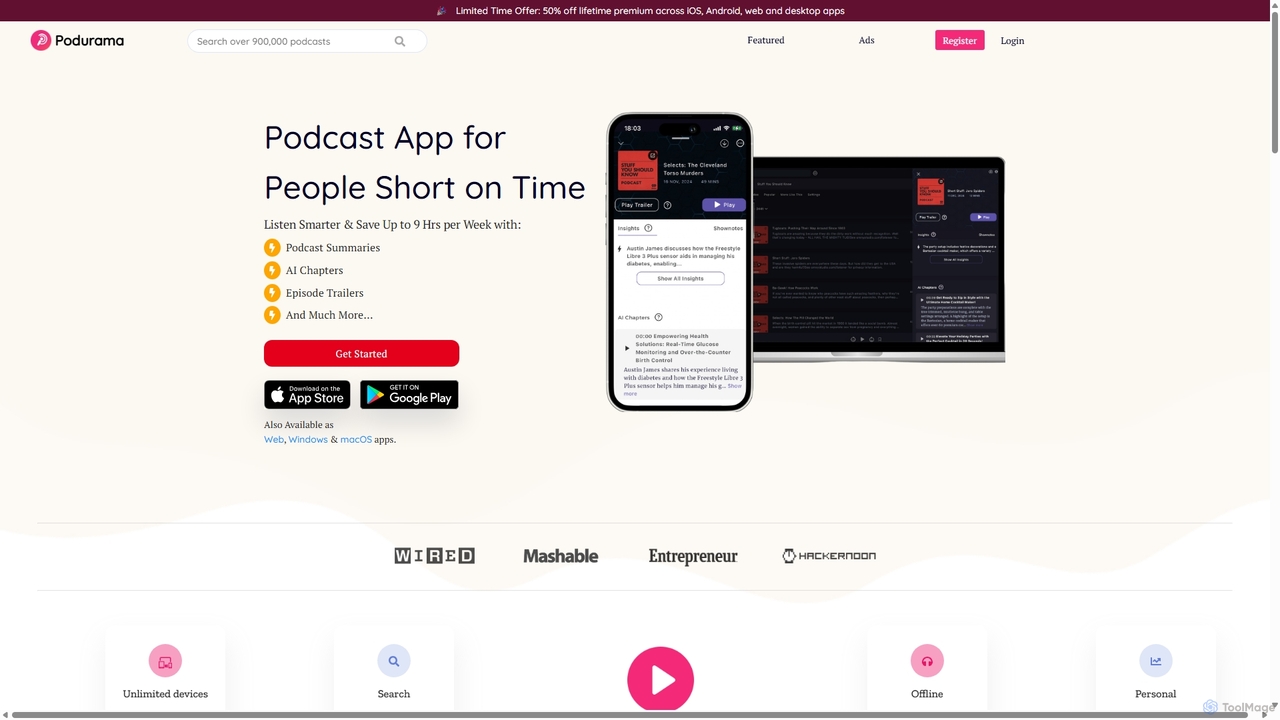
Podurama is a free, cross-platform podcast player for iOS, Android, Web, Windows, and macOS. It offers a library …
Podurama is a free, cross-platform podcast player for iOS, Android, Web, Windows, and macOS. It offers a library of over 30 million podcasts, seamless sync across all devices, advanced organization tools like playlists and tags, and smart recommendations. Enjoy features like offline listening, volume boost, and private audio file uploads for a complete listening experience.
About Streaming
AI Streaming tools are a class of audio software that use machine learning models for real-time processing during live broadcasts. These tools analyze and modify audio streams with minimal latency, enabling advanced features that are difficult to achieve with traditional methods. They are primarily used to enhance audio quality, improve accessibility, and create more engaging live content for podcasters, streamers, and virtual event hosts. Unlike offline editors, their strength lies in immediate, on-the-fly adjustments critical for live interaction.
Core Features
- Real-time Noise Cancellation: Intelligently identifies and removes background noise like clicks, fans, or street sounds from the live audio feed.
- Live Transcription & Captioning: Converts spoken words into text in real-time, generating live subtitles for accessibility or content logging.
- Real-time Voice Modulation: Alters voice characteristics, such as pitch and tone, or transforms it into different character voices on the fly.
- Automatic Audio Mastering: Applies dynamic EQ, compression, and loudness normalization to ensure a balanced, professional broadcast sound without manual intervention.
- Live Speech Translation: Provides real-time transcription and translation of spoken content into different languages, either as text or synthesized audio.
Use Cases
These tools are valuable for content creators such as live podcasters and video game streamers who need pristine audio quality. They are also used by corporate and educational professionals for hosting accessible webinars and international virtual events with live captioning and translation. Musicians performing live online can also use them for real-time audio engineering.
How to Choose
When selecting an AI Streaming tool, prioritize low latency to ensure audio-video sync and natural conversation. Check for compatibility with your streaming software (e.g., OBS, Streamlabs) and platforms. Evaluate the tool's CPU and GPU consumption to avoid performance issues. Finally, choose based on your primary need, whether it's audio cleanup, accessibility features, or creative voice effects.

StreamingUse Cases
Real-time Noise Removal for Professional Podcasts
A podcaster hosts a live interview with a remote guest who has unavoidable background noise, such as traffic or a fan. Instead of laborious post-production, an AI streaming tool is used. It processes the audio feed in real-time, isolating the guest's voice and suppressing all other sounds. The result is a clean, studio-quality audio stream for the live audience, dramatically improving the listening experience and perceived professionalism of the show without any delay.
Live Subtitling for Accessible Webinars
A corporate trainer is conducting a live webinar for a global audience, including participants who are deaf or hard of hearing. An AI streaming tool is integrated into their broadcast setup. As the trainer speaks, the tool generates accurate, real-time captions displayed directly on the screen. This not only ensures compliance with accessibility standards but also helps attendees in noisy environments or non-native speakers to follow the content more easily, increasing engagement and knowledge retention.
Dynamic Voice Modulation for Game Streaming
A video game streamer wants to create more immersive and entertaining content for their audience. They use an AI voice modulation tool during their live stream. While playing a role-playing game, they can instantly switch their voice to match different characters they encounter—a deep, booming voice for a giant or a high-pitched, robotic tone for an android. This real-time performance enhances storytelling, captivates the audience, and sets their channel apart from others who use only their natural voice.
Automated Audio Mastering for Live Music
A musician is live-streaming a performance from their home studio. Achieving a polished, broadcast-ready sound mix live is challenging. They use an AI streaming tool that acts as a real-time audio engineer. The tool automatically applies compression to even out dynamics, uses a smart EQ to balance frequencies, and normalizes the loudness to industry standards. This ensures that the music sounds powerful and clear to the online audience, regardless of their playback device, mimicking the quality of a professionally produced record.
Real-time Translation for International Events
A company is hosting a global virtual conference with a keynote speaker presenting in English. To cater to a diverse audience, they employ an AI streaming tool for live translation. The tool captures the speaker's audio, transcribes it, and instantly translates it into multiple languages. The translated text is then displayed as subtitles for the audience. Some advanced tools can even generate a synthesized voice-over in the target language, effectively breaking down language barriers and making the event truly global and inclusive.
Interactive Sound Effect Generation for Live Shows
The host of an interactive live comedy show uses an AI streaming tool to increase audience engagement. The tool is connected to the stream's live chat and is trained to recognize specific keywords or commands. When the audience types a command like "!drumroll," the AI instantly generates and plays a high-quality drumroll sound effect. This allows the audience to directly influence the show's audio landscape, creating a more dynamic, participatory, and memorable experience for everyone involved.