
ToolMage
Sign in

Best 1 Vocal Remover AI tools for Audio

Popular Vocal Remover AI tools in Audio include LALAL.AI, helping you work more efficiently.

LALAL.AI
Freemium

LALAL.AI

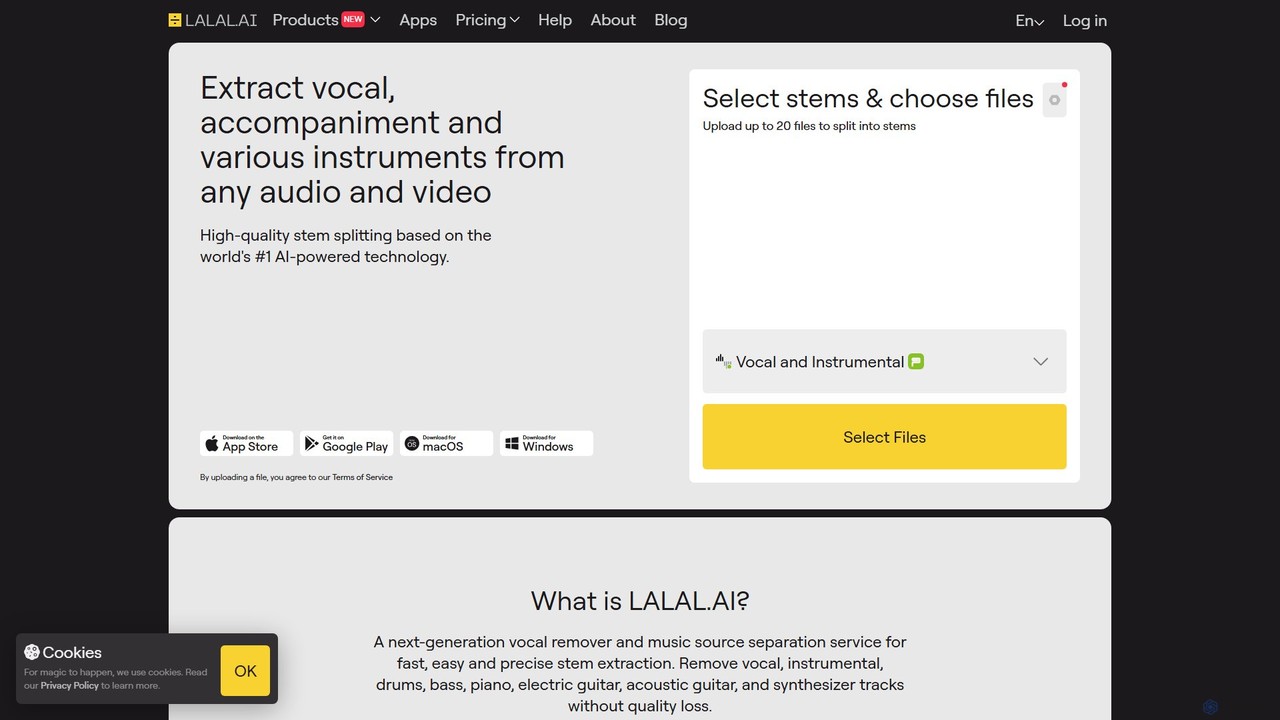
LALAL.AI is a next-generation AI-powered service for high-quality vocal and instrumental stem separation. It allows users to quickly and accurately extract up to 10 different stems—including vocals, drums, bass, piano, and more—from any audio or video file. The platform also features a Voice Cleaner for noise reduction, an Echo Remover, and a Voice Cloner, making it a comprehensive toolkit for musicians, producers, and content creators.

Music Editing
Visits 2.7MFavorites 97Likes 126

About Vocal Remover

Vocal Remover tools are AI-powered applications designed to intelligently separate vocal tracks from instrumental components within an audio file. Leveraging advanced machine learning algorithms, these tools analyze sound frequencies and patterns to isolate or eliminate human voices, leaving behind a clean instrumental or acapella track. They are invaluable for musicians, DJs, content creators, and anyone needing to manipulate audio for creative or practical purposes.

Core Features

  • Vocal Isolation: Accurately separates lead vocals from background music.
  • Instrumental Extraction: Generates a clean instrumental version of a song.
  • Acapella Creation: Extracts only the vocal track for remixing or sampling.
  • Batch Processing: Allows for simultaneous processing of multiple audio files.
  • Multiple Output Formats: Supports various audio formats like MP3, WAV, FLAC.

Use Cases

These tools are widely adopted in music production for creating remixes and mashups, by DJs preparing tracks for live sets, and by karaoke enthusiasts who need instrumental versions of their favorite songs. Content creators also use them to clean up audio in podcasts or videos by removing unwanted background speech, ensuring clearer dialogue.

How to Choose

When selecting a Vocal Remover, consider the quality of vocal separation, processing speed, and the range of supported audio formats. Evaluate its ease of use and whether it offers additional features like key/tempo detection. Finally, compare pricing models and integration capabilities with your existing audio workflow.

Vocal Remover use cases

1

Creating Karaoke Tracks

Aspiring singers and karaoke enthusiasts can use Vocal Remover tools to effortlessly generate instrumental versions of any song. By uploading a track, the AI precisely removes the lead vocals, providing a clean backing track perfect for practice, performances, or personal enjoyment, without needing to search for pre-made karaoke versions.

2

Music Production & Remixing

Music producers and DJs frequently utilize Vocal Removers to extract acapella tracks for sampling, creating unique remixes, or crafting mashups. This allows them to isolate specific vocal elements from existing songs, integrate them into new compositions, and experiment with different instrumental backdrops, significantly expanding creative possibilities.

3

Audio Cleanup for Content Creators

Podcasters, YouTubers, and video editors often encounter recordings with unwanted background speech or overlapping voices. Vocal Remover tools can be employed to isolate and reduce or eliminate these extraneous vocal elements, enhancing the clarity of primary dialogue and improving the overall professional quality of their audio content.

4

DJ Set Preparation

DJs preparing for live sets or mixes can use Vocal Removers to create custom instrumental versions or acapellas of tracks. This enables them to seamlessly blend songs, create unique transitions, and perform live vocal manipulations, offering greater flexibility and originality in their performances.

5

Music Education & Analysis

Music students and educators can benefit from Vocal Remover tools for detailed song analysis. By separating vocals from instruments, they can focus on individual components, study melodic lines, harmonic structures, or instrumental arrangements more effectively, aiding in transcription, learning, and teaching.

6

Sampling and Sound Design

Sound designers and electronic music artists use Vocal Removers to extract unique vocal snippets or phrases from songs. These isolated vocal elements can then be processed, manipulated, and integrated into new soundscapes, adding distinctive textures and human elements to their original compositions and experimental projects.

Vocal Remover FAQ

What are Vocal Remover tools?

Vocal Remover tools are AI-powered software or online services designed to separate the vocal track from the instrumental components of an audio file. They leverage advanced algorithms to identify and isolate human voices, allowing users to obtain either a clean instrumental version or an acapella (vocal-only) track. These tools are widely used in music production, content creation, and for personal entertainment like karaoke.

How do I choose the best Vocal Remover for my needs?

When selecting a Vocal Remover, consider several factors: the quality and accuracy of vocal separation, the speed of processing, and the range of audio formats it supports. Evaluate its user interface for ease of use, check for additional features like key/tempo detection, and compare pricing models (free, subscription, one-time purchase). Reading user reviews can also provide insights into real-world performance.

What are the main features of Vocal Remover tools?

The main features of Vocal Remover tools include precise vocal isolation, which separates lead vocals from background music; instrumental extraction, creating a clean instrumental version; and acapella creation, which extracts only the vocal track. Many tools also offer batch processing for multiple files, support for various output formats (MP3, WAV, FLAC), and sometimes additional audio editing capabilities like pitch or tempo adjustment.

Can Vocal Removers completely eliminate all vocals without any artifacts?

While modern AI-powered Vocal Removers are highly effective, achieving 100% perfect vocal elimination without any artifacts can be challenging, especially with complex mixes or poorly recorded audio. Some subtle remnants of vocals or slight degradation of instrumental quality might occur. The quality of separation largely depends on the tool's algorithms and the original audio's complexity, but results are generally very good for most common tracks.

How do Vocal Removers differ from general audio editing software?

General audio editing software (like Audacity or Adobe Audition) offers a broad range of tools for cutting, mixing, applying effects, and basic frequency manipulation. Vocal Removers, while sometimes integrated into editors, are specialized tools primarily focused on one complex task: intelligently separating vocals from instrumentals using AI. While general editors might offer rudimentary vocal reduction, dedicated Vocal Removers provide far superior and more automated separation quality.