
ToolMage
Sign in

Best 1 Voice Conversion AI tools for Audio

Popular Voice Conversion AI tools in Audio include lowcarbai, helping you work more efficiently.

lowcarbai
Freemium

lowcarbai

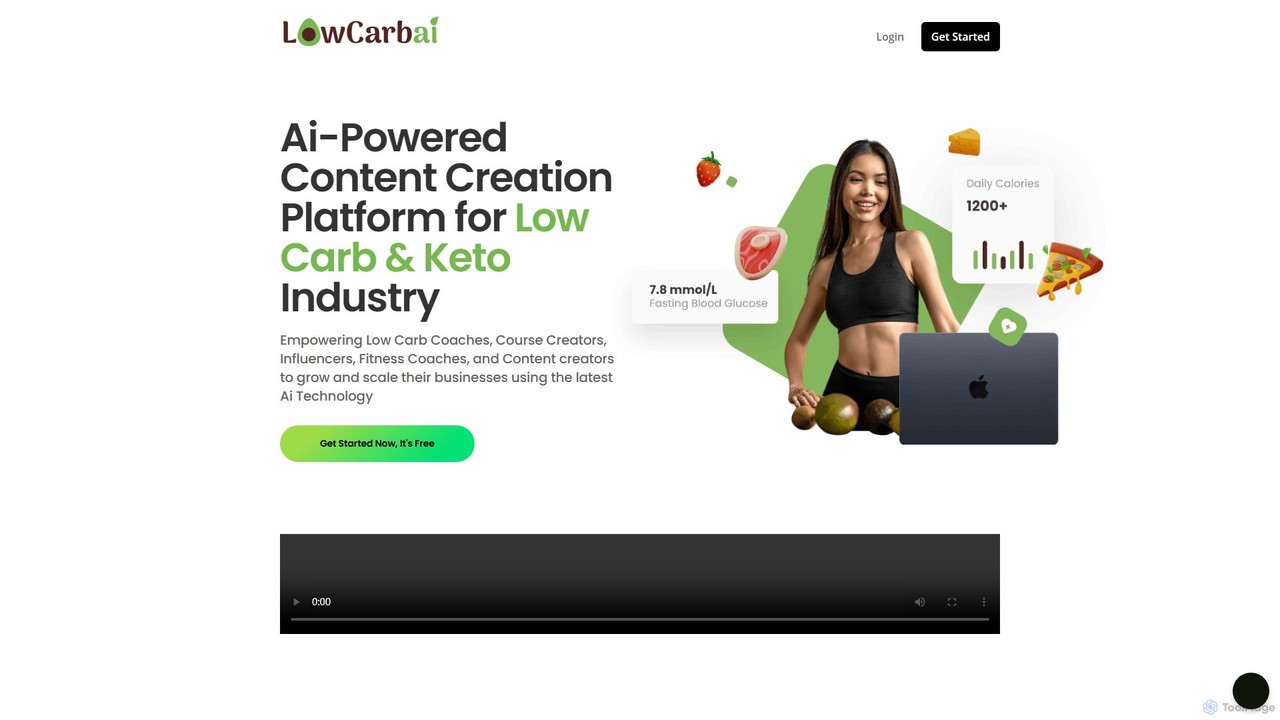
lowcarbai is a specialized AI-powered content creation platform designed for the Low Carb and Keto industry. It empowers coaches, influencers, and entrepreneurs to generate niche-specific content, from SEO-optimized articles and ad copy to AI-driven meal plans and recipes. The platform also includes advanced speech-to-text and text-to-speech capabilities to easily create audio content like podcasts and course materials.

Voice Conversion
Visits 4.2KFavorites 90Likes 96

About Voice Conversion

Voice Conversion tools are a specialized category of AI audio software that transforms the vocal characteristics of a source audio recording into a different target voice. These tools analyze the content and prosody (intonation, rhythm) of the original speech and then re-synthesize it using the timbre and style of another voice. This allows users to make one person sound like another, create unique character voices, or anonymize speech while preserving the original emotional expression. Unlike Text-to-Speech (TTS) which generates audio from text, Voice Conversion modifies an existing audio input.

Core Features

  • Real-time Voice Transformation: Change your voice live during calls, streams, or online gaming with low latency.
  • Voice Cloning: Create a digital model of a specific voice from audio samples, allowing you to convert any speech to that voice.
  • File-based Conversion: Upload an audio file (e.g., a podcast or voiceover) and convert the voice to a different one.
  • Acoustic Parameter Control: Fine-tune aspects like pitch, tone, and emotion to customize the output voice.
  • Speaker Anonymization: Obscure the identity of a speaker for privacy or security while retaining the speech's clarity and intonation.

Use Cases

Voice Conversion technology is widely used by content creators for dubbing and character creation, gamers and streamers for immersive role-playing, and in post-production for dialogue replacement. It also serves critical functions in privacy applications, such as protecting the identity of sources in investigative journalism, and in accessibility for individuals who wish to use a different vocal identity.

How to Choose

When selecting a Voice Conversion tool, consider the quality and realism of the voice output, checking for robotic artifacts. Evaluate the latency for real-time applications. Assess the size and diversity of the pre-existing voice library and whether the tool supports custom voice cloning. Finally, consider the user interface's simplicity and the platform's compatibility with your existing software (e.g., streaming apps, DAWs).

Featured tool rankings

Voice Conversion use cases

1

Enhancing Live Streams with Character Voices

A video game streamer wants to increase audience engagement during their role-playing game sessions. Using a real-time voice conversion tool, they can instantly transform their voice into that of their in-game character, whether it's a deep-voiced knight or a high-pitched fantasy creature. The tool integrates directly with their streaming software, applying the voice effect with minimal latency. This creates a more immersive and entertaining experience for viewers, leading to increased watch time, more followers, and higher interaction in the chat.

2

Creating Voiceovers with Cloned Voices

A content creator produces documentary-style videos and wants a consistent narrator's voice across all their content. They use a voice conversion tool with a cloning feature. After providing a few minutes of a professional voice actor's recording (with permission), the tool creates a high-quality voice model. Now, the creator can simply record the script in their own voice, focusing on pacing and emotion, and then use the tool to convert their recording into the cloned professional narrator's voice. This saves significant costs on hiring voice actors for every new video and ensures brand consistency.

3

Anonymizing Interviews for Investigative Journalism

An investigative journalist has a sensitive audio interview with an anonymous source whose identity must be protected. Traditional pitch-shifting methods sound unnatural and can still be deanonymized. Instead, the journalist uses an AI voice conversion tool. They upload the interview audio and convert the source's voice to a completely different, synthetically generated voice. The AI preserves the original intonation, pauses, and emotional cues, ensuring the source's testimony remains authentic and compelling, while their vocal identity is completely obscured, providing robust protection.

4

Creating Unique Vocal Effects in Music Production

A music producer is working on an electronic track and wants to create a unique, otherworldly vocal harmony. Instead of using standard synthesizers, they record a simple vocal line. They then process this recording through a voice conversion tool, transforming it into several different character voices—one with a robotic tone, another with an ethereal quality. By layering these converted vocal tracks, they create a complex and distinctive choir effect that would be impossible to achieve with a single vocalist or traditional effects, adding a signature sound to their production.

5

Automated Dialogue Replacement (ADR) in Film

In film post-production, an actor's on-set dialogue is unusable due to background noise. The actor re-records their lines in a quiet studio (ADR). However, their studio performance lacks the exact emotional tone of the original. A sound editor uses a voice conversion tool to transfer the prosody (intonation and rhythm) from the original on-set audio to the clean studio recording. This process aligns the new dialogue perfectly with the on-screen performance, preserving the actor's original intent while achieving pristine audio quality, saving hours of manual editing and multiple re-takes.

6

Personalizing Accessibility Tools

An individual who has lost their ability to speak due to a medical condition uses an assistive communication device that speaks for them. Standard text-to-speech voices can feel impersonal. Using a voice conversion tool with cloning capabilities, they can create a synthetic voice based on old recordings of their own voice. Now, when they type a message, the device speaks it in a voice that sounds like them, preserving a key part of their identity. This provides a more personal and dignified communication experience, greatly improving their quality of life and social interactions.

Voice Conversion FAQ

What is AI Voice Conversion?

AI Voice Conversion is a technology that transforms the characteristics of a person's voice in an audio recording to sound like another person's voice. Unlike Text-to-Speech (TTS) which creates speech from text, voice conversion takes an existing audio recording as input. It preserves the original speech's content, intonation, and rhythm while changing the vocal timbre (the unique quality of the voice). This is used for creating character voices, anonymizing speakers, or voice cloning.

What is the difference between Voice Conversion and Text-to-Speech (TTS)?

The key difference lies in their input and function. Voice Conversion requires an audio file of someone speaking as input and transforms that speech to sound like a different person. It modifies an existing performance. Text-to-Speech (TTS), on the other hand, requires text as input and generates an entirely new audio performance from scratch. In short:

  • Voice Conversion: Audio In -> Audio Out (different voice, same intonation)
  • Text-to-Speech: Text In -> Audio Out (new voice performance)
How to choose a good Voice Conversion tool?

When selecting a voice conversion tool, focus on these four key areas:

  • Quality of Conversion: Does the output sound natural and realistic, or does it have robotic artifacts? Listen to samples to judge the clarity and expressiveness.
  • Latency: If you need it for live applications like streaming or gaming, choose a tool with very low latency to avoid delays between your speech and the converted output.
  • Voice Library and Cloning: Check the variety of available pre-set voices. If you need a specific voice, look for a tool with high-quality voice cloning capabilities that requires minimal audio data.
  • Ease of Use and Integration: The software should have an intuitive interface and integrate smoothly with your other applications, such as OBS, Discord, or digital audio workstations (DAWs).
Is it legal and ethical to use AI to convert voices?

The legality and ethics of voice conversion are complex and evolving. Legally, using someone's voice without permission can infringe on personality rights, publicity rights, or copyright, especially for commercial purposes or to impersonate someone. Ethically, it raises concerns about deepfakes, misinformation, and consent. Most reputable tools have policies against malicious use. It is crucial to only use voices you have the rights to (your own, or with explicit permission) and to be transparent about the use of AI-generated voices to avoid deceiving others.

What are the main applications for Voice Conversion?

Voice conversion has a wide range of applications across various industries. The primary uses include:

  • Entertainment and Content Creation: Creating unique voices for animated characters, video games, and virtual avatars. Also used for dubbing content into different languages while preserving the original actor's performance style.
  • Live Streaming and Gaming: Real-time voice changing allows streamers and gamers to role-play as characters, enhancing audience engagement.
  • Privacy and Anonymity: Masking a person's identity in sensitive recordings, such as interviews with whistleblowers in journalism.
  • Accessibility: Helping individuals who have lost their voice to communicate with a personalized, synthetic voice cloned from their past recordings.
  • Music Production: Creating unique vocal effects, harmonies, and textures that are not possible with traditional methods.