
ToolMage
Sign in

Best 1 Assistant for Browser Extensions

Popular Assistant in Browser Extensions include Promptly AI, helping you work more efficiently.

Promptly AI
Freemium

Promptly AI

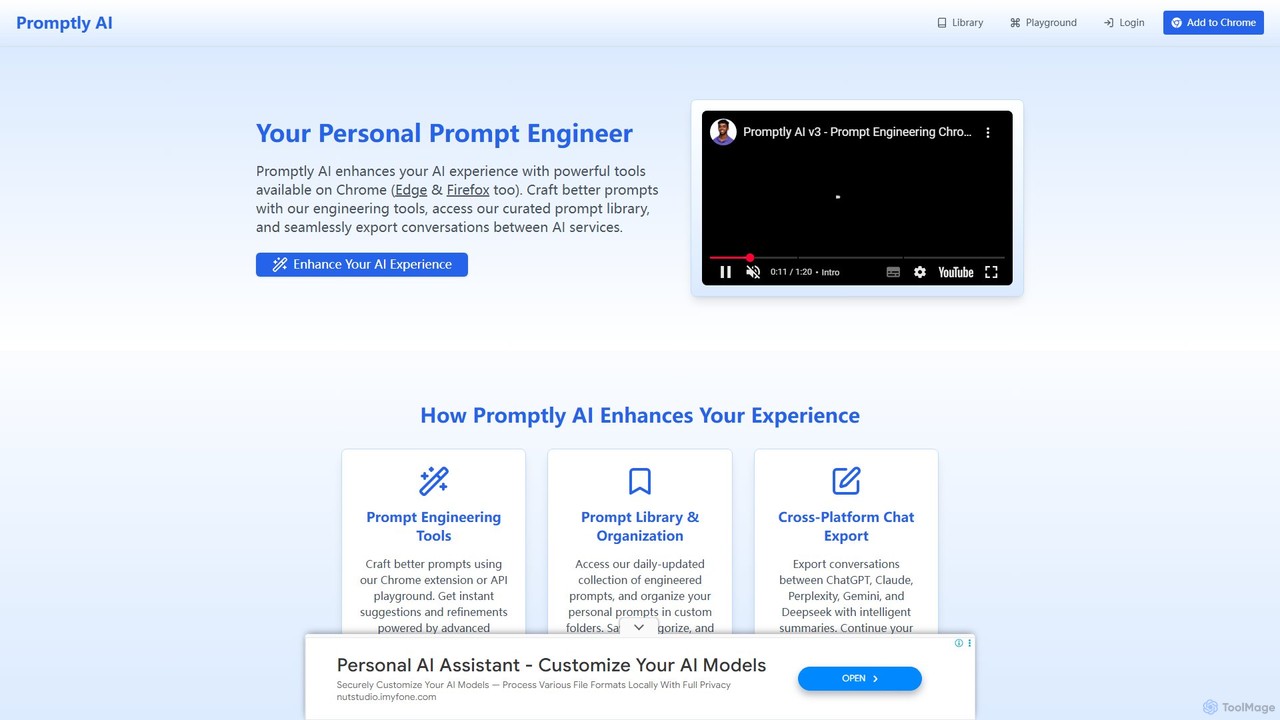
Promptly AI is your personal prompt engineer, enhancing your AI experience through a powerful browser extension and API. It helps you craft superior prompts, provides access to a curated prompt library, and allows seamless export of conversations between major AI services like ChatGPT, Claude, and Gemini.

Assistant
Visits 86.3KFavorites 142Likes 125

About Assistant

Assistant browser extensions are AI-powered tools integrated directly into your web browser to enhance productivity and streamline online workflows. These extensions leverage advanced AI models to provide real-time, context-aware support for various tasks. They are designed to offer immediate assistance, from drafting content and summarizing web pages to automating routine actions, making your browsing experience more efficient and intelligent.

Core Features

  • Contextual Writing Assistance: Provides grammar checks, style suggestions, and content generation based on the current web page.
  • Content Summarization & Extraction: Automatically condenses lengthy articles or extracts key information from web pages.
  • Real-time Information Retrieval: Answers questions or provides relevant data by analyzing the content you are currently viewing.
  • Task Automation & Data Entry: Helps automate repetitive browser-based tasks like form filling or data collection.
  • Language Translation & Paraphrasing: Offers instant translation of web content or rephrases text for clarity and different tones.

Applicable Scenarios

Assistant browser extensions are invaluable for content creators drafting social media posts or emails, researchers summarizing academic papers, and professionals automating data entry on web forms. They empower users to interact with web content more effectively, reducing manual effort and speeding up information processing.

How to Choose

When selecting an AI assistant browser extension, consider its specific functionality (e.g., writing, research, automation) and ensure it aligns with your primary needs. Evaluate its compatibility with your preferred browser, the depth of its integration with various web applications, and its data privacy policies. Look for extensions with customizable settings and a strong reputation for accuracy and reliability.

Featured tool rankings

Assistant use cases

1

Optimizing Social Media Copywriting

Content creators and social media managers can leverage AI assistant extensions to generate engaging captions, relevant hashtags, and creative post ideas directly within social media platforms. By analyzing the current post's context or a brief prompt, the assistant can suggest multiple copy variations, saving significant time in brainstorming and drafting, and ensuring consistent brand voice across channels.

2

Accelerating Academic Research & Literature Review

Researchers and students can utilize AI assistant extensions to quickly summarize lengthy academic papers, extract key findings, and identify relevant citations from web pages or PDF documents opened in the browser. This significantly reduces the time spent on reading and synthesizing information, allowing them to focus more on critical analysis and hypothesis development for their studies.

3

Automating Customer Service Email Responses

Customer support agents can use AI assistant extensions to draft quick, personalized responses to common customer inquiries directly within their email client or CRM system accessed via the browser. The assistant can analyze the incoming email's content and suggest relevant answers, frequently asked questions, or even full email drafts, drastically cutting down response times and improving service efficiency.

4

Enhancing Cross-Lingual Communication Efficiency

Business professionals and global teams can utilize AI assistant extensions for instant translation of web content, emails, or chat messages. This facilitates seamless cross-border collaboration by breaking down language barriers in real-time. The assistant can also rephrase text to match specific tones or formality levels, ensuring clear and culturally appropriate communication in diverse professional settings.

5

Assisting with Programming & Code Review

Developers and software engineers can employ AI coding assistant extensions to suggest code snippets, identify potential bugs, or explain complex functions directly within online IDEs, documentation, or code review platforms. This accelerates development cycles, improves code quality by catching errors early, and helps junior developers understand new codebases more quickly, all within their browser environment.

6

Personalized Learning & Knowledge Management

Students and lifelong learners can leverage AI assistant extensions to create personalized study notes, explain complex concepts from web articles, or organize research materials from various online sources. By interacting with the content directly in the browser, users can quickly generate summaries, flashcards, or mind maps, transforming passive reading into active learning and efficient knowledge management.

Assistant FAQ

What are AI Assistant Browser Extensions?

AI Assistant Browser Extensions are artificial intelligence tools that integrate directly into your web browser to provide real-time, context-aware assistance for various online tasks. They act as a digital co-pilot, helping with writing, summarizing, research, and automation directly on the web pages you visit. Their core purpose is to enhance productivity and streamline workflows without leaving your browsing environment.

How do AI Assistant Extensions differ from general AI Chatbots?

AI Assistant Extensions are distinct from general AI chatbots primarily by their integration and contextual awareness. While chatbots are typically standalone interfaces for conversation, extensions operate directly within your browser, interacting with the content on the current web page. This allows them to provide highly relevant suggestions, summaries, or actions based on what you're actively viewing or working on, offering a more embedded and seamless assistance experience.

How do I choose the right AI Assistant Browser Extension for me?

To choose the right AI Assistant Browser Extension, first identify your primary needs: do you require writing assistance, research summarization, or task automation? Next, check for compatibility with your preferred browser (Chrome, Firefox, Edge). Evaluate its integration depth with the web applications you frequently use and scrutinize its data privacy policies. Finally, consider user reviews, customization options, and the overall reputation for accuracy and reliability to ensure it meets your specific workflow demands.

What are the common features of AI Assistant Browser Extensions?

Common features of AI Assistant Browser Extensions include contextual writing assistance (grammar, style, content generation), content summarization and extraction from web pages, and real-time information retrieval. Many also offer task automation for repetitive browser actions, language translation and paraphrasing, and even coding assistance for developers. These features are designed to work seamlessly within your browser, providing immediate support where and when you need it.

Are AI Assistant Browser Extensions safe to use?

The safety of AI Assistant Browser Extensions largely depends on the developer and the permissions you grant. Reputable extensions from well-known developers generally adhere to strict security and privacy standards. Always review the permissions an extension requests before installing it, ensuring they align with its stated functionality. Check user reviews and the developer's privacy policy to understand how your data is handled. Opting for extensions with transparent data practices and strong encryption is crucial for maintaining your online security and privacy.