
Browser Extensions Best in category 1 results Focus AI Tool

Popular AI tools in the Focus field of Browser Extensions include Focus Patrol, etc., helping you quickly improve efficiency.

Free
Focus Patrol

Focus Patrol

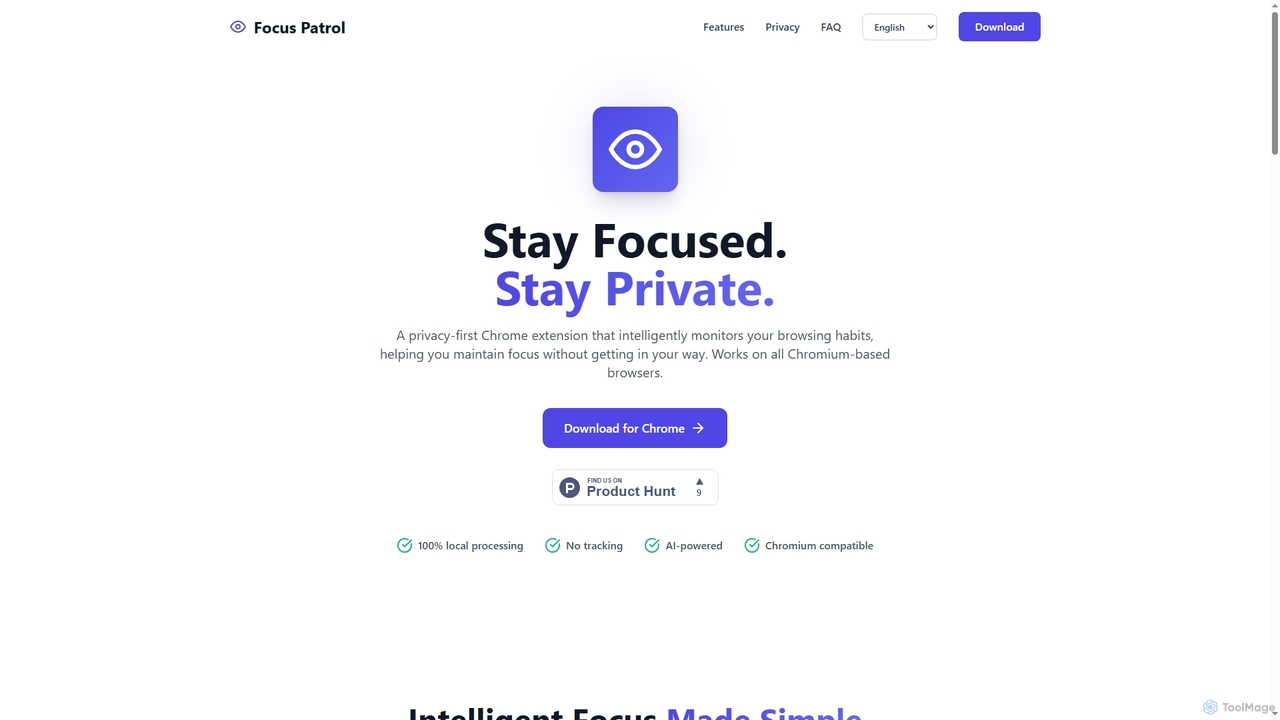
Focus Patrol is a privacy-first Chrome extension that uses on-device AI to intelligently monitor your browsing habits. It …

2.2K

About Focus

Focus browser extensions are tools designed to minimize digital distractions and enhance concentration directly within your web browser. They operate by actively blocking access to time-wasting websites, managing overwhelming tabs, and implementing proven time management techniques. By creating a controlled and interruption-free online environment, these extensions help users reclaim their attention and significantly boost productivity during work or study sessions.

Core Features

  • Website & App Blocking: Create custom blocklists for distracting sites like social media, news, or video platforms, often with scheduling options.
  • Time Management Timers: Integrate timers, such as the Pomodoro Technique, to structure work into focused intervals and scheduled breaks.
  • Tab Management: Set limits on the number of open tabs or automatically close inactive ones to reduce clutter and cognitive load.
  • Usage Analytics: Provide reports on how time is spent online, helping users identify their biggest distractions and adjust their habits.
  • Motivational Features: Display encouraging quotes or track progress to help users stay on task and build better work habits.

Use Cases

These extensions are widely used by students preparing for exams, remote workers in distracting home environments, writers and researchers needing deep concentration, and developers who must avoid interruptions. They are also valuable for anyone seeking to cultivate digital wellness by setting intentional boundaries on their internet usage.

How to Choose

When selecting a Focus extension, consider the level of customization for blocking (e.g., whitelists vs. blacklists, scheduled blocking), the variety of time management tools offered, and its impact on browser performance. Also, evaluate the user interface for simplicity and check if it provides insightful analytics to help you understand and improve your browsing habits.

FocusUse Cases

1

Deep Work Sessions for Developers

A software developer needs to focus on a complex coding task without interruptions. They use a Focus extension to block social media, news websites, and personal email for a scheduled 3-hour block. The extension's strict blocking mode prevents them from easily bypassing the restrictions. This creates an isolated digital environment, allowing them to enter a state of deep work, solve complex problems faster, and reduce the number of bugs in their code.

2

Deep Work Sessions for Developers

A software developer needs to focus on a complex coding task for a three-hour block. They use a Focus extension to activate a 'deep work' mode. This mode blocks access to a predefined list of sites including social media, news outlets, and personal email. The extension also enables a Pomodoro timer, prompting them to take a short break every 25 minutes. This structured approach prevents context switching, minimizes interruptions, and helps maintain a high level of cognitive performance, leading to faster completion of the coding task and fewer bugs.

3

Distraction-Free Academic Research

A university student preparing for final exams uses a Focus extension to create a dedicated 'Study Mode'. They configure it to allow access only to their university's online library, JSTOR, and Google Scholar, while blocking all social media, video streaming, and news websites. The extension's Pomodoro timer automatically schedules 50-minute research blocks followed by 10-minute breaks, helping them maintain high concentration over several hours. The end-of-day analytics report shows they spent 95% of their browser time on academic resources, significantly improving research efficiency and information retention.

4

Deep Work Sessions for Professionals

A remote software developer needs to concentrate on a complex coding task without interruptions. They use a Focus extension to activate a "deep work" mode for a 90-minute block. This mode blocks access to social media, personal email, and news websites. The extension also silences non-essential browser notifications. As a result, the developer can maintain an unbroken state of flow, significantly reducing bugs and completing the task in less time than anticipated.

5

Distraction-Free Academic Research

A university student is writing a research paper and needs to avoid online distractions. They configure a Focus extension with the Pomodoro technique. The extension blocks entertainment and shopping sites for 25-minute intervals, followed by a 5-minute break where access is restored. This structured approach helps maintain high concentration during research sprints and prevents burnout by ensuring regular short breaks. As a result, the student completes their research more efficiently and produces higher-quality work.

6

Distraction-Free Academic Research

A university student is writing a research paper and needs to consult numerous online journals and databases. To avoid falling into rabbit holes of unrelated content, they configure a Focus extension with a 'whitelist' mode. This mode blocks all websites except for a specific list of approved academic sources, the university library portal, and their citation manager. By creating this focused research environment, the student can efficiently gather information and stay on task, significantly reducing the time required to complete their literature review and improving the quality of their sources.

7

Deep Work for Software Developers

A software developer working on a complex feature needs uninterrupted coding time. They activate a Focus extension that automatically groups all tabs related to their current task (e.g., GitHub, Stack Overflow, API documentation) into a dedicated workspace. The AI-powered site blocker allows work-related sites but blocks access to news, forums, and personal email. The extension also plays a subtle white noise soundscape to mask office distractions. This creates an immersive coding environment, reducing context-switching and helping the developer enter a state of flow, leading to faster bug resolution and higher quality code.

8

Distraction-Free Online Study for Students

A university student is preparing for final exams and needs to use online journals and educational platforms for research. To avoid falling into a rabbit hole of unrelated content, they configure a Focus extension to use a "whitelist" mode. This allows access only to a pre-approved list of academic websites like JSTOR, Google Scholar, and the university's library portal. All other websites are blocked, creating a dedicated digital study environment that improves retention and learning efficiency.

9

Managing Tab Overload for Project Managers

A project manager juggles multiple projects, each with numerous associated browser tabs for documents, communication tools, and dashboards. The resulting tab clutter causes confusion and slows down their workflow. They use a Focus extension's tab management feature to group tabs by project. This allows them to quickly switch contexts by showing only the tabs relevant to the current project. The extension also suspends inactive tabs, freeing up system resources and improving browser performance.

10

Enforcing Work-Life Balance for Remote Workers

A remote worker finds it difficult to disconnect from work after hours. They use a Focus extension's scheduling feature to automatically block all work-related websites—such as company email, Slack, and project management tools—outside of their designated 9 AM to 5 PM work schedule. This creates a clear digital boundary between professional and personal time. As a result, they can be fully present with their family in the evenings, reduce work-related stress, and prevent burnout by ensuring they have dedicated time to rest and recharge.

11

Enhancing Focus for Content Creators

A freelance writer is working against a tight deadline for a blog post. They use a Focus extension to create a 'Writing Zone'. This mode blocks all websites except for their content management system (CMS), a grammar checker tool, and an online thesaurus. The extension's AI learns that they often get distracted by research rabbit holes. It gently prompts them with a 'Stay on Task?' notification if they spend more than five minutes on a non-whitelisted research site. This helps the writer maintain their writing momentum, complete the article on time, and avoid unproductive browsing that could derail their schedule.

12

Implementing the Pomodoro Technique

A freelance writer struggles with procrastination and maintaining focus throughout the day. They use a Focus extension with a built-in Pomodoro timer. The tool automatically structures their workday into 25-minute focused writing sprints, followed by 5-minute breaks. During the sprints, distracting sites are blocked. During breaks, access is temporarily restored. This cyclical method helps prevent burnout, makes large projects feel more manageable, and consistently increases their daily word count.

13

Building Healthier Digital Habits

An individual realizes they spend too much time mindlessly scrolling through social media. They install a Focus extension to monitor their browsing habits. The usage analytics feature provides a clear report showing which sites consume most of their time. Based on this data, they set a daily time limit of 30 minutes for all social media platforms. The extension notifies them when they are approaching their limit and blocks access once the time is up, helping them reclaim hours of their day and build more mindful browsing habits.

14

Managing Digital Habits and Screen Time

An individual wants to reduce their mindless scrolling on social media. They install a Focus extension and use its time-tracking feature to understand how much time they actually spend on these sites. Based on the data, they set a daily time limit of 30 minutes for all social media platforms. Once the limit is reached, the extension blocks access for the rest of the day. This data-driven approach helps them become more aware of their digital habits and provides a concrete mechanism to enforce healthier online behavior, freeing up several hours per week for other activities.

15

Managing ADHD and Digital Habits

An individual with ADHD uses a Focus extension to better manage their digital environment. They set up a strict blocking schedule during work hours (9 AM to 5 PM) that prevents access to their most common time-wasting sites. The extension's AI provides gentle nudges and positive reinforcement when they complete a focus session. Furthermore, the smart tab management feature automatically archives irrelevant open tabs after 30 minutes of inactivity, reducing visual clutter and the temptation to multitask. The weekly analytics report helps them visualize their progress in building healthier digital habits and staying on task.

16

Managing Information Overload from Tabs

A market researcher is gathering data from dozens of online sources for a competitive analysis report. They quickly find themselves with over 50 tabs open, leading to confusion and a slow browser. They use a Focus extension's tab management feature to set a limit of 10 active tabs. The extension can automatically suspend or group inactive tabs, freeing up system resources and helping the researcher stay organized and focused on the most relevant information at any given moment.

17

Preparing for Presentations without Distractions

A consultant is preparing a critical client presentation and needs to review online data, articles, and their presentation slides without getting sidetracked. They activate a 'lockdown' mode on their Focus extension, which blocks all websites except for a pre-approved whitelist (e.g., Google Slides, specific research sites, company intranet). This ensures that every time they open a new tab, they are not tempted to visit distracting sites. This focused environment allows for a more thorough and efficient preparation process, leading to a higher quality presentation.

18

Focused Reading for Content Creators

A content writer is researching an article and needs to read through several long-form blog posts and news articles. They use the 'distraction-free reading' or 'reader view' mode offered by their Focus extension. This feature strips away all non-essential page elements like ads, sidebars, and pop-ups, presenting only the main text and images in a clean, readable format. This decluttered view improves readability and comprehension, allowing the writer to absorb information more effectively without being sidetracked by visual noise or intrusive advertisements, ultimately speeding up their research process.

19

Efficient Online Course Learning

A professional is upskilling by taking an online data science course. To maximize learning, they use a Focus extension to create a 'Coursework' profile. This profile only allows access to the course platform, Python documentation, and a specific data visualization tool's website. The extension's tab grouping feature keeps all course-related materials neatly organized. By eliminating the temptation to check emails or browse social media during study sessions, the user improves their comprehension and completes course modules more quickly, leading to better retention of complex technical concepts.

20

Building Healthier Digital Habits

An individual notices they spend hours mindlessly scrolling through social media each day. They install a Focus extension to track their browsing activity. After reviewing the weekly report, which highlights that they spend over 10 hours a week on distracting sites, they set a daily time limit of 30 minutes for these specific platforms. The extension enforces this limit, helping them become more mindful of their online time and gradually build healthier digital habits.

21

Mindful Online Reading for Content Creators

A content creator needs to read extensively for research but often gets pulled into hyperlink rabbit holes or distracting ads. They use a Focus extension that offers a 'reading mode'. This feature strips away all non-essential page elements like ads, sidebars, and pop-ups, presenting only the main article text in a clean, readable format. Some extensions also disable hyperlinks in this mode. This allows the creator to absorb information without visual clutter or the temptation to click away, improving reading comprehension and retention.

22

Parental Controls for Online Learning

A parent wants to ensure their child stays focused on educational websites during designated study time. They install a Focus extension on the child's computer and configure it to act as a parental control tool. They create a whitelist containing only school-approved websites, online learning platforms, and research databases. All other websites, especially gaming and video streaming sites, are blocked during school hours (e.g., 8 AM to 3 PM). This setup creates a safe and productive online learning environment, helping the child to concentrate on their studies without the temptation of digital distractions.

23

Optimizing Remote Team Productivity

A remote team lead encourages their team to use Focus extensions to establish 'deep work' blocks in their calendars. During these blocks, the extensions automatically silence browser notifications and block internal chat applications, allowing for uninterrupted work on critical tasks. The team uses the analytics feature (with privacy-preserving settings) to identify collective periods of high focus. Based on this data, they adjust their meeting schedules to avoid interrupting these peak productivity times, fostering a company culture that values and protects focused work, leading to better project outcomes and reduced employee burnout.

24

Creating a Focused Writing Environment

A blogger needs to draft an article and wants to avoid the temptation of online shopping or checking the news. They use a Focus extension that not only blocks specific websites but also offers a "focus mode" that simplifies the browser's interface. This mode might hide the bookmarks bar and other distracting UI elements, creating a minimalist, full-screen-like experience. This clean digital canvas helps the writer concentrate solely on their text, improving the quality and speed of their writing.

FocusFrequently Asked Questions