
eesel
eesel is a smart browser extension that transforms your new tab into a productivity hub. It automatically organizes …
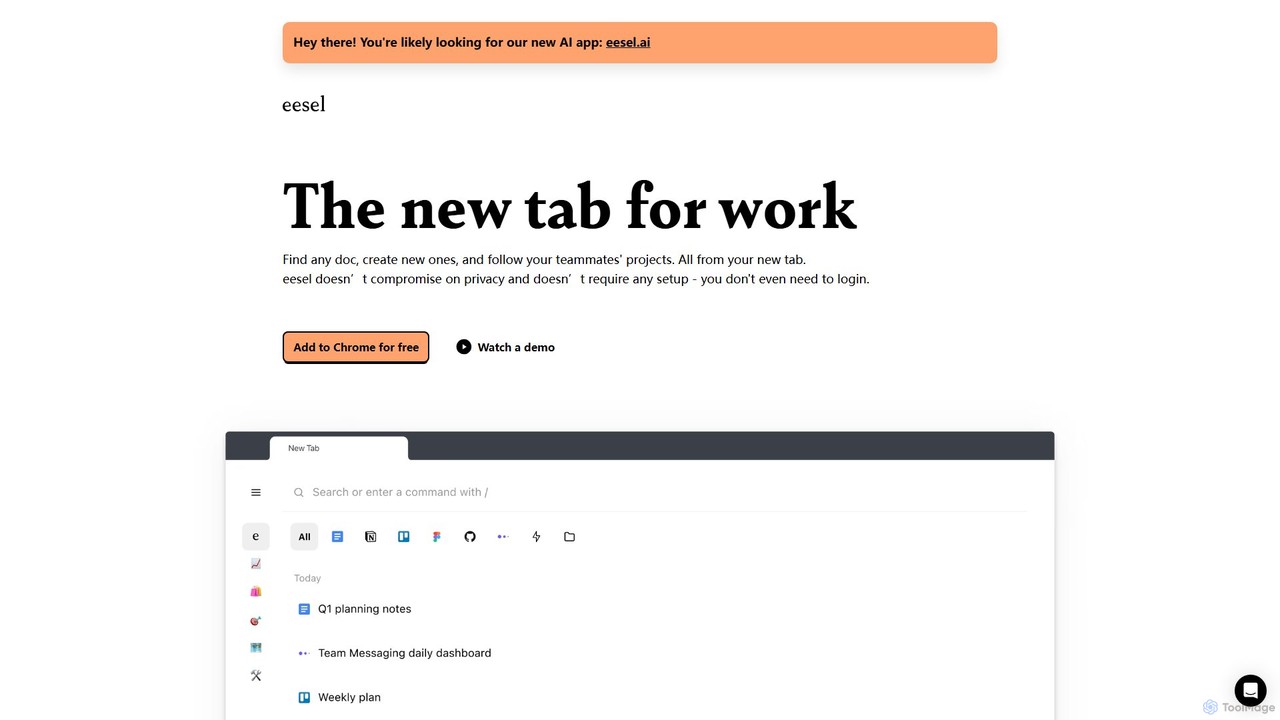
eesel is a smart browser extension that transforms your new tab into a productivity hub. It automatically organizes your work from all your apps (Google Docs, Notion, Figma, etc.), making every document instantly searchable. With a strong focus on privacy, eesel works locally on your computer, requires no setup, and helps you and your team stay organized and in sync without effort.
About New Tab
AI New Tab extensions are a type of browser add-on that transforms your browser's default new tab page into a dynamic and intelligent dashboard. These tools leverage AI to personalize content, organize information, and integrate productivity features directly into your workflow's starting point. They go beyond static links by offering contextual information, smart suggestions, and automated organization, turning every new tab into a hub for focus and efficiency. This intelligent customization helps streamline access to relevant resources and minimize distractions.
Core Features
- AI-Powered Widgets: Displays dynamic information like smart calendars, prioritized to-do lists, and weather updates that adapt to your context.
- Personalized Content Curation: Suggests articles, videos, and tools based on your browsing habits and declared interests.
- Integrated AI Assistant: Provides quick access to a chatbot or AI search for answering questions or performing tasks without leaving the tab.
- Smart Organization: Intelligently groups bookmarks, frequently visited sites, and session history for faster navigation.
- Focus & Ambiance Modes: Automatically changes backgrounds, plays ambient sounds, or displays motivational quotes to match your work mode.
Use Cases
These tools are particularly useful for professionals, students, and researchers who frequently open new tabs and need to maintain focus. For instance, a remote worker can use it to create a personalized dashboard with project shortcuts and daily goals. A student can benefit from curated educational content and integrated task managers to keep track of assignments, making it a central part of their digital study environment.
How to Choose
When selecting an AI New Tab extension, consider the level of customization available—can you choose which widgets and data sources to display? Evaluate its integration capabilities with other apps you use, such as Google Calendar or Notion. Assess the privacy policy to understand how your browsing data is used. Finally, consider the performance impact, as some feature-rich extensions may slightly slow down browser startup.
New TabUse Cases
Personalized Daily Dashboard for Professionals
A marketing manager starts their day by opening a new browser tab. Instead of a blank page, their AI New Tab extension displays a personalized dashboard. It shows their calendar appointments for the day, a prioritized to-do list synced from their project management tool, and key performance metrics from their analytics platform. The AI also curates top industry news, ensuring they are informed before their first meeting. This setup saves them from opening multiple apps, consolidating crucial information into one view and streamlining their morning routine.
Focused Study Environment for Students
A university student uses an AI New Tab extension to create a distraction-free study hub. Each new tab displays their course schedule, upcoming assignment deadlines, and quick links to research databases and online textbooks. The extension's 'Focus Mode' feature changes the background to a calming image and blocks access to social media sites during study hours. The integrated AI assistant helps them quickly define complex terms or find academic sources without breaking their concentration by switching to a full search engine.
Inspiration Hub for Content Creators
A graphic designer uses their AI New Tab to curate visual inspiration. The extension is configured to display a feed of trending designs from platforms like Behance and Dribbble, along with AI-suggested color palettes based on their recent projects. It also features a quick-capture notepad widget where they can jot down ideas instantly. This transforms their new tab page from a simple utility into a constant source of creative fuel, helping them stay updated on trends and capture fleeting moments of inspiration without disrupting their workflow.
Streamlining Research for Academics
A researcher installs an AI New Tab extension to optimize their literature review process. Every new tab presents them with newly published papers in their field, sourced from Google Scholar and arXiv, based on keywords they've set. The extension also intelligently organizes their recent browsing history into research topics, making it easy to revisit sources. An integrated AI chatbot allows them to ask for summaries of abstracts or explanations of complex concepts directly on the page, significantly speeding up the process of identifying relevant literature.
Quick Access Hub for Developers
A software developer customizes their AI New Tab to serve as a command center. It features widgets for their GitHub repositories showing recent commits, quick links to documentation for their primary programming languages (e.g., Python, JavaScript), and a scratchpad for temporary code snippets. The AI component learns which documentation pages they visit most frequently and surfaces them for one-click access. This setup reduces the time spent searching for resources and context-switching, allowing them to stay in the development flow more effectively.
Personalized Wellness and Mindfulness Break
An individual focused on well-being uses their AI New Tab as a digital sanctuary. Each tab opens with a beautiful, calming nature scene, a motivational quote, and a widget for a short, guided breathing exercise. The AI learns their preferences and varies the scenery and quotes to keep the experience fresh. This simple intervention turns the reflexive action of opening a new tab into a micro-break for mindfulness, helping to reduce stress and reset focus throughout a busy workday, promoting a healthier relationship with their digital environment.