ToolMage
Sign in

Best 5 Productivity AI tools for Browser Extensions

Popular Productivity AI tools in Browser Extensions include Mochii, Ashdeck, DeepShare, n8n Builder, and ChatGPT Phantom, helping you work more efficiently.

n8n Builder
Paid

n8n Builder

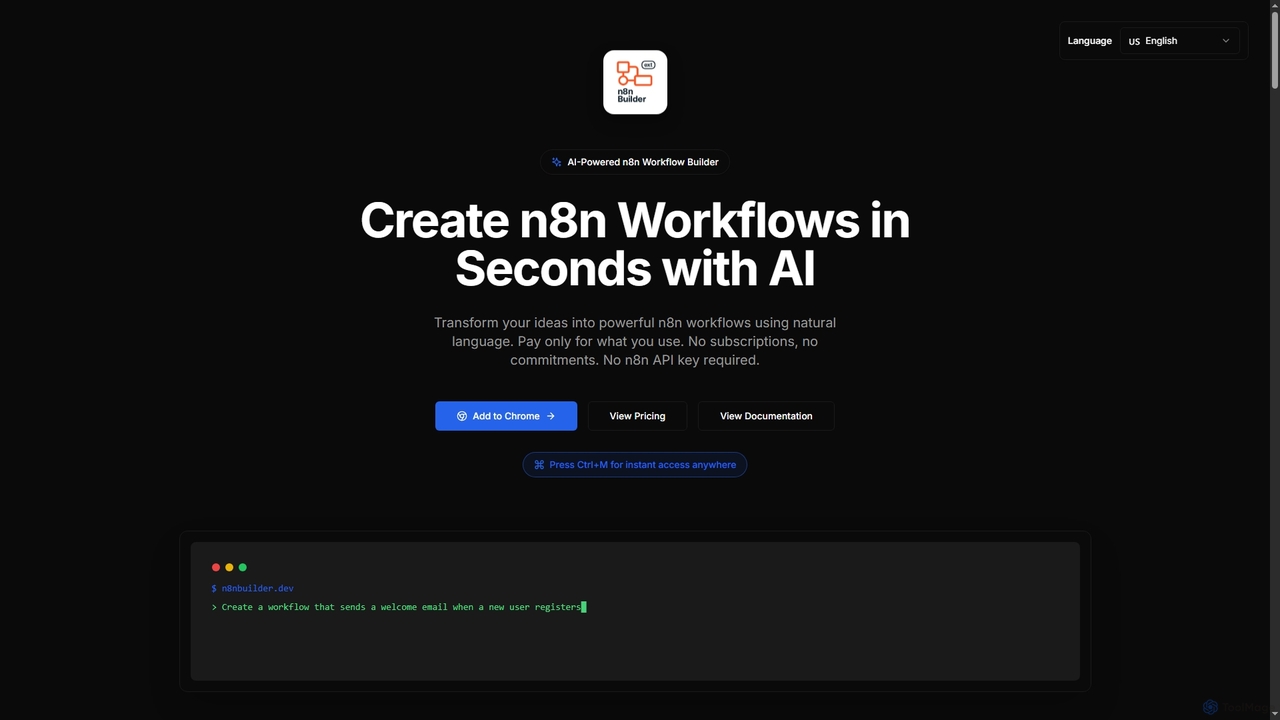
n8n Builder is an AI-powered Chrome extension that transforms natural language descriptions into ready-to-import n8n workflows in seconds. It accelerates automation for freelancers, developers, and teams with features like API reference research, instant export, and flexible workflow enhancement modes, all on a transparent pay-as-you-go model.

Workflow Automation
Visits 4KFavorites 94Likes 110
DeepShare
Freemium

DeepShare

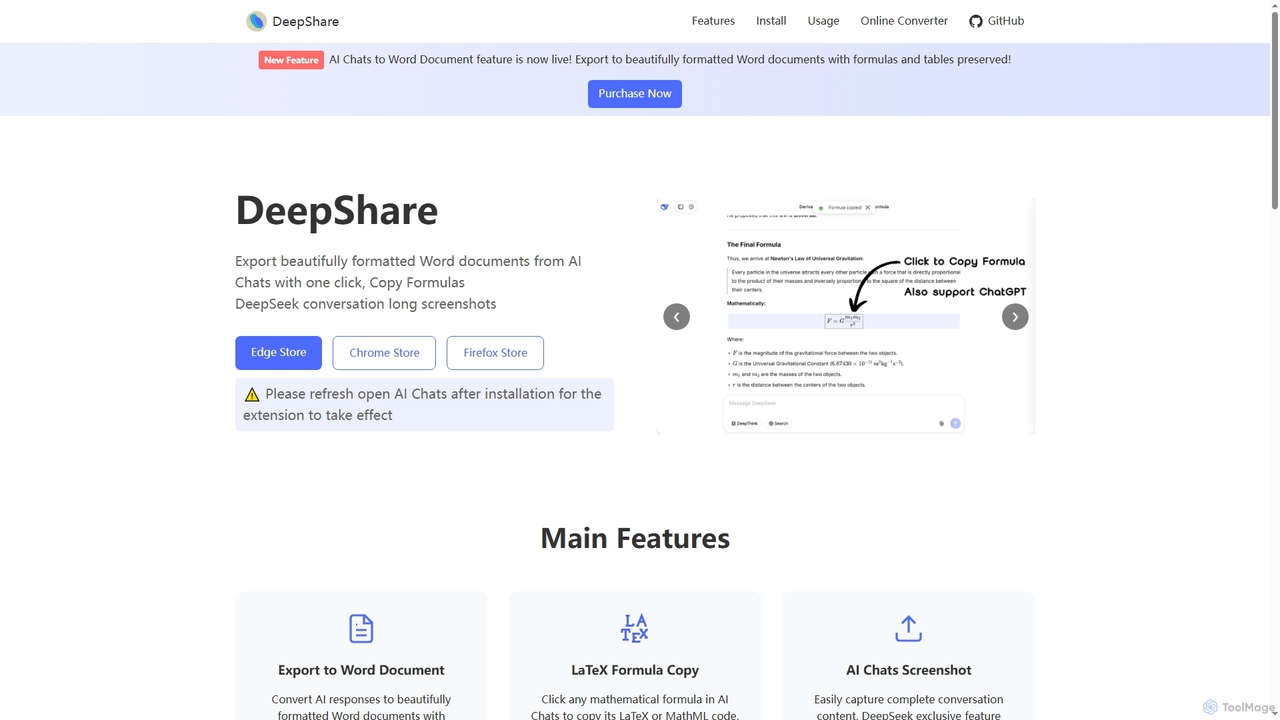
A browser extension designed to export AI chat conversations from platforms like ChatGPT and DeepSeek into beautifully formatted Word documents, copy LaTeX formulas with a single click, and capture full-length conversation screenshots.

Productivity
Visits 4.3KFavorites 138Likes 130
ChatGPT Phantom
Free

ChatGPT Phantom

ChatGPT Phantom is a free, privacy-focused browser extension that integrates ChatGPT, Google Bard, and Bing Chat into a single powerful copilot. It enables users to generate real-time, data-driven content like news articles, YouTube scripts, and code, enhancing productivity for creators, writers, and developers.

Productivity
Visits 3.8KFavorites 145Likes 154
Ashdeck
Free

Ashdeck

Ashdeck is a free, open-source Chrome extension designed to boost your focus and productivity. It combines a powerful website blocker with a Pomodoro timer to help you eliminate digital distractions, manage your time effectively, and stay on task. Ideal for students, professionals, and anyone looking to reclaim their attention from the endless pull of social media and other time-wasting sites.

Productivity
Visits 4.5KFavorites 127Likes 117
Mochii
Freemium

Mochii

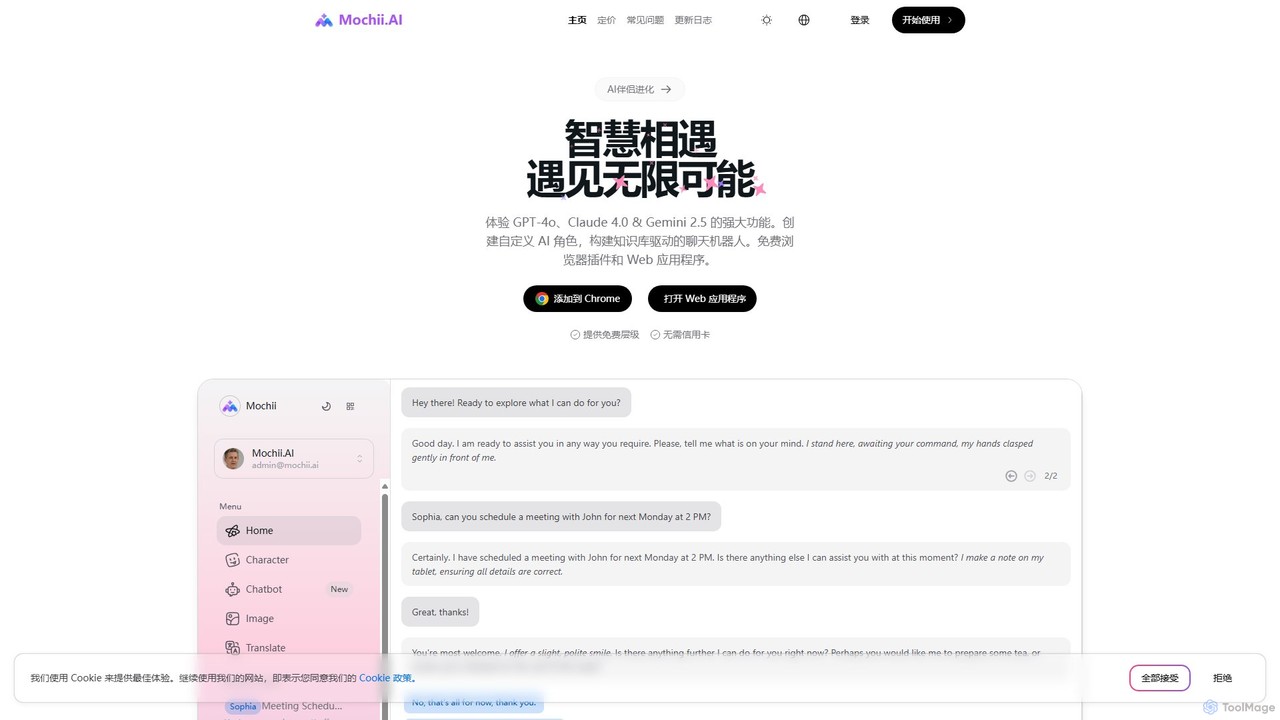
Mochii is an all-in-one AI assistant that integrates leading models like GPT-4o, Claude, and Gemini into a seamless browser extension and web app. It enhances productivity by offering features like document analysis, web browsing, AI chatbot building, and customizable AI roles. A generous free tier provides access to advanced AI capabilities for everyone.

Productivity
Visits 53.2KFavorites 122Likes 116

About Productivity

AI Productivity browser extensions are specialized add-ons that integrate directly into your web browser to streamline workflows, automate tasks, and minimize distractions. They leverage AI for features like smart tab management, contextual task automation, and intelligent text expansion to enhance focus and efficiency. These tools are designed for users who spend significant time in the browser, helping to reduce context switching and reclaim valuable time from repetitive digital chores. They transform the browser from a simple content viewer into a dynamic work environment.

Core Features

  • Smart Tab Management: Automatically groups, suspends, or organizes tabs based on context or project, reducing memory usage and clutter.
  • AI-Powered Text Expansion: Creates custom shortcuts that expand into longer, frequently used text snippets, emails, or code blocks.
  • Focus Timers & Site Blockers: Implements techniques like the Pomodoro method and blocks distracting websites to encourage deep work sessions.
  • Contextual Quick Actions: Allows users to highlight text or elements on a page to perform quick actions like creating a task, summarizing content, or searching across integrated apps.
  • Automated Workflow Integration: Connects with other productivity apps (like Notion, Asana, or Todoist) to capture information and manage tasks without leaving the current tab.

Applicable Scenarios

These extensions are invaluable for roles that are browser-centric. For instance, researchers can use them to organize dozens of source tabs, content creators can streamline content curation, and project managers can create dedicated browser workspaces for different projects. They are also widely used by students, developers, and customer support agents to manage information overload and automate routine communications.

Selection Criteria

When choosing an AI productivity extension, consider its browser compatibility (Chrome, Firefox, etc.) and performance impact. Evaluate the depth of its integration with your existing tool stack (e.g., project management or note-taking apps). Also, review its customization options for workflows and shortcuts, and carefully examine the privacy policy to understand how your browsing data is handled.

Featured tool rankings

Productivity use cases

1

Streamlining Academic Research

A university student writing a thesis paper needs to manage dozens of online sources, articles, and research papers. They install a productivity extension that automatically creates tab groups for different chapters of their thesis. While reading, they use the extension's highlighter feature to save key quotes. Later, they can view all highlights from a single dashboard and use a quick-action to create a citation and add it to their Zotero library, saving hours of manual organization and context switching between tabs and their reference manager.

2

Automating Customer Support Replies

A customer support agent handles dozens of similar inquiries daily via a web-based helpdesk. They use an AI productivity extension with a text expander feature. They've configured shortcuts like "::pwreset" which automatically expands into a full, polite paragraph explaining how to reset a password, including links. This eliminates the need to manually type or copy-paste the same response repeatedly, reducing response time by over 50% and ensuring consistency and accuracy in all communications.

3

Maintaining Focus During Deep Work

A freelance developer needs to concentrate on a complex coding task for several hours. They activate a focus mode in their productivity browser extension. This immediately starts a 45-minute Pomodoro timer in the toolbar and blocks access to pre-defined distracting websites like Twitter, YouTube, and news sites. When the timer ends, a notification suggests a 5-minute break. This structure helps the developer stay on task, avoid procrastination, and manage their energy effectively throughout the day, leading to higher quality code and faster project completion.

4

Managing Multiple Project Workspaces

A project manager juggles three different projects, each with its own set of essential web apps (e.g., Jira, Figma, Google Docs, Slack). Instead of having 20+ tabs open in one window, they use a productivity extension to create distinct 'workspaces'. With one click, they can switch from 'Project A' workspace (which opens the 5 tabs for that project) to 'Project B' workspace (which closes Project A's tabs and opens the 6 relevant tabs for B). This keeps their browser organized, reduces memory load, and allows for instant context switching without manually finding and closing tabs.

5

Quickly Capturing Ideas and Tasks

A content strategist is browsing industry news and finds an inspiring statistic for a future blog post. Instead of opening a new tab, navigating to their task manager, and copying the information, they simply highlight the sentence. A small pop-up from their productivity extension appears. They type 'Blog idea:' and hit enter. The extension automatically creates a new task in their connected Asana project, complete with the highlighted text and a link back to the source article. This seamless capture process takes less than five seconds and prevents creative ideas from being lost.

6

Efficient Content Curation for Social Media

A social media manager finds five interesting articles to share across different platforms. Using a productivity browser extension, they can click a button in their toolbar on each article's page. This action opens a small overlay where they can select which social accounts to post to, write a quick caption (using AI suggestions from the extension), and schedule the post for a later time. This entire process is completed without ever leaving the article pages, consolidating a multi-step, multi-app workflow into a few clicks within the browser, saving up to 15 minutes per batch of curated content.

Productivity FAQ

What are AI Productivity Browser Extensions?

AI Productivity Browser Extensions are add-ons for web browsers like Chrome or Firefox that use artificial intelligence to help you work more efficiently. Unlike standard extensions, they offer intelligent features such as automatically organizing your tabs into project-based workspaces, providing smart text expansion to automate typing, and offering contextual actions based on the content you're viewing. Their main goal is to reduce manual, repetitive tasks and minimize distractions directly within your browser environment.

How do I choose the right productivity extension?

To choose the right productivity extension, consider these factors:

  • Primary Need: Identify your biggest bottleneck. Is it tab clutter, repetitive typing, or staying focused? Choose an extension that excels in that specific area.
  • Browser Compatibility & Performance: Ensure it works with your browser and read reviews about its impact on speed and memory usage. A productivity tool shouldn't slow you down.
  • Integrations: Check if it connects with the other tools you use daily, like Asana, Notion, Slack, or Google Calendar. Seamless integration is key to automation.
  • Privacy Policy: Since these extensions operate within your browser, review their data privacy policy to understand what information they collect and how it's used.
What's the difference between a productivity extension and a desktop productivity app?

The main difference is their operating environment. A desktop productivity app (like Microsoft To-Do or a standalone timer) runs as a separate program on your computer. A productivity browser extension operates exclusively inside your web browser. This integration is its key advantage, as it allows for contextual actions directly on web pages, such as highlighting text to create a task or managing tabs related to your current work. Extensions are ideal for streamlining online workflows, while desktop apps are better for managing tasks and information outside of the browser.

Can productivity extensions compromise my privacy or browser speed?

This is a valid concern. Some productivity extensions require broad permissions to function, such as reading page content. It's crucial to choose extensions from reputable developers and carefully read their privacy policies. A well-designed extension should have a minimal impact on browser speed. However, poorly coded or feature-heavy extensions can consume significant memory and slow down your browsing. It's good practice to check user reviews for comments on performance and disable or uninstall any extensions that noticeably degrade your browser's responsiveness.

What are the key features of a good productivity extension?

A good productivity extension typically combines several key features to offer a comprehensive solution. Look for:

  • Workspace or Tab Management: The ability to group, save, and quickly switch between sets of tabs for different projects or tasks.
  • Quick Capture/Actions: Contextual menus that appear when you highlight text, allowing you to instantly create tasks, notes, or calendar events.
  • Automation: Features like text expansion or workflow triggers that connect actions in your browser to other apps.
  • Focus Tools: Integrated Pomodoro timers, site blockers, or focus modes to help you minimize distractions.
  • Customization: The ability to tailor shortcuts, workflows, and integrations to fit your specific needs.