ToolMage
Sign in

Best 1 Summarizer AI tools for Browser Extensions

Popular Summarizer AI tools in Browser Extensions include Smatr-AI, helping you work more efficiently.

Smatr-AI
Freemium

Smatr-AI

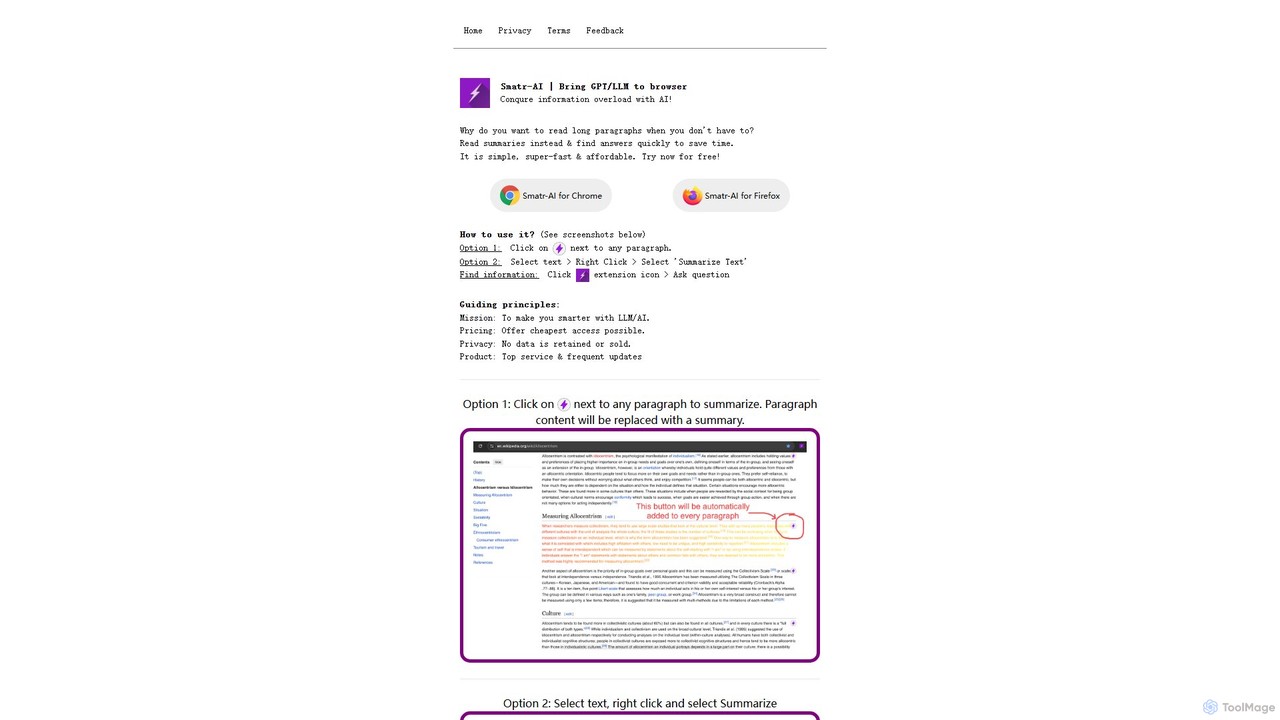
Smatr-AI is a browser extension for Chrome and Firefox that uses GPT/LLM technology to summarize web pages and text. It helps users quickly understand long articles, find answers within the text, and overcome information overload, boosting reading productivity.

Summarizer
Visits 3.8KFavorites 116Likes 122

About Summarizer

Summarizer browser extensions are AI-powered tools designed to condense lengthy web pages, articles, and documents directly within your browser. Leveraging advanced natural language processing (NLP), these extensions extract key information, main ideas, and critical points, presenting them in a concise, digestible format. They significantly enhance productivity by allowing users to quickly grasp content without leaving their current browsing context, making information consumption more efficient.

Core Features

  • Automatic Summarization: Instantly condenses text from web pages, PDFs, or online documents.
  • Key Point Extraction: Identifies and highlights the most crucial sentences or phrases.
  • Customizable Length: Allows users to adjust the summary length based on their needs.
  • Multi-format Support: Summarizes content from various sources, including articles, reports, and research papers.
  • Readability Enhancement: Presents summaries in an easy-to-read format, often with bullet points or short paragraphs.

Use Cases

Summarizer browser extensions are invaluable for professionals and students alike. Researchers can quickly review academic papers, extracting core findings without reading entire studies. Journalists and content creators can rapidly digest news articles and reports, identifying key trends and facts for their own work. Students benefit by condensing lecture notes or lengthy readings into manageable summaries for study and revision.

How to Choose

When selecting a summarizer browser extension, consider its accuracy in extracting key information and its support for various content formats (e.g., web pages, PDFs). Evaluate the customization options, such as adjustable summary length and output styles. Check for user-friendliness, integration with your browser, and privacy policies regarding data handling. Finally, compare pricing models, as some offer free basic versions while others require subscriptions for advanced features.

Featured tool rankings

Summarizer use cases

1

Rapidly Digest Research Papers

Academic researchers and students often face overwhelming amounts of literature. A summarizer extension allows them to quickly condense lengthy scientific articles, journals, and reports directly from their browser. By extracting core methodologies, findings, and conclusions, users can efficiently determine the relevance of a paper without a full read, saving hours in literature review and accelerating research progress.

2

Efficiently Grasp News & Industry Reports

Professionals in marketing, finance, or journalism need to stay updated with daily news and industry reports. Using a summarizer browser extension, they can instantly get the gist of multiple articles or market analyses. This enables them to identify key trends, competitor activities, or critical market shifts much faster, informing strategic decisions and content creation without getting bogged down in extensive reading.

3

Condense Meeting Transcripts & Lecture Notes

For individuals who frequently attend virtual meetings or lectures, summarizer tools can transform long transcripts or detailed notes into concise overviews. This is particularly useful for project managers needing to quickly recall action items, or students reviewing complex lecture content. The extension helps in pinpointing essential discussion points, decisions, or learning objectives, making post-meeting or post-lecture review highly efficient.

4

Prepare for Presentations & Discussions

When preparing for a presentation or a team discussion, synthesizing information from various sources is crucial. A summarizer extension helps professionals quickly extract the main arguments and supporting facts from multiple web pages or documents. This streamlines the process of gathering relevant data, ensuring they are well-informed and can articulate key points effectively during their presentations or debates.

5

Improve Content Curation for Social Media

Social media managers and content curators constantly seek valuable articles and resources to share with their audience. A summarizer extension allows them to quickly preview the core message of an article before sharing. This ensures the content aligns with their audience's interests and saves time by avoiding full reads of irrelevant pieces, leading to more effective and targeted content curation strategies.

6

Enhance Language Learning & Comprehension

Language learners often encounter complex texts in their target language. A summarizer extension can simplify these texts by providing a condensed version, making it easier to grasp the main ideas without getting lost in vocabulary or intricate sentence structures. This supports comprehension, helps identify key vocabulary in context, and builds confidence in reading more advanced materials, accelerating language acquisition.

Summarizer FAQ

What are Summarizer browser extensions?

Summarizer browser extensions are AI-powered tools that condense long texts from web pages, articles, or documents directly within your browser. They use natural language processing (NLP) to identify and extract the most important information, main ideas, and key points, presenting them in a shorter, more digestible format. This allows users to quickly understand the essence of content without having to read through the entire original text, significantly boosting reading efficiency and information retention.

How do Summarizer extensions work?

Summarizer extensions typically work by employing advanced AI algorithms, primarily natural language processing (NLP) and machine learning. When activated on a web page or document, the extension analyzes the text to understand its context and identify key sentences or phrases that carry the most significant meaning. Some tools use extractive summarization, pulling direct sentences, while others use abstractive summarization, generating new sentences that convey the core message. The condensed output is then displayed, often in a sidebar or pop-up window.

What are the main benefits of using a Summarizer extension?

The main benefits of using a summarizer extension include significant time-saving, improved information retention, and enhanced productivity. Users can quickly grasp the core message of lengthy articles, reports, or research papers, allowing them to process more information in less time. This is particularly useful for students, researchers, and professionals who need to stay updated across various topics. Additionally, by focusing on key points, these tools help in better understanding and recalling important details.

How do I choose the best Summarizer browser extension for my needs?

To choose the best summarizer extension, consider several factors. First, evaluate its accuracy and the quality of summaries it produces, ideally testing it on content you frequently read. Look for features like adjustable summary length, support for various file types (e.g., PDFs, online articles), and integration with your specific browser. User reviews, privacy policies regarding data handling, and pricing models (free vs. subscription) are also important considerations to ensure it aligns with your workflow and budget.

Can Summarizer extensions handle different languages?

Many modern summarizer browser extensions are designed to handle multiple languages, thanks to advancements in multilingual natural language processing (NLP). While some might perform best in English, a growing number offer robust support for other major languages like Spanish, French, German, Chinese, and Japanese. It's advisable to check the extension's specifications or user reviews to confirm its language capabilities and ensure it supports the languages you frequently work with for optimal performance.