ToolMage
Sign in

Best 1 Web Clipper AI tools for Browser Extensions

Popular Web Clipper AI tools in Browser Extensions include Glasp, helping you work more efficiently.

Glasp
Freemium

Glasp

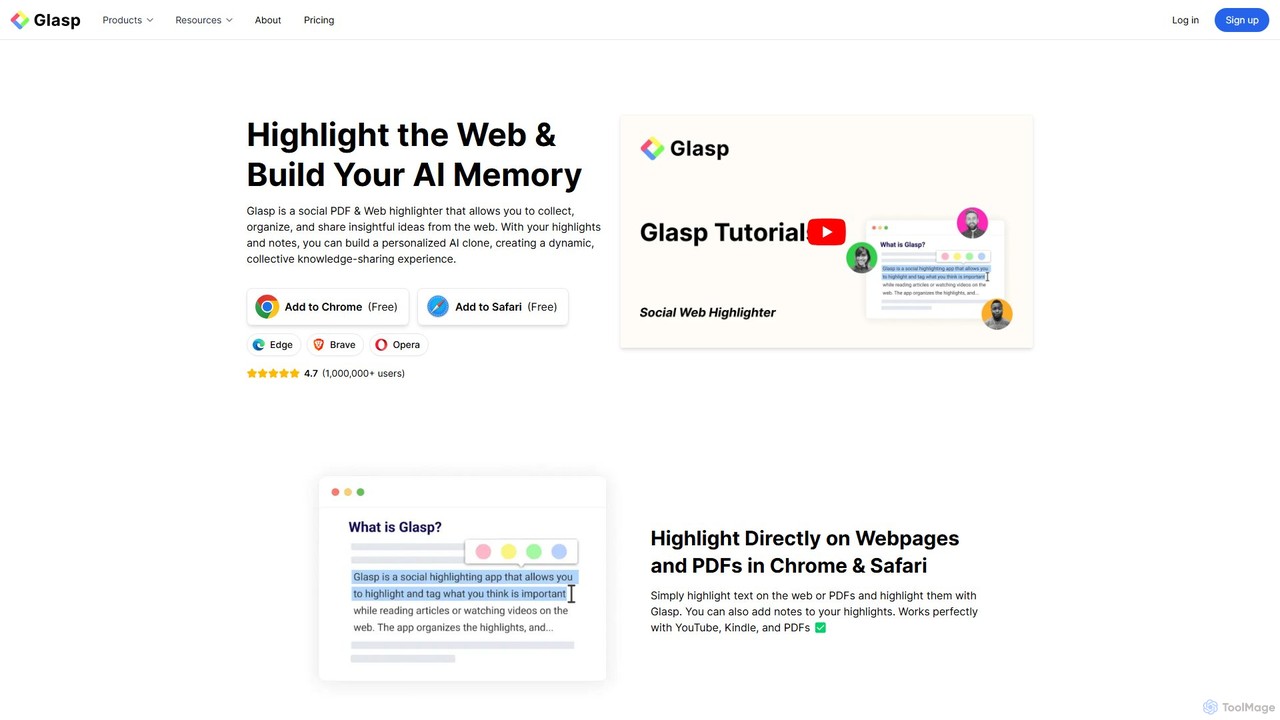
Glasp is a social web and PDF highlighter that helps learners and researchers capture, organize, and share insightful ideas. It uses AI to create a personalized knowledge base from your highlights, offering features like AI-powered summaries, chat with your notes, and seamless integration with popular note-taking apps. It's designed to facilitate public learning and build a collective intelligence.

Web Clipper
Visits 2.8MFavorites 110Likes 114

About Web Clipper

A Web Clipper is a type of browser extension designed to capture, save, and organize content directly from web pages. Unlike simple bookmarking which only saves a link, these tools save the actual content—articles, images, or selected text—into a personal digital library. This allows you to build a searchable knowledge base, access information offline, and preserve content even if the original webpage is removed. Web Clippers are essential for anyone conducting research, collecting inspiration, or curating information from the internet.

Core Features

  • Full-Page & Article Capture: Saves a complete, clutter-free version of an article or webpage for focused reading.
  • Region & Selection Clipping: Allows you to precisely select and save only the most relevant text, images, or sections of a page.
  • Annotation & Highlighting: Add notes, highlights, and comments directly to your saved clips for context and future reference.
  • Smart Organization: Automatically suggests or allows you to assign tags, folders, or notebooks to keep your saved content organized.
  • Screenshot & Image Capture: Captures a visual snapshot of a webpage or specific elements within it.

Use Cases

Web Clippers are widely used by students and researchers for compiling academic sources, by designers and artists for creating mood boards from various online inspirations, and by professionals for curating industry news and competitor analysis. They are also popular for personal use, such as saving recipes, travel plans, or online shopping lists.

How to Choose

When selecting a Web Clipper, consider its integration with your primary note-taking apps (like Notion, Evernote, or OneNote). Evaluate the flexibility of its capture modes—does it support full-page, article, and selection clipping? Assess the quality of its annotation tools and its organizational capabilities, such as tagging and folder structures. Finally, ensure it is available on all the browsers and devices you use for a seamless workflow.

Featured tool rankings

Web Clipper use cases

1

Academic Research and Literature Review

A graduate student uses a web clipper to save dozens of academic papers and articles from online journals. They clip the full text of each source, which strips away ads and site navigation for clean reading. While clipping, they assign tags like 'Chapter 2' or 'Methodology' and save them to a dedicated 'Thesis Research' notebook. This creates a centralized, searchable database of all their sources, complete with highlights and notes on key findings, accessible across all their devices.

2

Creating Design Inspiration Mood Boards

A UI/UX designer is gathering inspiration for a new mobile app project. Using a web clipper, they capture specific elements from various websites: a unique button style from one site, a color palette from another, and a typography example from a third. Instead of saving entire pages, they use the region selection and screenshot features to clip only the relevant visuals. All clips are saved to a 'Mobile App Project' board, creating a rich, visual mood board that can be easily shared with teammates and stakeholders for brainstorming sessions.

3

Market Research and Competitor Analysis

A product manager is tracking the competitive landscape. They use a web clipper to save competitors' pricing pages, feature announcements from their blogs, and customer reviews from third-party sites. Each clip is tagged with the competitor's name and the date. They also use the annotation feature to highlight key price points or negative customer feedback. This creates a living archive of competitor activity, making it easy to prepare reports and presentations on market trends without having to hunt for the original sources again.

4

Personal Knowledge and Recipe Collection

An avid home cook uses a web clipper to build a digital cookbook. When they find a recipe on a food blog, they use the 'article' or 'simplified page' mode to capture just the recipe instructions and ingredient list, removing ads and lengthy personal stories. They tag each recipe with keywords like 'vegan', '30-minute meal', or 'dessert'. This organized collection is synced to their tablet, which they use in the kitchen, providing easy, offline access to hundreds of recipes without the clutter of the original web pages.

5

Saving Online Shopping Wishlists

A user planning a home office remodel uses a web clipper to save product listings from multiple online stores. They clip images, prices, and descriptions of desks, chairs, and lighting fixtures into a 'Home Office Ideas' notebook. This consolidates all potential purchases in one place, making it easy to compare options side-by-side without having to keep dozens of tabs open. They can also add notes like 'check dimensions' or 'wait for sale' directly on the clips, turning their collection into an actionable project plan.

6

Curating Technical Articles and Code Snippets

A software developer frequently encounters useful code snippets on Stack Overflow and in-depth technical articles on various blogs. Using a web clipper, they can precisely select and save just the code block or a specific section of an article. They organize these clips into notebooks like 'Python Algorithms' or 'Docker Best Practices'. This creates a personal, searchable knowledge base that is far more efficient than relying on browser bookmarks or memory, allowing them to quickly find and reuse solutions in their daily work.

Web Clipper FAQ

What is a Web Clipper?

A Web Clipper is a browser extension that lets you capture and save content directly from any webpage. Instead of just saving a link (like a bookmark), it saves a copy of the actual content—such as an entire article, a selected paragraph, or an image—to a note-taking app or cloud service. This ensures you have a permanent, offline-accessible copy of the information, organized and ready for future use.

How is a Web Clipper different from bookmarking?

The key difference is what gets saved. A bookmark saves only the URL (the web address), which is a pointer to the content. If the original webpage is changed or deleted, your bookmark may become useless. A Web Clipper, on the other hand, saves a full copy of the content itself. This means you have a permanent, stable version of the information that you can access, search, and annotate anytime, even if the original source disappears or you are offline.

How do I choose the right Web Clipper tool?

To choose the best Web Clipper, consider these factors:

  • Integration: Does it sync with the note-taking app or platform you already use (e.g., Evernote, Notion, OneNote)?
  • Capture Options: Look for flexibility. A good clipper should offer multiple modes like full-page, simplified article view, region selection, and screenshot.
  • Organization Features: Check if you can easily add tags, save to specific notebooks or folders, and add annotations or highlights during the clipping process.
  • Platform Support: Ensure it's available as an extension for your preferred web browser and has apps for all your devices (desktop, mobile, tablet).
Can I access my clipped content offline?

Yes, one of the primary advantages of using a Web Clipper is offline access. When you clip content, a copy is downloaded and stored within your chosen note-taking application or service. This means you can read your saved articles, review your research, or browse your inspiration boards on any synced device, even without an active internet connection. This is particularly useful for productivity during travel or in areas with poor connectivity.

Who can benefit from using a Web Clipper?

A wide range of users can benefit from a Web Clipper. This includes:

  • Students & Researchers: For gathering academic papers, articles, and sources for projects and theses.
  • Content Creators & Writers: For saving research, inspiration, and references for articles and posts.
  • Designers & Artists: For creating visual mood boards by clipping images, color palettes, and UI examples.
  • Professionals: For tracking industry news, analyzing competitors, and saving important business documents.
  • Anyone: For personal use like saving recipes, travel plans, online tutorials, or articles for later reading.