ToolMage
Sign in

Best 1 Asset Creation AI tools for Productivity

Popular Asset Creation AI tools in Productivity include Oveners, helping you work more efficiently.

Oveners
Freemium

Oveners

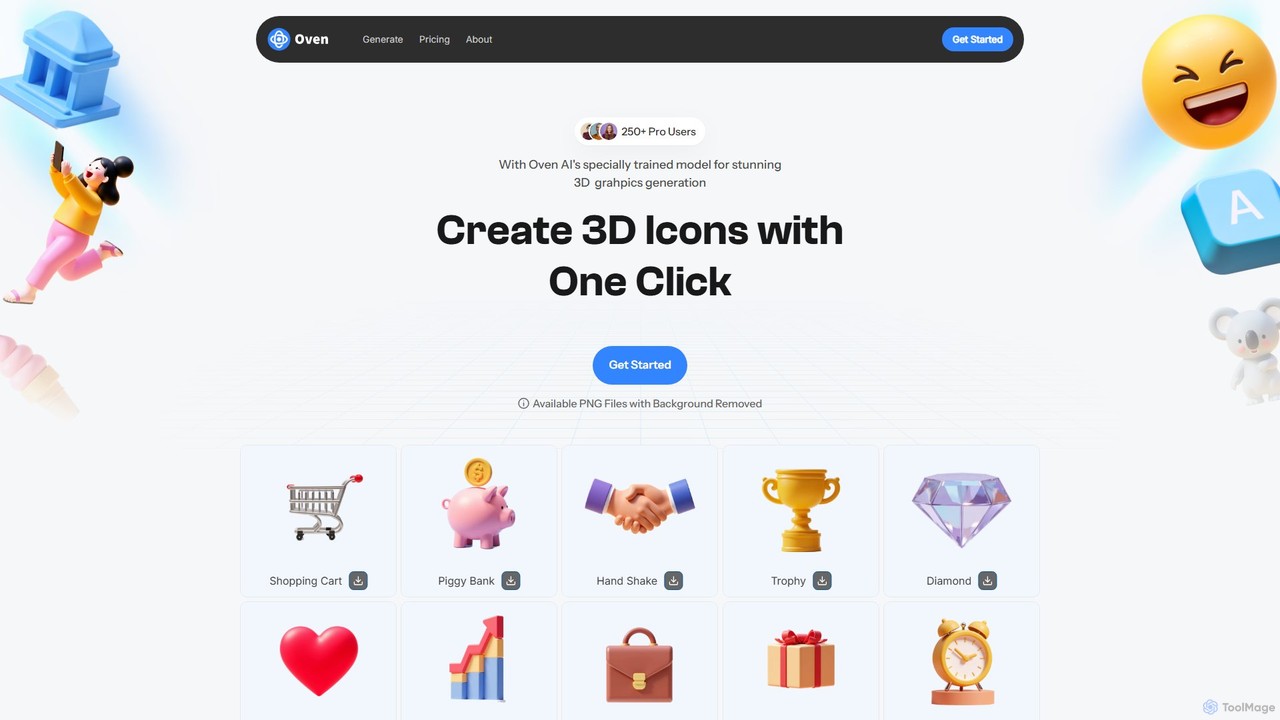
Oveners is an AI-powered 3D icon generator that creates stunning, high-quality 3D icons from simple text prompts or images. It features text-to-image and image-to-image modes, one-click background removal, and customizable outputs. Ideal for designers, marketers, and developers looking to create unique visual assets quickly and affordably.

Icon Generation
Visits 5.9KFavorites 114Likes 122

About Asset Creation

Asset Creation tools are a specialized category of productivity software that use AI to automatically generate digital assets like 3D models, textures, audio, and game environments. Leveraging generative models, these tools transform text prompts, images, or basic parameters into complex, ready-to-use creative components. Their primary value is accelerating the initial, often labor-intensive, stages of creative projects, enabling developers and artists to produce foundational materials rapidly. This approach bypasses traditional manual creation processes, offering a scalable solution for content production.

Core Features

  • Procedural Generation: Creates assets based on algorithms and user-defined rules for infinite variations.
  • Text-to-Asset Conversion: Generates 3D models, textures, or audio directly from descriptive text prompts.
  • Style and Parameter Control: Allows fine-tuning of asset attributes such as material, shape, style, and complexity.
  • Seamless Integration: Exports assets in industry-standard formats (e.g., FBX, OBJ, PNG) for use in game engines and DCC software.
  • AI-Assisted Texturing: Automatically generates realistic or stylized textures for 3D models based on simple inputs.

Use Cases

These tools are integral to game development for populating worlds with unique props, characters, and environments. They are also used in film and VFX for creating background elements and concept models, in architectural visualization for generating furniture and foliage, and in simulation for creating diverse training data scenarios.

How to Choose

When selecting an Asset Creation tool, consider the specific type of asset you need (e.g., 3D models, audio). Evaluate the quality and artistic control offered by the generation engine. Check for compatibility with your existing workflow and software, such as Unity, Unreal Engine, or Blender. Finally, assess the learning curve and the pricing model, whether it's subscription-based or a one-time purchase.

Asset Creation use cases

1

Rapid Prototyping for Game Development

A game developer working on a new prototype needs a large number of diverse 3D assets, such as props, obstacles, and environmental elements, within a tight deadline. Instead of modeling each item manually, they use an AI asset creation tool. By inputting text prompts like 'sci-fi crate with glowing panels' or 'ancient mossy stone pillar,' the developer can generate dozens of variations in minutes. This allows them to quickly populate the game world, test gameplay mechanics, and iterate on the visual style, reducing the prototyping phase from weeks to days.

2

Generating Unique Textures for 3D Models

A 3D artist is texturing a character model and wants to create a unique, stylized leather texture for its armor. Traditional methods would involve finding reference images and manually painting the texture in software like Substance Painter. Using an AI asset creation tool, the artist can simply type 'worn dark leather with ornate silver engravings' and generate multiple high-resolution, seamless texture maps (albedo, normal, roughness). They can then refine the parameters, such as the level of wear or the complexity of the engravings, until they achieve the perfect look, saving hours of manual work.

3

Creating Custom Sound Effects for Films

A sound designer for an indie film needs a specific sound effect: the otherworldly hum of an alien artifact. Instead of layering multiple existing sound clips, which can be time-consuming and may not yield the desired result, they use an AI audio generation tool. They provide a prompt like 'deep resonant hum with a crystalline, shimmering overtone and a slow pulsing rhythm.' The AI generates several unique audio files based on this description. The designer can then select the best option and fine-tune its parameters, such as pitch and modulation, to perfectly match the film's scene.

4

Populating Architectural Visualizations

An architect is creating a realistic render of a new residential building. To make the scene feel lived-in, they need to add various assets like furniture, plants, and decor. Sourcing or modeling these assets individually is time-consuming. Using an AI asset generator, they can quickly create entire sets of matching furniture by specifying a style, such as 'minimalist Scandinavian oak furniture set.' The tool generates chairs, tables, and shelves in a consistent style, which can then be placed directly into the 3D scene in software like 3ds Max or Blender, dramatically speeding up the scene-dressing process.

5

Creating Concept Art for Characters and Creatures

A concept artist for a fantasy film needs to explore different visual ideas for a mythical creature. They use an AI tool to generate a wide array of initial concepts. By providing a detailed prompt like 'a majestic griffin with peacock feathers, armored legs, and glowing eyes,' the AI produces numerous visual interpretations. This allows the artist to quickly review dozens of unique designs, select the most promising ones, and then use them as a foundation for their final, detailed paintings. This process accelerates the ideation phase and broadens the creative possibilities beyond the artist's initial thoughts.

6

Generating Procedural Environments for Simulations

A team developing an autonomous vehicle simulation needs to create vast and varied urban environments for training their AI models. Manually building these cities would be an immense task. They employ a procedural generation tool that uses AI to construct entire cityscapes based on a set of rules and parameters. The team can define variables like road network density, building height distribution, and vegetation types. The tool then generates miles of unique, realistic city environments, providing a rich and diverse dataset for training the self-driving AI, a task that would be infeasible with manual asset creation.

Asset Creation FAQ

What is AI Asset Creation?

AI Asset Creation refers to the use of artificial intelligence, particularly generative models, to automatically produce digital assets. These assets can include 3D models, textures, sound effects, music, and even entire virtual environments. Unlike traditional methods that require manual creation from scratch, these tools interpret user inputs like text prompts or simple rules to generate complex, ready-to-use content, significantly speeding up creative workflows in fields like game development and film production.

How to choose the right AI Asset Creation tool?

Choosing the right tool depends on your specific needs. Consider the following factors:

  • Asset Type: Does the tool specialize in 3D models, textures, audio, or environments? Choose one that aligns with your primary requirement.
  • Quality and Control: Evaluate the visual or auditory quality of the generated assets. How much control do you have over the final output through parameters and prompts?
  • Workflow Integration: Check if the tool can export assets in formats compatible with your main software (e.g., Unity, Unreal Engine, Blender, FMOD).
  • Ease of Use: Assess the learning curve. Some tools are designed for beginners with simple interfaces, while others offer complex controls for professionals.
  • Pricing Model: Compare pricing structures, such as monthly subscriptions, pay-per-asset credits, or one-time purchases, to find what fits your budget.
What's the difference between AI Asset Creation and traditional DCC tools?

The main difference lies in the creation process. Traditional Digital Content Creation (DCC) tools like Blender, Maya, or Photoshop are 'manual' authoring environments. They provide a comprehensive toolset for an artist to build, sculpt, or paint an asset from scratch, requiring significant time and technical skill. In contrast, AI Asset Creation tools are 'generative.' They automate the creation process by interpreting high-level instructions (like text) to produce assets. The focus shifts from manual labor to creative direction and refinement, making them powerful for rapid prototyping and generating variations.

What types of assets can be created with these AI tools?

AI asset creation tools can generate a wide variety of digital content. The most common types include:

  • 3D Models: Ranging from simple props (like furniture and weapons) to complex characters and environmental objects.
  • Textures and Materials: High-resolution, often seamless, image maps that define the surface appearance of 3D models (e.g., wood, metal, fabric).
  • Audio: Including sound effects (SFX) for actions, ambient background noise, and even complete musical compositions or loops.
  • 2D Assets: Such as concept art, character portraits, icons, and user interface elements.
  • Environments: Some advanced tools can procedurally generate entire levels, landscapes, or cityscapes based on defined rules.
Who benefits most from using AI Asset Creation tools?

While many can benefit, these tools are particularly valuable for specific roles. Indie game developers and small studios can produce high-quality assets without large art teams or budgets. Concept artists and designers can rapidly explore a vast range of ideas before committing to a final design. 3D artists and sound designers can automate repetitive tasks like creating texture variations or background sounds, freeing them up for more complex creative work. Finally, architects and simulation engineers can quickly populate their virtual scenes with realistic objects and environments, enhancing realism and saving significant time.