
ToolMage
Sign in

Best 1 3D Printing AI tools for Productivity

Popular 3D Printing AI tools in Productivity include OctoEverywhere, helping you work more efficiently.

OctoEverywhere
Freemium

OctoEverywhere

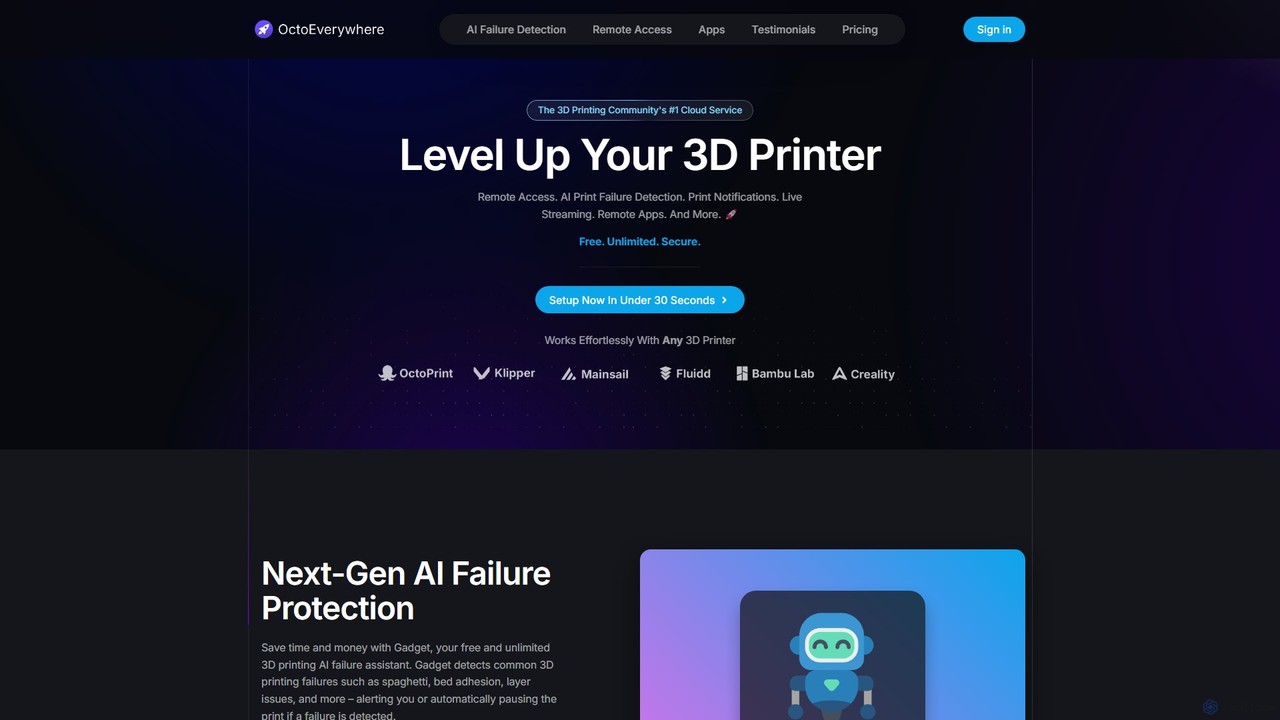
A premier cloud service for 3D printers, offering free, secure remote access to OctoPrint, Klipper, and Bambu Lab printers. Features include AI-powered print failure detection, live webcam streaming, and real-time notifications, all designed to enhance your 3D printing experience from anywhere in the world.

Monitoring
Visits 164KFavorites 122Likes 113

About 3D Printing

AI 3D Printing tools are a class of software that leverages artificial intelligence to automatically generate, optimize, and validate designs for additive manufacturing. These tools utilize algorithms to analyze constraints such as load, material properties, and spatial boundaries to produce highly efficient and complex 3D models. Their primary value lies in accelerating the design-to-manufacturing workflow, reducing material usage, and enabling the creation of innovative geometries that are often impossible to conceive with traditional methods. This approach transforms 3D printing from a simple fabrication method into an intelligent production process.

Core Features

  • Generative Design: Automatically creates numerous optimal design variations from a set of functional requirements and constraints.
  • Topology Optimization: Refines an existing 3D model by strategically removing material to reduce weight while maintaining structural integrity.
  • Print Failure Detection & Correction: Uses machine learning to monitor the printing process in real-time, predicting and compensating for potential errors like warping or layer shifting.
  • Automated Model Repair: Intelligently identifies and fixes common issues in 3D mesh files, such as holes or non-manifold geometry, to ensure printability.
  • Process Parameter Optimization: Recommends the ideal print settings (e.g., speed, temperature, infill) for a specific material and geometry to achieve desired mechanical properties.

Applicable Scenarios

These tools are widely used in high-performance engineering and advanced manufacturing. In the aerospace industry, they are essential for creating lightweight yet strong components. The medical field uses them to design patient-specific implants and prosthetics. Automotive engineers rely on them for rapid prototyping and developing performance-optimized parts.

Selection Criteria

When choosing an AI 3D Printing tool, consider its integration with your existing CAD software ecosystem. Evaluate the range and sophistication of its optimization algorithms (e.g., topology, lattice, generative). Also, assess the comprehensiveness of its material library and whether it operates on the cloud or locally, which impacts processing speed and data security.

Featured tool rankings

3D Printing use cases

1

Designing Lightweight Aerospace Brackets

An aerospace engineer is tasked with reducing the weight of a satellite's mounting bracket without compromising its strength. Using an AI generative design tool, they define the connection points, load cases, and material (e.g., titanium alloy). The AI then generates hundreds of design iterations, exploring organic, lattice-based structures that a human designer might not consider. The final selected design is 40% lighter than the original, passes all stress simulations, and is optimized for metal 3D printing, significantly lowering launch costs.

2

Creating Patient-Specific Surgical Guides

A biomedical engineer needs to create a precise surgical guide for a complex knee replacement surgery. They import the patient's CT scan data into an AI-powered 3D modeling tool. The software automatically segments the bone structure and helps generate a guide that perfectly conforms to the patient's unique anatomy. The tool also optimizes the guide for printability with biocompatible materials, ensuring accuracy and reducing time in the operating room.

3

Accelerating Automotive Prototyping Cycles

An automotive design team is developing a new engine component and needs to create functional prototypes for testing. Instead of manually designing for printability, they use an AI tool to optimize the part's topology for strength-to-weight ratio and then simulate the FDM printing process. The AI predicts potential warping and suggests changes to the model's orientation and support structures, preventing failed prints and reducing the prototyping timeline from over a week to just two days.

4

Automating 3D Scan Data Cleanup

A museum curator wants to create a digital archive and printable replicas of a fragile historical artifact. The initial 3D scan is noisy and contains numerous holes and imperfections. An AI model repair tool is used to process the raw scan data. The software intelligently identifies and patches holes, smooths surfaces, and converts the mesh into a watertight, manifold solid body, making it ready for high-fidelity 3D printing in minutes instead of hours of manual labor.

5

Optimizing Heat Sinks for Electronics

A thermal engineer is designing a custom heat sink for a high-performance computing device. The design space is limited and complex. Using an AI topology optimization tool, they define the heat source locations and desired airflow paths. The software carves away non-essential material from a solid block, creating an intricate, organic fin structure that maximizes surface area for heat dissipation. The resulting design offers a 25% improvement in cooling efficiency compared to conventionally designed heat sinks.

6

Generating Advanced Material Lattice Structures

A materials scientist is researching new materials with unique shock-absorption properties for use in protective gear. They use an AI tool to design and embed complex gyroid or Schwarz-P lattice structures within a base model. The software allows them to precisely control parameters like beam thickness and cell density throughout the model. This enables the creation of functional gradients, producing prototypes with customized flexibility and impact resistance that would be impossible to design manually.

3D Printing FAQ

What are AI 3D Printing tools?

AI 3D Printing tools are software applications that use artificial intelligence, particularly machine learning, to enhance the additive manufacturing process. Unlike traditional CAD software where every detail is manually designed, these tools can automatically generate new designs, optimize existing ones for performance, or improve the printing process itself. Their core function is to solve complex engineering problems by exploring a vast range of design possibilities to find optimal solutions for strength, weight, fluid flow, or other specified goals.

How do I choose the right AI 3D Printing software?

Choosing the right software depends on your specific needs. Consider the following factors:

  • Integration: Does it work smoothly with your current CAD and simulation software?
  • Core Functionality: Do you need generative design (creating new forms), topology optimization (refining existing forms), or process simulation?
  • Material Support: Does the tool have a robust library of materials with accurate properties for simulation?
  • Usability: How steep is the learning curve, and is it suited to your team's skill level?
  • Computing Power: Does it require powerful local hardware, or does it leverage cloud computing for heavy calculations?

What is the difference between Generative Design and Topology Optimization?

While both are AI-driven optimization methods, they serve different purposes. Topology Optimization starts with an existing 3D model and removes material from non-critical areas to make it lighter while meeting performance constraints. It refines a known design. In contrast, Generative Design starts with only a set of constraints (e.g., connection points, keep-out zones, loads) and generates multiple, often novel, design solutions from scratch. Generative design explores what a design could be, while topology optimization improves what a design already is.

Who are the primary users of AI 3D Printing tools?

These tools are primarily used by professionals in fields that demand high-performance and customized parts. This includes mechanical engineers in aerospace and automotive industries for creating lightweight components, biomedical engineers for designing patient-specific implants and prosthetics, product designers for developing innovative consumer goods, and architects for creating complex structural elements. Researchers and material scientists also use them to explore novel material structures and properties.

Do AI 3D Printing tools replace engineers or designers?

No, these tools act as powerful collaborators rather than replacements. They augment the capabilities of engineers and designers by handling complex computational tasks and exploring thousands of design options rapidly. The human expert is still essential for defining the problem, setting the constraints, interpreting the AI-generated results, and making the final design decisions based on manufacturing feasibility, aesthetics, and other real-world considerations. They elevate the design process from manual drafting to strategic problem-solving.