ToolMage
Sign in

Best 2 Accessibility Tools for Productivity

Popular Accessibility Tools in Productivity include TTSForge and Text to Speech.im, helping you work more efficiently.

TTSForge
Freemium

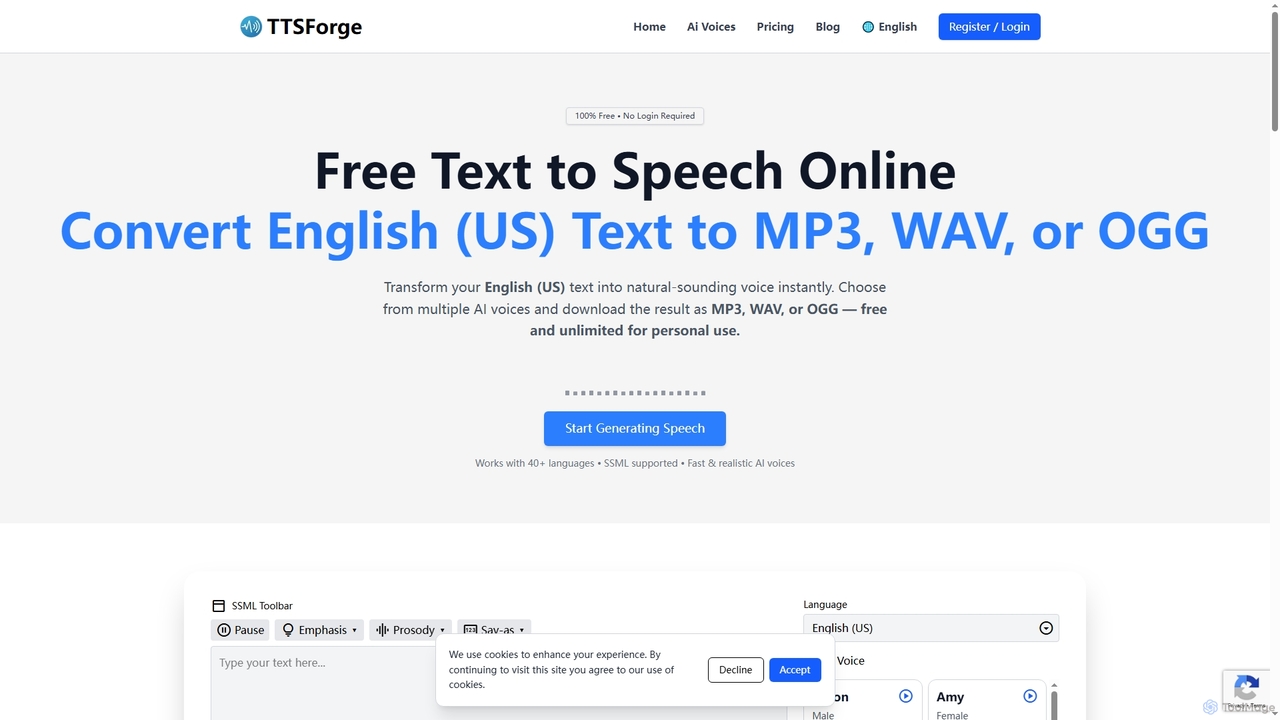
TTSForge

TTSForge is a free online text-to-speech platform that converts written text into natural-sounding audio using advanced AI voices. It supports over 40 languages and allows users to download audio in MP3, WAV, or OGG formats for various personal and commercial projects.

Text To Speech
Visits 53.8KFavorites 165Likes 163
Text to Speech.im
Freemium

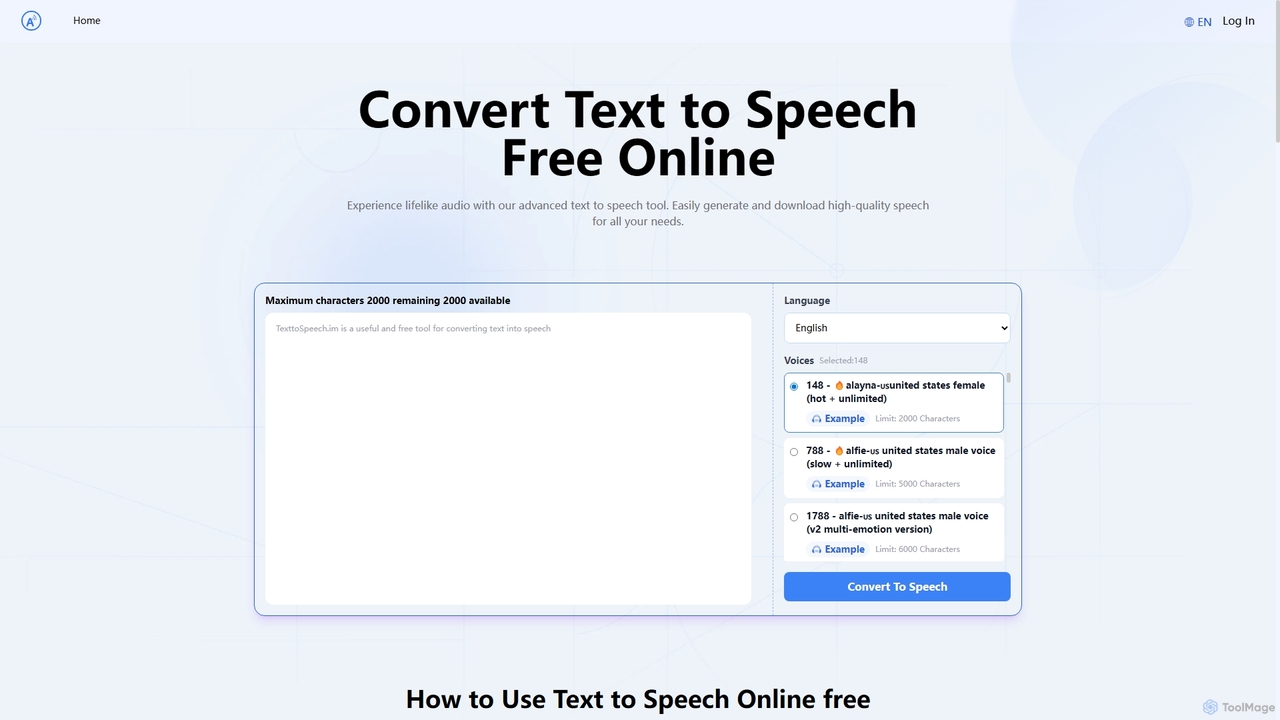
Text to Speech.im

Text to Speech.im is a free online AI tool that converts text into natural-sounding speech. It supports a vast array of languages and voices, allowing users to generate high-quality audio for videos, e-learning, accessibility, and more. Customize voice speed and volume, then easily download the generated audio as an MP3 file.

Speech Synthesis
Visits 15.4KFavorites 109Likes 117

About Accessibility Tools

AI Accessibility Tools are a class of software that leverages artificial intelligence to make digital content and environments more usable for people with disabilities. These tools utilize technologies like computer vision and natural language processing to automate tasks such as generating image descriptions, providing real-time transcriptions, and auditing websites for compliance issues. Their primary value is in breaking down digital barriers, fostering inclusivity, and helping creators and developers build universally accessible products more efficiently within their productivity workflows.

Core Features

  • Automated Alt Text Generation: Uses computer vision to analyze images and create descriptive text for screen reader users.
  • Real-time Transcription & Captioning: Converts spoken audio from videos or live meetings into text for individuals who are deaf or hard of hearing.
  • Web Accessibility Auditing: Scans websites to automatically identify and suggest fixes for issues related to WCAG standards, such as color contrast or missing ARIA tags.
  • Advanced Text-to-Speech (TTS): Provides natural-sounding voice narration for written content, aiding users with visual impairments or reading disabilities.
  • Voice Command & Navigation: Enables hands-free control and interaction with software and devices for users with motor impairments.

Applicable Scenarios

These tools are essential for web developers, UX/UI designers, content creators, and corporate compliance teams. For example, a developer can use an AI tool to audit a website for WCAG 2.1 AA compliance before launch, saving hours of manual testing. A marketing team can use another tool to automatically generate captions and alt text for all social media posts, ensuring their content reaches a wider audience.

Selection Criteria

When choosing an AI Accessibility Tool, first identify the specific standards you need to meet (e.g., WCAG, Section 508). Evaluate its integration capabilities with your existing platforms, such as your CMS or design software. Assess the accuracy of its automated features, particularly for nuanced tasks like alt text generation, and verify its support for multiple languages if your audience is global.

Accessibility Tools use cases

1

Automating WCAG Compliance Audits for Websites

A web development agency is tasked with ensuring a client's new e-commerce site meets WCAG 2.1 AA standards. Instead of spending days on manual checks, the lead developer uses an AI Accessibility Tool. The tool crawls the entire website, automatically flagging issues like insufficient color contrast on buttons, missing form labels, and images without alt text. It provides a detailed report with code-level suggestions for fixes. This process reduces manual testing time by over 70%, allowing the team to identify and resolve hundreds of potential accessibility barriers before launch, ensuring a compliant and user-friendly experience for all visitors.

2

Generating Alt Text for E-commerce Product Images

An online retailer with thousands of products needs to add descriptive alt text to all their images for SEO and accessibility. Manually writing descriptions is not feasible. The e-commerce manager uses an AI tool that integrates with their platform. The AI analyzes each product image, identifying attributes like 'red short-sleeve cotton t-shirt' or 'stainless steel 12-piece knife set with wooden block'. It then generates accurate alt text and applies it in bulk. This not only makes the site accessible to visually impaired shoppers but also improves image search rankings, leading to increased organic traffic.

3

Live Captioning for Online Meetings and Webinars

A global corporation conducts weekly all-hands meetings with employees from different regions, including those who are deaf or hard of hearing. To ensure inclusivity, they integrate an AI-powered live captioning tool into their video conferencing platform. As speakers present, the tool generates real-time, accurate captions on the screen. It can even distinguish between different speakers and handle various accents. This allows all employees to follow the conversation effectively, fostering a more equitable and productive meeting environment without the high cost and logistical challenges of hiring human captioners for every event.

4

Converting Educational Materials into Audio Format

A university's disability resource center needs to provide accessible course materials for students with visual impairments or dyslexia. They use an AI Text-to-Speech (TTS) tool with natural-sounding voices. An administrator uploads PDF textbooks, research papers, and lecture notes into the system. The AI processes the documents, converting them into high-quality audio files. Students can then download these files and listen to them on any device, at their own pace. This service empowers students to access curriculum content independently and effectively, leveling the academic playing field.

5

Enabling Voice Navigation for Software Applications

A software company is developing a complex data analysis application. To make it accessible to users with motor impairments who cannot use a mouse or keyboard effectively, they integrate an AI voice command API. Users can now navigate menus, open files, apply filters, and generate reports simply by speaking commands like "Open last month's sales data" or "Create a bar chart of revenue by region." The AI accurately interprets these natural language commands and executes the corresponding actions. This feature significantly broadens the user base and demonstrates a commitment to inclusive design.

6

Creating Accessible Social Media Content at Scale

A marketing agency manages social media for multiple clients, posting dozens of pieces of content daily. To ensure all content is accessible, they use an AI-powered platform. When a social media manager uploads a video, the tool automatically generates accurate, time-synced captions. When they upload an image, it suggests descriptive alt text based on the visual content. This streamlines the workflow, ensuring accessibility is a standard part of the content creation process, not an afterthought. As a result, their clients' content reaches a broader audience, including users with disabilities, and engagement rates improve across all platforms.

Accessibility Tools FAQ

What are AI Accessibility Tools?

AI Accessibility Tools are software applications that use artificial intelligence to help make digital content more accessible to people with disabilities. They automate tasks that were traditionally manual and time-consuming. Key functions include automatically generating descriptive alt text for images, providing real-time captions for audio and video, and scanning websites for compliance with standards like the Web Content Accessibility Guidelines (WCAG). These tools are used by developers, designers, and content creators to build more inclusive digital products efficiently.

How to choose the right AI Accessibility Tool?

Choosing the right tool depends on your specific needs. Consider the following factors:

  • Primary Use Case: Are you a developer needing a website auditing tool, or a content creator needing automated captioning and alt text? Select a tool specialized for your workflow.
  • Compliance Standards: Ensure the tool supports the specific accessibility standards you must adhere to, such as WCAG 2.1 AA or Section 508.
  • Integration: Check if the tool integrates with your existing software, like your CMS (e.g., WordPress), design tools (e.g., Figma), or development pipeline.
  • Accuracy and Control: Evaluate the accuracy of the AI's output. A good tool should also allow you to easily review and edit automated suggestions, like alt text, to ensure context is correct.
Can AI tools fully replace manual accessibility testing?

No, AI tools cannot fully replace manual accessibility testing. While they are powerful for automating the detection of many common issues (like missing alt text, low color contrast, or incorrect ARIA roles), they have limitations. AI cannot understand context or user experience in the same way a human can. For example, an AI can check if alt text exists, but it may not be able to judge if the description is meaningful. Manual testing by experts, including users with disabilities, is still essential to ensure a genuinely usable and accessible experience for everyone.

What is the difference between AI Accessibility Tools and traditional assistive technologies?

The main difference lies in their primary user and purpose. Traditional assistive technologies, like screen readers or magnifiers, are tools used directly by individuals with disabilities to interact with digital content. They are user-side solutions. In contrast, AI Accessibility Tools are often used by developers, designers, and content creators to build accessible products from the start. They are creator-side solutions that automate the process of making content accessible (e.g., generating alt text). Some modern assistive technologies also incorporate AI to become smarter, blurring the lines, but the core distinction is often creator-focused versus end-user-focused.

Who benefits most from using AI Accessibility Tools?

There are two primary groups who benefit significantly:

  • People with Disabilities: The ultimate beneficiaries are individuals with visual, auditory, motor, or cognitive impairments. These tools help create a digital world where they can access information, services, and opportunities more equitably.
  • Organizations and Creators: Web developers, content marketers, UX designers, and businesses benefit by being able to create accessible content more efficiently and at a larger scale. This not only helps them comply with legal requirements (like the ADA and Section 508) but also expands their audience, improves SEO, and enhances their brand reputation as an inclusive organization.