
ToolMage
Sign in

Best 1 Audio Recognition AI tools for Productivity

Popular Audio Recognition AI tools in Productivity include Shazam, helping you work more efficiently.

Shazam
Free

Shazam

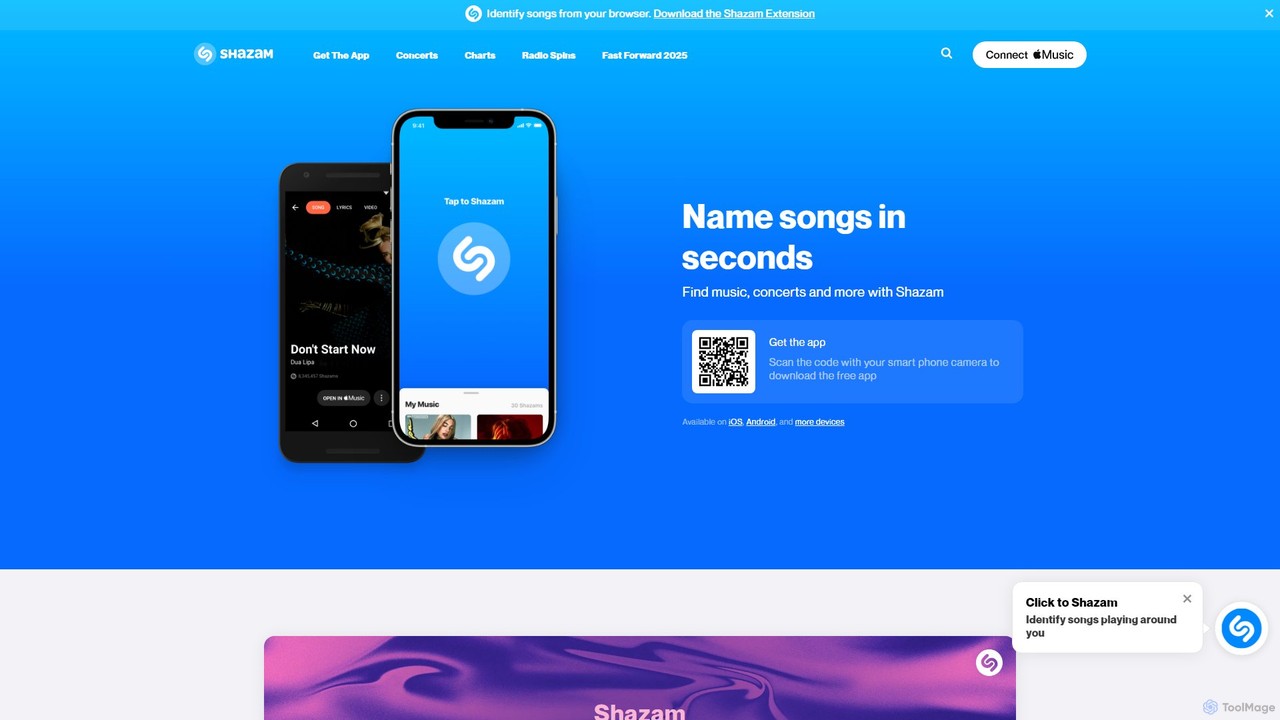
Shazam is a world-renowned application that instantly identifies music playing around you. Beyond song recognition, it provides lyrics, music videos, artist information, and concert details. Integrated with major streaming services, it's a comprehensive tool for music discovery and exploration, available for free on multiple platforms.

Streaming
Visits 18.2MFavorites 139Likes 124

About Audio Recognition

Audio Recognition tools use AI to identify and analyze a wide spectrum of sounds within audio data, moving beyond simple speech transcription. These tools employ deep learning models trained on vast sound libraries to distinguish between music, specific events like alarms or glass breaking, and even individual speakers. Their primary value is in automating monitoring, content analysis, and accessibility tasks that require understanding the full acoustic context. This capability enables advanced applications in sectors like security, media management, and assistive technology.

Core Features

  • Sound Event Detection: Identifies and timestamps specific non-speech sounds, such as sirens, coughing, alarms, or animal calls.
  • Music Recognition: Detects and identifies songs, providing metadata like artist and title, even when mixed with other audio.
  • Speaker Diarization: Segments an audio stream to determine who is speaking and when, without necessarily identifying the individuals.
  • Acoustic Scene Classification: Analyzes ambient sounds to classify the environment where the audio was recorded, such as 'office', 'street', or 'forest'.

Use Cases

This technology is vital for industries like media, security, and ecological research. Media companies use it to automatically tag video archives with sound effects for efficient searching. Smart home systems leverage it for security alerts by detecting unusual noises. Researchers also use it to monitor biodiversity by identifying animal calls in environmental recordings.

How to Choose

When selecting an Audio Recognition tool, evaluate its accuracy for the specific sounds you need to detect. Consider whether you require real-time processing for live feeds or can use batch analysis for existing files. Also, assess the ease of API integration, the range of supported audio formats, and the pricing model, which is often based on usage volume or a subscription.

Audio Recognition use cases

1

Automated Content Moderation for Online Platforms

For content moderation teams at social media or video-sharing platforms, manually reviewing every piece of uploaded audio for policy violations is an immense task. Audio Recognition tools automate this process by scanning uploads for specific sound events associated with restricted content, such as violence, hate speech cues, or copyright-protected music. When a potential violation is detected, the tool automatically flags the content for human review. This significantly reduces manual workload, speeds up moderation queues, and helps platforms enforce community guidelines more effectively at scale.

2

Smart Home Security and Alerting

Homeowners and security system developers use Audio Recognition to enhance safety. Microphones placed in a home can continuously listen for specific distress sounds. The AI model can be trained to identify the distinct sound of breaking glass, a smoke alarm, a baby crying, or even a dog barking aggressively. Upon detection, the system can instantly send a notification to the homeowner's phone, trigger a security camera to start recording, or alert an emergency service. This provides an additional layer of security that doesn't rely solely on visual sensors or motion detectors.

3

Media Asset Management and Archiving

For media companies or video editors with vast archives, finding specific clips can be challenging. Audio Recognition tools can analyze entire libraries of video and audio files to automatically generate metadata based on sound. It can tag clips with labels like 'applause', 'explosion', 'car horn', or 'siren'. This makes the archive highly searchable. An editor looking for a clip with a siren sound can simply search for that tag instead of manually scrubbing through hours of footage, dramatically improving workflow efficiency and content discovery.

4

Ecological Monitoring and Biodiversity Research

Ecologists and wildlife researchers deploy audio sensors in natural habitats to monitor animal populations non-invasively. Audio Recognition AI can analyze thousands of hours of field recordings to automatically identify and count the calls of specific species of birds, frogs, or mammals. This automates a process that would otherwise require extensive manual listening by experts. The data helps researchers track population trends, study migration patterns, and assess the overall health of an ecosystem, providing crucial insights for conservation efforts.

5

Accessibility Solutions for the Hearing Impaired

Developers of assistive technology can create applications for individuals who are deaf or hard of hearing. An app running on a smartphone or wearable device can use the microphone to listen to the user's environment. The Audio Recognition model identifies critical sounds like a doorbell, a phone ringing, a fire alarm, or someone calling the user's name. The application then provides a visual or haptic (vibration) alert, ensuring the user is aware of important auditory cues in their surroundings, thereby increasing their safety and independence.

6

Analyzing Customer Service Calls for Quality Assurance

Call center managers can use Audio Recognition to analyze recorded customer service calls. Beyond transcribing the conversation, the AI can identify non-speech audio cues such as long silences, signs of customer frustration (e.g., raised voice, sighs), or instances of agents talking over customers. This provides managers with deeper insights into call quality and agent performance. By flagging calls with negative acoustic indicators, managers can focus their coaching efforts where they are most needed, improving customer satisfaction and agent training effectiveness.

Audio Recognition FAQ

What is AI Audio Recognition?

AI Audio Recognition is a technology that uses artificial intelligence to identify and classify a wide range of sounds from an audio source. Unlike Speech-to-Text, which only transcribes spoken words, audio recognition can identify non-speech sounds (like a dog barking or a siren), recognize music, distinguish between different speakers, and even determine the acoustic environment (e.g., a busy street vs. a quiet library). It works by analyzing audio patterns and comparing them to a vast database of known sounds, enabling applications in security, media analysis, and accessibility.

How is Audio Recognition different from Speech-to-Text?

The primary difference lies in their scope. Speech-to-Text (STT) has a single, specific goal: to convert spoken language into written text. Audio Recognition is a much broader field that aims to understand the entire soundscape. While it can include STT as a feature, its core capabilities are different:

  • STT focuses on: What words were said?
  • Audio Recognition focuses on: What sounds are present (music, alarms, coughs)? Who is speaking? What is the surrounding environment?

In short, if you need a transcript of a meeting, you use STT. If you need to know that a fire alarm went off during that meeting, you use Audio Recognition.

How do I choose the right Audio Recognition tool?

Choosing the right tool depends on your specific needs. Consider these key factors:

  • Accuracy and Sound Types: Does the tool excel at identifying the specific sounds you care about (e.g., glass breaking vs. animal calls)? Check its performance metrics for your use case.
  • Real-time vs. Batch Processing: Do you need to analyze a live audio stream (like for security alerts) or can you process pre-recorded files in batches (like for media archiving)?
  • API and Integration: How easily can the tool be integrated into your existing software or workflow? Look for well-documented APIs and SDKs.
  • Customization: Can you train the model with your own audio data to recognize unique or custom sounds specific to your industry or environment?
  • Cost: Understand the pricing model. Is it based on the number of API calls, the duration of audio processed, or a flat monthly fee?
What are the main applications of Audio Recognition?

Audio Recognition has a wide range of applications across various industries. Some of the most common uses include:

  • Security and Surveillance: Detecting sounds like gunshots, screams, or breaking glass for automated security alerts.
  • Media and Entertainment: Automatically tagging audio/video content with sound events (e.g., 'applause', 'laughter') for easier search and management, or identifying copyrighted music.
  • Healthcare and Assistive Tech: Monitoring patient sounds in hospitals or providing alerts for the hearing impaired (e.g., fire alarms, doorbells).
  • Automotive: Identifying critical vehicle sounds or enabling voice commands that are robust to background noise.
  • Environmental Monitoring: Tracking biodiversity by identifying animal calls in their natural habitats.
Can these tools identify who is speaking?

Yes, many advanced Audio Recognition tools have capabilities related to identifying speakers. This is typically done in two ways:

  • Speaker Diarization: This is the process of segmenting an audio recording by speaker. The tool answers the question 'who spoke when?' by labeling segments as 'Speaker A', 'Speaker B', etc. It's useful for creating transcripts of meetings or interviews where you need to know the flow of conversation, but it doesn't identify the speakers by name.
  • Speaker Identification/Verification: This is a more advanced feature where the system can identify a specific person from their voice. It requires a pre-existing voice sample (a 'voiceprint') of the individual. Identification matches a voice against a database of known speakers, while verification confirms if a voice matches a specific claimed identity (e.g., for voice-based login).

Not all tools offer both features, so it's important to check if this capability is included and meets your specific requirements.