ToolMage
Sign in

Best 1 Automated Workflows AI tools for Productivity

Popular Automated Workflows AI tools in Productivity include ottoseo, helping you work more efficiently.

ottoseo
Freemium

ottoseo

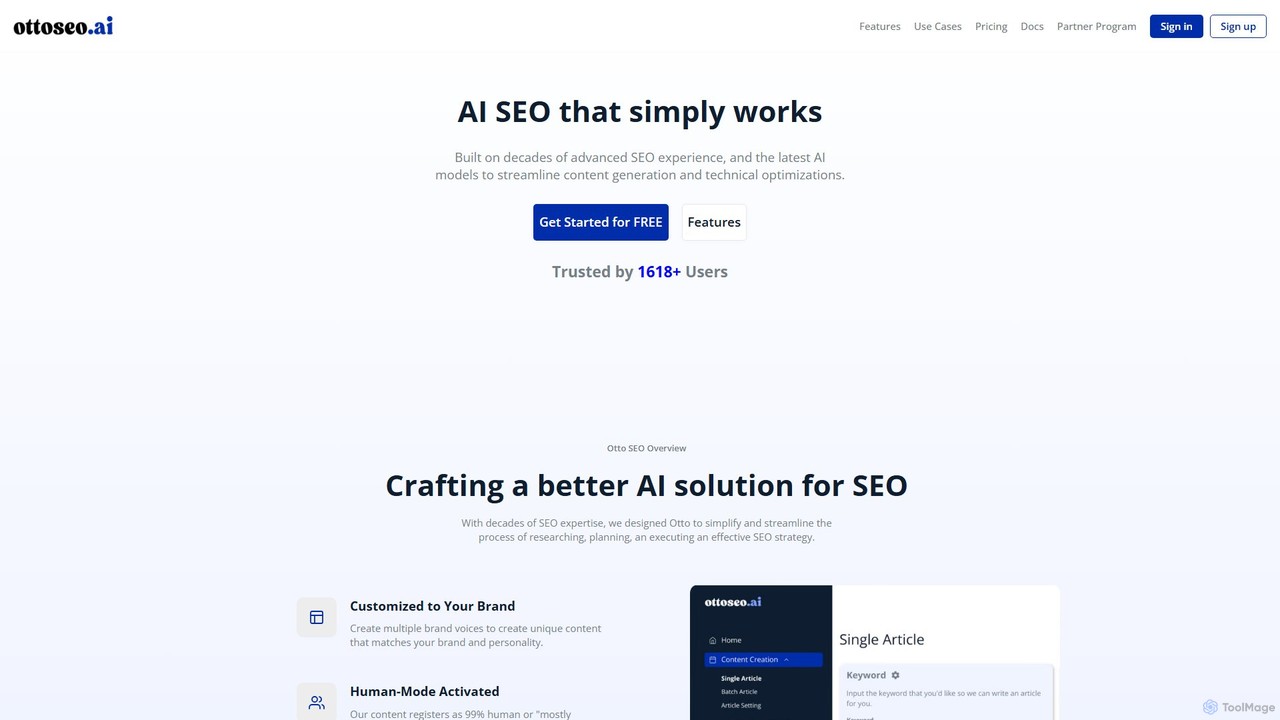
ottoseo is an AI-powered SEO platform designed to streamline content generation and technical optimizations. Built on extensive SEO experience, it helps users research, plan, and execute effective SEO strategies by creating human-like, brand-aligned content that is optimized to rank. It offers direct integration with WordPress and Zapier for seamless workflows.

Search Engine Optimization
Visits 6.3KFavorites 140Likes 137

About Automated Workflows

Automated Workflows are AI-powered tools designed to streamline and execute repetitive tasks and multi-step processes across various applications and systems without manual intervention. Leveraging artificial intelligence, these platforms can understand context, make data-driven decisions, and orchestrate complex sequences of actions, significantly enhancing operational efficiency and reducing human error. They transform tedious, time-consuming routines into seamless, self-executing operations, freeing up human resources for more strategic and creative endeavors.

Core Features

  • Intelligent Task Orchestration: Automatically sequences and executes tasks based on predefined rules, triggers, and AI-driven decision-making.
  • Cross-Application Integration: Connects disparate software, APIs, and databases to ensure data flow and action execution across an entire tech stack.
  • Natural Language Processing (NLP): Enables understanding and processing of human language inputs for tasks like email classification or data extraction.
  • Adaptive Learning: AI models learn from past interactions and data to refine automation rules, improving accuracy and effectiveness over time.
  • Error Handling & Monitoring: Provides mechanisms to detect, report, and sometimes automatically resolve issues within automated processes, ensuring reliability.

Applicable Scenarios

Automated Workflows are invaluable for businesses and individuals seeking to optimize their operations. They are widely adopted in IT for system maintenance, in marketing for campaign management, in finance for report generation, and in customer service for ticket routing and response. Any department with recurring, rule-based, or data-intensive tasks can benefit from implementing these intelligent automation solutions.

How to Choose

When selecting an Automated Workflows tool, consider its integration capabilities with your existing software ecosystem, the complexity of workflows it can handle, and its scalability to meet future demands. Evaluate the AI's decision-making sophistication, ease of use for non-technical users, and the level of customization offered. Finally, assess the pricing model, support, and security features to ensure it aligns with your organizational needs and budget.

Automated Workflows use cases

1

Automating Customer Support Ticket Routing

Customer service teams can use AI-powered automated workflows to intelligently categorize incoming support tickets based on keywords, sentiment, and historical data. The system then automatically assigns tickets to the most appropriate department or agent, or even triggers an automated response for common queries, drastically reducing response times and improving customer satisfaction.

2

Streamlining Marketing Campaign Execution

Marketing professionals can leverage automated workflows to manage multi-channel campaigns. This involves automatically scheduling social media posts, sending personalized email sequences based on user behavior, updating CRM records, and generating performance reports, all triggered by specific events or timelines, ensuring consistent brand messaging and efficient resource allocation.

3

Automating Financial Report Generation

Finance departments can implement automated workflows to collect data from various accounting systems, spreadsheets, and databases. The AI then processes this data, performs calculations, and generates comprehensive financial reports (e.g., monthly P&L, balance sheets) on a scheduled basis, reducing manual data entry errors and accelerating the reporting cycle.

4

Onboarding New Employees with Automated Tasks

HR teams can automate the new employee onboarding process. Workflows can automatically send welcome emails, create accounts in various internal systems (HRIS, email, project management), assign initial training modules, and notify relevant department heads, ensuring a smooth and consistent onboarding experience while saving HR staff significant administrative time.

5

Intelligent Data Extraction and Entry

Businesses dealing with large volumes of documents (invoices, contracts, forms) can use automated workflows for intelligent data extraction. AI can identify and pull specific information from unstructured text, validate it against databases, and then automatically enter it into relevant systems (e.g., ERP, CRM), eliminating manual data entry and improving data accuracy.

6

Proactive IT System Monitoring and Alerting

IT operations teams can deploy automated workflows to continuously monitor system performance, network health, and security logs. When anomalies or predefined thresholds are breached, the workflow automatically triggers alerts to the relevant personnel, creates incident tickets, and can even initiate basic troubleshooting steps, ensuring system stability and rapid issue resolution.

Automated Workflows FAQ

What are Automated Workflows in AI?

Automated Workflows in AI refer to the use of artificial intelligence technologies to design, execute, and manage sequences of tasks or processes with minimal human intervention. Unlike traditional automation, AI-powered workflows can learn, adapt, and make intelligent decisions based on data, enabling them to handle more complex and dynamic scenarios across various business functions.

How do Automated Workflows differ from traditional RPA?

While both aim to automate tasks, Automated Workflows (especially those leveraging advanced AI) go beyond traditional Robotic Process Automation (RPA). RPA typically mimics human actions based on predefined rules and structured data. AI-driven Automated Workflows, however, can understand unstructured data, apply machine learning for decision-making, and adapt to changing conditions, making them more intelligent, flexible, and capable of handling cognitive tasks.

What are the key benefits of implementing AI-driven Automated Workflows?

Implementing AI-driven Automated Workflows offers several significant benefits, including increased operational efficiency by reducing manual effort and processing times, improved accuracy by minimizing human error, and enhanced scalability to handle growing workloads. They also free up employees from repetitive tasks, allowing them to focus on more strategic, value-added activities, ultimately leading to cost savings and better resource utilization.

Which types of tasks are best suited for Automated Workflows?

Tasks best suited for Automated Workflows are typically repetitive, rule-based, high-volume, and often involve data processing or integration across multiple systems. Examples include data entry, report generation, customer inquiry routing, invoice processing, lead nurturing, and IT system monitoring. Tasks requiring complex human judgment, creativity, or nuanced interpersonal interaction are generally less suitable for full automation.

How can I choose the right Automated Workflow solution for my business?

To choose the right solution, first identify your specific business needs and the workflows you aim to automate, prioritizing those with the highest impact. Evaluate potential tools based on their integration capabilities with your existing tech stack, their AI sophistication (e.g., NLP, machine learning), scalability, ease of use, and security features. Consider vendor support, pricing models, and ensure the solution can adapt as your business evolves.