ToolMage
Sign in

Best 1 Collaboration Tools for Productivity

Popular Collaboration Tools in Productivity include Vecteur, helping you work more efficiently.

Vecteur
Freemium

Vecteur

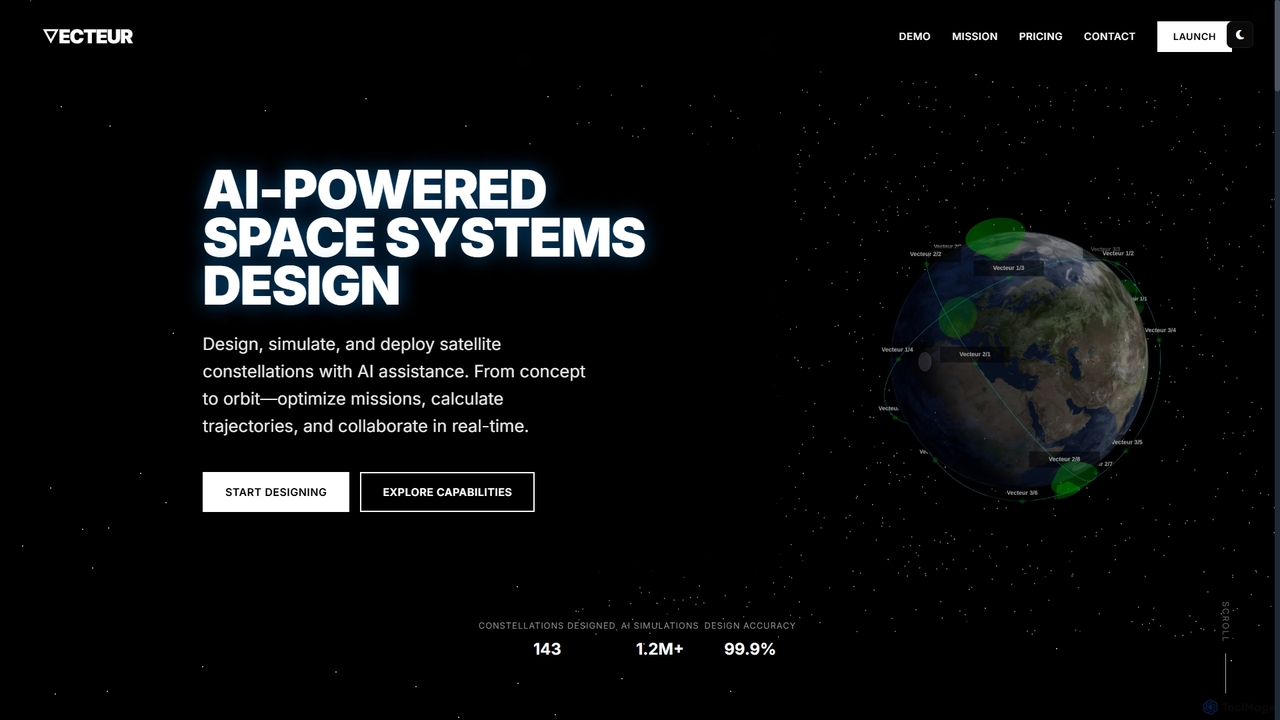
Vecteur is an AI-powered platform revolutionizing space systems engineering, enabling users to design, simulate, and deploy satellite constellations with unprecedented speed and accuracy. It offers intelligent design assistance, real-time simulation, and collaborative environments for various space missions.

Generative Design
Visits 5.2KFavorites 124Likes 123

About Collaboration Tools

AI Collaboration Tools are platforms that use artificial intelligence to streamline teamwork, automate communication workflows, and provide intelligent insights. They go beyond simple file sharing by leveraging AI for tasks like meeting summarization, smart task allocation, and contextual knowledge discovery. These tools enhance team productivity by reducing manual administrative work and improving decision-making within shared digital workspaces. They are a specialized subset of productivity software focused on optimizing group dynamics and project outcomes.

Core Features

  • Automated Meeting Summaries: Automatically transcribes, summarizes, and extracts action items from video or audio meetings.
  • Intelligent Task Management: Suggests task assignments, prioritizes work, and predicts project timelines based on team data.
  • Contextual Knowledge Search: Enables users to find relevant information across chats, documents, and projects using natural language.
  • Real-time Translation: Breaks down language barriers in global teams by instantly translating messages and documents.
  • Workflow Automation: Automates routine updates, reminders, and reporting to keep projects on track without manual intervention.

Use Cases

These tools are widely used by remote and hybrid teams for project management, software development sprints, and marketing campaign coordination. They are particularly valuable for cross-functional teams that need a unified hub for communication, documentation, and task tracking, ensuring everyone stays aligned regardless of their location or role.

How to Choose

When selecting an AI Collaboration Tool, evaluate its integration capabilities with your existing software stack (e.g., Slack, Jira, Google Workspace). Consider the depth of its AI features, such as the accuracy of its summaries or the intelligence of its task suggestions. Also, assess security protocols, scalability for team growth, and the overall user-friendliness of the interface.

Collaboration Tools use cases

1

Streamlining Remote Project Management

A project manager leading a distributed team uses an AI collaboration tool to centralize all project activities. The AI automatically generates summaries of daily stand-up calls, identifies key decisions, and assigns action items to the relevant team members in the project board. This eliminates the need for manual note-taking and ensures no tasks are missed. The platform's intelligent search helps new members quickly find project documentation and past conversations, reducing onboarding time and improving alignment.

2

Accelerating Cross-Functional Product Development

A product team, comprising engineers, designers, and marketers, uses an AI platform to manage a new feature launch. The tool integrates with their code repository and design software, providing a unified view of progress. AI-driven analytics identify potential bottlenecks in the development cycle, such as a designer waiting on engineering feedback. This allows the team lead to proactively address issues, keeping the launch on schedule and fostering smoother collaboration between different departments.

3

Enhancing Global Team Communication

A multinational corporation with teams in Japan, Germany, and Brazil utilizes an AI collaboration tool with real-time translation. During team-wide video conferences, the tool provides live translated captions, allowing everyone to participate effectively. Chat messages are also instantly translated, removing language barriers in daily communication. This fosters a more inclusive and efficient global work environment, ensuring critical information is understood by all stakeholders regardless of their native language.

4

Automating Client Project Reporting

A digital marketing agency manages multiple client campaigns within an AI collaboration platform. The tool automatically pulls performance data from various ad platforms and generates weekly progress reports. AI sentiment analysis scans client communications in shared channels to gauge satisfaction and flag potential concerns. This automation saves account managers hours of manual reporting work each week and provides them with proactive insights to better manage client relationships.

5

Centralizing Company Knowledge and Expertise

A fast-growing tech company implements an AI collaboration tool as its central knowledge hub. Instead of searching through endless folders, an employee can ask a natural language question like, "Who is our expert on GDPR compliance?" The AI searches documents, past projects, and chat logs to identify the most relevant person and resources. This democratizes access to information, prevents knowledge silos, and helps employees solve problems more efficiently by connecting them with the right expertise.

6

Improving New Employee Onboarding

An HR department uses an AI collaboration tool to create a structured onboarding experience for new hires. The platform automatically assigns a sequence of tasks, from completing paperwork to introductory meetings with key team members. An AI-powered chatbot within the tool answers common questions about company policies, benefits, and IT setup. This provides a consistent and supportive onboarding process, allowing new employees to become productive faster and feel more integrated into the company culture.

Collaboration Tools FAQ

What are AI Collaboration Tools?

AI Collaboration Tools are software platforms that use artificial intelligence to enhance teamwork and communication. They automate administrative tasks like meeting summarization and task tracking, provide intelligent insights from project data, and facilitate seamless information sharing. Unlike basic chat or file-sharing apps, they actively assist teams in working more efficiently together.

How do AI Collaboration Tools differ from traditional project management software?

The key difference lies in intelligence and automation. Traditional project management tools require manual input for task creation, updates, and reporting. AI Collaboration Tools automate these processes, suggest optimal workflows, predict potential delays, and use natural language processing to make information discovery effortless. They are proactive assistants, not just passive organizers.

How to choose the right AI Collaboration Tool?

To choose the right tool, consider these factors:

  • Integrations: Ensure it connects seamlessly with your essential apps (e.g., CRM, calendar, code repositories).
  • AI Features: Match the tool's specific AI capabilities (e.g., meeting summaries, smart search) to your team's biggest pain points.
  • Scalability: Select a platform that can grow with your team and project complexity.
  • Security: Verify that it meets your company's data security and compliance standards.
What are the key AI features in modern collaboration platforms?

Common AI features include automated meeting transcription and summarization, intelligent task assignment and prioritization, natural language search for finding documents and conversations, real-time translation for global teams, and sentiment analysis to gauge team or customer feedback. Some tools also offer AI-powered workflow automation to handle routine processes.

Who benefits most from using AI Collaboration Tools?

Remote or hybrid teams benefit significantly by bridging physical distance with a centralized, intelligent workspace. Cross-functional teams, such as those in product development or marketing, use them to maintain alignment and visibility across different departments. Any organization looking to reduce administrative overhead, improve knowledge sharing, and make data-driven decisions about their projects will find these tools valuable.