
ToolMage
Sign in

Best 1 Databases AI tools for Productivity

Popular Databases AI tools in Productivity include AITable.ai, helping you work more efficiently.

AITable.ai
Freemium

AITable.ai

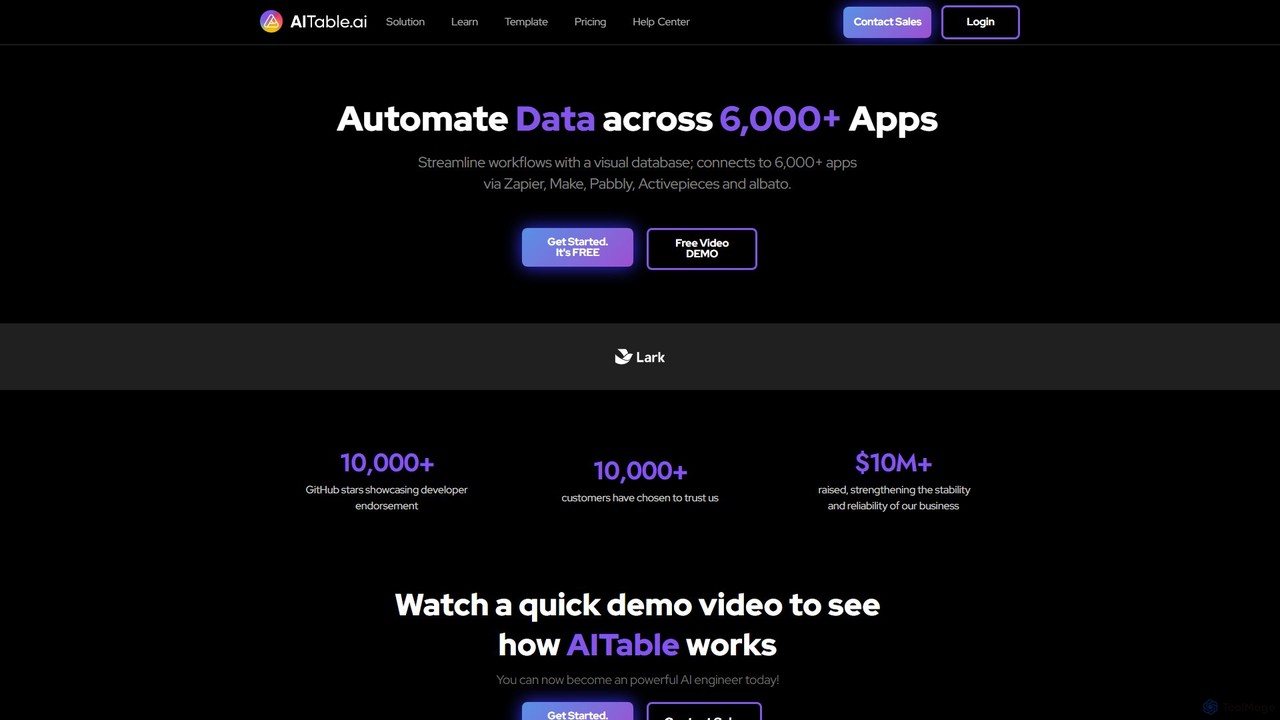
AITable.ai is a visual, AI-powered database and workflow automation platform. It combines a spreadsheet-like interface with robust database capabilities, allowing users to organize any data, automate repetitive tasks, and build custom AI agents. It integrates with over 6,000 apps via platforms like Zapier and Make, making it a powerful no-code solution for CRM, project management, and business operations.

Crm
Visits 64.3KFavorites 97Likes 111

About Databases

AI Databases are advanced data management systems that leverage artificial intelligence to store, retrieve, and analyze information. Unlike traditional databases, they excel at handling unstructured data by using techniques like natural language processing and vector embeddings to understand context and meaning. This allows users to perform complex queries using plain language and discover insights that keyword-based searches would miss. As a key component of the Productivity suite, AI Databases streamline knowledge management and data analysis, making vast amounts of information accessible without specialized technical skills.

Core Features

  • Natural Language Querying: Interact with data using conversational questions instead of complex code like SQL.
  • Semantic Search: Find results based on conceptual meaning and context, not just keyword matches.
  • Vector Embeddings Support: Store and query complex data types like text and images as numerical vectors for similarity searches.
  • Automated Data Structuring: Automatically categorize, tag, and organize unstructured information for easier retrieval.

Use Cases

These tools are widely used in enterprise knowledge management, allowing employees to find internal documents through simple questions. They also power intelligent customer support chatbots, advanced research platforms for analyzing scientific papers, and sophisticated recommendation engines in e-commerce and media.

How to Choose

When selecting an AI Database, consider the type of data you'll be working with (text, images, structured data). Evaluate its integration capabilities with your existing applications via APIs. Assess its scalability to handle your data volume and query load. Finally, compare the specific AI features offered, such as the sophistication of its natural language understanding and the types of vector search it supports.

Featured tool rankings

Databases use cases

1

Enterprise Knowledge Base Search

A project manager needs to find the company's latest guidelines on remote work expenses. Instead of searching with specific keywords like 'remote policy' or 'WFM expense', they ask the AI database, 'What is our policy on reimbursement for home office equipment?'. The system understands the intent and retrieves the exact section from the HR handbook, even if the document uses different terminology. This saves significant time compared to manually browsing documents or trying multiple keyword combinations.

2

Intelligent Customer Support Automation

An e-commerce company integrates an AI database with its customer support chatbot. The database is fed with all product manuals, FAQs, and past support tickets. When a customer asks, 'My new coffee machine is making a weird noise and won't brew,' the chatbot queries the AI database. It semantically matches the issue to similar problems in past tickets and troubleshooting steps in the manual, providing a precise, multi-step solution instead of a generic link to the FAQ page. This improves first-contact resolution rates and customer satisfaction.

3

Legal and Compliance Document Analysis

A paralegal at a law firm is researching precedents for a complex intellectual property case. They use an AI database containing thousands of past case files, legal journals, and statutes. They can ask questions like, 'Show me all cases where software patent infringement was argued based on user interface design.' The system can understand the nuanced legal concepts and retrieve highly relevant documents that would be nearly impossible to find with keyword searches, accelerating the research process from days to hours.

4

Semantic Product Recommendation Engine

An online fashion retailer uses a vector database to power its product recommendations. When a user views a floral print summer dress, the system doesn't just recommend other dresses. It converts the product image and description into a vector and finds other items that are semantically similar—perhaps a blouse with a similar pattern, sandals that match the color palette, or accessories with a 'bohemian' style. This creates a more context-aware and appealing shopping experience, increasing cross-selling opportunities.

5

Scientific and Academic Research Mining

A medical researcher is investigating links between a specific protein and neurodegenerative diseases. They use an AI database populated with millions of academic papers. Instead of keyword searching for the protein's name, they can ask, 'What studies discuss the role of this protein in cellular degradation pathways related to Alzheimer's?'. The AI can identify papers that discuss the concept, even if they don't use the exact search terms, uncovering non-obvious connections and accelerating the discovery process.

6

Personalized Content and Media Curation

A news aggregator app uses an AI database to deliver a personalized feed to each user. The database stores articles, videos, and podcasts as vectors representing their topics and tone. As a user interacts with content, the system builds a profile of their interests. It then queries the database to find new content that is semantically similar to what the user has enjoyed, going beyond simple category tags. This allows it to recommend a podcast about economic history to a user who reads articles about technology's impact on society, creating a richer, more engaging user experience.

Databases FAQ

What are AI Databases?

AI Databases are data management systems enhanced with artificial intelligence capabilities. Their primary function is to understand and process data, especially unstructured text and images, in a human-like way. Key features include natural language querying, which lets you ask questions in plain English, and semantic search, which finds information based on meaning rather than just keywords. They are commonly used for building intelligent search applications, knowledge management systems, and recommendation engines.

How do AI Databases differ from traditional databases (SQL/NoSQL)?

The main difference lies in how they handle data. Traditional databases are optimized for storing and retrieving structured data using precise query languages like SQL. AI Databases, particularly vector databases, are designed for unstructured data. They convert data into numerical representations (vectors) and find relationships based on semantic similarity, not exact matches. This allows them to answer conceptual questions ('find similar images') which traditional databases cannot handle effectively.

How to choose the right AI Database tool?

When selecting an AI Database, consider these factors:

  • Data Type: Ensure the tool is optimized for your primary data, whether it's text, images, audio, or a mix.
  • Scalability: Choose a solution that can grow with your data volume and handle your expected query traffic without performance degradation.
  • Integration: Check for robust APIs and SDKs that allow easy integration with your existing applications and workflows.
  • AI Capabilities: Evaluate the specific AI models or features it offers. Some are better for search, while others excel at analytics or data structuring.
What are the main benefits of using an AI Database?

The primary benefit is unlocking the value of unstructured data. AI Databases allow you to search and analyze vast amounts of text, images, and other complex data that are difficult for traditional systems to handle. This leads to improved productivity by enabling more intuitive data discovery through natural language, enhanced customer experiences with smarter chatbots and recommendation systems, and faster innovation by uncovering hidden patterns in research and business data.

Who should use AI Database tools?

AI Database tools are valuable for a wide range of users. Developers use them to build applications with advanced search and recommendation features. Data scientists and analysts use them to mine insights from large, unstructured datasets like customer feedback or research papers. Businesses use them to create internal knowledge management systems that allow employees to find information easily. Essentially, anyone who needs to make sense of large volumes of complex, often text-based, information can benefit from these tools.