ToolMage
Sign in

Best 1 Digital Assistant for Productivity

Popular Digital Assistant in Productivity include BhaujAI, helping you work more efficiently.

BhaujAI
Freemium

BhaujAI

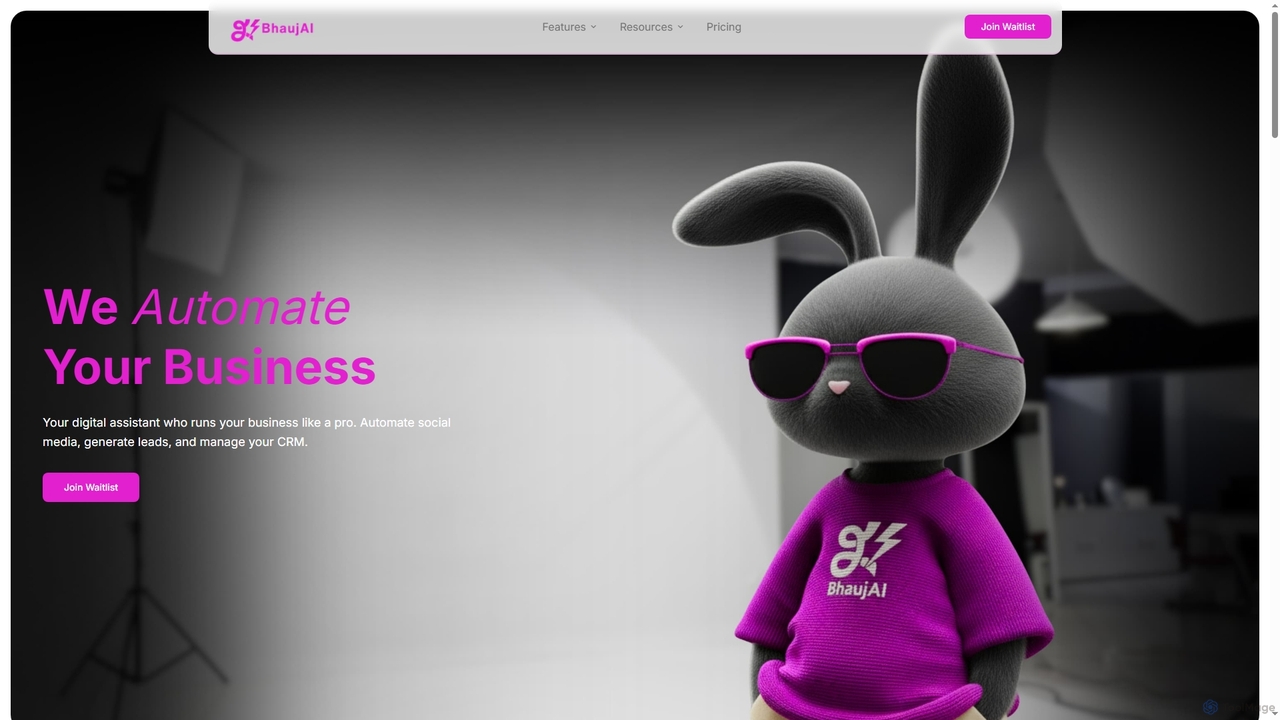
BhaujAI is India's first personalized AI digital assistant designed to automate up to 70% of business operations for online businesses and creators. It specializes in social media management, lead generation, and CRM, enabling effortless growth and increased efficiency.

3D
Visits 5.1KFavorites 120Likes 123

About Digital Assistant

Digital assistants are AI-powered software tools designed to help users automate tasks, retrieve information, and manage daily activities through natural language interaction. These intelligent agents leverage advanced natural language processing (NLP) and machine learning to understand user commands, learn preferences, and provide personalized support. Positioned within the broader productivity category, digital assistants specifically focus on intelligent automation and conversational interfaces to streamline workflows, reduce manual effort, and offer instant access to data and services, thereby significantly enhancing personal and professional efficiency.

Core Features

  • Natural Language Understanding (NLU): Interprets spoken or typed commands and questions, accurately understanding context, intent, and nuances in human language.
  • Proactive Task Automation: Executes routine and complex tasks such as scheduling meetings, sending personalized emails, setting reminders, managing to-do lists, and controlling smart home or office devices.
  • Intelligent Information Retrieval: Accesses, synthesizes, and presents relevant data from various sources, providing quick answers, summaries, real-time updates, and research assistance.
  • Personalization and Learning: Continuously learns user habits, preferences, and historical interactions to offer tailored recommendations, anticipate needs, and provide increasingly proactive and relevant assistance.
  • Seamless Multi-platform Integration: Connects effortlessly with calendars, email clients, messaging apps, CRM systems, project management tools, and other essential productivity platforms.

Use Cases

Digital assistants are invaluable across diverse personal and professional settings. Individuals utilize them for daily organization, managing smart devices, quick information lookups, and hands-free operation. In business, they automate customer service inquiries, provide instant support to internal teams with data access, streamline administrative tasks like expense reporting, and facilitate efficient communication, significantly boosting operational efficiency and freeing up human resources for more complex work.

How to Choose

Selecting the right digital assistant involves evaluating its core functionalities, such as the accuracy of its Natural Language Processing and the breadth of its task automation capabilities, against your specific needs. Crucially, consider its integration ecosystem with your existing software and hardware, the level of personalization and learning it offers, and its data privacy and security protocols. User interface design, ease of setup, and the availability of robust support are also vital for a smooth and effective adoption experience.

Digital Assistant use cases

1

Automating Meeting Scheduling

For busy professionals, a digital assistant can manage complex meeting schedules. Users simply state their availability and preferences, and the assistant automatically finds suitable times, sends invitations, and updates calendars for all participants, significantly reducing the administrative burden and preventing scheduling conflicts.

2

Automating Meeting Scheduling & Management

Project managers and executive assistants often spend significant time coordinating meetings with multiple participants across different time zones. A digital assistant integrates with calendars, intelligently finds optimal meeting times based on availability, sends out invitations, and sets automated reminders. This significantly reduces the back-and-forth communication, saving hours of administrative work and minimizing scheduling conflicts, allowing teams to collaborate more efficiently.

3

Rapid Information Retrieval & Content Summarization

Researchers, content creators, and analysts frequently need to quickly grasp key points from lengthy articles, reports, or web pages. A digital assistant can process vast amounts of text, extract main ideas, and provide concise summaries or answer specific questions instantly. This capability significantly accelerates research, improves comprehension, and saves valuable reading time, enabling users to make informed decisions faster.

4

Personalized Information Retrieval

Content creators or researchers can leverage digital assistants to quickly gather specific information. Instead of manually searching multiple sources, they can ask the assistant to find facts, summarize articles, or provide real-time data on a topic, accelerating research and content generation processes.

5

Personalized Task Reminders & Prioritization

Individuals and entrepreneurs managing busy to-do lists often struggle to ensure deadlines are met and to focus on high-impact tasks. A digital assistant learns user habits, provides intelligent reminders for upcoming deadlines, and suggests task prioritization based on urgency and importance. By integrating with project management tools, it helps boost personal organization, reduces missed deadlines, and improves focus on critical objectives, leading to enhanced overall productivity.

6

Streamlining Customer Service Inquiries

Businesses can deploy digital assistants as intelligent chatbots on their websites or messaging platforms. These assistants handle common customer questions, provide instant support, guide users through FAQs, and escalate complex issues to human agents, improving response times and customer satisfaction.

7

Managing Smart Home/Office Devices

Individuals and office managers use digital assistants to control connected devices. From adjusting lighting and temperature to managing security systems and playing music, the assistant provides a centralized, voice-activated interface for seamless environmental control, enhancing comfort and convenience.

8

Assisting Email Drafting & Communication Optimization

Sales professionals, customer support agents, and marketing specialists often need to draft professional emails, respond to common inquiries, or personalize outreach messages efficiently. A digital assistant can generate draft emails, suggest polite and effective phrasing, correct grammar, and even personalize templates based on recipient data. This capability significantly speeds up communication, ensures a consistent and professional tone, and enhances the overall effectiveness of digital correspondence, improving customer engagement and operational efficiency.

9

Cross-Platform Data Synchronization & File Management

Remote workers and freelancers often struggle to keep files and data organized across various cloud storage services, devices, and applications. A digital assistant can act as a central hub, intelligently synchronizing files, categorizing documents, and making them easily searchable across different platforms. This ensures centralized access to all necessary information, reduces the time spent searching for files, and improves data consistency, leading to a more cohesive and efficient digital workflow.

10

Proactive Task and Reminder Management

For individuals juggling multiple projects, a digital assistant can act as a personal organizer. It sets intelligent reminders based on location or time, helps prioritize tasks, creates to-do lists, and even suggests next steps, ensuring important deadlines are met and productivity remains high.

11

Drafting and Sending Communications

Sales professionals or marketing teams can utilize digital assistants to draft emails, compose social media posts, or generate quick responses. By providing key points, the assistant can formulate coherent messages, saving significant time in daily communication tasks and maintaining consistent brand voice.

12

Automating Routine Administrative Tasks

Small business owners and office managers often spend considerable time on repetitive administrative duties such as expense tracking, invoice generation, or basic data entry. A digital assistant can integrate with accounting software, automate report generation, or fill out forms based on predefined rules. This significantly reduces administrative overhead, minimizes manual errors, and frees up valuable time for core business activities, contributing to greater operational efficiency and cost savings.

Digital Assistant FAQ

What are Digital Assistants?

Digital Assistants are AI-powered software tools that help users with various tasks through intelligent automation and natural language interaction. They leverage advanced technologies like natural language processing (NLP) and machine learning to understand commands, retrieve information, and execute tasks. Their core purpose is to enhance personal and professional productivity by streamlining daily operations, from scheduling and communication to data management and personalized recommendations.

What are Digital Assistants?

Digital assistants are AI-powered software programs designed to understand and respond to natural language commands, helping users with a wide range of tasks. They leverage technologies like Natural Language Processing (NLP) and machine learning to automate information retrieval, manage schedules, control devices, and provide personalized support, acting as intelligent productivity enhancers.

What are the core functions of Digital Assistants?

Digital Assistants offer a range of core functions designed to boost efficiency. These typically include task automation (e.g., scheduling, reminders), information retrieval (e.g., summarizing documents, answering questions), communication assistance (e.g., drafting emails, generating responses), and data organization (e.g., categorizing files, managing contacts). Some advanced assistants also provide personalized recommendations and integrate with smart home or office devices for broader control.

How do Digital Assistants differ from traditional productivity tools?

While traditional productivity tools offer specific functions (e.g., spreadsheets, word processors), digital assistants provide an intelligent, conversational interface that proactively assists across multiple tasks. They understand context, learn user preferences, and can automate complex workflows, unlike static tools that require manual input for each action. They are more about intelligent interaction and automation than just task execution.

What are the key benefits of using a Digital Assistant?

The primary benefits include significant time savings through task automation, improved efficiency by streamlining workflows, and enhanced accessibility to information and services. Digital assistants also offer personalized support, reduce cognitive load by handling routine tasks, and can operate across various devices and platforms, leading to better overall organization and productivity.

What is the difference between Digital Assistants and traditional productivity tools?

The key difference lies in their intelligence and interaction model. Traditional productivity tools (e.g., basic calendar apps, word processors) are typically rule-based and require explicit manual input for each action. Digital Assistants, however, leverage AI, particularly NLP and machine learning, to understand natural language commands, learn from user behavior, and perform tasks autonomously or with minimal guidance. They offer proactive suggestions, personalize experiences, and can integrate various functions into a seamless, conversational interface, making them more adaptive and intelligent than their traditional counterparts.

Who benefits most from using Digital Assistants?

Digital Assistants offer significant benefits to a wide range of users, particularly those seeking to optimize their daily workflows and manage information more effectively. This includes busy professionals, entrepreneurs, content creators, and small business owners who need to automate repetitive tasks, manage complex schedules, or quickly access and summarize information. Anyone looking to reduce administrative burden, improve organization, and free up time for more strategic work will find immense value in these intelligent tools.

What should I consider for data privacy when using a Digital Assistant?

When using a digital assistant, it's crucial to understand its data collection, storage, and usage policies. Look for assistants that offer robust encryption, clear privacy settings, and transparency about how your personal data and voice commands are processed. Opt for tools that allow you to review and delete your data, ensuring you maintain control over your information.

Can Digital Assistants integrate with other business software?

Yes, many advanced digital assistants are designed for seamless integration with a wide array of business software. This includes calendar applications, email clients, CRM systems (e.g., Salesforce), project management tools (e.g., Asana, Trello), and communication platforms (e.g., Slack, Microsoft Teams). Such integrations enable them to perform tasks and retrieve information across your entire digital ecosystem, enhancing their utility in a professional environment.

How to choose the right Digital Assistant for me?

Choosing the right Digital Assistant involves evaluating several key factors. First, consider your specific needs: what tasks do you want to automate or simplify? Look for tools with strong integration capabilities with your existing software ecosystem (e.g., calendar, email, CRM). Data privacy and security policies are crucial, especially for sensitive information. Finally, assess the customization options, ease of use, and the learning curve to ensure the assistant can adapt to your unique workflow and be adopted effectively without significant friction.