
ToolMage
Sign in

Best 1 Icons AI tools for Productivity

Popular Icons AI tools in Productivity include SVG Genie, helping you work more efficiently.

SVG Genie
Freemium

SVG Genie

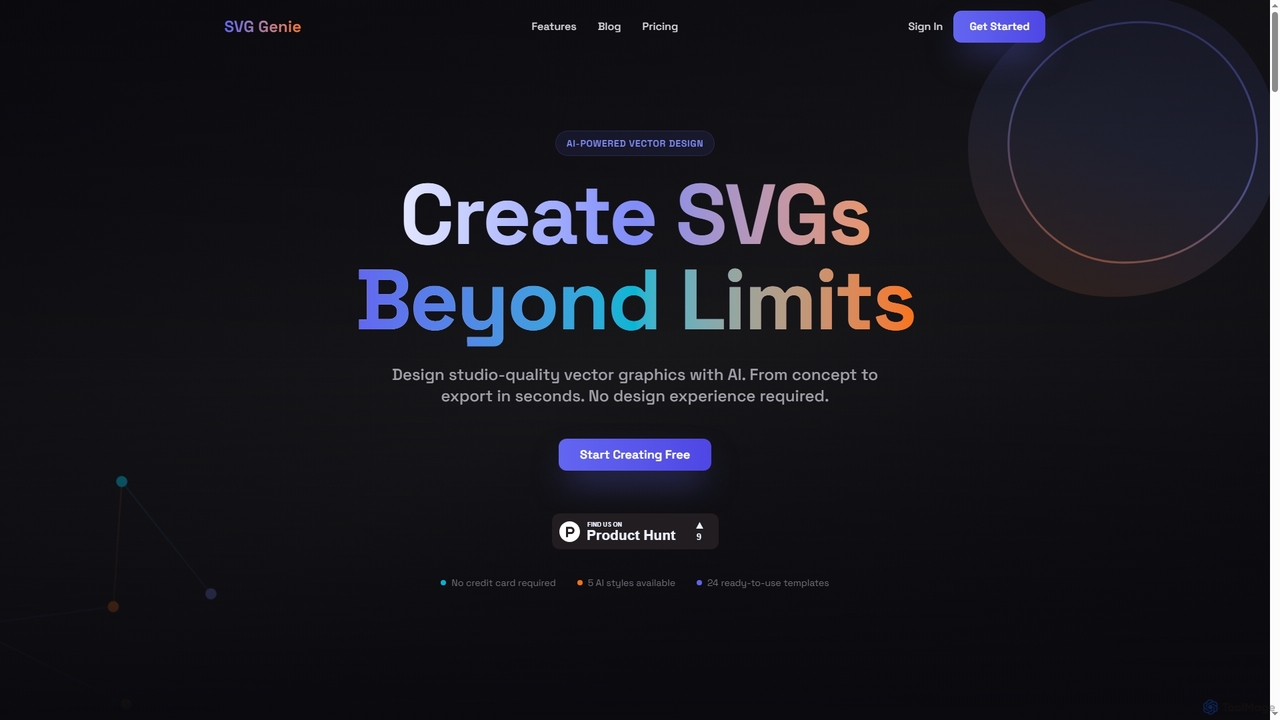
SVG Genie is an AI-powered platform that transforms text descriptions into high-quality, infinitely scalable vector graphics (SVGs). Designed for users of all skill levels, it generates studio-quality logos, icons, and illustrations in seconds across five unique artistic styles, requiring no design experience.

Illustration
Visits 46.1KFavorites 189Likes 183

About Icons

AI Icon generators are tools that create unique, custom icons from text descriptions, style inputs, or existing images. They leverage generative AI models to produce a wide range of visual styles, from minimalist line art to detailed 3D illustrations, in a matter of seconds. This capability dramatically accelerates the design workflow for digital products, presentations, and marketing materials, providing a powerful alternative to searching through stock icon libraries. The tools ensure visual consistency and brand alignment by generating entire icon sets with a unified aesthetic.

Core Features

  • Text-to-Icon Generation: Creates icons based on simple descriptive text prompts, translating words into visual symbols.
  • Style Customization: Allows users to define and control parameters like color palettes, line weight, and artistic style (e.g., flat, isometric, hand-drawn).
  • Vector Format Export: Generates icons in scalable vector formats (SVG) for lossless resizing and professional use in web and print.
  • Icon Set Consistency: Produces multiple icons in a cohesive, unified style, perfect for building a complete design system.
  • Image-to-Icon Conversion: Transforms simple sketches, photos, or existing graphics into clean, stylized icons.

Use Cases

AI Icon generators are primarily used by UI/UX designers for creating application and website interfaces, web developers needing custom assets for projects, and marketing teams designing presentations or social media content. They are also valuable for product managers in the rapid prototyping phase and for brands looking to establish a unique and consistent visual identity across all platforms.

How to Choose

When selecting an AI Icon generator, consider the quality and variety of styles it can produce. Prioritize tools that offer SVG export for professional workflows. Evaluate the AI's ability to understand nuanced prompts and maintain stylistic consistency across an entire icon set. Also, consider the pricing model—whether it's subscription-based or pay-per-icon—and its integration capabilities with your existing design software like Figma or Sketch.

Icons use cases

1

Creating a Custom Icon Set for a Mobile App

A UI/UX designer is tasked with creating a new financial tracking app. Instead of spending hours searching for a suitable icon set that matches the app's modern and clean aesthetic, they use an AI Icon generator. By inputting prompts like 'minimalist line icon for transaction history' and 'flat style icon for budget planning,' the designer generates a complete, cohesive set of 30 icons in under an hour. The tool's ability to maintain a consistent line weight and color palette across all icons ensures a professional and branded user interface, significantly reducing design time.

2

Generating On-Brand Icons for a Marketing Presentation

A marketing manager needs to create a compelling presentation for a new product launch. To make the slides visually engaging, they require specific icons that align with the company's branding, which uses a unique color palette and a hand-drawn style. Using an AI Icon generator, they upload a style reference image and input text prompts for concepts like 'Global Reach' and 'Customer Satisfaction'. The AI produces a series of icons that perfectly match the brand's aesthetic. This allows for rapid creation of high-quality, on-brand visuals without needing to commission a graphic designer for a small, urgent task.

3

Rapid Prototyping for a Web Application Feature

A product manager is developing a wireframe for a new dashboard feature in a web application. They need placeholder icons quickly to visualize the layout and functionality for stakeholders. Instead of using generic, mismatched icons, they use an AI generator to create a simple, consistent set of icons for functions like 'Data Export,' 'User Settings,' and 'Analytics Report.' This process takes minutes and results in a much more polished and understandable prototype. The ability to generate specific icons on the fly helps communicate the feature's purpose more effectively than using abstract shapes or empty boxes.

4

Creating Unique Icons for a Blog or Website

A content creator runs a blog about sustainable living and wants to replace generic stock icons with unique visuals that reflect their niche. They use an AI Icon generator to create icons for categories like 'Zero Waste,' 'Organic Gardening,' and 'Renewable Energy.' By specifying a 'natural, earthy color palette' and 'organic, hand-drawn style,' they produce a set of icons that enhances the blog's visual identity and makes it stand out. This custom approach helps build a stronger brand and provides a better user experience for readers navigating the site.

5

Developing a Consistent Icon System for a Brand

A design lead at a growing tech company is tasked with creating a unified icon system to be used across their website, software, and marketing materials. They use an AI Icon generator as a starting point to explore different stylistic directions. After settling on an 'isometric, blue-toned, and slightly rounded' style, they generate a core set of 50 icons. This AI-generated set serves as a robust foundation. The design team then manually refines a few key icons and uses the established rules to expand the library, ensuring all future assets are perfectly consistent and on-brand.

6

Generating Abstract Icons for Service Features

A SaaS company needs to visually represent abstract service features like 'Scalable Infrastructure,' 'API Integration,' and 'Data Encryption' on their pricing page. These concepts are difficult to illustrate with standard icons. A web developer uses an AI Icon generator with prompts that combine the concept with a visual metaphor, such as 'growing building blocks for scalable infrastructure' or 'secure lock with digital circuit for data encryption.' The tool produces creative and meaningful icons that effectively communicate complex ideas to potential customers, improving the clarity and appeal of the webpage.

Icons FAQ

What are AI Icon generators?

AI Icon generators are specialized tools that use artificial intelligence, specifically generative models, to create new, unique icons from user inputs. Unlike traditional icon libraries which offer a fixed collection of pre-made icons, these tools generate visuals on-demand based on text descriptions, style preferences, or even uploaded sketches. They can produce icons in various styles (e.g., flat, 3D, line art) and formats (e.g., SVG, PNG), making them highly versatile for designers, developers, and marketers who need custom, consistent visual assets quickly.

How do AI Icon generators differ from stock icon libraries?

The primary difference lies in creation versus selection. Stock icon libraries offer a large but finite collection of pre-made icons that users can search and download. AI Icon generators create entirely new icons based on your specific instructions. Key differences include:

  • Uniqueness: AI-generated icons are unique to your prompt, while stock icons are used by many.
  • Customization: AI allows for precise control over style, color, and concept, which is limited with stock icons.
  • Workflow: AI generators involve a creative, iterative process of refining prompts, whereas using stock libraries is a search-and-find process.
  • Consistency: AI can generate a whole set of icons in a perfectly consistent style on demand, a task that is often challenging with stock libraries.

How to choose the right AI Icon generator?

Selecting the best AI Icon generator depends on your specific needs. Consider these factors:

  • Style Variety and Quality: Look for a tool that offers a wide range of high-quality artistic styles (e.g., flat, 3D, pixel art) that match your brand's aesthetic.
  • SVG Export: For professional design work, the ability to export in a scalable vector format (SVG) is crucial. This ensures icons can be resized without losing quality.
  • Control and Consistency: Evaluate how well you can control the output. A good tool will allow you to specify colors, maintain a consistent style across a set, and understand nuanced text prompts.
  • Ease of Use: The interface should be intuitive, allowing you to generate and refine icons quickly without a steep learning curve.
  • Pricing Model: Compare subscription plans, credit-based systems, or free tiers to find a model that fits your budget and usage frequency.

Can AI-generated icons be used for commercial projects?

In most cases, yes, but it is essential to check the terms of service for the specific AI Icon generator you are using. Most platforms grant users commercial rights to the icons they create, meaning you can use them in websites, applications, marketing materials, and products for sale. However, some services might have restrictions, especially on free plans. Always verify the licensing agreement to ensure you have the appropriate rights for your intended use and to understand any limitations on resale or distribution of the raw icon files.

Who are the primary users of AI Icon generators?

AI Icon generators serve a wide range of users who need custom visual assets efficiently. The primary users include:

  • UI/UX Designers: For creating consistent and unique icon sets for web and mobile applications.
  • Web Developers: To quickly generate custom icons for websites and web apps without relying on a separate designer.
  • Marketing Professionals: For creating on-brand visuals for presentations, social media posts, and advertising campaigns.
  • Product Managers: To build more realistic and visually communicative prototypes and wireframes.
  • Content Creators & Bloggers: To enhance their content with unique icons that match their brand's niche and style.