ToolMage
Sign in

Best 1 Image Analysis AI tools for Productivity

Popular Image Analysis AI tools in Productivity include HomeBlueprint, helping you work more efficiently.

HomeBlueprint
Freemium

HomeBlueprint

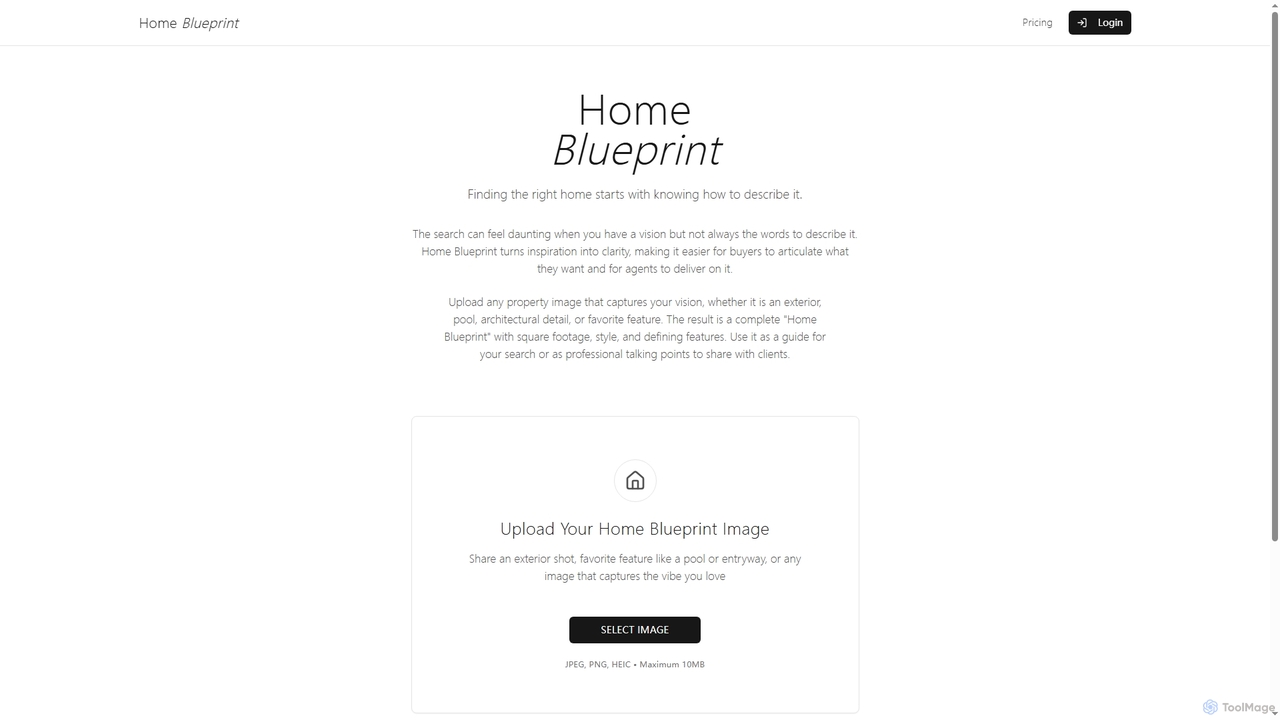
HomeBlueprint is an AI-powered tool that transforms property images into detailed descriptions, including square footage, style, and key features. It helps home seekers articulate their vision and real estate agents provide precise information, simplifying the home search process.

Architectural Planning
Visits 4.2KFavorites 124Likes 125

About Image Analysis

Image Analysis tools are AI-powered solutions that interpret and extract meaningful information from visual data, such as images and videos. Leveraging advanced computer vision and machine learning algorithms, these tools can identify objects, patterns, faces, text, and anomalies, transforming raw pixels into actionable insights. Within the broader context of productivity, they significantly enhance efficiency by automating visual data interpretation, enabling faster decision-making and streamlined workflows across various industries.

Core Features

  • Object Detection & Recognition: Automatically identify and classify specific objects or entities within images and videos.
  • Facial Recognition & Analysis: Detect and identify human faces, analyze expressions, demographics, or track individuals.
  • Optical Character Recognition (OCR): Extract text from images, converting it into machine-readable format for data processing.
  • Defect Detection & Quality Control: Identify imperfections, damage, or deviations from standards in manufactured goods or materials.
  • Image Segmentation: Divide an image into multiple segments or objects to simplify or change the representation of an image into something more meaningful and easier to analyze.

Use Cases

Image Analysis tools are indispensable across sectors like manufacturing for automated quality inspection, retail for customer behavior analytics, and healthcare for diagnostic assistance. They empower businesses to gain deep insights from visual data, optimize operations, and enhance security protocols, making complex visual information accessible and actionable for various stakeholders.

How to Choose

When selecting an Image Analysis tool, consider its accuracy and reliability for your specific use case, the types of images and data it supports, and its real-time processing capabilities. Evaluate integration options with existing systems, scalability for future needs, and data privacy compliance. Also, assess the user-friendliness of its interface and the availability of customization options to tailor it to unique requirements.

Featured tool rankings

Image Analysis use cases

1

Automated Defect Detection in Production Lines

Manufacturing engineers utilize image analysis tools to automatically inspect products for defects, anomalies, or inconsistencies during production. By deploying cameras and AI algorithms, the system can identify microscopic flaws, misalignments, or missing components in real-time, significantly reducing manual inspection time and improving overall product quality and consistency. This leads to fewer recalls and enhanced customer satisfaction.

2

Analyzing In-Store Customer Engagement

Retail managers employ image analysis to understand customer behavior within physical stores. Tools can track foot traffic patterns, identify popular product displays, analyze dwell times, and even gauge customer sentiment through facial expression analysis (anonymously). This data helps optimize store layouts, product placement, and staffing levels, ultimately boosting sales and enhancing the shopping experience.

3

Assisting in Medical Anomaly Detection

Radiologists and medical professionals leverage image analysis to aid in the detection of subtle anomalies in medical scans like X-rays, MRIs, and CT scans. AI algorithms can highlight potential tumors, fractures, or disease indicators that might be missed by the human eye, providing a crucial second opinion and accelerating the diagnostic process, leading to earlier intervention and improved patient outcomes.

4

Enhancing Security with Object and Face Recognition

Security personnel use image analysis tools in surveillance systems to automatically detect and identify suspicious objects, unauthorized individuals, or specific faces in real-time video feeds. This capability allows for proactive threat detection, rapid response to incidents, and efficient monitoring of large areas, significantly bolstering security measures in public spaces, corporate buildings, and critical infrastructure.

5

Assessing Crop Health from Drone Imagery

Farmers and agronomists utilize image analysis to process aerial imagery captured by drones or satellites to monitor crop health across vast fields. These tools can identify areas affected by pests, diseases, or nutrient deficiencies by analyzing changes in plant color, texture, and growth patterns. This enables precision agriculture, allowing targeted intervention, optimizing resource use, and maximizing yields.

6

Automating Visual Content Moderation

Social media platforms and online communities deploy image analysis to automatically detect and flag inappropriate, violent, or explicit visual content. AI algorithms can quickly scan millions of uploaded images and videos, identifying violations of community guidelines. This significantly reduces the burden on human moderators, ensures a safer online environment, and helps maintain brand reputation.

Image Analysis FAQ

What are Image Analysis tools?

Image Analysis tools are AI-powered software solutions designed to process, interpret, and extract meaningful insights from digital images and videos. They utilize computer vision and machine learning algorithms to perform tasks like object detection, facial recognition, text extraction (OCR), and anomaly detection, transforming raw visual data into structured, actionable information for various applications.

How do Image Analysis tools differ from basic image editing software?

While basic image editing software focuses on manipulating pixels for aesthetic or simple corrective purposes (e.g., cropping, color correction), Image Analysis tools go beyond this by *interpreting* the content of an image. They don't just change how an image looks; they understand what's *in* the image, identifying objects, patterns, and relationships to extract data and insights, often autonomously.

What are the key capabilities of Image Analysis tools?

Key capabilities include Object Detection and Classification (identifying and categorizing items), Facial Recognition (identifying individuals or analyzing expressions), Optical Character Recognition (OCR) (extracting text), Image Segmentation (dividing images into meaningful parts), Anomaly Detection (spotting unusual patterns), and Attribute Extraction (identifying specific characteristics like color, size, or texture). These functions enable a wide range of applications from security to healthcare.

Who benefits most from using Image Analysis tools?

A wide range of professionals and industries benefit significantly. This includes manufacturers (for quality control), retailers (for customer analytics), healthcare providers (for diagnostic assistance), security agencies (for surveillance), agricultural businesses (for crop monitoring), and content platforms (for moderation). Essentially, any sector dealing with large volumes of visual data that requires automated interpretation and insight extraction can leverage these tools to enhance productivity and decision-making.

What factors should I consider for data privacy when using Image Analysis tools?

Data privacy is crucial, especially when dealing with sensitive visual data like facial recognition or personal images. Key factors to consider include: Data Anonymization (can the tool process data without identifying individuals?), Consent Mechanisms (are you obtaining proper consent?), Data Storage & Security (how is visual data stored and protected?), and Compliance (does the tool adhere to regulations like GDPR, CCPA, or HIPAA?). Always choose tools with robust privacy features and transparent data handling policies.