
Productivity Best in category 1 results Launchpad AI Tool

Popular AI tools in the Launchpad field of Productivity include Bullet Launch, etc., helping you quickly improve efficiency.

Bullet Launch

Bullet Launch

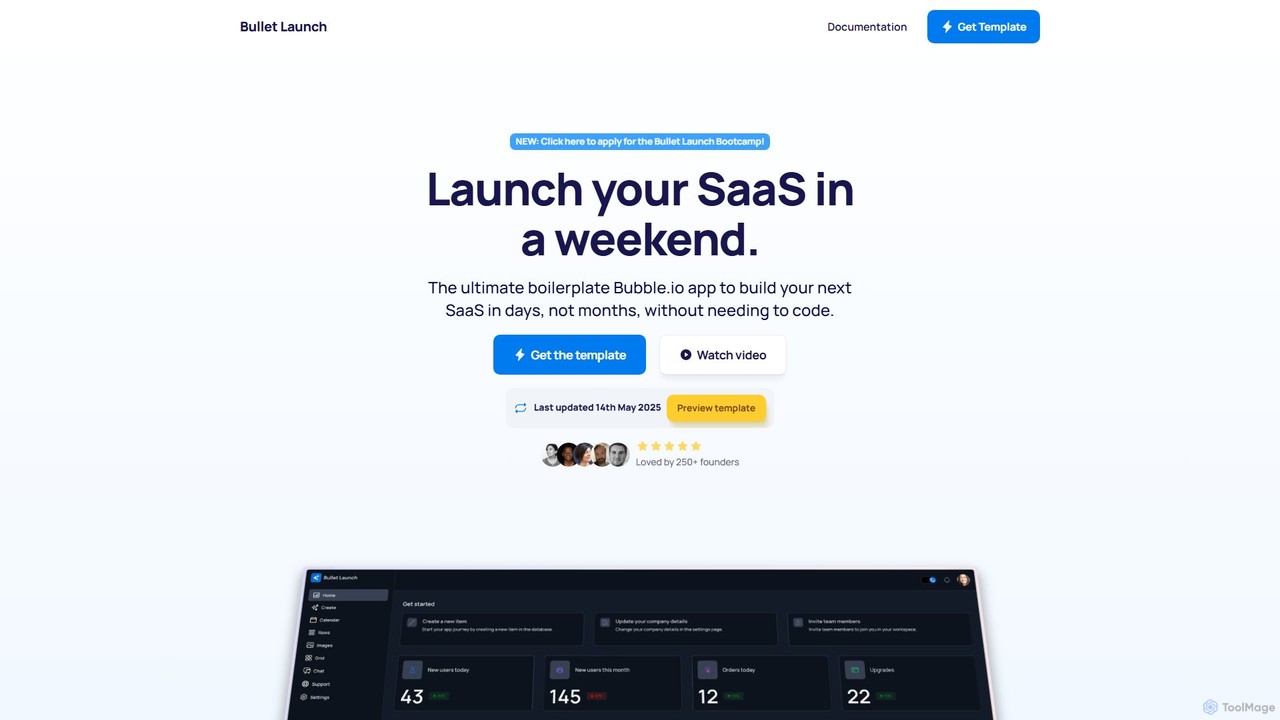
Bullet Launch is the ultimate Bubble.io SaaS boilerplate designed for founders and developers. It accelerates app development by …

3.1K

About Launchpad

Launchpad AI tools are centralized platforms designed to streamline the initiation and management of AI-powered tasks and workflows. These tools act as a unified hub, integrating various AI capabilities to provide a single starting point for diverse productivity needs. They enable users to quickly access, configure, and deploy AI functionalities, significantly enhancing efficiency across different professional domains. This category focuses on providing a seamless gateway to AI-driven productivity.

Core Features

  • Unified AI Access: Provides a single interface to access multiple AI models or tools, eliminating the need to switch between applications.
  • Task Initiation & Automation: Facilitates the quick start of AI-driven tasks, from content generation to data analysis, often with pre-configured templates.
  • Workflow Orchestration: Allows users to define and automate sequences of AI tasks, creating custom workflows for recurring processes.
  • Personalized Dashboards: Offers customizable interfaces where users can pin frequently used AI tools, projects, or insights for rapid access.
  • Integration Capabilities: Connects with other productivity software, cloud services, and third-party AI APIs to extend functionality.

Applicable Scenarios

Launchpad AI tools are ideal for professionals seeking to centralize their AI interactions and accelerate task execution. They benefit content creators needing quick access to writing and image generation AI, project managers automating initial project setups, and developers managing various AI coding assistants from one place. These platforms are particularly valuable in environments where diverse AI capabilities need to be leveraged efficiently and cohesively.

How to Choose

When selecting an AI Launchpad, consider its integration ecosystem with your existing tools and preferred AI models. Evaluate the level of customization offered for dashboards and workflows to match your specific needs. Assess the ease of use and user interface intuitiveness, as a good Launchpad should simplify, not complicate. Finally, examine the scalability and pricing structure to ensure it aligns with your team size and budget, and supports future growth.

LaunchpadUse Cases

1

Rapid Content Idea Generation

A content creator uses an AI Launchpad to quickly generate blog post ideas, outlines, and initial drafts. By leveraging integrated AI writing tools, they input a topic, and the Launchpad provides multiple creative angles, keyword suggestions, and structural frameworks, saving hours of brainstorming and research time, enabling faster content production cycles.

2

Streamlined Project Kick-off

A project manager uses a Launchpad to initiate a new project, automatically generating initial task lists, resource allocation suggestions, and communication templates via integrated AI. This central hub allows for quick setup, ensuring all team members have immediate access to AI-generated project briefs and tools, reducing administrative overhead by up to 30%.

3

Personalized Daily AI Assistant Hub

A professional uses their Launchpad as a central point to access AI for scheduling, email drafting, and quick data analysis, tailored to their daily routine. The Launchpad learns user preferences, prioritizing relevant AI tools and information, effectively acting as a personalized AI assistant that anticipates needs and provides instant access to necessary AI functionalities, saving up to an hour daily.

4

Automated Marketing Campaign Setup

A marketing specialist uses a Launchpad to quickly set up a new campaign, generating ad copy, image ideas, and audience targeting suggestions using integrated AI. The Launchpad streamlines the initial creative and strategic phases, allowing the specialist to launch campaigns faster and experiment with more variations, potentially increasing campaign effectiveness by 15-20%.

5

Developer's AI Code Assistant Hub

A developer uses a Launchpad to access various AI coding assistants, debugging tools, and documentation generators from a single interface. This centralizes their AI development environment, allowing them to switch seamlessly between different AI models for code completion, error detection, and boilerplate generation, accelerating coding tasks and improving code quality by reducing manual errors.

6

Research & Information Synthesis Starter

A researcher uses a Launchpad to initiate literature reviews, summarize articles, and generate initial hypotheses using integrated AI research tools. The Launchpad acts as a starting point for complex research tasks, quickly processing large volumes of text, identifying key themes, and suggesting connections, significantly reducing the initial phase of research and accelerating discovery.

LaunchpadFrequently Asked Questions