Productivity Best in category 1 results Nocode Development AI Tool

Popular AI tools in the Nocode Development field of Productivity include Valident, etc., helping you quickly improve efficiency.

Valident

Valident

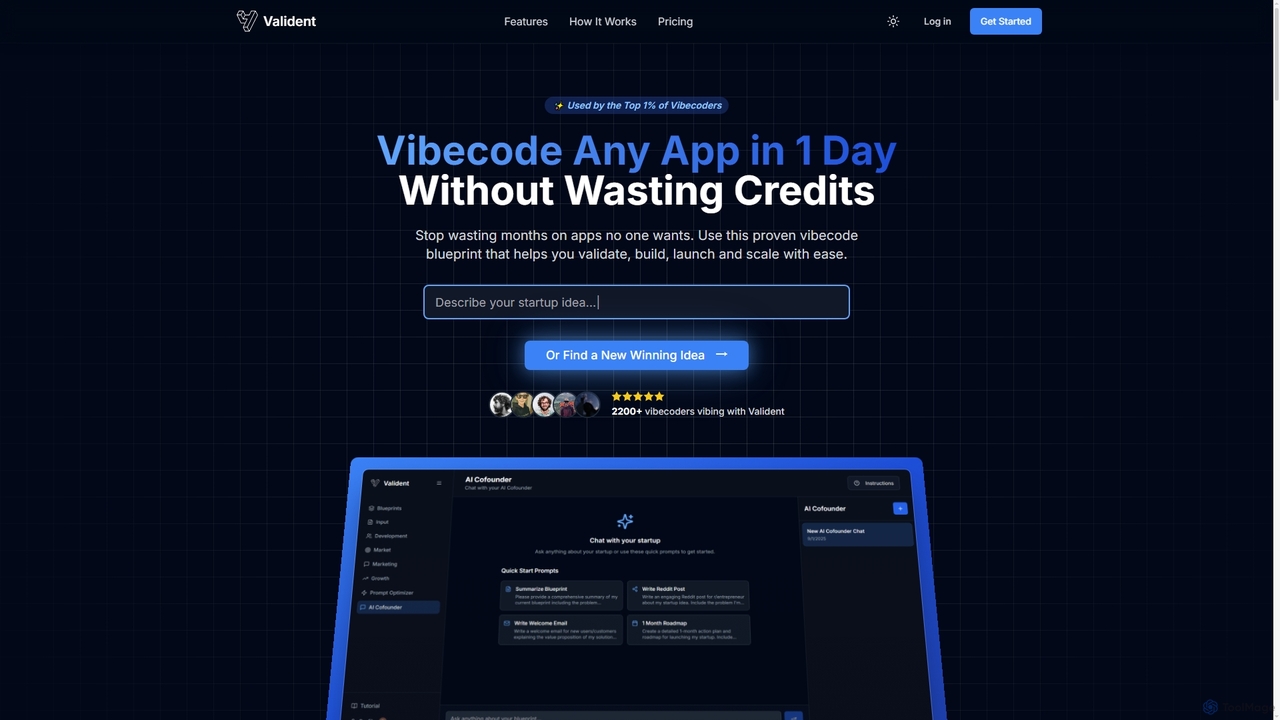
Valident is an AI-powered platform designed for entrepreneurs and no-code builders to validate, build, and launch their startup …

2.2K

About Nocode Development

Nocode Development tools are platforms that empower users to create software applications, websites, and automations without writing a single line of code. These tools leverage visual, drag-and-drop interfaces, pre-built components, and logic builders to translate user designs into functional digital products. This approach democratizes software creation, enabling entrepreneurs, marketers, and business professionals to build and launch their ideas rapidly. As a key part of the Productivity ecosystem, Nocode Development significantly reduces development time and costs, turning complex technical tasks into manageable visual processes.

Core Features

  • Visual App Builder: Design user interfaces and application logic using drag-and-drop elements and visual workflows.
  • Workflow Automation: Create automated sequences that connect different apps and services to handle repetitive tasks.
  • Database Integration: Easily create, manage, and connect to databases to store and retrieve application data.
  • Pre-built Templates: Start projects quickly with a library of ready-to-use templates for common applications like CRMs, project managers, and websites.
  • API Connectivity: Integrate with third-party services and APIs without coding to extend application functionality.

Use Cases

Nocode Development is widely used by startups to build Minimum Viable Products (MVPs) quickly and affordably. Small businesses use these tools to create custom internal management systems, such as inventory trackers or employee directories. Marketing teams also leverage them to build landing pages, automate lead nurturing campaigns, and create interactive web experiences without relying on IT departments.

How to Choose

When selecting a Nocode Development tool, first evaluate its scalability and performance limitations to ensure it can support your user growth. Examine the platform's integration ecosystem to confirm it connects with the other software you use. Also, consider the learning curve and available community support, as this will impact your team's adoption speed. Finally, analyze the pricing model, paying attention to limits on users, database records, or workflow executions.

Nocode DevelopmentUse Cases

1

Building a Custom Internal Tool for Operations

An operations manager at a mid-sized company needs a custom tool to track equipment maintenance schedules, but the IT department has a six-month backlog. Using a nocode platform, the manager builds a dedicated application in under a week. They create a database to store equipment details, set up forms for maintenance requests, and design a dashboard that visualizes upcoming service dates. Automated email reminders are sent to technicians a week before a scheduled task, significantly reducing equipment downtime and improving operational efficiency without writing any code.

2

Launching a Startup's Minimum Viable Product (MVP)

A non-technical founder wants to test a business idea for a community marketplace app. Instead of hiring expensive developers, they use a nocode app builder. They design the user interface, set up user profiles, create a system for posting listings, and integrate a payment gateway. Within a few weeks, they launch a fully functional MVP to a small group of early adopters. This allows them to gather real-world feedback and validate their concept with minimal initial investment, accelerating their path to market.

3

Automating Marketing and Sales Workflows

A marketing team uses a nocode automation platform to streamline their lead management process. They create a workflow that automatically captures leads from a website form, adds them to a CRM, and assigns them to a sales representative based on territory. The workflow then triggers a personalized welcome email sequence. This eliminates manual data entry, ensures rapid lead follow-up, and provides a seamless handoff between marketing and sales, all configured through a visual interface without involving developers.

4

Creating a Client Portal for a Service Business

A freelance designer wants to provide a professional experience for their clients. Using a nocode platform, they build a secure client portal where clients can log in to view project progress, access shared files, provide feedback, and view invoices. The portal is connected to their project management tool, so status updates are reflected in real-time. This self-service approach reduces back-and-forth emails, centralizes communication, and enhances client satisfaction, giving the freelancer a competitive edge.

5

Developing a Mobile App for a Local Community

A local non-profit organization wants to create a mobile app to connect volunteers with opportunities in their area. With a limited budget, they turn to a nocode mobile app builder. They design an app that allows users to browse volunteer listings, sign up for events, and track their hours. The app also includes push notifications to alert users of new urgent needs. The entire app is developed and published on app stores in a fraction of the time and cost of traditional development, enabling the non-profit to better serve its community.

6

Building an E-commerce Storefront with Custom Logic

An artist wants to sell custom-made products online, each with unique configuration options. Standard e-commerce platforms are too rigid for their needs. Using a nocode website builder with advanced logic capabilities, they create a visually rich storefront. They build a product configurator that allows customers to select materials, sizes, and custom text, with the price updating in real-time. This bespoke solution provides a unique customer experience and handles complex product variations seamlessly, which would have required significant custom development on other platforms.

Nocode DevelopmentFrequently Asked Questions