ToolMage
Sign in

Best 1 Personalized Assistant for Productivity

Popular Personalized Assistant in Productivity include CreatorsAGI, helping you work more efficiently.

CreatorsAGI
Freemium

CreatorsAGI

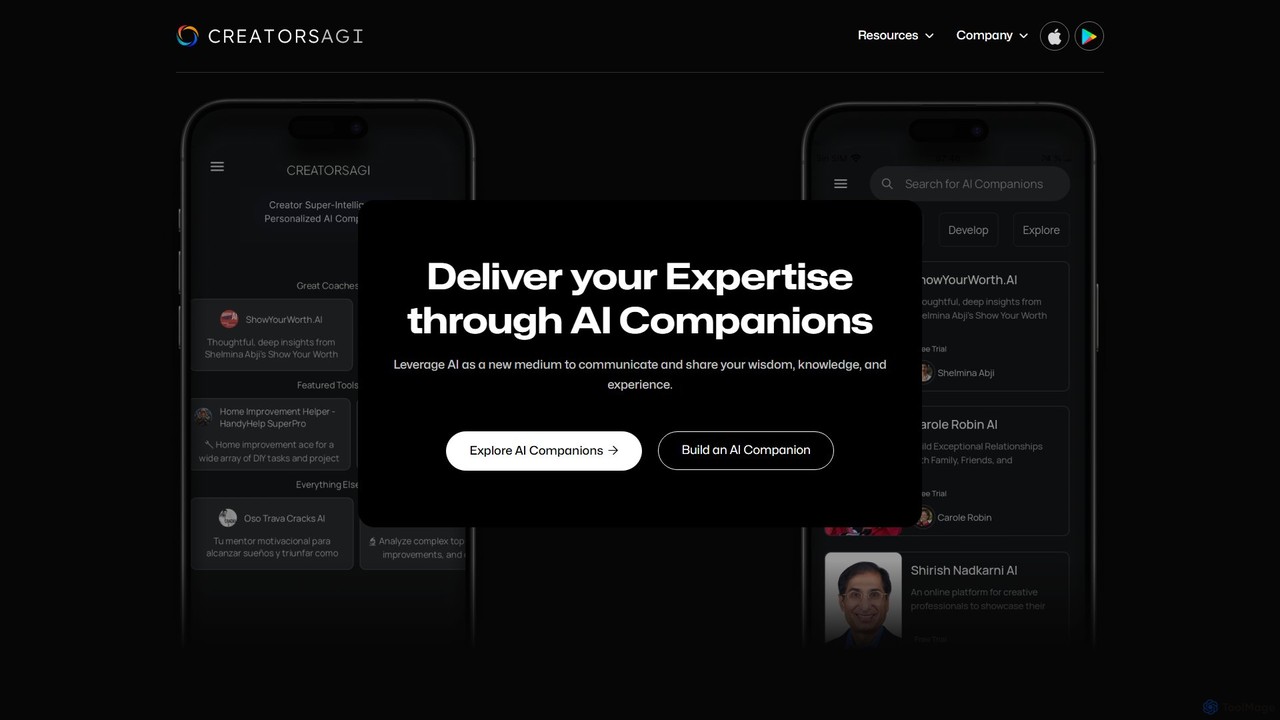
CreatorsAGI is a no-code platform that empowers creators, authors, and experts to transform their knowledge into interactive AI Companions. Build, publish, and monetize personalized AI assistants that can mentor, coach, and engage your audience 24/7 across web and mobile devices, amplifying your impact and creating deep, lasting connections.

No Code Builder
Visits 7.2KFavorites 139Likes 140

About Personalized Assistant

Personalized Assistants are AI tools designed to learn and adapt to an individual's unique workflows, preferences, and communication style. They operate by integrating with various personal and work applications, such as email and calendars, to build a deep contextual understanding of the user's activities. This enables them to provide proactive, relevant, and highly customized support, moving beyond simple task execution to anticipate needs and automate complex personal productivity routines. Their core value lies in creating a seamless, intelligent layer that orchestrates a user's digital life.

Core Features

  • Proactive Assistance: Anticipates user needs by suggesting actions, preparing meeting notes, or flagging important emails before being asked.
  • Contextual Learning: Continuously learns from user behavior, emails, and documents to understand priorities and communication style.
  • Personalized Automation: Creates custom workflows, such as drafting emails in the user's voice or summarizing articles based on their interests.
  • Unified Information Hub: Integrates data from multiple apps to provide answers and insights from a single conversational interface.

Use Cases

These assistants are ideal for busy professionals, executives, and freelancers who manage a high volume of information and communication. They excel in scenarios like preparing for meetings by automatically gathering relevant documents, managing a cluttered inbox by prioritizing and summarizing emails, and maintaining a personal knowledge base that connects ideas intelligently.

How to Choose

When selecting a Personalized Assistant, consider the depth of its integrations with your existing tools. Evaluate its learning capabilities and the level of personalization it offers. Data privacy and security policies are also critical, as these tools access sensitive information. Finally, assess the user interface and the ease of interacting with the assistant in your daily workflow.

Personalized Assistant use cases

1

Automated Meeting Preparation and Follow-up

For a project manager, the assistant connects to their calendar, email, and project tools. Before a key meeting, it automatically generates a briefing document with attendee profiles, past discussion points, and relevant project files. After the meeting, it uses the transcript to identify action items and assigns them to the correct team members, saving hours of manual administrative work.

2

Personalized Email Triage and Drafting

A business executive dealing with hundreds of emails daily uses the assistant to filter their inbox. The AI learns to identify urgent messages, summarizes long email threads, and drafts replies in the executive's distinct tone and style. This allows the executive to focus on strategic decisions rather than inbox management, reclaiming valuable time for high-impact work.

3

Proactive Daily Agenda and Focus Planning

A freelance writer uses their personalized assistant to plan their day. The tool analyzes their project deadlines, calendar appointments, and learned productivity patterns (e.g., creative work in the morning). It then crafts a prioritized daily schedule with suggested focus blocks, helping them stay on track and manage multiple client projects effectively.

4

Intelligent Personal Knowledge Management

A researcher or student uses the assistant as a 'second brain.' As they save articles, notes, and ideas, the AI automatically tags and links related concepts. When they need to write a paper, they can ask the assistant conversational questions like 'What were my main thoughts on quantum computing last month?' to instantly retrieve connected information and synthesized insights.

5

Context-Aware Information Retrieval

An account manager needs to find a specific contract sent to a client months ago but can't remember the file name. Instead of searching through folders, they ask their assistant, 'Find the proposal I sent to Acme Corp in Q2 regarding the 'Project Phoenix' deal.' The assistant understands the context and retrieves the correct document from their email or cloud storage instantly.

6

Streamlining Personal and Work-Life Logistics

For a busy parent who is also an entrepreneur, the assistant integrates both personal and professional calendars and to-do lists. It can identify scheduling conflicts between a business trip and a school event, suggest optimal travel times considering traffic, and even draft an email to reschedule a non-urgent meeting, thus balancing professional commitments and family life.

Personalized Assistant FAQ

What is an AI Personalized Assistant?

An AI Personalized Assistant is a software tool that learns an individual's habits, preferences, and work patterns to provide proactive and customized support. Unlike generic assistants, it integrates deeply with personal data like emails and calendars to anticipate needs, automate tasks, and communicate in the user's unique style, effectively acting as a digital extension of the user.

How is a Personalized Assistant different from a task manager?

A task manager requires you to manually input and organize tasks. A Personalized Assistant works proactively. It can automatically create tasks from your emails, remind you to prepare for meetings based on your calendar, and organize information without explicit instruction. It acts as an intelligent layer on top of tools like task managers, automating the process of identifying what needs to be done.

What are the key features of a good Personalized Assistant?

Look for these core features:

  • Deep Integrations: Seamless connection with your email, calendar, cloud storage, and note-taking apps.
  • Proactive Suggestions: The ability to anticipate needs and suggest actions, not just respond to commands.
  • Adaptive Learning: It should get smarter and more helpful over time by learning from your behavior.
  • Strong Privacy Controls: Clear policies on how your personal and professional data is handled and secured.
Who can benefit most from using a Personalized Assistant?

Professionals who handle a large volume of information and communication, such as executives, project managers, consultants, and entrepreneurs, will find them highly valuable. They are also beneficial for anyone looking to create a more organized and automated system for managing their digital life and knowledge, reducing cognitive load and freeing up time for more strategic tasks.

How does a Personalized Assistant differ from general AI assistants like Siri or Google Assistant?

General assistants like Siri are designed for broad, quick tasks (e.g., 'set a timer,' 'what's the weather?'). Personalized Assistants are designed for deep, contextual work productivity. They understand the relationships between your contacts, projects, and files to help with complex tasks like drafting a follow-up email to a specific client about a particular project, something a general assistant cannot do.